pi-ask-popup
Pi extension. A tabbed terminal questionnaire the model can put to you when it would otherwise guess, with typed options, markdown previews and notes instead of free-form replies.
Package details
Install pi-ask-popup from npm and Pi will load the resources declared by the package manifest.
$ pi install npm:pi-ask-popup- Package
pi-ask-popup- Version
0.3.0- Published
- Sep 13, 2026
- Downloads
- 184/mo · 178/wk
- Author
- derangga
- License
- MIT
- Types
- extension
- Size
- 760.9 KB
- Dependencies
- 0 dependencies · 3 peers
Pi manifest JSON
{
  "extensions": [
    "./src/index.ts"
  ]
}
Security note
Pi packages can execute code and influence agent behavior. Review the source before installing third-party packages.
README
pi-ask-popup
Let the model ask you instead of guessing. This Pi extension registers one tool, ask_user_question, that opens a terminal dialog of up to four questions with written-out options, and hands your choices back as structured data.
Install
pi install npm:pi-ask-popup
Restart your Pi session.
pi --version  # needs 0.80 or newer
node --version  # needs 22 or newer
No runtime dependencies, no build step, no API keys. The extension makes no model calls of its own.
Quick start
Give the model a task with a real decision in it:
Add caching to the API client.
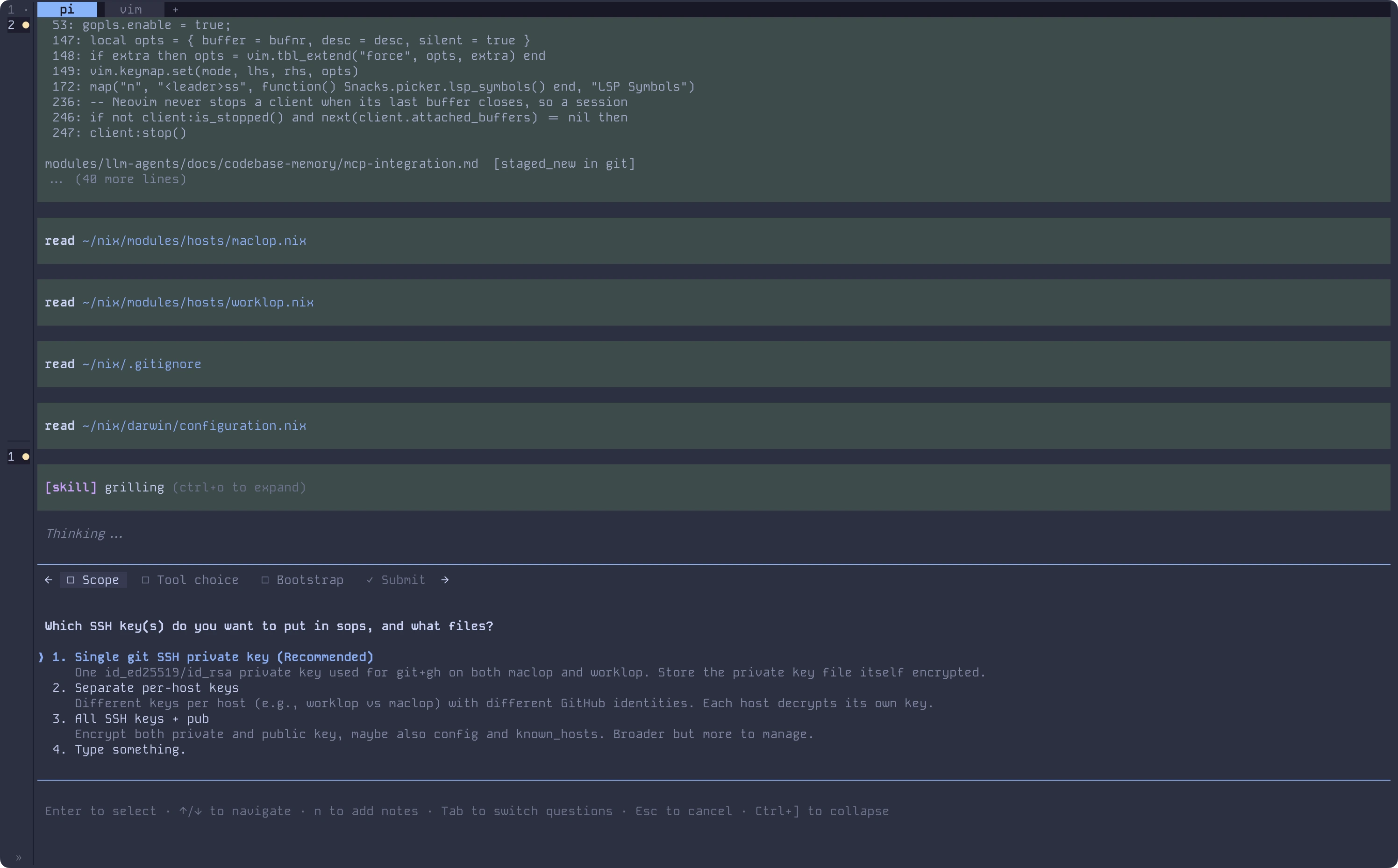
Rather than picking for you, the model calls ask_user_question and a dialog takes over the bottom of your terminal. Move with Up and Down, pick with Enter, or land on Type something. to answer in your own words. If the question needs a conversation instead of an answer, Chat about this closes the dialog and the two of you talk it out in chat. While typing, Shift+Enter adds a line, Ctrl+G opens Pi's external editor, Ctrl+U clears the draft, and Esc cancels the whole questionnaire. Pressing n adds a note to the current question. The questionnaire stays in one place until you submit.
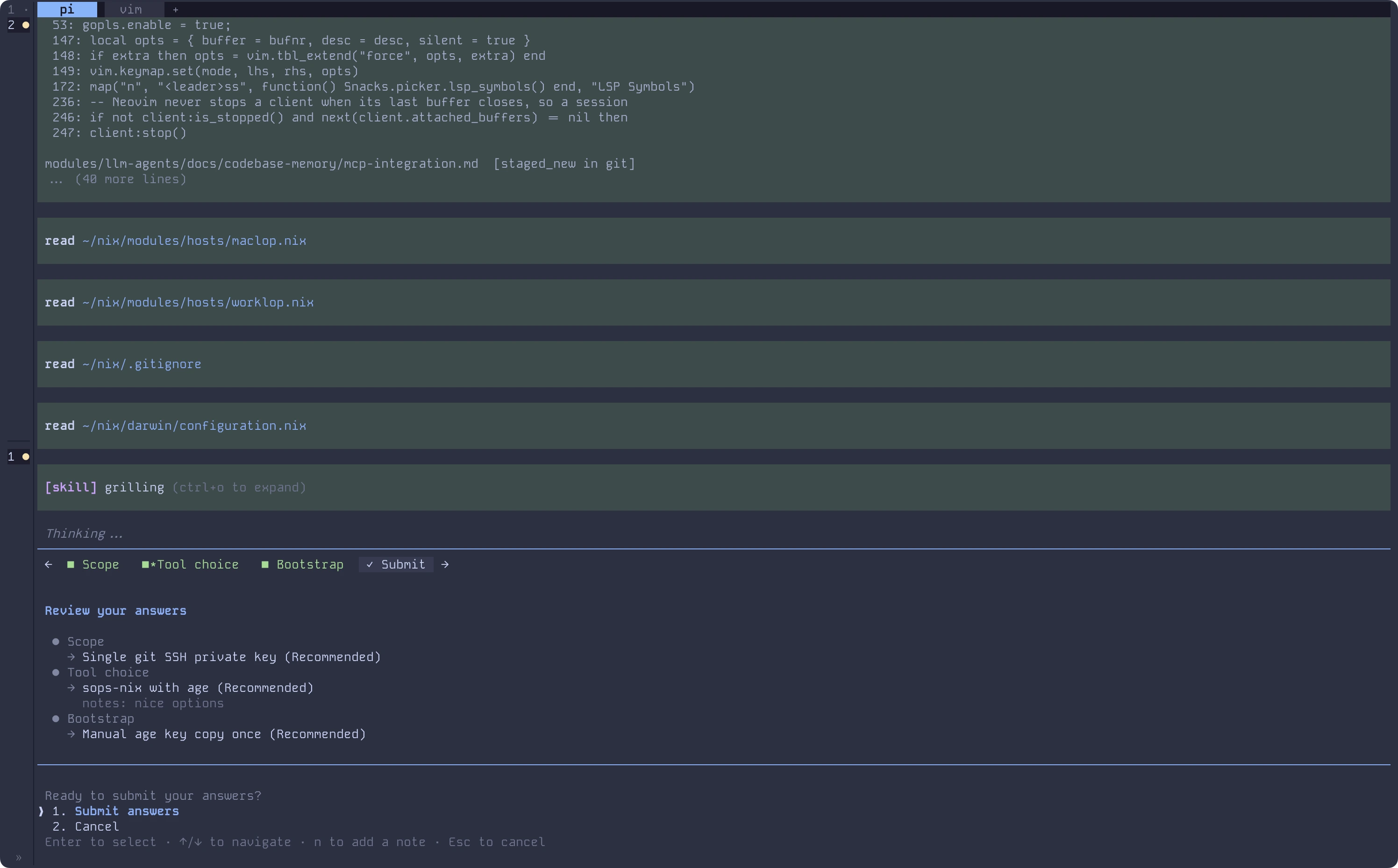
When the model asks several things at once, Tab moves between questions and a Submit tab reviews everything before it goes back:
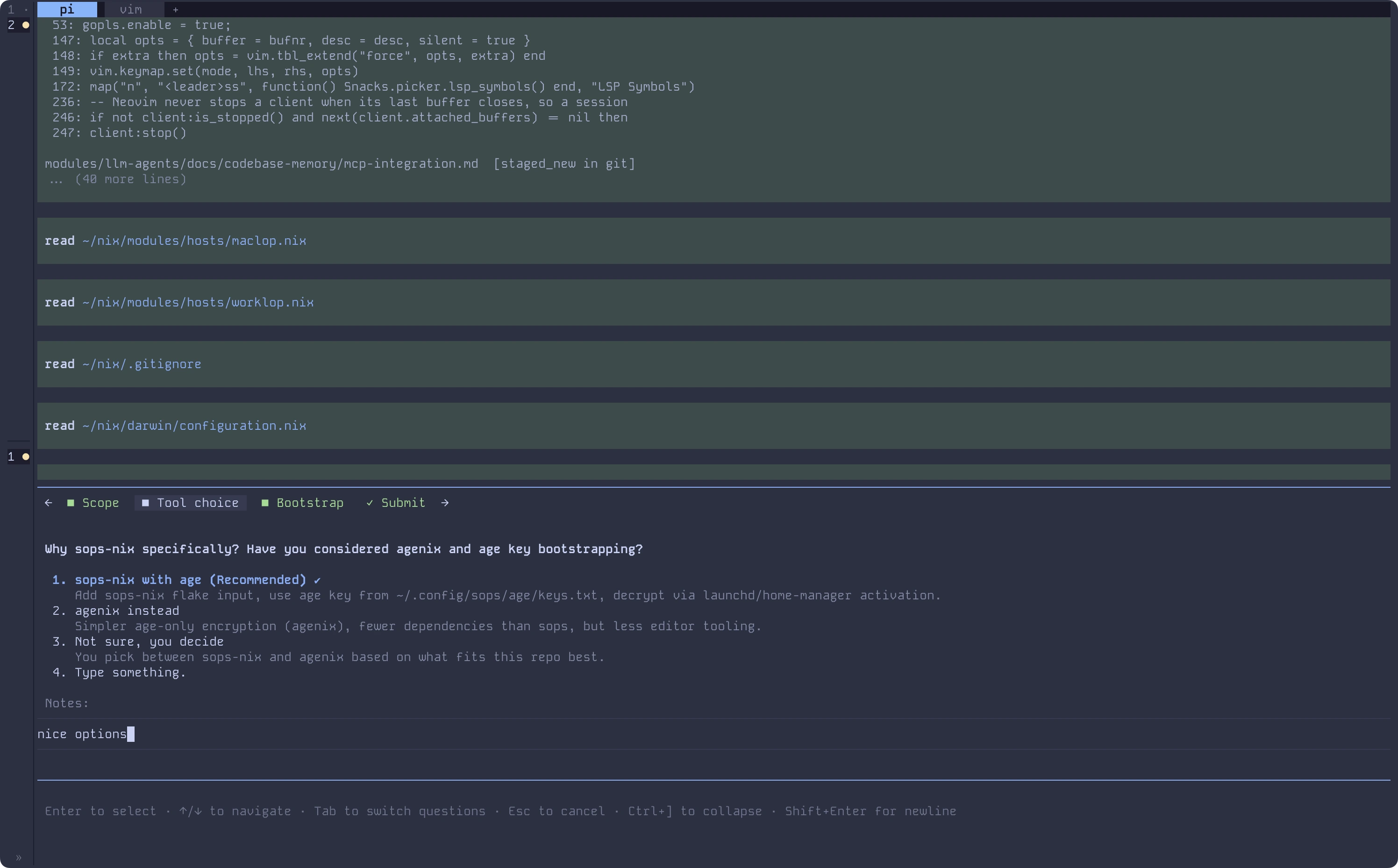
A note written on a question you never answer still reaches the model, and a global note from the Submit tab covers the whole questionnaire:
What it does
- Typed options, not a wall of prose. Each question carries 2 to 4 authored choices, and every choice explains what it means or what it costs you.
- You can always answer in your own words. A
Type something.row is added to every question and widens to the full pane while you type. On a multi-select question it ticks itself the moment you type into it, and what you wrote is submitted alongside whatever boxes you ticked. Clear the text and the tick goes with it. - Talk instead of guessing. A
Chat about thisrow sits on every question. Pick it when the question itself needs discussing: the dialog closes, your answers so far stay with the model, and it waits for what you type next in chat before answering that question. - Compare artifacts, not labels. An option can carry a markdown
previewthat renders in a bordered box beside the option list. - One interruption, not five. Up to four questions arrive in a single tabbed dialog, and a Submit tab names anything still blank before you commit.
- Notes on any answer, or on all of them.
nopens a note editor on any question tab, and on the Submit tab it writes one note covering everything. A written note stays on its tab, dimmed, and the tab bar marks which tabs carry one. A note on a question you never answer still reaches the model asunansweredNotes. - Read the transcript behind it.
Ctrl+]collapses the dialog and brings it back with your answers intact. - A timeout that is not a decline. Pass
timeoutin milliseconds and the dialog shows a live countdown. If it expires, the tool returnscancelled: truewitherror: "timed_out", not a refusal. The model can retry or fall back to asking as plain text. - Works outside the terminal. RPC and ACP hosts such as Zed or the VS Code pendant walk the host's native dialogs instead.
Configuration
Optional. Settings live in pi-ask-popup.json. Two layers, project overrides global:
| Layer | Path | When it is read |
|---|---|---|
| Global | ~/.pi/agent/pi-ask-popup.json |
Always |
| Project | <project>/.pi/pi-ask-popup.json |
Only when the workspace is trusted |
| Setting | What it does | Default |
|---|---|---|
collapseKey |
Key that collapses and expands the dialog. Accepts Pi keybinding ids such as alt+o. Use "off" to disable. |
"ctrl+]" |
guidance.description |
Full replacement for the tool description the model sees. | built-in description |
guidance.promptSnippet |
One-line summary of the tool in the system prompt. | built-in snippet |
guidance.promptGuidelines |
Usage guidelines given to the model, as a list of strings. | 5 built-in guidelines |
Guidance is read from the global layer only. A checked-in file should not be able to change what the agent is told. collapseKey can be set per project.
{
  "collapseKey": "alt+o"
}
A bad field is dropped back to its default without a warning. A whole file with bad JSON is ignored with a warning shown on the next tool call. See Configuration for the full grammar for collapseKey, file lookup, and how warnings are shown.
Reference
- Tool schema: params, limits, reserved labels,
timeout, validation errors, the result shape, and thepi-ask-popup:*events. - Keyboard and layout: every key, the rows the dialog adds, notes, collapse mode, countdown, and how previews and overflow adapt to terminal size.
- Configuration: file lookup, the
collapseKeygrammar, theguidance.*prompt overrides, and how bad values are handled. - Hosts and runtime behavior: terminal vs RPC vs non-interactive, what changes in each, and the
session_load_failedandstale_module_cachecases.
Requirements
- Node.js 22 or newer
- Pi Agent 0.80 or newer, with an interactive terminal or an RPC or ACP host. Non-interactive runs never see the tool.
- A terminal at least 100 columns wide for side by side previews. Narrower terminals stack the preview under the options.
Troubleshooting
The model says the questionnaire UI failed to load and asks its questions as chat text.
The dialog modules were replaced on disk while Pi was running, usually by a package manager install that touched the store. Repair the install if it is broken, then restart Pi. See Hosts for session_load_failed and stale_module_cache.
Ctrl+] does nothing.
On layouts where ] is on the shifted layer, like Latin American Spanish es-AR and es-MX, the default is unreachable. Set collapseKey to something you can type:
{
  "collapseKey": "alt+o"
}
Or use "off" to disable the shortcut. The footer hint inside the dialog and the collapsed one-line hint both name whatever key you set.
Side by side preview never appears.
Both the terminal and the dialog pane must be at least 100 columns wide. Below that the preview stacks under the options. The preview pane only appears for single-select questions.
How this relates to other packages
This is a fork of @juicesharp/rpiv-ask-user-question by juicesharp, MIT licensed. The fork removes the rpiv-config and rpiv-i18n dependencies, so there is no localization and no XDG config path. Config lives in ~/.pi/agent/pi-ask-popup.json with a per-project override in <project>/.pi/pi-ask-popup.json, and only when the workspace is trusted. It targets Pi 0.80 and later, and it adds a timeout with a distinct timed_out result.
If you want something smaller, pi-ask-user by Enzo Lucchesi does a comparable job in far less code, with a searchable split-pane selector instead of tabs and previews. Pick whichever fits your setup. The README notes both so you can choose with full information.
License
MIT. See LICENSE for both copyright holders.