pi-atelier
A responsive status rail and live activity sidebar for Pi
Package details
Install pi-atelier from npm and Pi will load the resources declared by the package manifest.
$ pi install npm:pi-atelier- Package
pi-atelier- Version
0.10.2- Published
- Sep 21, 2026
- Downloads
- 1,840/mo · 165/wk
- Author
- michaelmjhhh
- License
- MIT
- Types
- extension
- Size
- 1.1 MB
- Dependencies
- 0 dependencies · 2 peers
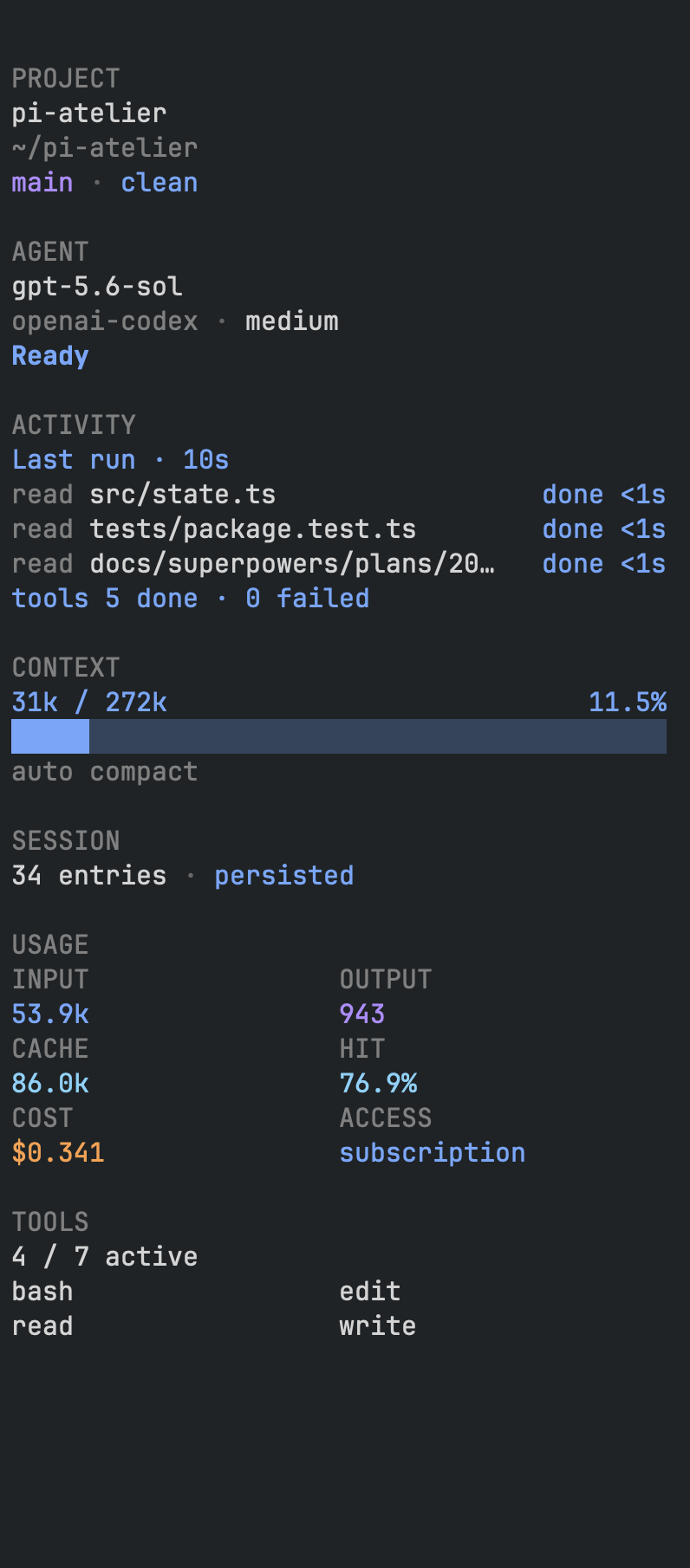
Pi manifest JSON
{
  "image": "https://raw.githubusercontent.com/michaelmjhhhh/pi-atelier/main/assets/preview.png",
  "extensions": [
    "./extensions/index.ts"
  ]
}
Security note
Pi packages can execute code and influence agent behavior. Review the source before installing third-party packages.
README
Pi Atelier
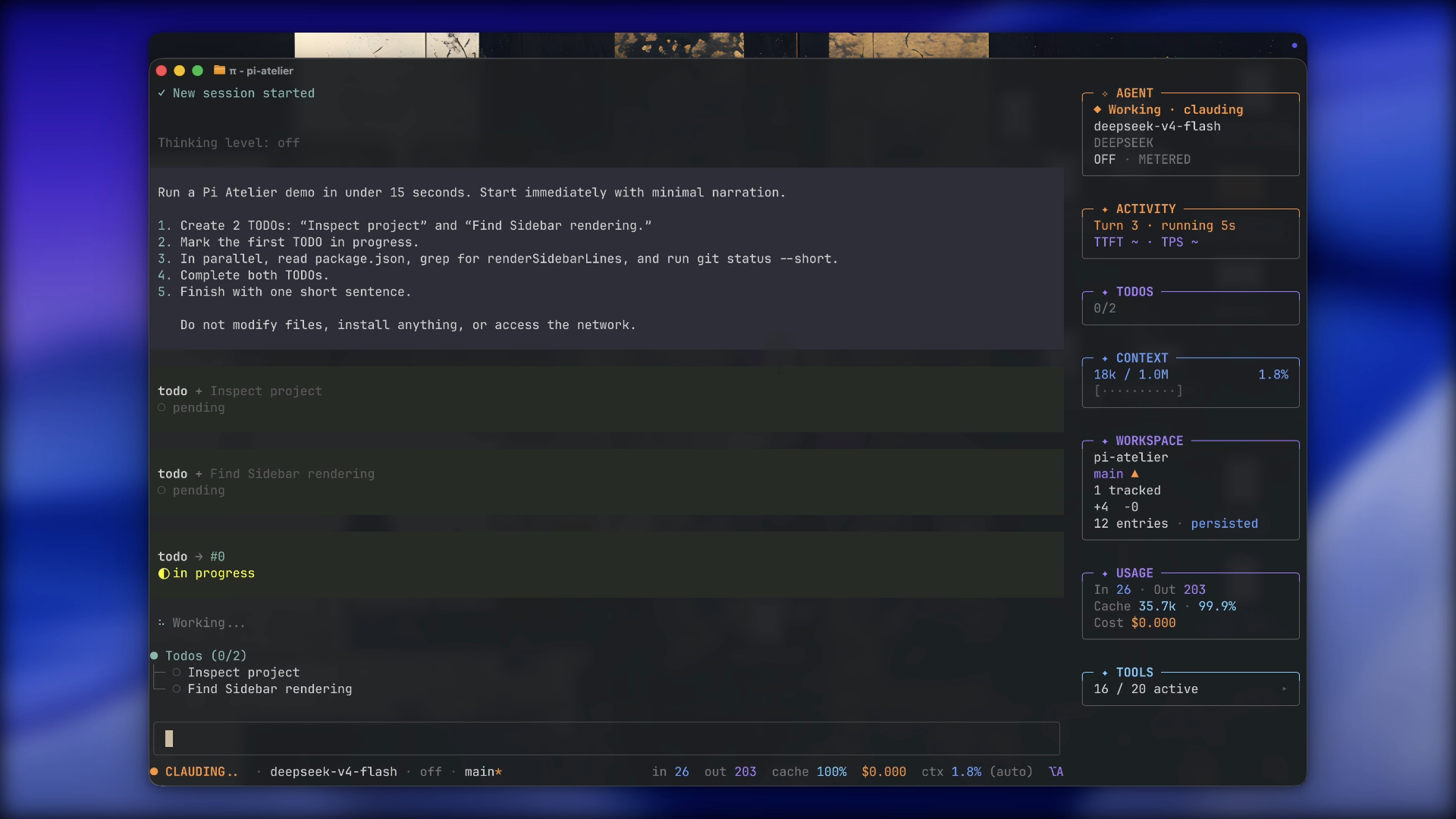
A responsive status rail and activity sidebar for Pi.
Features
- Responsive one-line status rail
- Live agent, tool, context, workspace, usage, and TODO information, kept compact while a Turn is running
- Model, thinking-level, and tool controls
- Configurable display presets, segments, and sidebar panels
- Session details, rename, and compaction actions
- Completion notifications on macOS and Windows
- No telemetry or external network requests
Requirements
- Pi 0.84.0 or newer
- Node.js 22.19.0 or newer
- Interactive TUI mode
Install
pi install npm:pi-atelier
Run a local checkout without installing it:
pi -e ./pi-atelier
Pi packages run with your system permissions. Review third-party source before installation.
Use
Open the control center:
/atelier
Default shortcut: alt+a
The control center includes display settings, sidebar controls, model and tool selection, session details, rename, and compaction.
Commands:
/atelier display            # display settings
/atelier sidebar            # toggle sidebar
/atelier sidebar on|off     # set sidebar visibility
/atelier sidebar tools      # toggle tool names
/atelier enable|disable     # set extension state
The sidebar starts visible and hides when the terminal is too narrow. Press Ctrl+Shift+R to resize it.
In Pi fullscreen TUI mode, the sidebar is rendered as a separate split-layout child so transcript selection and copy stay scoped to Pi output. Regular TUI mode remains terminal-native, so a rectangular terminal selection can still include sidebar text.
Inline images remain visible beside the sidebar. While settings or another capturing overlay is open, visible transcript images temporarily hide to keep the panel readable; closing the panel restores them without changing image data or layout space.
The TODO panel supports Pi todo results and the optional @juicesharp/rpiv-todo extension.
Status rail presets:
- editorial: default layout
- minimal: compact layout
- classic: detailed telemetry
The composer uses a rounded frame with inner padding. Thinking-level and bash-mode still color that frame through Pi.
Pi supports one custom footer and one custom editor at a time. Extension load order determines which chrome is visible.
Configuration
User configuration:
~/.pi/agent/pi-atelier.json
Trusted project configuration:
<project>/.pi/pi-atelier.json
Project settings override user settings. Session changes override both. Global sidebar and notification preferences remain user-only.
{
  "preset": "editorial",
  "shortcut": "alt+a",
  "density": "comfortable",
  "contextWarning": 70,
  "contextDanger": 90,
  "showSidebarOnStartup": true,
  "showSidebarToolNames": false,
  "completionNotifications": true
}
Use Settings → Display to reorder or hide status rail segments and sidebar panels.
Privacy
Pi Atelier:
- Does not collect telemetry or analytics
- Does not store prompts, responses, credentials, or session content
- Uses read-only Git inspection for workspace status only after the project is trusted
- Does not read untracked file contents
- Reads project configuration only for trusted projects
- Does not include prompts or responses in notifications
Troubleshooting
- Shortcut unavailable: use
/atelier, changeshortcut, then run/reload. - Status rail missing: use TUI mode and check for another custom footer.
- Metric mismatch: token and cost totals cover the session; context usage covers the current model context.
Development
git clone https://github.com/michaelmjhhhh/pi-atelier.git
cd pi-atelier
npm install
npm run check
npx --no-install pi -e .
See CONTRIBUTING.md.
License
MIT