pi-browser-bridge
pi extension that lets a local pi agent see and operate Chrome through the Browser Agent extension (HTTP/SSE bridge, 20 browser tools)
Package details
Install pi-browser-bridge from npm and Pi will load the resources declared by the package manifest.
$ pi install npm:pi-browser-bridge- Package
pi-browser-bridge- Version
0.1.0- Published
- Oct 17, 2026
- Downloads
- 349/mo · 24/wk
- Author
- msoftware
- License
- MIT
- Types
- extension
- Size
- 57.8 KB
- Dependencies
- 0 dependencies · 2 peers
Pi manifest JSON
{
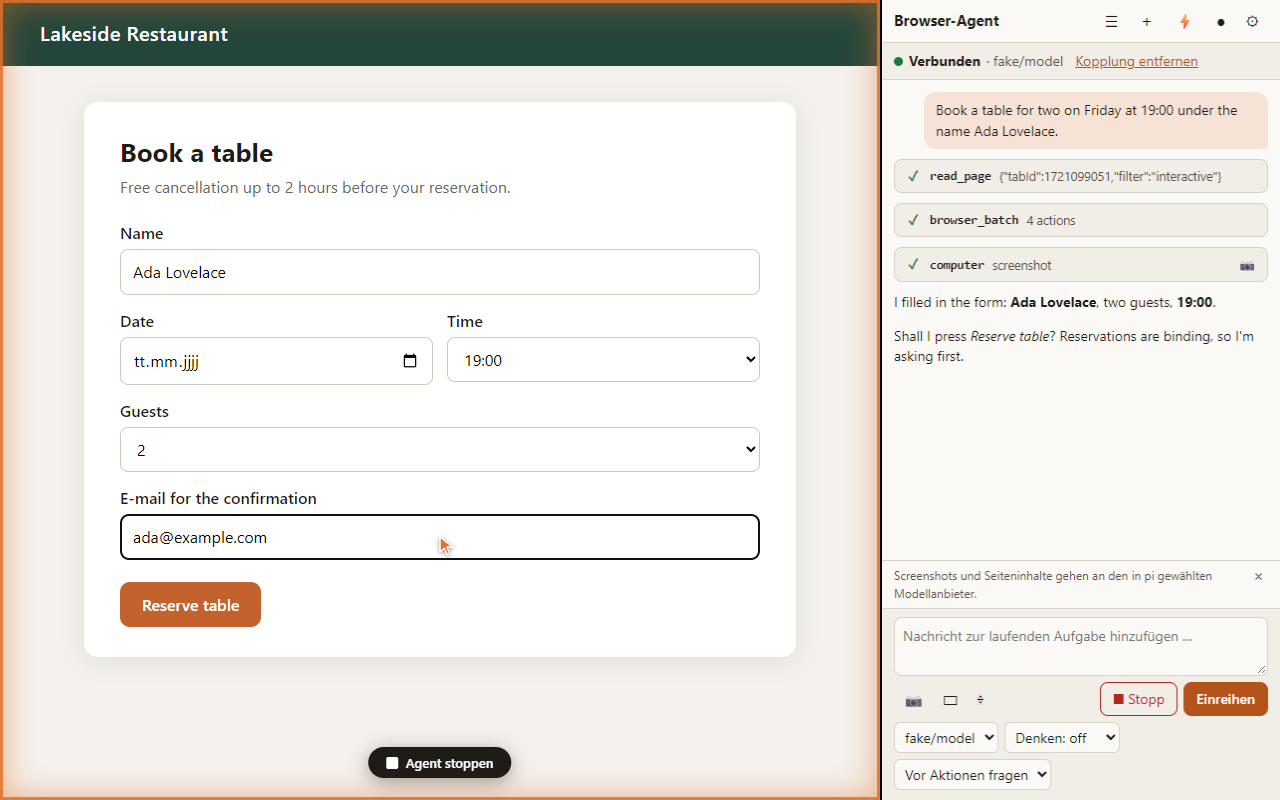
  "image": "https://raw.githubusercontent.com/msoftware/pi.dev-chrome-extension/main/docs/images/gallery.png",
  "extensions": [
    "./dist/index.js"
  ]
}
Security note
Pi packages can execute code and influence agent behavior. Review the source before installing third-party packages.
README
pi-browser-bridge
A pi extension that lets a local pi agent see and operate your Chrome browser. It is the "brain side" of the Browser Agent project: it starts a small HTTP/SSE server on 127.0.0.1, registers 20 browser tools (computer, navigate, read_page, find, form_input, get_page_text, javascript_tool, browser_batch, tabs_*, …) and forwards their execution to the Browser Agent Chrome extension, which performs them with the Chrome DevTools Protocol.
You need both parts: this package and the Chrome extension (see "Chrome extension" below).
Install
pi install npm:pi-browser-bridge            # permanent
# or try it once:
pi -e npm:pi-browser-bridge
Pair the browser
- Start pi with the extension loaded and run
/browser pair– pi shows a 6-digit code (valid 5 minutes). - In Chrome click the Browser Agent icon on a tab to open the side panel and enter the code.
- Give the agent a task in the panel or in the pi terminal.
Commands: /browser (status), /browser pair, /browser revoke [id], /browser tools on|off, /browser new.
Chrome extension
Install the extension from the Chrome Web Store (link in the project README) or load the zip from the GitHub release: https://github.com/msoftware/pi.dev-chrome-extension/releases. The bridge only accepts requests from the extension's fixed ID, from 127.0.0.1, with a bearer token you obtained by pairing – web pages can never reach it.
Configuration
- Flag
--browser-port <port>(default47823). - File
~/.pi/agent/browser-bridge.json:
{
  "port": 47823,
  "helperModel": "provider/model-id",
  "disabledTools": ["javascript_tool"],
  "uploadRoots": ["/home/me/uploads"],
  "extensionIds": ["<id of another build, e.g. the Chrome Web Store build>"],
  "debug": false
}
Debug log (only with "debug": true): ~/.pi/agent/logs/browser-bridge.log.
Security in one paragraph
Binds to loopback only, checks Origin and Host, requires a 256-bit bearer token (stored hashed), sends no CORS headers, has no telemetry. Page content is handed to the model wrapped in <page_content> markers and the system prompt tells the model it is data, not instructions. The extension asks the user before acting on a new domain, always asks for passwords and cards, and has a Stop button.
Links
Source, documentation, issues: https://github.com/msoftware/pi.dev-chrome-extension · License: MIT