pi-browser-harness
Browser control extension for pi — navigate, click, type, screenshot, and extract data from real Chrome via CDP
Package details
Install pi-browser-harness from npm and Pi will load the resources declared by the package manifest.
$ pi install npm:pi-browser-harness- Package
pi-browser-harness- Version
0.4.0- Published
- May 5, 2026
- Downloads
- 390/mo · 390/wk
- Author
- amankumar77
- License
- MIT
- Types
- extension, skill
- Size
- 455.6 KB
- Dependencies
- 1 dependency · 3 peers
Pi manifest JSON
{
  "extensions": [
    "./src/index.ts"
  ],
  "skills": [
    "./skills"
  ],
  "image": "https://raw.githubusercontent.com/amankumarsingh77/pi-browser-harness/main/assets/hero.png"
}Security note
Pi packages can execute code and influence agent behavior. Review the source before installing third-party packages.
README
pi-browser-harness
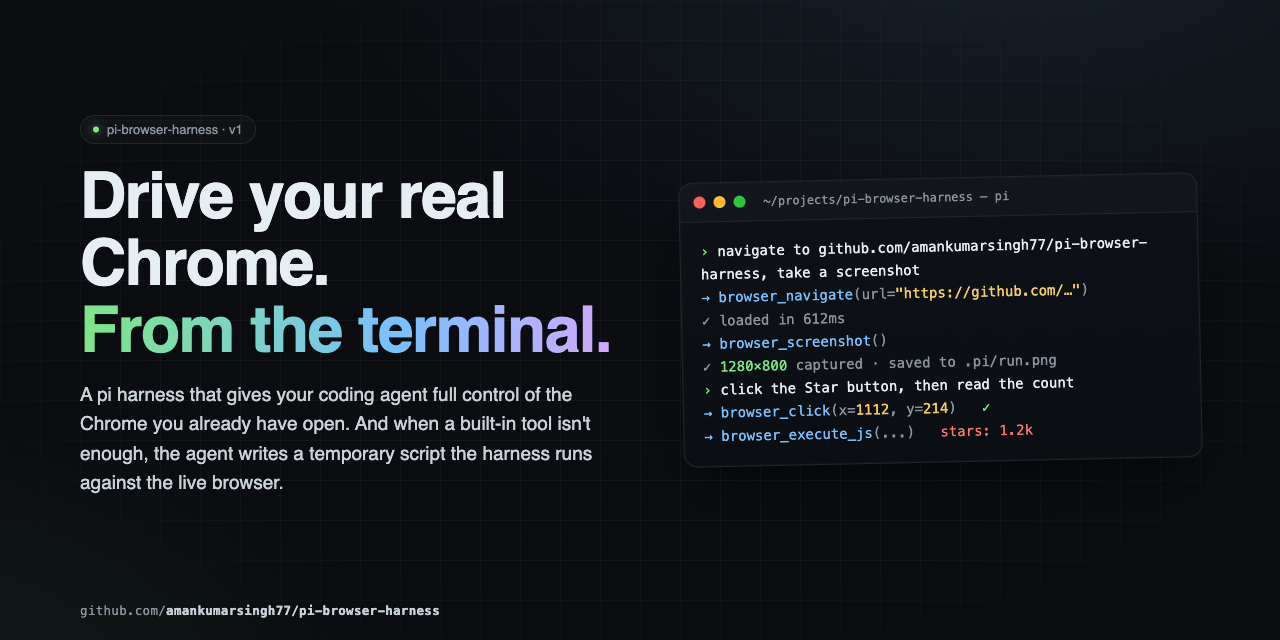
Full browser control for pi agents. Navigate, click, type, screenshot, and extract data from your real Chrome — all driven through natural language via CDP.
Quick Start
# 1. Install
pi install npm:pi-browser-harness

# 2. Enable Chrome remote debugging
#    Open chrome://inspect/#remote-debugging in Chrome,
#    tick "Discover network targets", click Allow.
#    Or launch Chrome with --remote-debugging-port=9222

# 3. Connect
/browser-setup
Requirements
- pi (latest)
- Node.js ≥ 22
- Chrome / Chromium / Edge
Tools
| Tool | Purpose |
|---|---|
browser_screenshot |
Capture a PNG screenshot of the current page |
browser_click |
Click at viewport coordinates |
browser_type |
Type text into the focused element |
browser_press_key |
Press a key (Enter, Tab, Escape, arrows, etc.) with optional modifiers |
browser_scroll |
Scroll the page by delta pixels |
browser_navigate |
Navigate to a URL |
browser_new_tab |
Open a new tab, optionally navigate |
browser_open_urls |
Open multiple URLs in parallel tabs |
browser_go_back / browser_go_forward / browser_reload |
History navigation |
browser_page_info |
Get URL, title, viewport, scroll position, or dialog state |
browser_list_tabs / browser_current_tab / browser_switch_tab |
Tab discovery and switching |
browser_execute_js |
Run JavaScript in the page and return the result |
browser_http_get |
Direct HTTP GET outside the browser — much faster for APIs |
browser_wait / browser_wait_for_load |
Sleep, or wait for readyState === 'complete' |
browser_handle_dialog |
Accept or dismiss alert / confirm / prompt |
browser_run_script |
Execute a temporary script with daemon and Node.js access |
Core Patterns
The golden rule: screenshot → act → screenshot → verify. Never assume — always look.
Navigation
browser_new_tab({ url: "https://example.com" })
browser_wait_for_load()
browser_screenshot()
Form filling
browser_screenshot()                   # see the form
browser_click({ x: 400, y: 200 })      # click the search input
browser_type({ text: "query" })        # type
browser_press_key({ key: "Enter" })    # submit
browser_wait_for_load()
browser_screenshot()                   # verify
Data extraction
browser_execute_js({ expression: "document.querySelector('.price').innerText" })

browser_http_get({ url: "https://api.github.com/repos/amankumarsingh77/pi-browser-harness" })

// Structured arrays
browser_execute_js({ expression: `Array.from(document.querySelectorAll('.result')).map(el => ({
  title: el.querySelector('h3')?.textContent,
  link:  el.querySelector('a')?.href,
}))` })
Research workflow
browser_navigate({ url: "https://google.com/search?q=..." })
// read search results
browser_open_urls({ urls: ["url1", "url2", "url3"] })
browser_list_tabs()
browser_switch_tab({ targetId: "..." })
browser_screenshot()
browser_execute_js({ expression: "document.querySelector('.content').innerText" })
Scrolling
browser_screenshot()
browser_scroll({ deltaY: -500 })
browser_screenshot()
Keyboard modifiers
| Key | Bit |
|---|---|
| Alt | 1 |
| Ctrl | 2 |
| Meta / Cmd | 4 |
| Shift | 8 |
Combine with bitwise OR:
browser_press_key({ key: "c", modifiers: 2 })    // Ctrl+C
browser_press_key({ key: "v", modifiers: 4 })    // Cmd+V
browser_press_key({ key: "T", modifiers: 10 })   // Ctrl+Shift+T
SPAs (React, Vue, etc.)
browser_wait_for_load only checks readyState. Poll for elements after:
browser_execute_js({ expression: "!!document.querySelector('.loaded-content')" })
Dialogs
JS dialogs (alert / confirm / prompt) freeze the page. Check browser_page_info first — if it reports a dialog, handle it before anything else:
browser_handle_dialog({ action: "accept" })       // confirm
browser_handle_dialog({ action: "dismiss" })       // cancel
browser_handle_dialog({ action: "accept", promptText: "hello" })  // prompt
Temporary Scripts
When built-in tools aren't enough, write a script to disk and run it:
// 1. Write the script
write("/tmp/scrape-pages.js", `
  const results = [];
  for (const url of params.urls) {
    await daemon.cdp("Page.navigate", { url });
    await new Promise(r => setTimeout(r, 2000));
    const title = await daemon.evaluateJS("document.title");
    results.push({ url, title });
  }
  return { content: [{ type: "text", text: JSON.stringify(results, null, 2) }] };
`)

// 2. Execute it
browser_run_script({ path: "/tmp/scrape-pages.js", params: { urls: [...] } })
Script bindings: params, daemon, require, signal, onUpdate, ctx, console, fetch, JSON, Buffer, setTimeout, clearTimeout.
Scripts are written to disk — auditable and re-runnable.
Commands
| Command | Description |
|---|---|
/browser-setup |
Connect pi to Chrome (run once) |
/browser-status |
Show daemon health and current page |
/browser-reload-daemon |
Restart the connection |
What NOT to do
- Don't launch your own browser — you're connected to the user's real Chrome
- Don't type credentials — if you hit an auth wall, stop and ask
- Don't assume a page action worked — screenshot to verify
- Don't write pixel coordinates into documentation — describe selectors and text instead
- Don't ignore dialogs — check
browser_page_infofirst
Architecture
pi agent → pi-browser-harness (TypeScript)
               │ CDP WebSocket
               ▼
            Chrome
Temporary scripts run inside the harness process with full daemon and Node.js access.
Troubleshooting
| Symptom | Fix |
|---|---|
DevToolsActivePort not found |
Open chrome://inspect/#remote-debugging, tick the checkbox, click Allow |
| Connection fails after Chrome restart | Run /browser-reload-daemon |
| Page seems loaded but content is missing | SPA — poll with browser_execute_js for the element you need |
| A JS dialog is blocking actions | browser_page_info will report it — use browser_handle_dialog |
| Daemon not starting | Run /browser-setup to re-run guided setup |
Contributing
See CONTRIBUTING.md for setup, conventions, and PR process.
Security
This extension drives your real Chrome. The agent can see open tabs, read page content, submit forms, and act inside authenticated sessions. browser_run_script evaluates JavaScript in the pi process with full require access — review any temporary scripts before executing them.
License
MIT — see LICENSE.