pi-cli-subagents
Delegate work from a Pi session to persistent Pi, Codex CLI and Claude Code subagents
Package details
Install pi-cli-subagents from npm and Pi will load the resources declared by the package manifest.
$ pi install npm:pi-cli-subagents- Package
pi-cli-subagents- Version
0.4.1- Published
- Oct 22, 2026
- Downloads
- 231/mo · 231/wk
- Author
- joshua-zyy
- License
- MIT
- Types
- extension, skill
- Size
- 1.1 MB
- Dependencies
- 0 dependencies · 3 peers
Pi manifest JSON
{
  "skills": [
    "./skills"
  ],
  "extensions": [
    "./dist/index.js"
  ]
}
Security note
Pi packages can execute code and influence agent behavior. Review the source before installing third-party packages.
README
pi-cli-subagents
Pi has no subagent tool. This one dispatches work to Pi, Codex CLI or Claude Code subagents that keep their native sessions and return results to the session that started them.
Each subagent keeps its own native session and its own process lifetime, so the parent can run
several tasks in parallel, keep working while they run, and continue any of them later without
restating the context. Questions and results return to the session that started them. Run children in the current
directory or pass an existing cwd; directory isolation and Git workflows remain yours.
Requirements
- Pi, tested to load and register on 0.87.1, 1.0.1, 1.1.0, 1.2.0 and 1.3.0
- Node.js 22.19.0 or newer
- For Codex or Claude Code subagents, the matching CLI installed and logged in; Pi subagents need nothing extra
- Claude Code currently requires
2.1.xwith patch number283or higher, plus runtime protocol capability checks. Later minor or major versions require revalidation before support is enabled.
Install
pi install npm:pi-cli-subagentsFrom a local checkout you have already built with npm run build:
pi install ./path/to/pi-cli-subagentspi install writes to your personal settings; add -l to scope the entry to the current project.
Use pi list to see what is installed, and pi -e npm:pi-cli-subagents to try the package for a
single run without saving it.
Installing from a Git URL is not supported yet. The repository does not commit dist/ and Pi does
not build a package while installing it, so a Git install would produce a package with no entry
point. Use npm or a built local checkout.
Roles
Four roles ship as defaults:
| Role | Default purpose |
|---|---|
explore |
Investigate the code and report findings without changing project files |
worker |
Implement a task and verify the changes |
reviewer |
Review specified changes in an independent context |
oracle |
Answer a question or give a judgment from the material it is handed |
All four run on Pi and inherit the parent's model until you configure otherwise. A role is a launch
template: CLI, model, provider, thinking level, effort, permission mode, and instructions. Define or
override roles with /cli-agents-setting. Tools and UI never depend on a built-in role name, so the
four above are replaceable rather than a fixed hierarchy.
Delegation depth
Subagents cannot delegate again through this extension or native backend delegation tools. There is
no opt-out: allowSubagents: true is rejected; an old false is accepted for compatibility.
Tools
| Tool | Use |
|---|---|
subagent |
start, send, interrupt, stop and reclaim an instance |
subagent_query |
Read-only list, get, result and activity over this session's instances |
subagent_reply |
Answer one pending task question, or review one permission request within the user's authorization |
Pi children can ask the parent a single task question through subagent_ask_parent.
Behavior worth knowing
- Results return on their own. Completion, failure and waiting reports are delivered to the session that started the instance, and reach a busy parent before its next model request without cancelling a running tool. There is nothing to poll for.
- A receipt is not execution.
acceptedmeans the native CLI acknowledged the input. It does not mean the model read it or the work succeeded. Read the report and the files before claiming success. - Sessions persist, processes need not. An instance keeps its native session, history and results,
and
sendcontinues the same conversation.stopreleases processes without deleting that history, and refuses while a turn it already accepted is still in flight: releasing that runtime would discard the turn, sointerruptit first. Whether a backend stays resident between turns is reported per instance rather than promised uniformly. - Answers are not permissions. A reply supplies task context, or reviews one request. It never grants a session-wide or persistent permission.
- Choose the working directory.
start.cwdaccepts an existing directory, including a worktree you manage yourself. The extension does not create, synchronize, merge, lock or remove directories. A different cwd is not a permission sandbox; coordinate anyone sharing its files. - Stopping is not a rollback. An uncertain outcome is reported as uncertain, and a native session is never silently replaced by a new one.
In the session
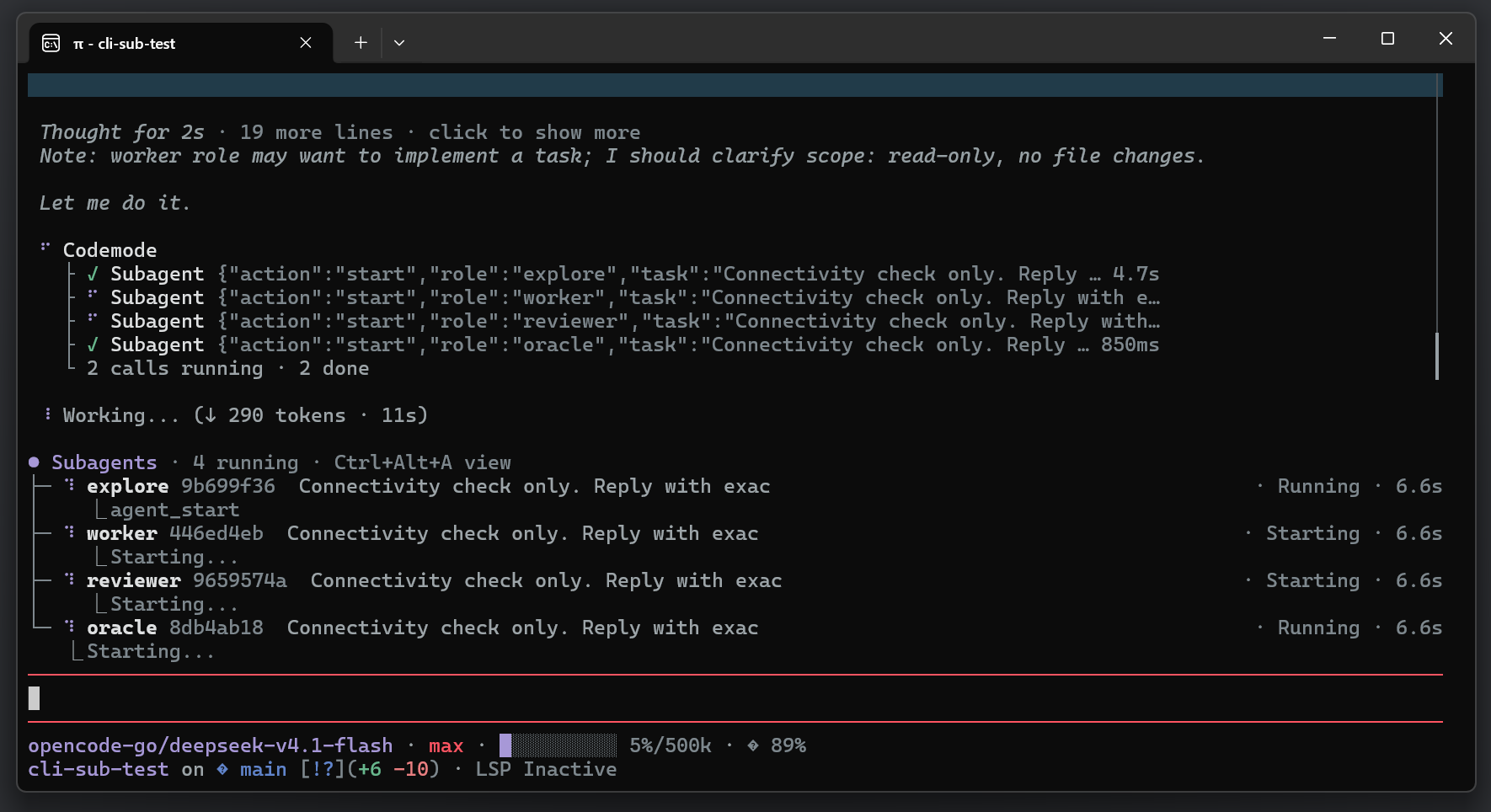
The status area under the parent's reply shows only starting, running, waiting and stopping work;
it disappears when no work needs attention. Idle runtimes and finished results remain available
in /agents, opened with Ctrl+Alt+A. Hiding them does not release processes. The status
screenshot below predates this filtering:
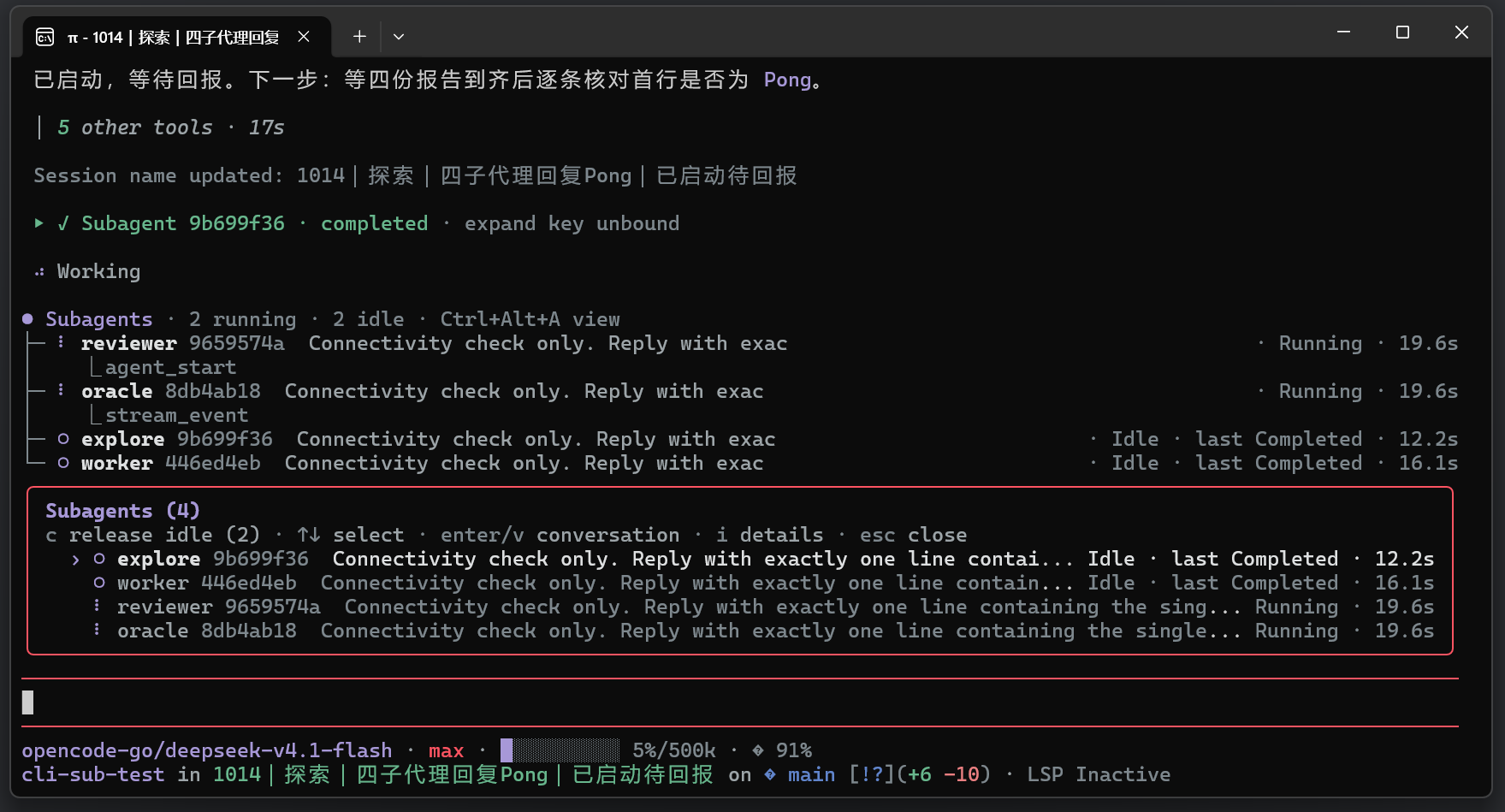
/agents is a fixed pane above the input, not an overlay. It resizes with the terminal and scrolls the instance list internally; the duplicate activity summary is hidden while it is open. It browses instances, opens conversations, and releases idle runtimes. The screenshot below predates the fixed-pane layout:
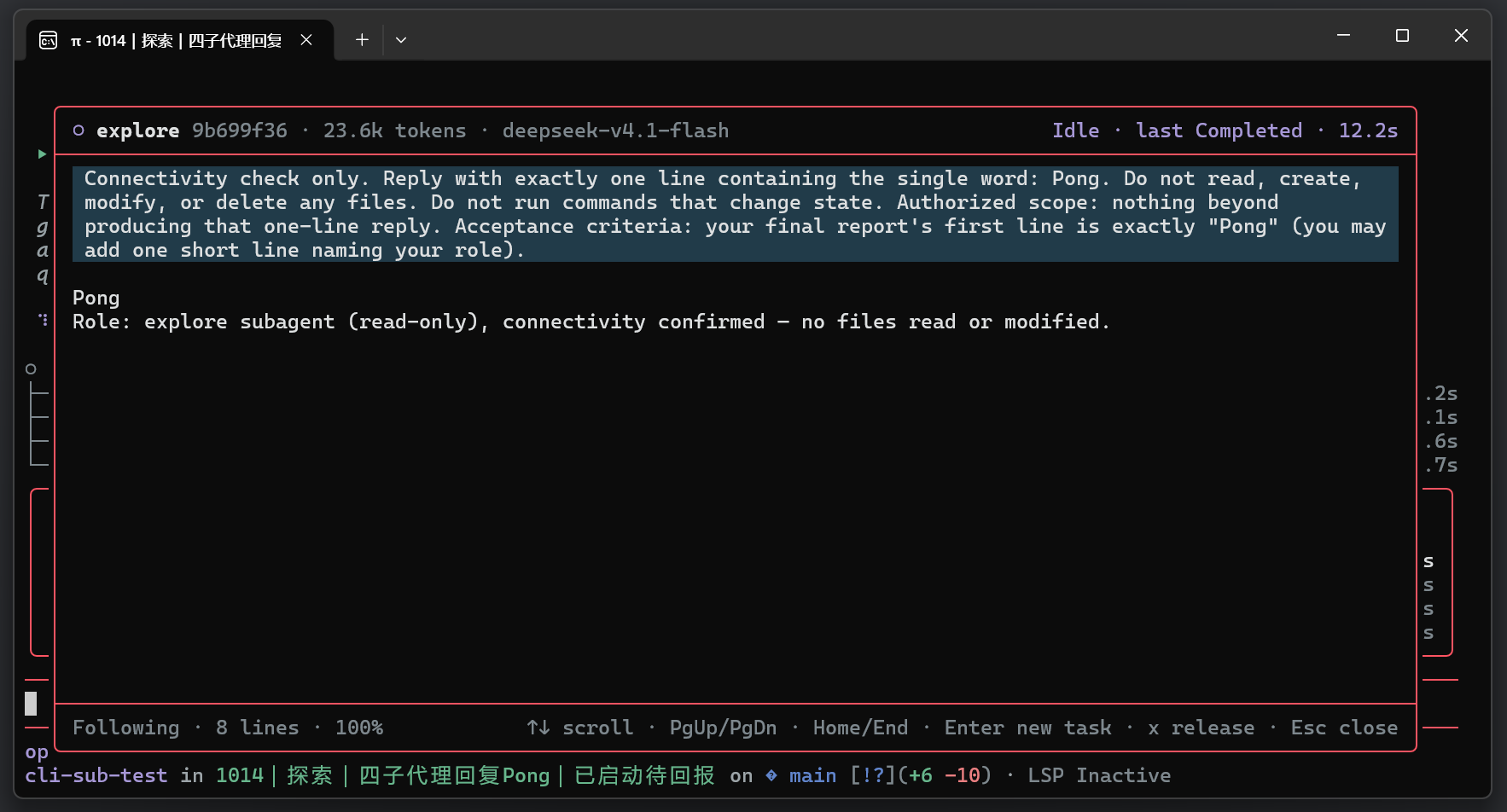
A conversation shows the task that was sent and the reply that came back, with the keys available at the bottom of the pane:
Commands and keys
| Entry point | Use |
|---|---|
/agents |
Browse instances, conversations and results; reply, interrupt, or release from the panel |
/cli-agents-setting |
Configure roles in a pane above the editor |
Ctrl+Alt+A |
Open the roster while the parent is working |
Inside /agents |
i details, r reply, t interrupt, x release an idle instance, c release idle instances, h history |
Dispatch happens through the parent agent's tools and this panel. There is no @role prompt shortcut.
Documentation
- Operational reference, bundled with the package: how the parent should answer questions, handle approvals, read paged or truncated results, and recover from uncertain operations
- Tool interface
- Development and testing
Credits
Adapted third-party code and the full license texts are in NOTICE. The projects involved
are Paseo and Lody (both Apache-2.0), @juicesharp/rpiv-ask-user-question (MIT), and
tintinweb/pi-subagents as inspiration for the status and
conversation UI.
License
MIT for this extension's own code. Third-party notices are in NOTICE.