pi-cmux-theme-picker
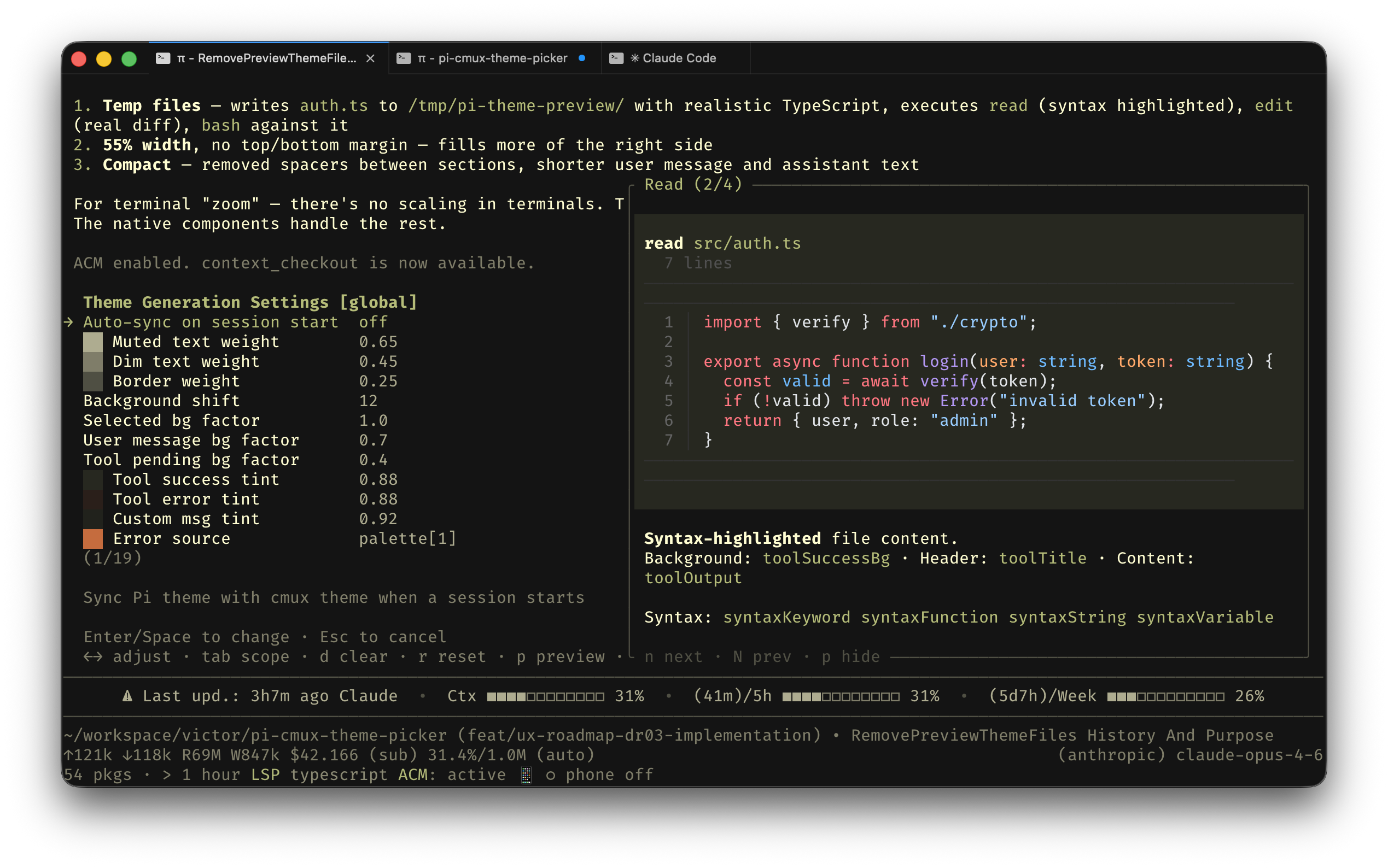
Live cmux terminal theme picker for Pi with synchronized pi + cmux theme switching and debounced preview.
Package details
Install pi-cmux-theme-picker from npm and Pi will load the resources declared by the package manifest.
$ pi install npm:pi-cmux-theme-picker- Package
pi-cmux-theme-picker- Version
0.3.0- Published
- Apr 7, 2026
- Downloads
- 508/mo · 64/wk
- Author
- victor-founder
- License
- MIT
- Types
- extension
- Size
- 661.9 KB
- Dependencies
- 1 dependency · 2 peers
Pi manifest JSON
{
  "extensions": [
    "./extensions"
  ],
  "image": "https://raw.githubusercontent.com/victor-software-house/pi-cmux-theme-picker/main/assets/preview.png"
}
Security note
Pi packages can execute code and influence agent behavior. Review the source before installing third-party packages.
README
pi-cmux-theme-picker
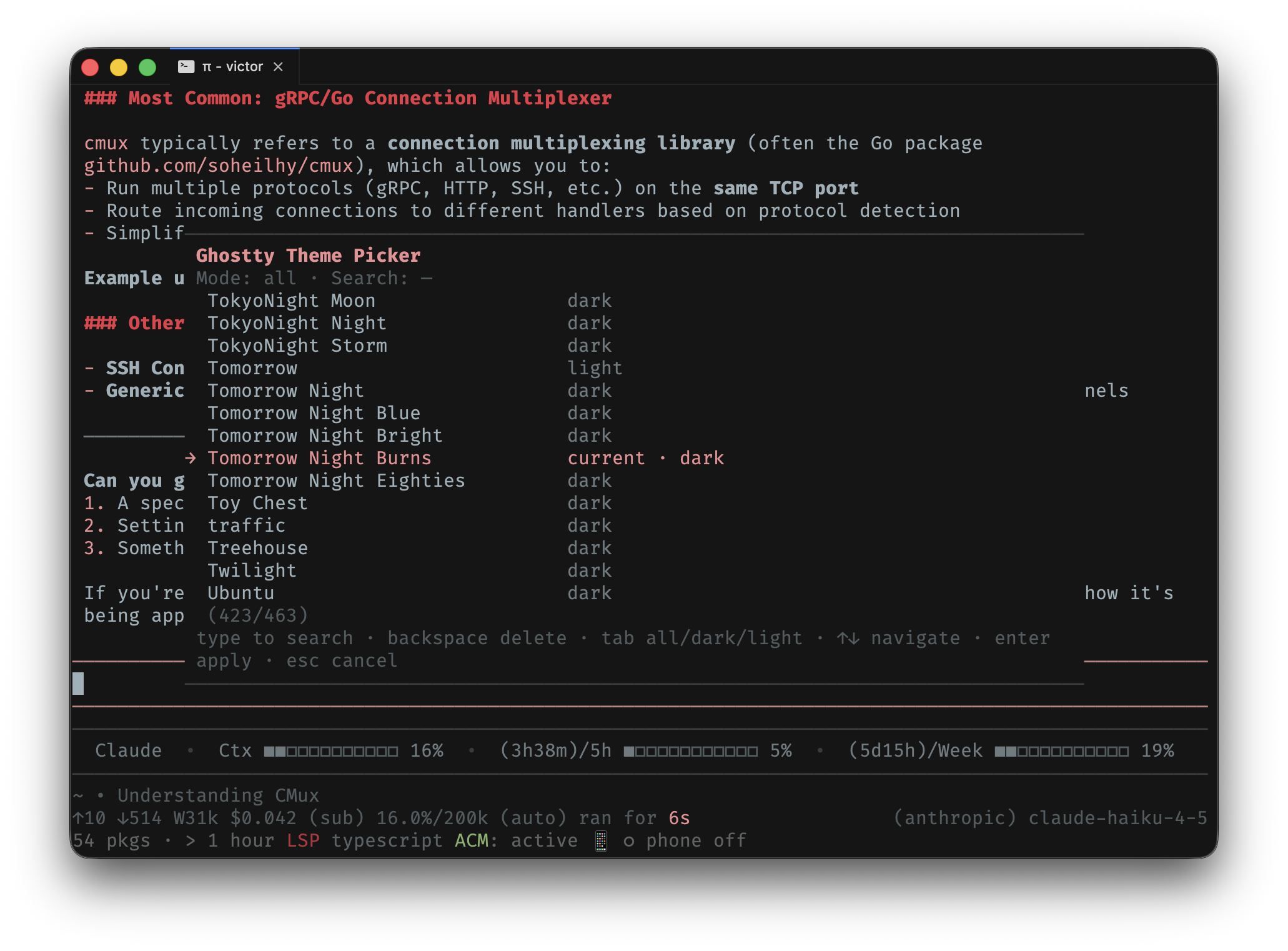
Live cmux terminal theme picker for Pi. Synchronises Pi and cmux themes with debounced preview.
What it does
/theme— opens an inline picker to browse, filter, search, and live-preview all bundled cmux (Ghostty) themes. Confirm with Enter, cancel with Esc./theme "Theme Name"— apply a named theme directly without opening the picker./theme-settings— toggle extension settings (auto-sync on session start).- Auto-sync (opt-in) — reads the active cmux theme and generates a matching Pi theme on session start.
Install
pi install pi-cmux-theme-picker
Usage
/theme              # Open the picker
/theme Catppuccin   # Apply a theme directly by name
/theme-settings     # Toggle auto-sync and other settings
Picker controls
| Key | Action |
|---|---|
Up / Down |
Navigate themes with live preview |
Enter |
Apply selected theme |
Esc |
Cancel and restore original |
Tab |
Cycle filter: all / dark / light |
| Type | Incremental search |
Backspace |
Delete search character |
Settings
| Setting | Default | Description |
|---|---|---|
| Auto-sync on session start | off | Sync Pi theme from current cmux theme when a session starts |
How it works
- Reads cmux bundled Ghostty theme files from
/Applications/cmux.app/Contents/Resources/ghostty/themes/. - Converts the palette into a full Pi theme JSON (semantic colors, contrast-aware link picking, dark/light adaptation).
- Preview uses debounce + background prewrite — JSON file is written asynchronously;
setThemeandcmux themes setfire back-to-back with no I/O in between. - On confirm, writes a permanent
cmux-sync-{slug}.jsontheme file and cleans up old sync artifacts.
Requirements
- cmux installed at
/Applications/cmux.app - Pi with
@mariozechner/pi-coding-agentand@mariozechner/pi-tui
License
MIT