pi-code-render
Render fenced code blocks in Pi's transcript as styled, flush-edge cards with one-click copy and a raw-text toggle.
Package details
Install pi-code-render from npm and Pi will load the resources declared by the package manifest.
$ pi install npm:pi-code-render- Package
pi-code-render- Version
0.1.10- Published
- Oct 17, 2026
- Downloads
- 1,690/mo · 281/wk
- Author
- chengyayu
- License
- MIT
- Types
- extension
- Size
- 33.8 KB
- Dependencies
- 0 dependencies · 2 peers
Pi manifest JSON
{
  "extensions": [
    "./extensions/pi-code-render.ts"
  ]
}
Security note
Pi packages can execute code and influence agent behavior. Review the source before installing third-party packages.
README
pi-code-render
English | 中文
pi-code-render renders fenced code blocks in assistant messages as styled,
flush-edge cards with a one-click [COPY] button and a click-to-toggle
raw-text view for the Pi coding agent.
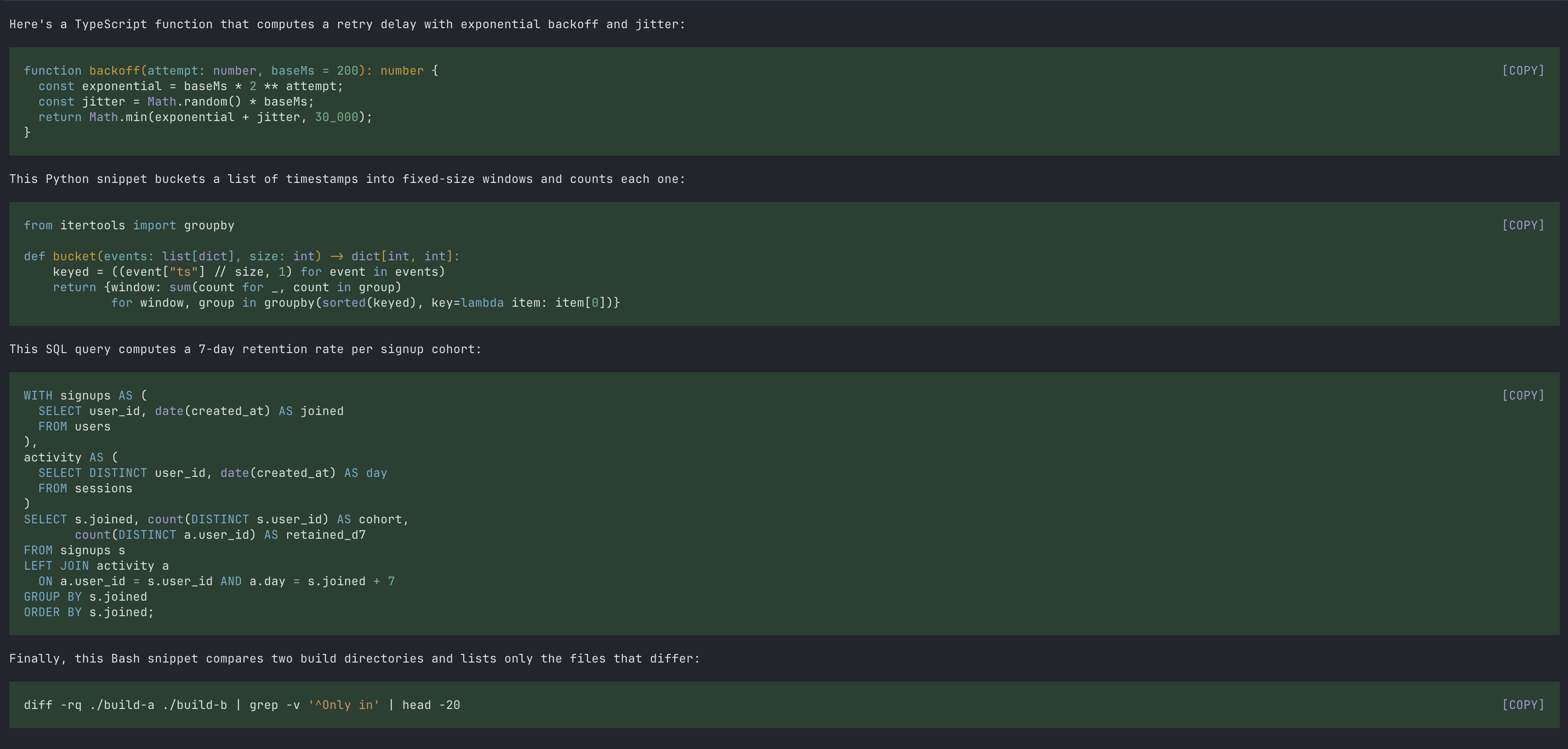
Before / After
| Native rendering | With pi-code-render |
|---|---|
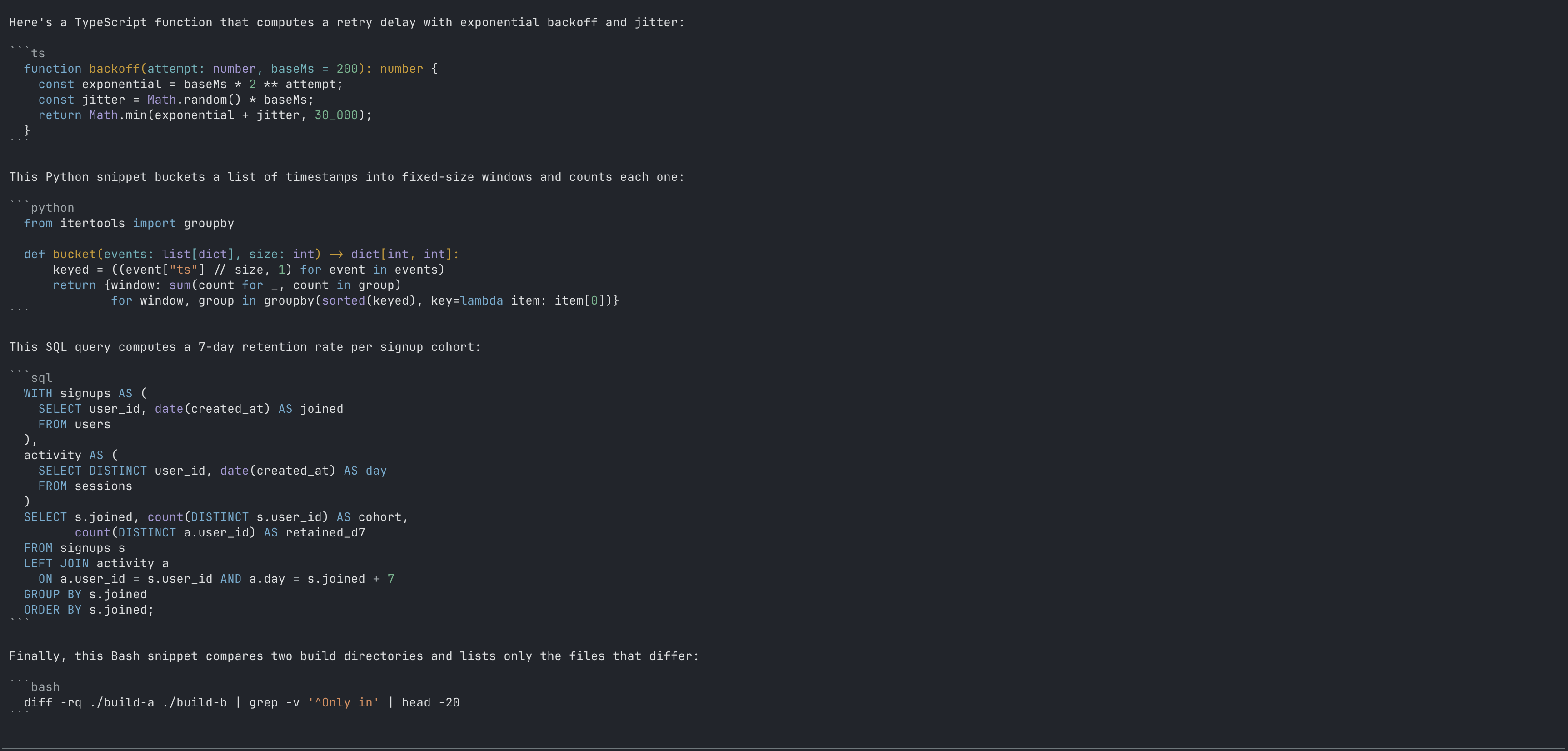 |
|
Features
- Code cards — fenced code blocks in assistant messages render as
theme-colored, full-width panels, matching Pi's native codemode panel look.
The
[COPY]button sits at the end of the block's first line, so the code starts immediately with no language-label header above it. - One-click copy — a
[COPY]button in the top-right copies the block's source (fences stripped) to the clipboard.Ctrl+Alt+Ccopies the most recently rendered block from anywhere. - Raw-text toggle — click anywhere on a card to switch that block back to the original fenced markdown; click again to restore the card.
- Smart highlighting — info strings like
```js workflowhighlight as JavaScript. Plain-text rendering is preserved for unknown languages. - Native-first clipboard — uses Pi's native clipboard helper with
pbcopy/wl-copy/xclip/clipfallbacks. - Transient feedback — successful copies show a footer status that clears itself after 2 seconds instead of persisting in the transcript.
- User messages untouched — code blocks in your own messages and thinking blocks keep Pi's native rendering.
Install
pi install npm:pi-code-renderThen restart Pi or run /reload.
Usage
| Action | Result |
|---|---|
Click [COPY] |
Copy that block's source to the clipboard |
| Click anywhere else on a card | Toggle between card and raw fenced text |
| Click a raw block's code | Toggle it back to a card |
| Drag over a raw block's code | Select it as normal text (Pi's copy-on-select copies it) |
Ctrl+Alt+C |
Copy the most recently rendered code block |
Raw fenced text stays selectable: the code is left to Pi's text selection, so drag or double-click to select and copy. A plain click folds the block back into a card.
Compatibility
- Requires Pi 0.99.0 or later.
- Works in regular and fullscreen TUI modes; non-TUI modes are unaffected.
- The card presentation patches Pi's internal Markdown renderer, which does not currently expose public hooks for transcript styling. A future Pi release may require an update to this package.
- Startup self-check. On every session start the extension renders a fixed sample through the patched renderer and verifies the card shape. If Pi's internals no longer match what the patch assumes, it restores native rendering and posts a warning explaining why, instead of failing silently. CI additionally runs the test suite against the latest and previous-minor Pi releases to catch such changes before they ship.
Uninstall
pi remove npm:pi-code-renderLicense
MIT
Development
npm run typecheck   # tsc --noEmit
npm test            # render tests (node test/render.test.mjs)