pi-comfy-ui
Comfortable input and interactive panel styling for Pi's TUI.
Package details
Install pi-comfy-ui from npm and Pi will load the resources declared by the package manifest.
$ pi install npm:pi-comfy-ui- Package
pi-comfy-ui- Version
0.3.0- Published
- Jul 9, 2026
- Downloads
- 304/mo · 27/wk
- Author
- adanft
- License
- MIT
- Types
- extension
- Size
- 120.1 KB
- Dependencies
- 0 dependencies · 2 peers
Pi manifest JSON
{
  "extensions": [
    "./extensions/comfy-ui.ts"
  ],
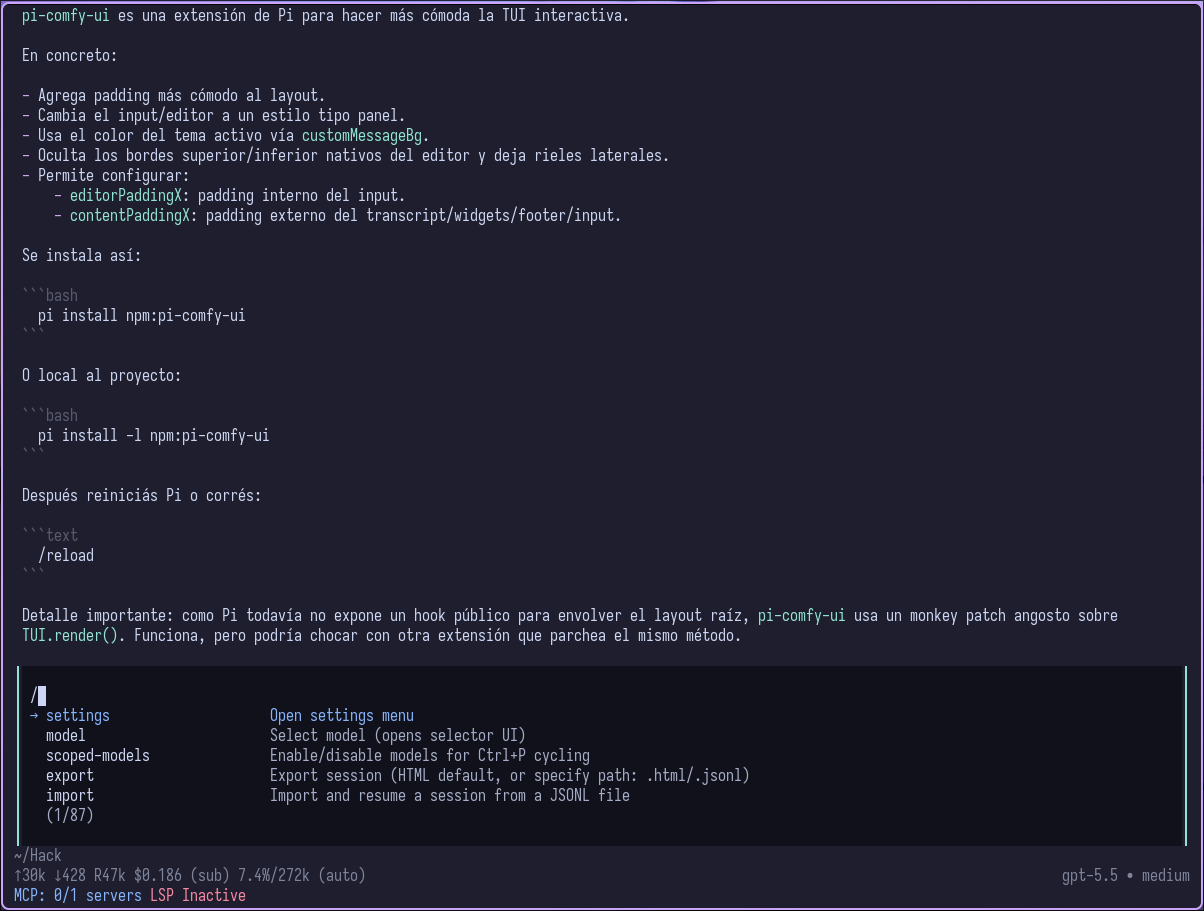
  "image": "https://raw.githubusercontent.com/adanft/pi-comfy-ui/main/assets/preview.png"
}
Security note
Pi packages can execute code and influence agent behavior. Review the source before installing third-party packages.
README
pi-comfy-ui
Comfortable input and interactive panel styling for Pi's interactive TUI.
Install
pi install npm:pi-comfy-ui
Project-local install only:
pi install -l npm:pi-comfy-ui
Then restart Pi, or run /reload if Pi is already open.
Project-local installs apply only after Pi has loaded project extensions, so any pre-extension approval UI keeps Pi's default styling.
Configure
pi-comfy-ui only styles Pi's TUI. It does not read, set, or override Pi padding settings.
For spacing, configure Pi's native settings directly. These values usually feel best with pi-comfy-ui:
{
  "editorPaddingX": 1,
  "outputPad": 1
}
Settings locations:
- Global/user settings:
~/.pi/agent/settings.json - Project/local settings:
.pi/settings.json(overrides global)
Padding notes:
editorPaddingXis Pi's native inner input/editor padding.outputPadis Pi's native horizontal padding for user messages, assistant messages, and thinking output.- pi-comfy-ui no longer supports
contentPaddingXorPI_CONTENT_PADDING_Xbecause Pi already provides native padding settings. - Outer terminal padding should be configured in your terminal emulator, for example Ghostty/WezTerm/kitty terminal padding options.
Styling notes:
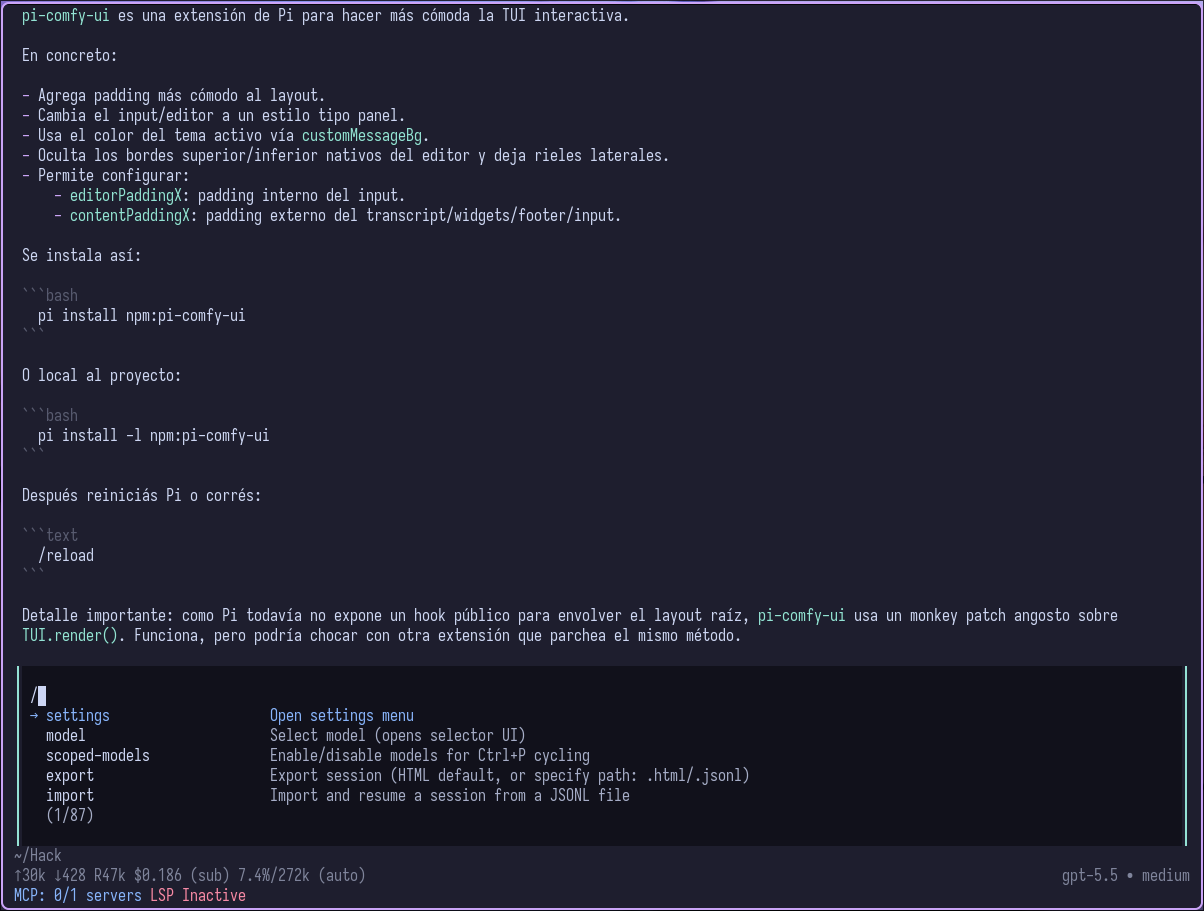
- The input/editor background is painted from the active theme token
customMessageBg. - Interactive prompt panels, such as settings, model selection, confirms, selects, and structured questions, are painted from the active theme token
userMessageBg. - The input/editor keeps Pi's original editor border color, but renders that border on the left and right sides only; Pi's native top/bottom editor border is hidden.
- Interactive prompt panels keep Pi's original border line color, but replace the top/bottom border shape with left/right side rails.
- If another extension already provides a custom editor, pi-comfy-ui keeps that editor and does not replace it.
How it works
pi-comfy-ui uses Pi's public custom editor API, ctx.ui.setEditorComponent(), and extends Pi's CustomEditor so app-level keybindings and native editorPaddingX behavior continue to work.
Pi does not currently expose a dedicated panel-rendering extension API. Interactive panel styling uses explicit known-path patches: pi-comfy-ui patches known Pi component render methods, selected InteractiveMode inline panel methods, and the ask_user_question custom UI path. Unknown components and custom UIs are left unchanged.
These patches do not patch the root TUI render, change render width, or add outer padding.
For transcript/output spacing, use Pi's built-in outputPad setting instead of extension-level root padding.