pi-comfy-ui
Comfortable spacing and panel styling for Pi's interactive TUI.
Package details
Install pi-comfy-ui from npm and Pi will load the resources declared by the package manifest.
$ pi install npm:pi-comfy-ui- Package
pi-comfy-ui- Version
0.2.1- Published
- May 19, 2026
- Downloads
- 225/mo · 225/wk
- Author
- adanft
- License
- MIT
- Types
- extension
- Size
- 108.6 KB
- Dependencies
- 0 dependencies · 2 peers
Pi manifest JSON
{
  "extensions": [
    "./extensions/comfy-ui.ts"
  ],
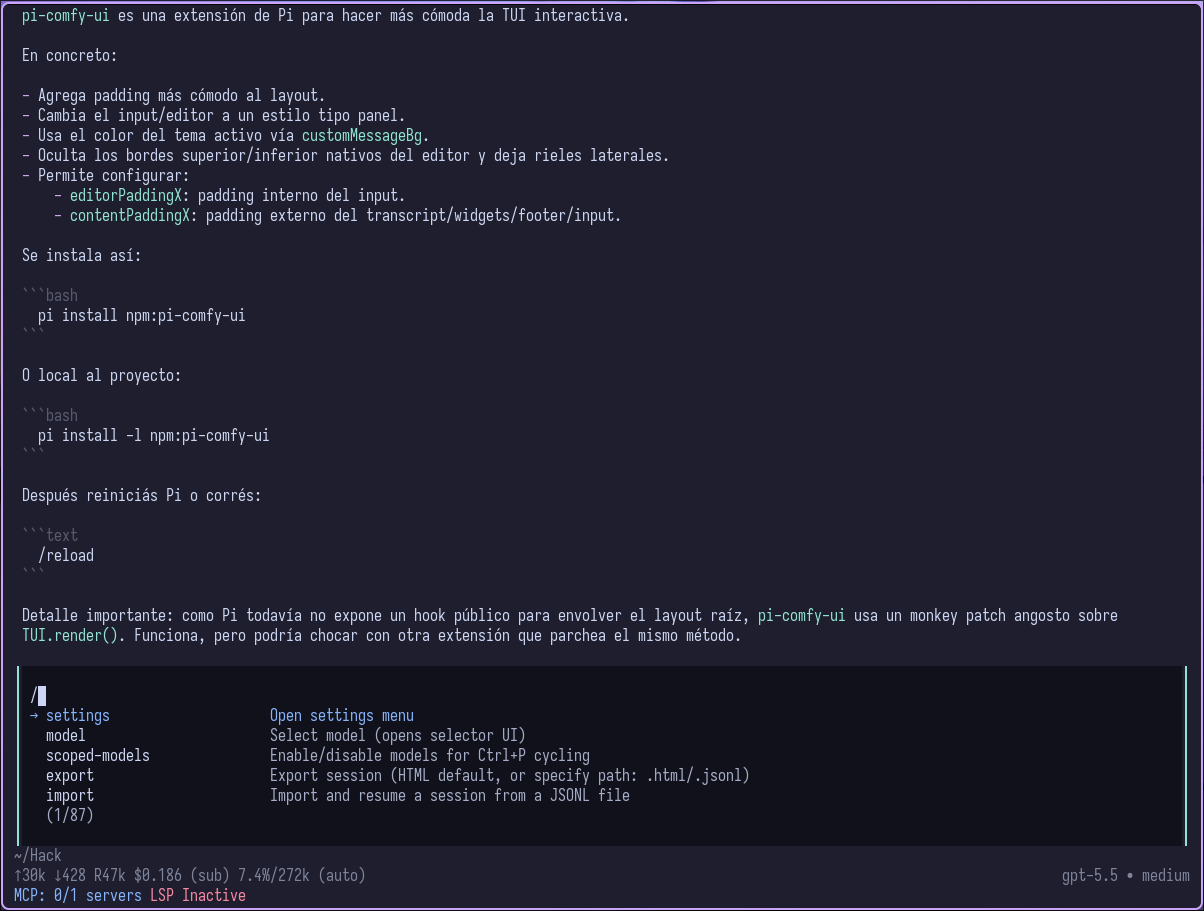
  "image": "https://raw.githubusercontent.com/adanft/pi-comfy-ui/main/assets/preview.png"
}
Security note
Pi packages can execute code and influence agent behavior. Review the source before installing third-party packages.
README
pi-comfy-ui
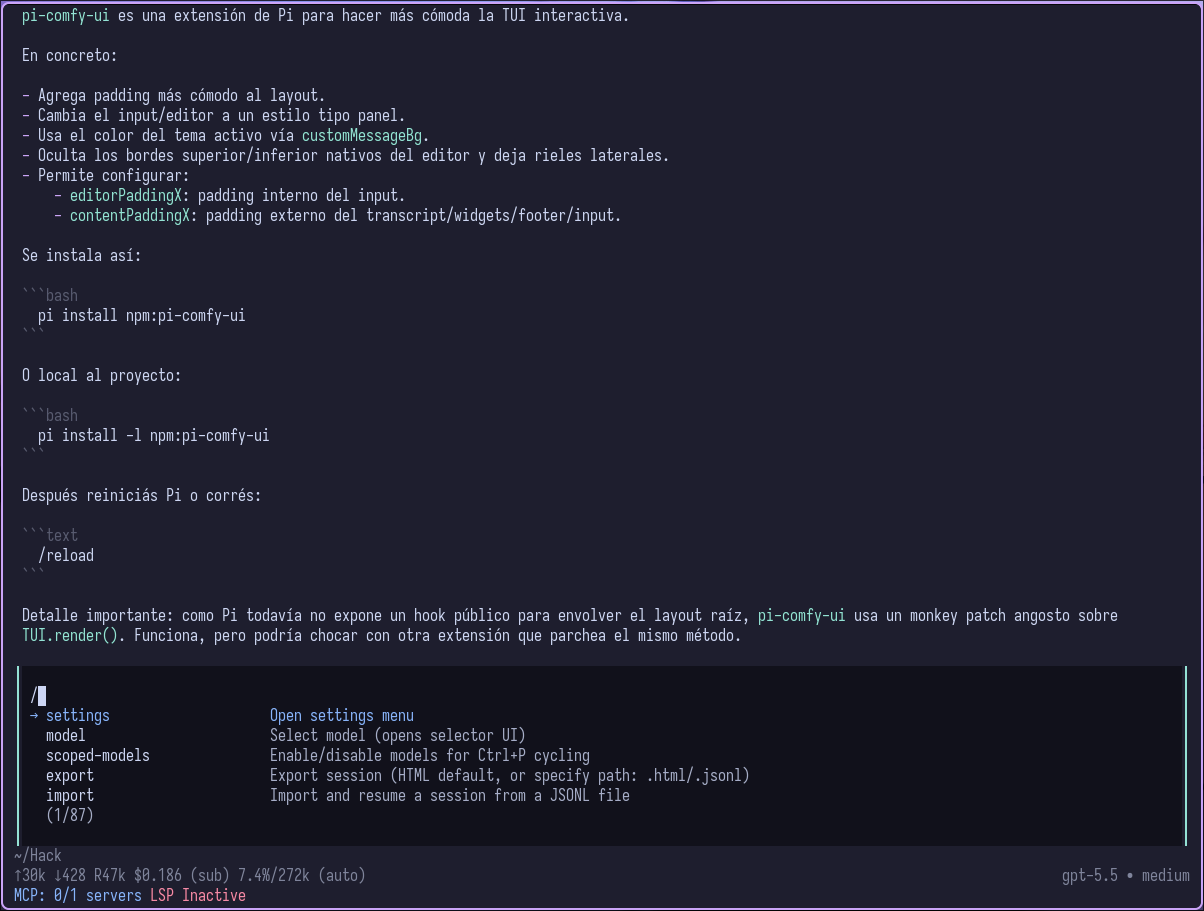
Comfortable spacing and panel styling for Pi's interactive TUI.
Install
pi install npm:pi-comfy-ui
Project-local install only:
pi install -l npm:pi-comfy-ui
Then restart Pi, or run /reload if Pi is already open.
Configure
The package defaults to comfortable internal padding without modifying global settings:
{
  "editorPaddingX": 1,
  "contentPaddingX": 1
}
Override either value in Pi settings when you want different spacing:
Global/user settings:
~/.pi/agent/settings.jsonProject/local settings:
.pi/settings.json(overrides global)editorPaddingXis Pi's native inner input/editor padding. If unset, this package uses1internally for its custom editor.contentPaddingXis this package's outer layout padding for transcript, widgets, footer, and input panel alignment. If unset, this package uses1internally.The input/editor background is painted from the active theme token
customMessageBg.Interactive prompt panels, such as settings, model selection, confirms, selects, and structured questions, are painted from the active theme token
userMessageBg.The input/editor keeps Pi's original editor border color, but renders that border on the left and right sides only; Pi's native top/bottom editor border is hidden.
Interactive prompt panels keep Pi's original border line color, but replace the top/bottom border shape with left/right side rails.
Supported aliases for outer layout padding:
contentPaddingXlayoutPaddingXPI_CONTENT_PADDING_Xenvironment variable
The extension clamps editor and content padding to safe ranges and reduces content padding automatically on narrow terminals.
How it works
Pi does not currently expose a public root-layout wrapper hook for extensions. This package uses a narrow monkey patch on root TUI.render() to apply outer padding to the rendered frame.
This keeps the change package-local, avoids editing the globally installed Pi files, and keeps Pi's native editorPaddingX responsible for input padding.
The input background uses Pi's theme palette through customMessageBg; there is no separate extension color setting. Interactive prompt panel backgrounds use userMessageBg. In both cases, pi-comfy-ui preserves the original border color and only changes the border shape plus the painted background.
Because this extension monkey-patches shared TUI rendering, it may conflict with another extension that patches the same method. The patch is guarded with a global Symbol to avoid double-patching itself.
contentPaddingX is an outer margin. editorPaddingX remains the inner padding inside the input panel.