pi-compact-tools
Compact, expandable tool rows for Pi in its own compact style or Claude Code's, with a silent mode and a GitHub Dark theme.
Package details
Install pi-compact-tools from npm and Pi will load the resources declared by the package manifest.
$ pi install npm:pi-compact-tools- Package
pi-compact-tools- Version
0.11.2- Published
- Sep 25, 2026
- Downloads
- 3,134/mo · 1,626/wk
- Author
- nedleeds
- License
- MIT
- Types
- extension, theme
- Size
- 201.1 KB
- Dependencies
- 0 dependencies · 2 peers
Pi manifest JSON
{
  "image": "https://raw.githubusercontent.com/nedleeds/pi-compact-tools/main/assets/overview.gif",
  "themes": [
    "./themes/github-dark-pro.json"
  ],
  "extensions": [
    "./extensions/compact-tools.ts"
  ]
}Security note
Pi packages can execute code and influence agent behavior. Review the source before installing third-party packages.
README
pi-compact-tools
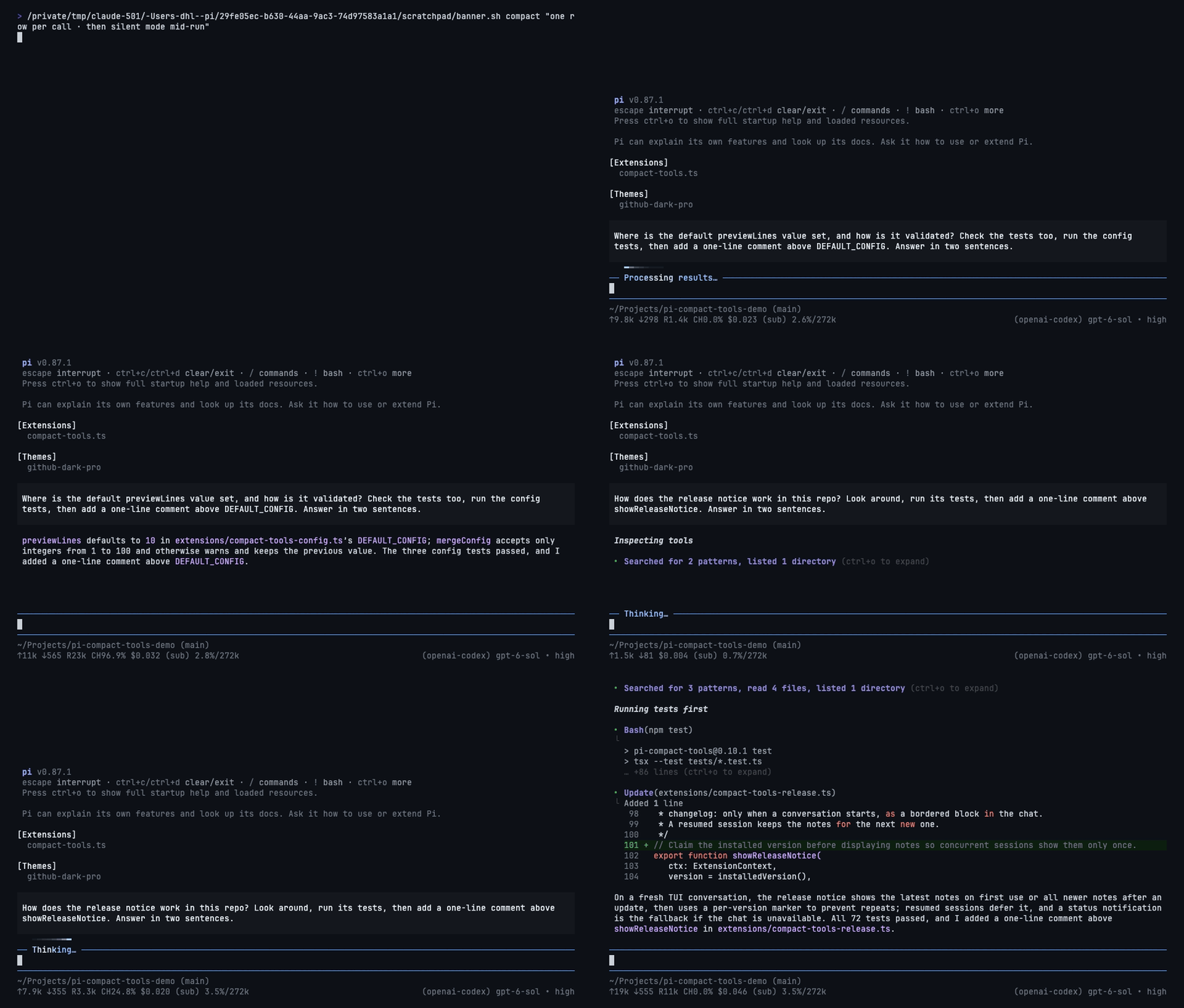
Compact, expandable tool rows for Pi in its own compact style or Claude Code's, with a silent mode and a GitHub Dark theme. Works with custom tools from other packages.
Install
pi install npm:pi-compact-tools
Restart Pi or run /reload. For the bundled theme, set "theme": "github-dark-pro" in ~/.pi/agent/settings.json.
Usage
Pick a style. Silent mode works on top of either.
| Setting | Shows | How | |
|---|---|---|---|
| Compact | Style | every tool call as its own compact, expandable row | "style": "compact" (default) |
| Claude | Style | reads and searches folded into one line, like Claude Code | "style": "claude" |
| Silent | Mode | only your prompts and the answers | Ctrl+' or /silent |
Set "style" in the config below, then /reload. "style": "off" restores Pi's own rows.
Style: Compact
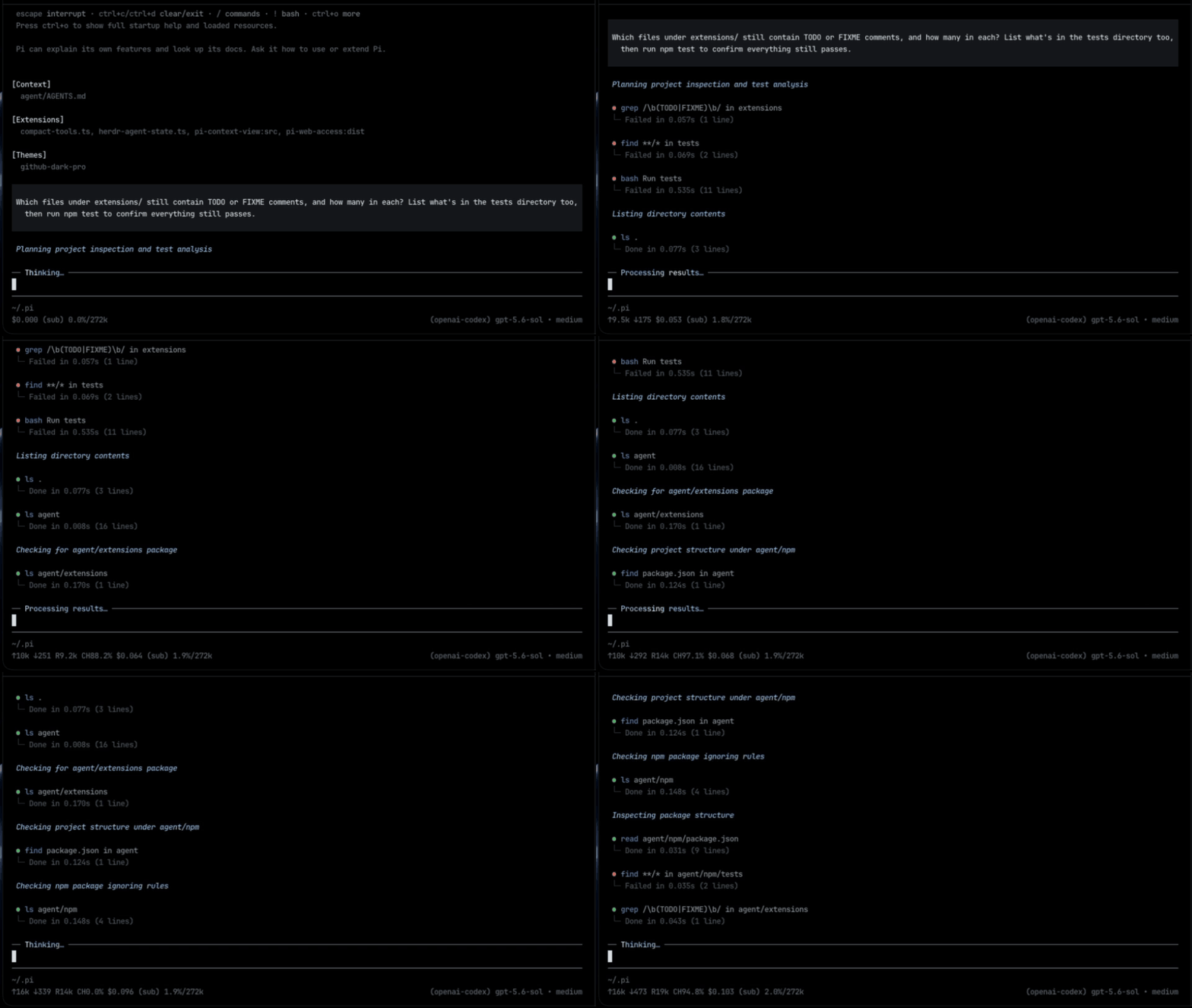
- Each call: what it ran, then its status, duration, and line count.
- Edits show a highlighted diff with
(+3 -1); reads and writes show numbered code.
Style: Claude
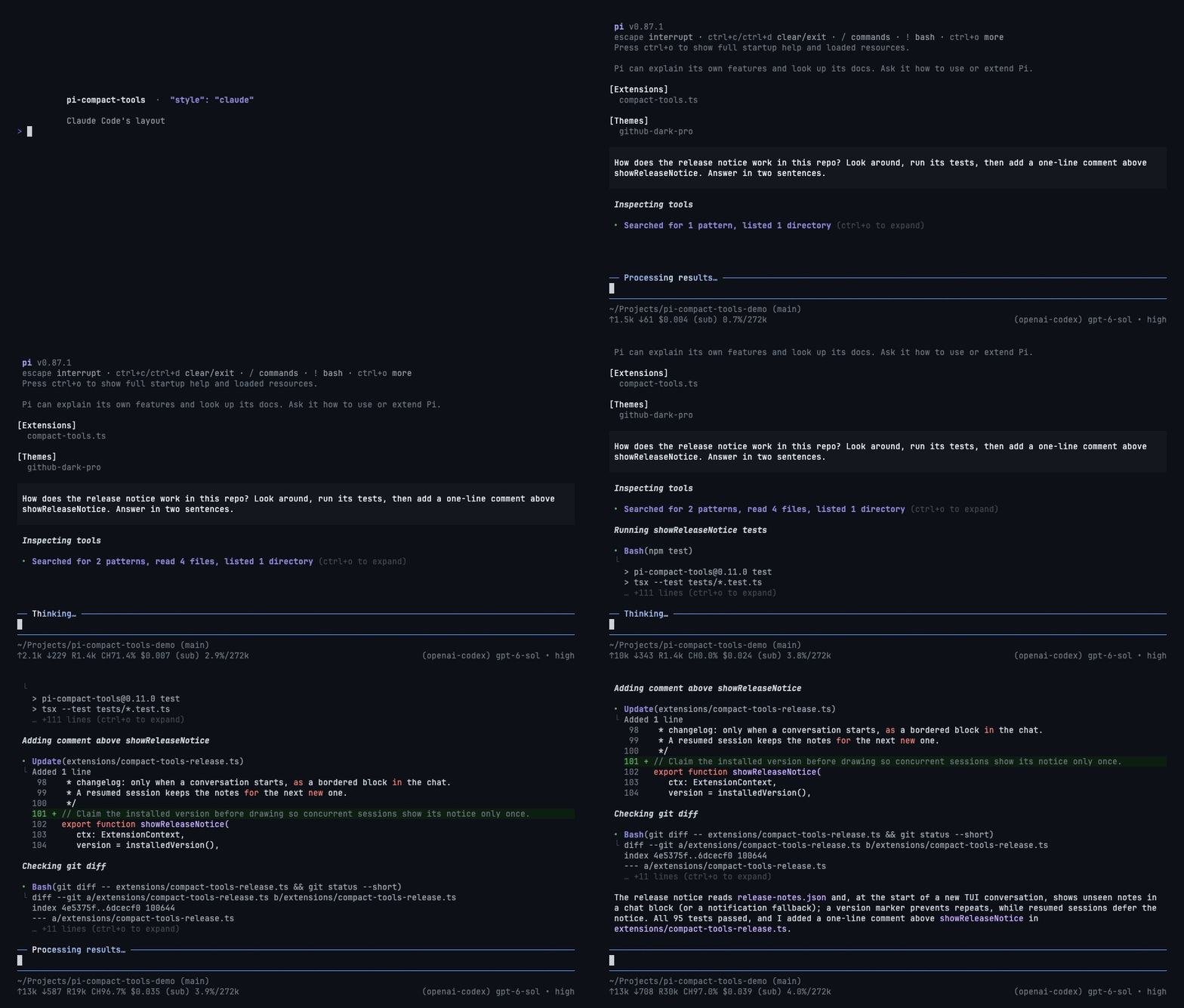
- Reads, searches, and listings fold into one line:
Searched for 2 patterns, read 3 files. Bash,Update,Write, and custom tools keep their own rows with short previews.
Mode: Silent
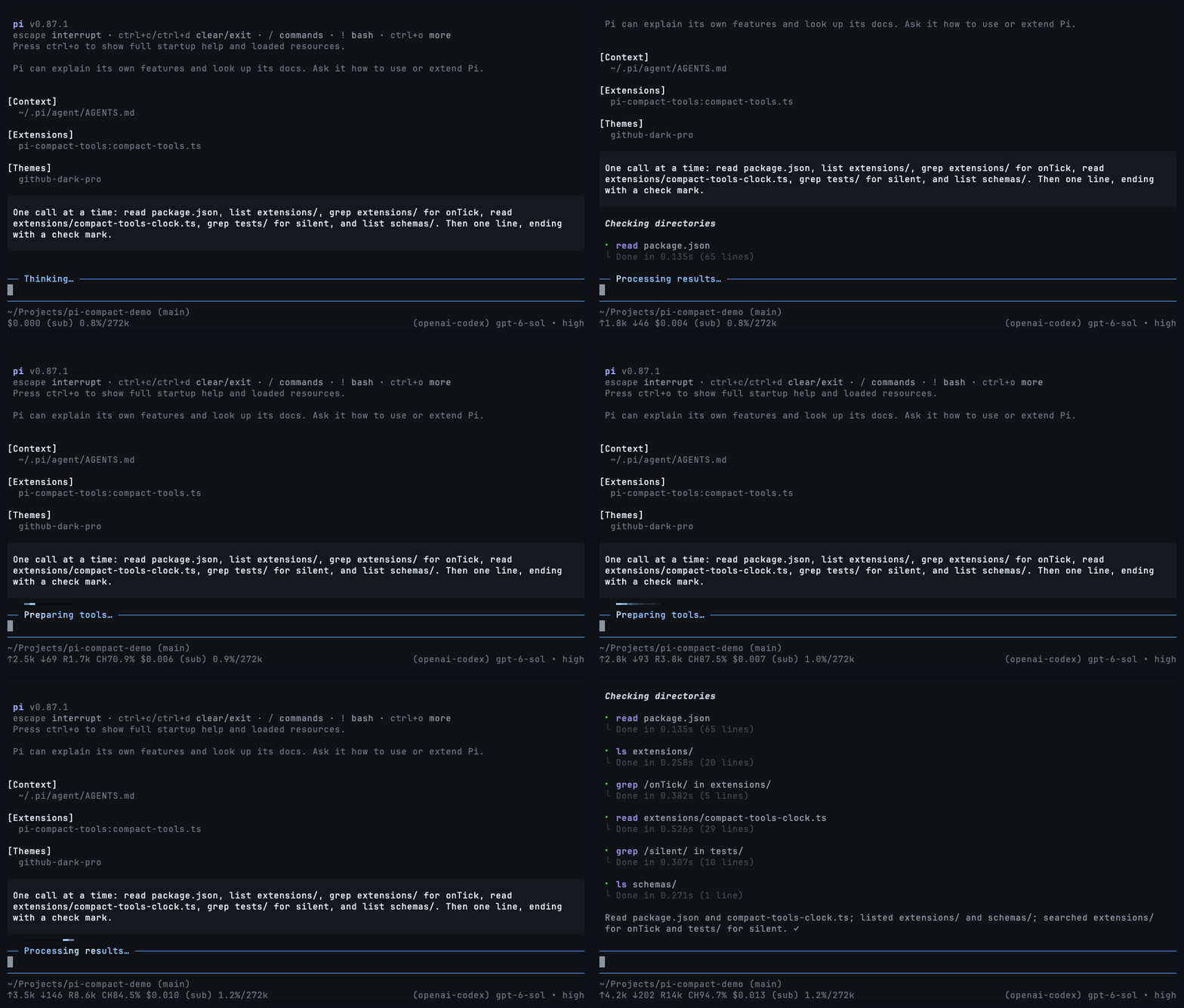
Shows only your prompts and the answers, in either style.
- Toggle with
Ctrl+'or/silent. Tool rows and thinking fold into a moving light while the agent works. - Turn it off and every row comes back.
"mode": "silent"starts sessions with it on.
Configuration
Optional, in ~/.pi/agent/compact-tools.json or <project>/.pi/compact-tools.json:
{
  "style": "compact",
  "mode": "normal",
  "tools": ["read", "write", "edit", "bash"],
  "previewLines": 10,
  "auto_compact": { "read": true, "write": true, "edit": false, "bash": true },
  "custom_tools": { "enabled": true, "auto_compact": true, "exclude": [] }
}
tools: built-ins to compact. Alsogrep,find,ls,powershell.auto_compact:truestarts a row collapsed;falseshows up topreviewLinesrows. Custom tool names work too.custom_tools: rows for tools from other packages.excludekeeps a tool's own look.
Controls
- Click a row or group, or press
Ctrl+O, to expand and collapse. Ctrl+Tcycles thinking: summary → detail → summary → hidden.
Development
npm install
npm run check
pi -e .
Renders are pinned in tests/golden/render.json. After an intended change to the output, record it with UPDATE_GOLDEN=1 npm test and review the diff. Before publishing, add the version's notes to release-notes.json ([] for none).
License
MIT