pi-compact-tools
Tool rows for Pi in three styles: Claude, Codex, and Compact. Switch with /compact-tools; includes silent mode and a GitHub Dark theme.
Package details
Install pi-compact-tools from npm and Pi will load the resources declared by the package manifest.
$ pi install npm:pi-compact-tools- Package
pi-compact-tools- Version
0.14.2- Published
- Oct 8, 2026
- Downloads
- 6,095/mo · 1,283/wk
- Author
- nedleeds
- License
- MIT
- Types
- extension, theme
- Size
- 311.7 KB
- Dependencies
- 0 dependencies · 2 peers
Pi manifest JSON
{
  "image": "https://raw.githubusercontent.com/nedleeds/pi-compact-tools/main/assets/overview.gif",
  "themes": [
    "./themes/github-dark-pro.json"
  ],
  "extensions": [
    "./extensions/compact-tools.ts"
  ]
}Security note
Pi packages can execute code and influence agent behavior. Review the source before installing third-party packages.
README
pi-compact-tools
Tool rows for Pi in three styles: Claude, Codex, and Compact. Pick the look you know from Claude Code or Codex CLI, or Pi's own compact rows, and switch any time with /compact-tools. Includes a silent mode and a GitHub Dark theme, and works with custom tools from other packages.
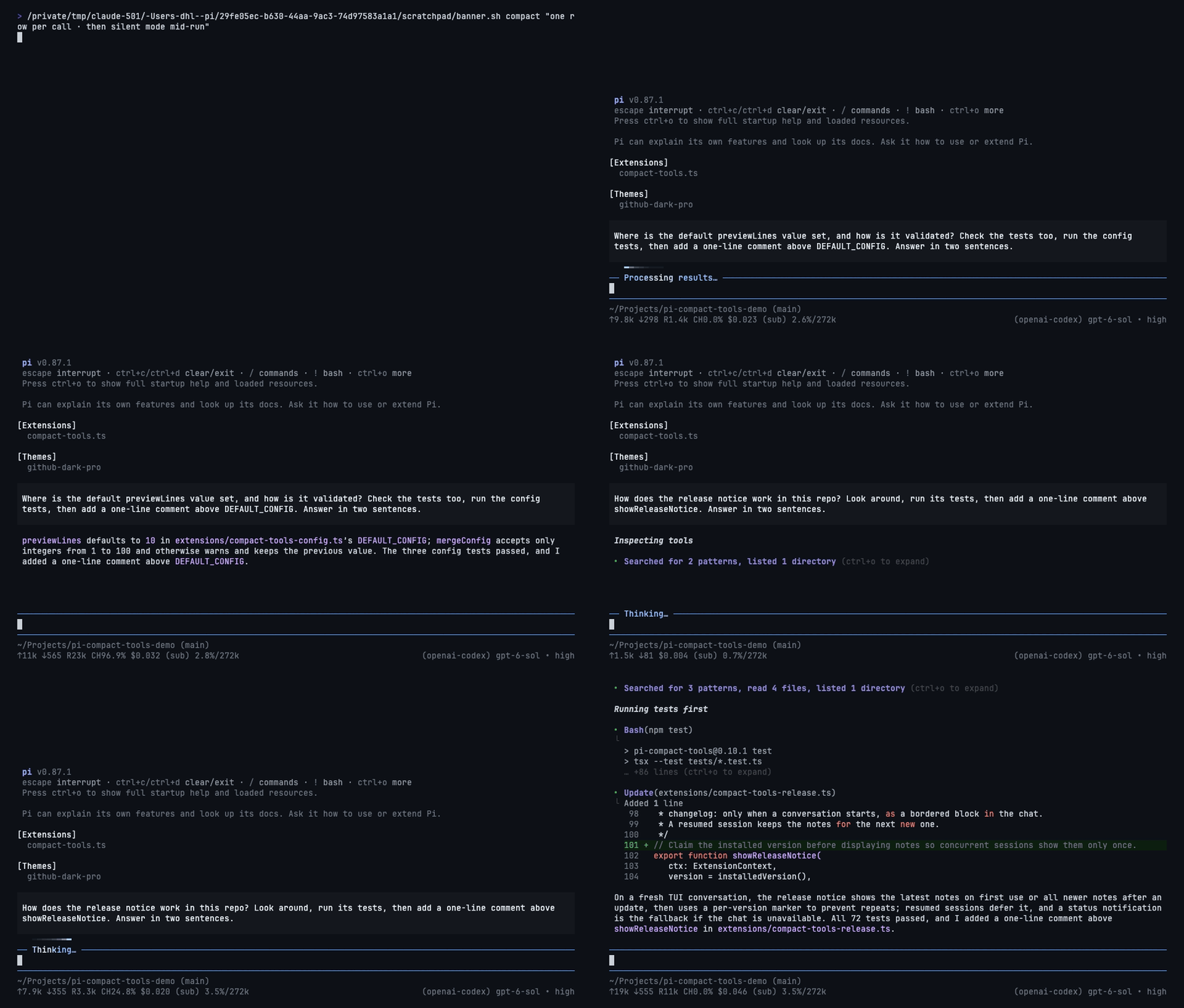
Install
pi install npm:pi-compact-toolsRestart Pi or run /reload, then run /compact-tools to choose a style. To try it for one session without installing: pi -e npm:pi-compact-tools.
Requires Node.js 22.19+ and Pi 0.85.1+. Pi 1.0.2 or later is recommended for native renderer integration and compact HTML exports. It changes only how tool calls are drawn, not what they run or what the model sees.
Styles
| Style | Looks like | Set with |
|---|---|---|
| Claude | Claude Code: reads and searches fold into one line, ⎿ results |
/compact-tools claude |
| Codex | Codex CLI: • Explored groups, • Ran with the last output lines |
/compact-tools codex |
| Compact | one expandable row per call, with its status and time (default) | /compact-tools compact |
Silent mode (Ctrl+' or /silent) works on top of any style. /compact-tools off restores Pi's own rows.
Claude
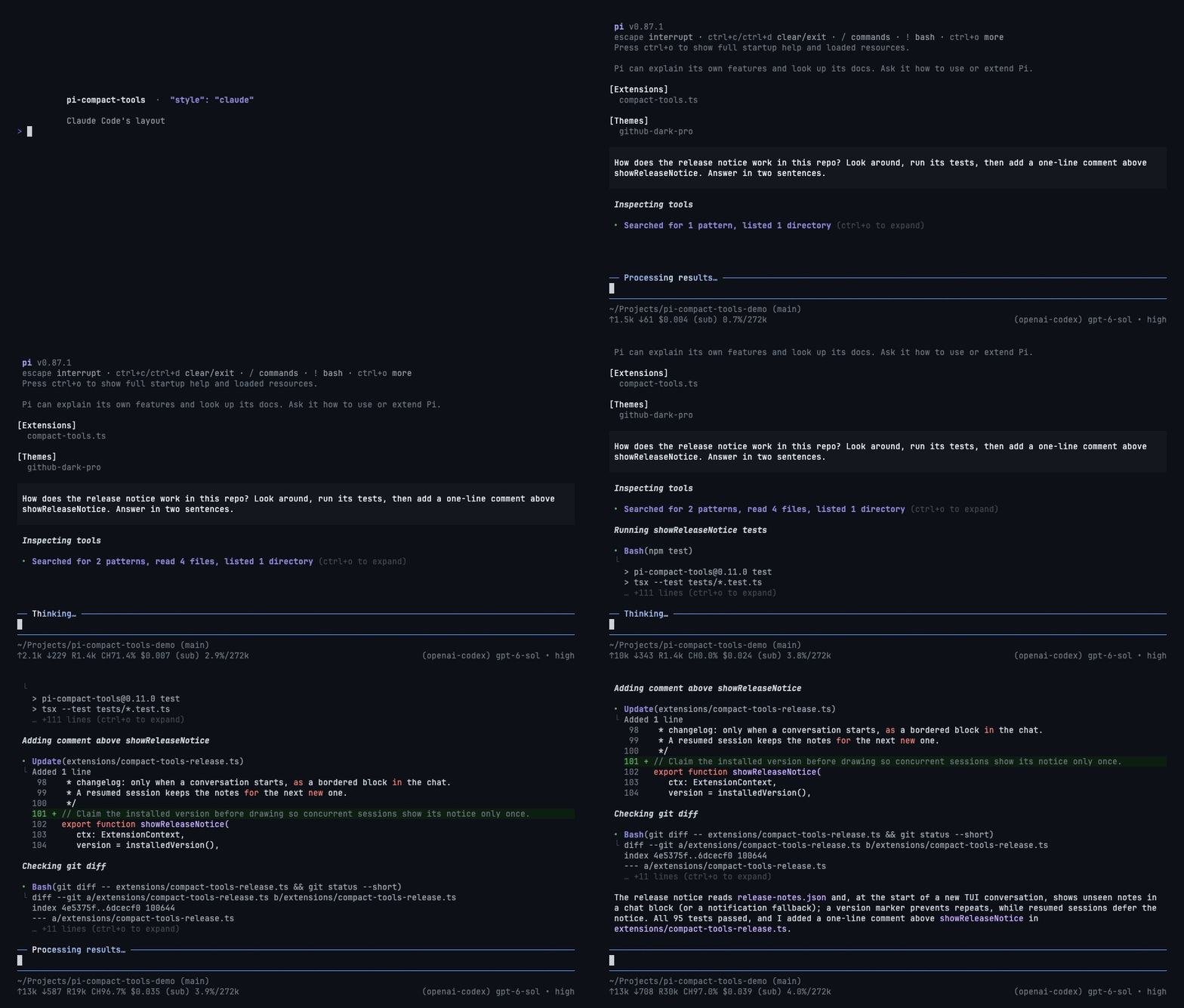
- Reads, searches, and listings fold into one line:
Searched for 2 patterns, read 3 files. Bash,Update,Write, and custom tools keep their own rows with⎿results and short previews.- Matched against Claude Code 2.1.288 in a live terminal.
Codex
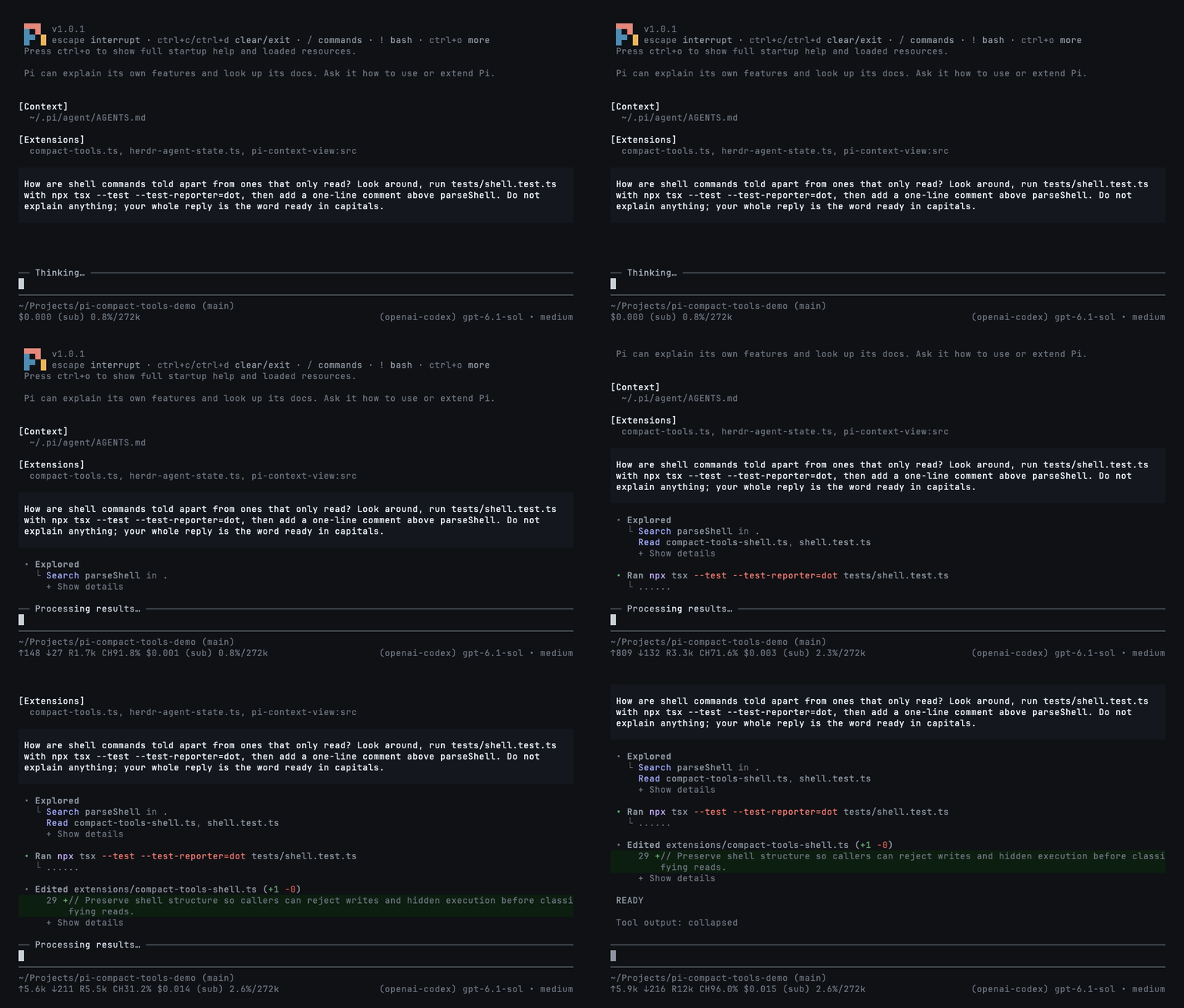
- Reads, searches, and listings fold into
• Explored:Read a.ts, b.ts,Search TODO in src. - Commands read
RanorFailed (exit 2)with their last three output lines; opened,$ cmd, all its output, and✓ • 1.23s. - Edits preview their changed lines; custom tools read
• Called name. - Matched against Codex CLI 0.160.0 in a live terminal.
Compact
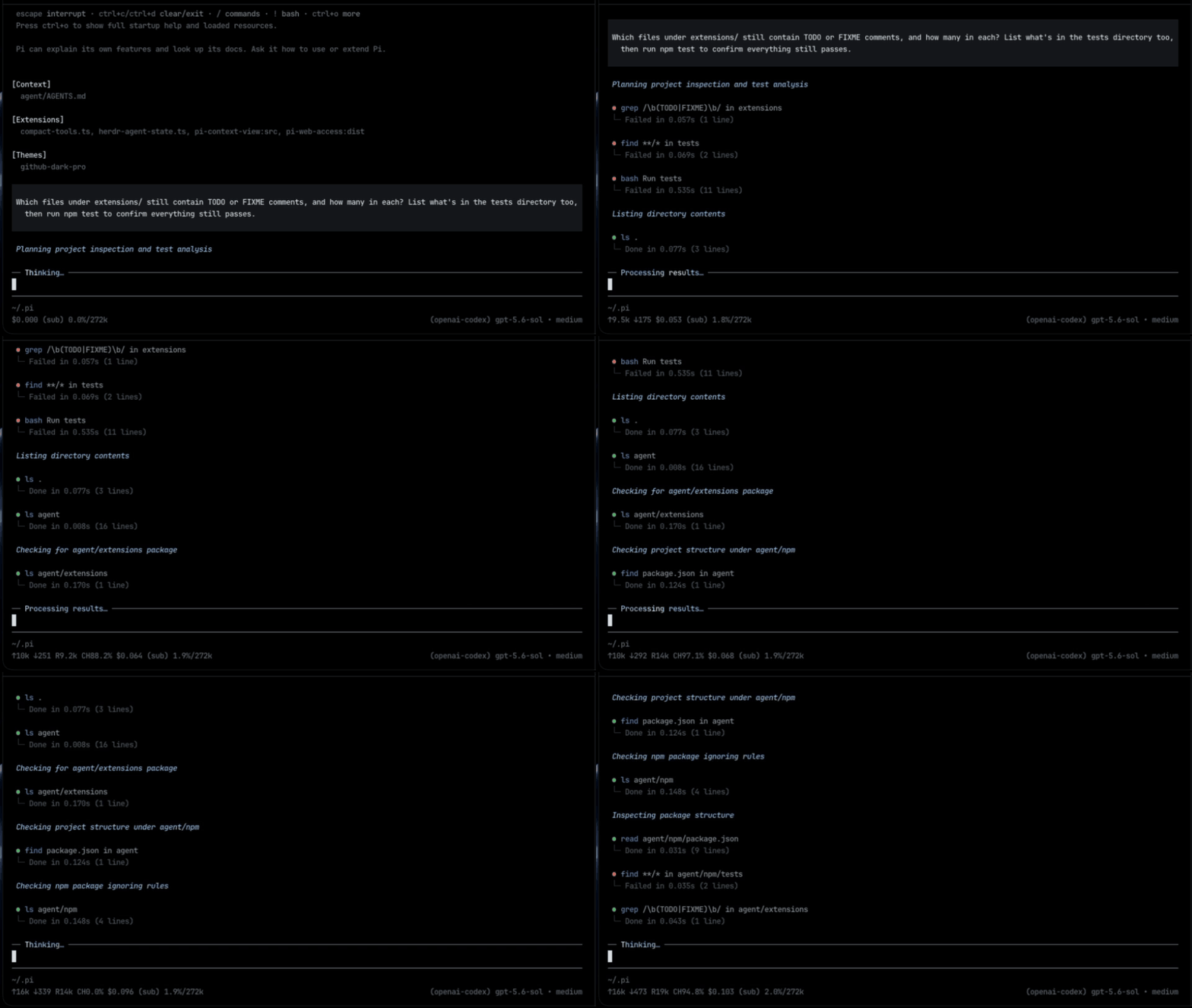
- One row per call: what it ran, its status, duration, and line count.
- Edits show a highlighted diff with
(+3 -1); reads and writes show numbered code.
A command that writes or runs something, such as tee, xargs, or find -delete, always keeps its own row; only calls that just look around are folded into a group.
Silent mode
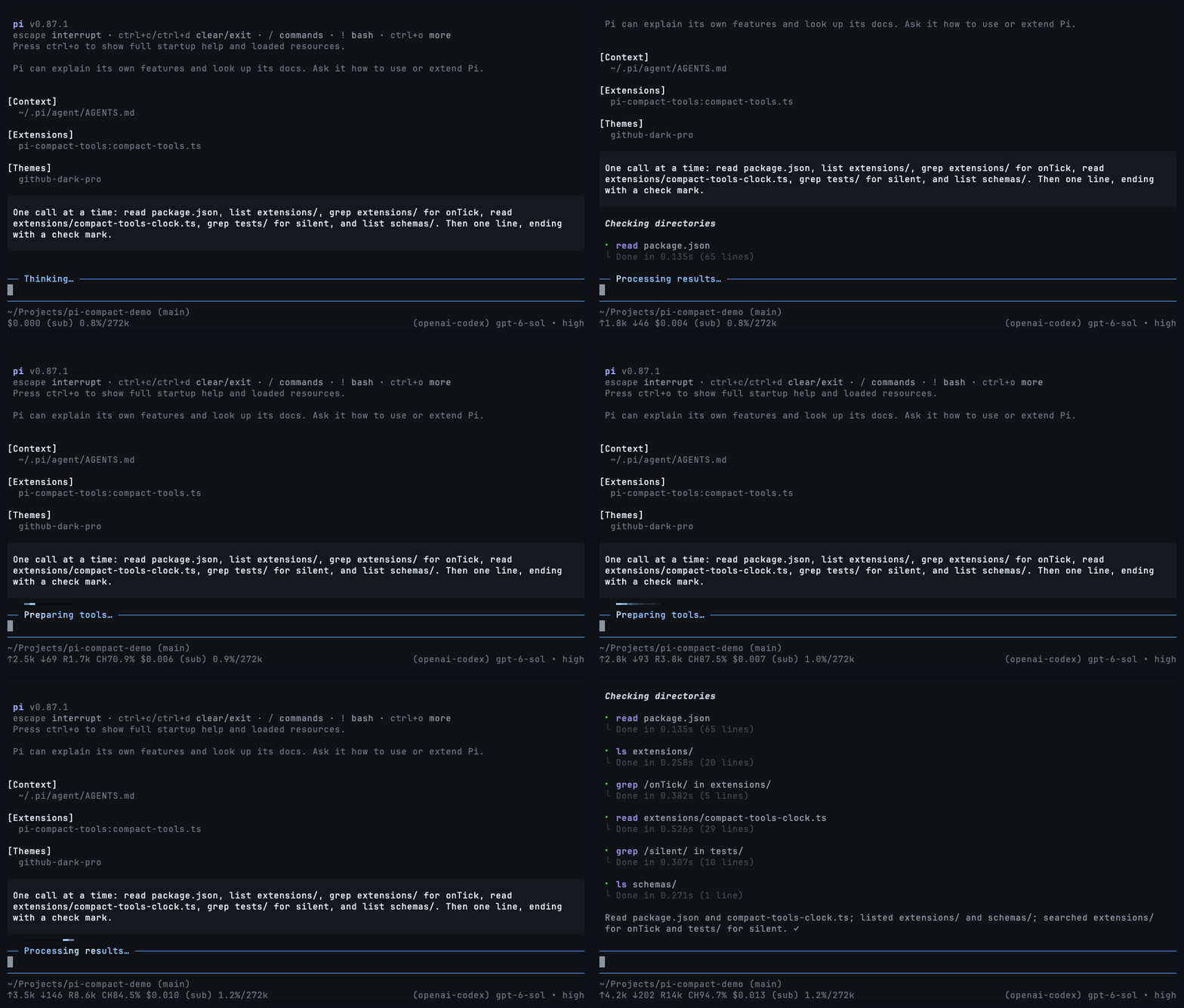
Only your prompts and the answers. Toggle with Ctrl+' or /silent; "mode": "silent" starts sessions with it on.
Commands
/compact-tools                 # choose a style and where to save it
/compact-tools codex           # switch style, at once, even while tools run
/compact-tools claude project  # save for this trusted project
/compact-tools off             # restore Pi's own rows (reloads Pi)
/compact-tools status          # effective style, mode, and config paths
Without a scope, the style is saved where it is decided: in the trusted project if its settings choose a style, otherwise globally. Switching between Claude, Codex, and Compact redraws every row at once, even while tools run. Turning rows off or back on reloads Pi, so it waits until the response finishes. Your other settings are kept.
Configuration
Optional, in ~/.pi/agent/compact-tools.json or <project>/.pi/compact-tools.json (trusted projects only; they override global settings field by field). Add "$schema": "https://raw.githubusercontent.com/nedleeds/pi-compact-tools/main/schemas/compact-tools.schema.json" for editor validation.
{
  "style": "compact",
  "mode": "normal",
  "tools": ["read", "write", "edit", "bash"],
  "previewLines": 10,
  "auto_compact": { "read": true, "write": true, "edit": false, "bash": true },
  "custom_tools": { "enabled": true, "auto_compact": true, "exclude": [] }
}style:claude,codex,compact, oroff.tools: built-ins drawn in the style. Alsogrep,find,ls,powershell.auto_compact:truestarts a Compact row collapsed;falseshows up topreviewLinesrows. Custom tool names work too.custom_tools: rows for tools from other packages.excludekeeps a tool's own look.
UI-only behavior
This package never registers or activates agent tools and does not add model-facing
messages, tool schemas, or prompt text. Host execution settings (including shell
prefixes and image resizing) remain untouched. Renderer-bearing overrides of names
such as read or bash follow custom_tools, including its exclusions.
On Pi 1.0.2 and newer, the public renderer API also applies compact rendering to HTML
exports. Older hosts use a terminal-only compatibility patch; HTML exports keep
Pi's native renderers. On Pi 1.1 and newer, final durations use the host's recorded
durationMs, including restored sessions, and tool rows follow outputPad (0 or 1)
without changing their internal style indentation. Older hosts keep event-based
timing and the original margins; the minimum supported Pi version is unchanged.
When custom compact rendering is enabled, it intentionally takes precedence over
fallback renderers supplied by earlier next() ?? mine resolvers for unknown tools.
Disable custom_tools or exclude the tool to preserve those fallback renderers.
Controls
- Click a row or group, or press
Ctrl+O, to expand and collapse. Ctrl+Tcycles thinking: summary → detail → summary → hidden.
Development
npm install
npm run check
pi -e .
Development dependencies are pinned to Pi 1.1.0; the peer minimum remains Pi 0.85.1. CI checks Pi 0.85.1, 0.99.1, 1.0.0, 1.0.2, and 1.1.0 on Node 22.19.0 and 24. Schema validation and deterministic test clocks are development-only dependencies, not runtime dependencies. Development scripts and tests are not included in the published package. npm test runs the rendering tests first and the resource/packaging checks separately so their subprocesses do not disturb animation tests.
For a local before/after performance comparison, run npx tsx tests/benchmark.ts <clean-baseline-directory> with the same host dependencies in both directories. Measurements are informational, not timing-sensitive test assertions.
Renders are pinned in tests/golden/. After an intended change to the output, record it with UPDATE_GOLDEN=1 npm test and review the diff. The Claude and Codex styles are checked against references captured from the real tools in tests/fixtures/. The README's GIFs are recorded with scripts/record-demos.sh (needs vhs and ffmpeg). Before publishing, add the version's notes to release-notes.json ([] for none).
License
MIT