pi-compact-tools
Tool rows for Pi in three styles: Claude, Codex, and Compact. Switch with /compact-tools; includes silent mode and a GitHub Dark theme.
Package details
Install pi-compact-tools from npm and Pi will load the resources declared by the package manifest.
$ pi install npm:pi-compact-tools- Package
pi-compact-tools- Version
0.17.0- Published
- Nov 4, 2026
- Downloads
- 2,798/mo · 1,145/wk
- Author
- nedleeds
- License
- MIT
- Types
- extension, theme
- Size
- 358.2 KB
- Dependencies
- 0 dependencies · 2 peers
Pi manifest JSON
{
  "image": "https://raw.githubusercontent.com/nedleeds/pi-compact-tools/main/assets/overview.gif",
  "themes": [
    "./themes/github-dark-pro.json"
  ],
  "extensions": [
    "./extensions/compact-tools.ts"
  ]
}Security note
Pi packages can execute code and influence agent behavior. Review the source before installing third-party packages.
README
pi-compact-tools
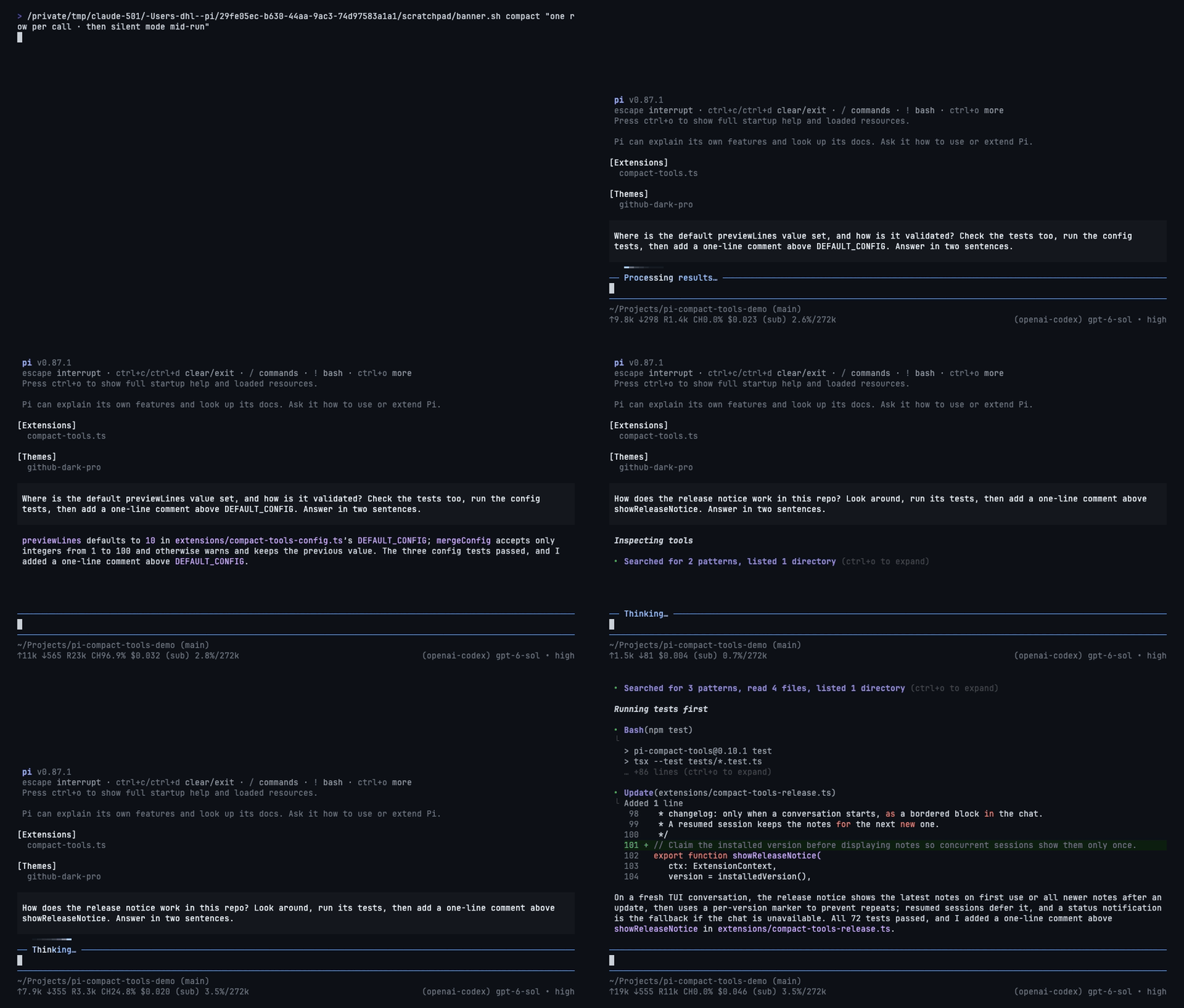
Three tool-row styles for Pi: Claude, Codex, and Compact. Switch styles live, hide tool noise with silent mode, and see what codemode scripts actually called.
UI only: no changes to tool execution, model input, or session records. Includes custom-tool rendering and a GitHub Dark theme.
Install
pi install npm:pi-compact-toolsRun /reload or restart Pi, then /compact-tools to choose a style. Try without installing: pi -e npm:pi-compact-tools.
Requires Node.js 22.19+ and Pi 0.85.1+. Pi 1.0.2+ recommended for native renderer integration and styled HTML exports.
Styles
| Style | What you see | Command |
|---|---|---|
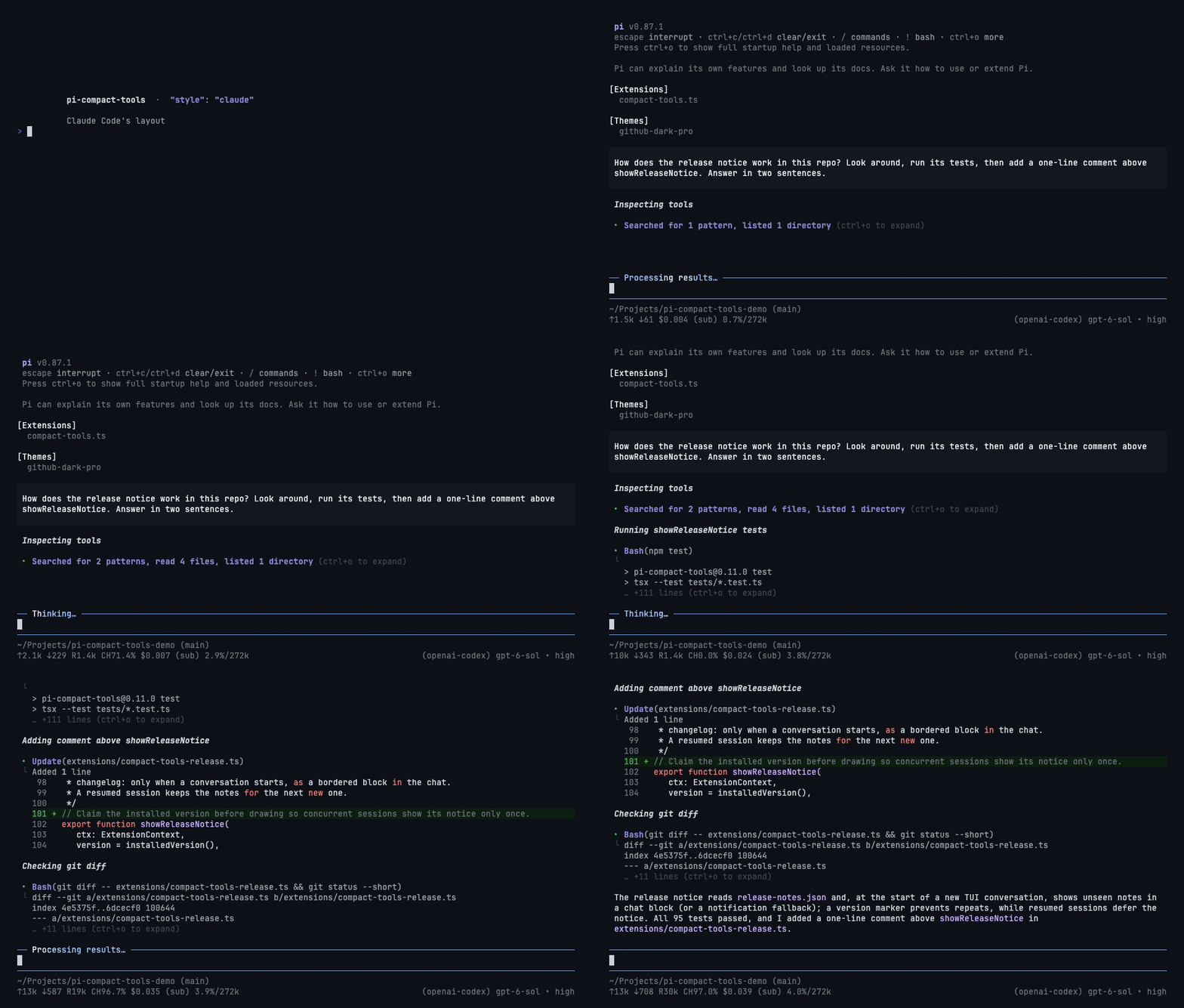
| Claude | Grouped reads/searches, ⎿ results, edit previews |
/compact-tools claude |
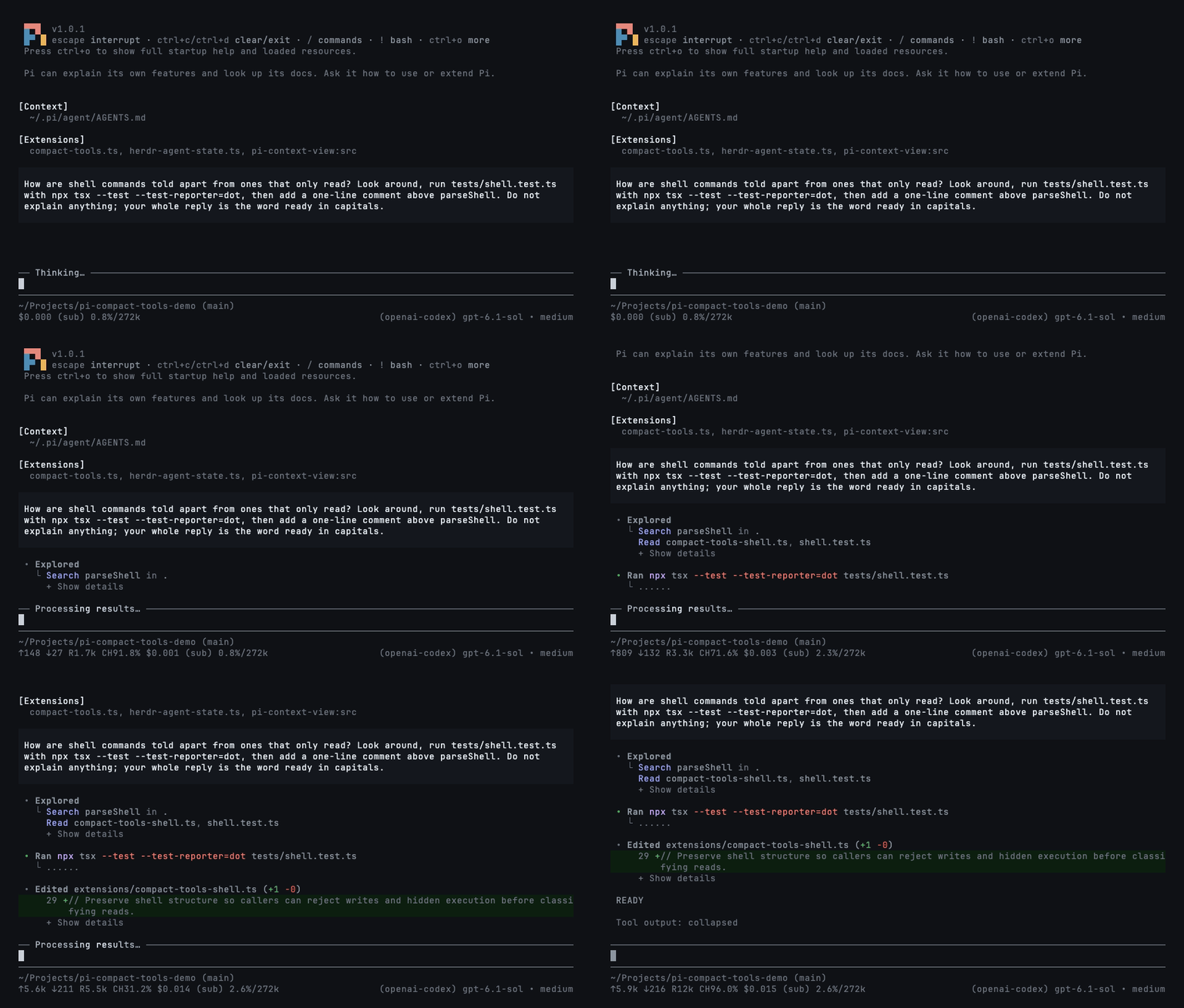
| Codex | • Explored groups, • Ran output, highlighted diffs |
/compact-tools codex |
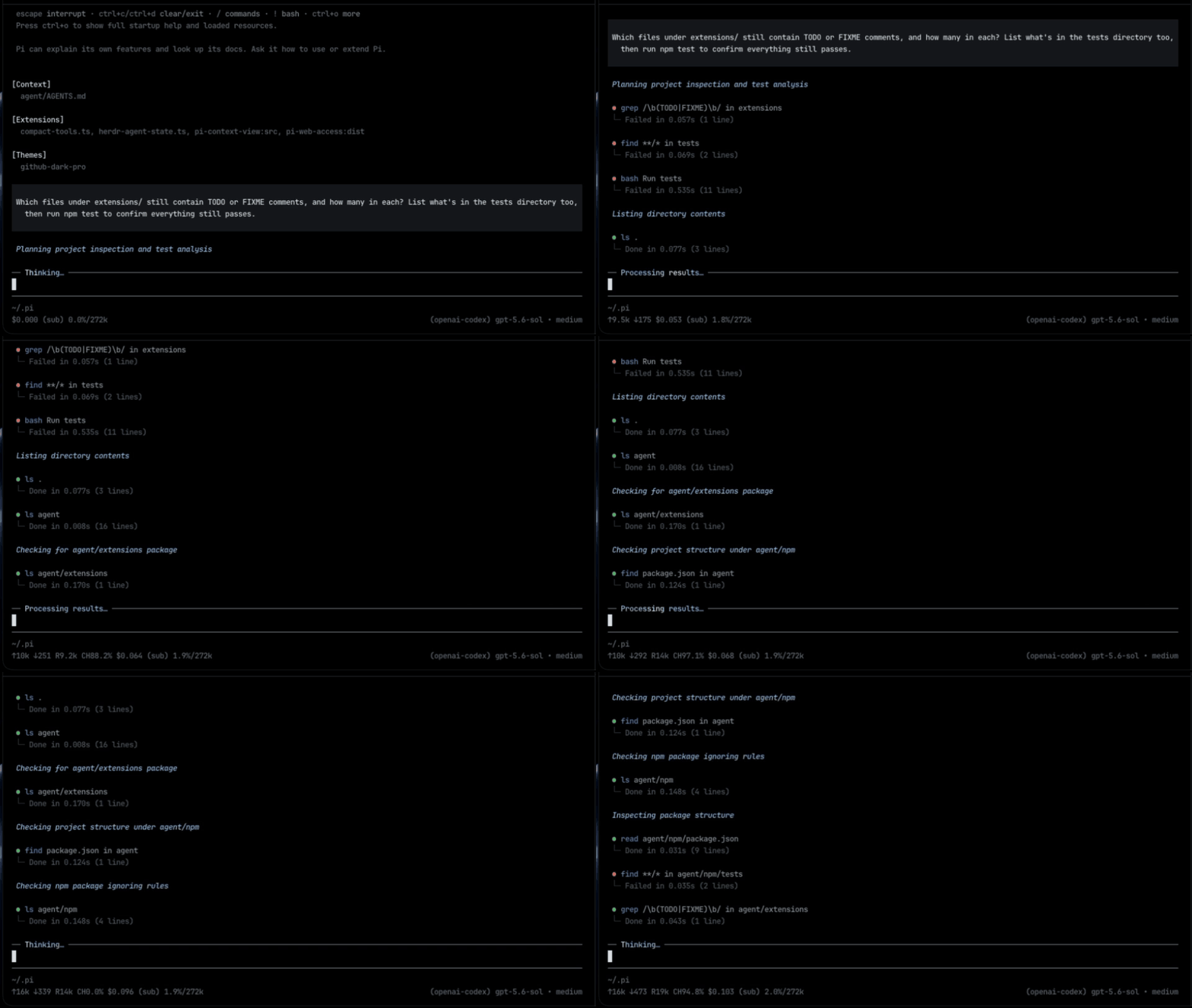
| Compact (default) | One row per call: status, duration, line count, and diff | /compact-tools compact |
| Off / Pi native | Pi's original rows, thinking display, and working indicator | /compact-tools off |
Every style, including off, redraws existing rows immediately, even while tools run. No reload or interruption is needed. Only read-only exploration is grouped; commands that write or execute work keep separate rows.
Claude
Codex
Compact
Silent mode
Toggle with Ctrl+' or /silent; use /silent on and /silent off explicitly. Works with any style. It also hides thinking, intermediate assistant turns, and error/status notices; turn it off to inspect them.
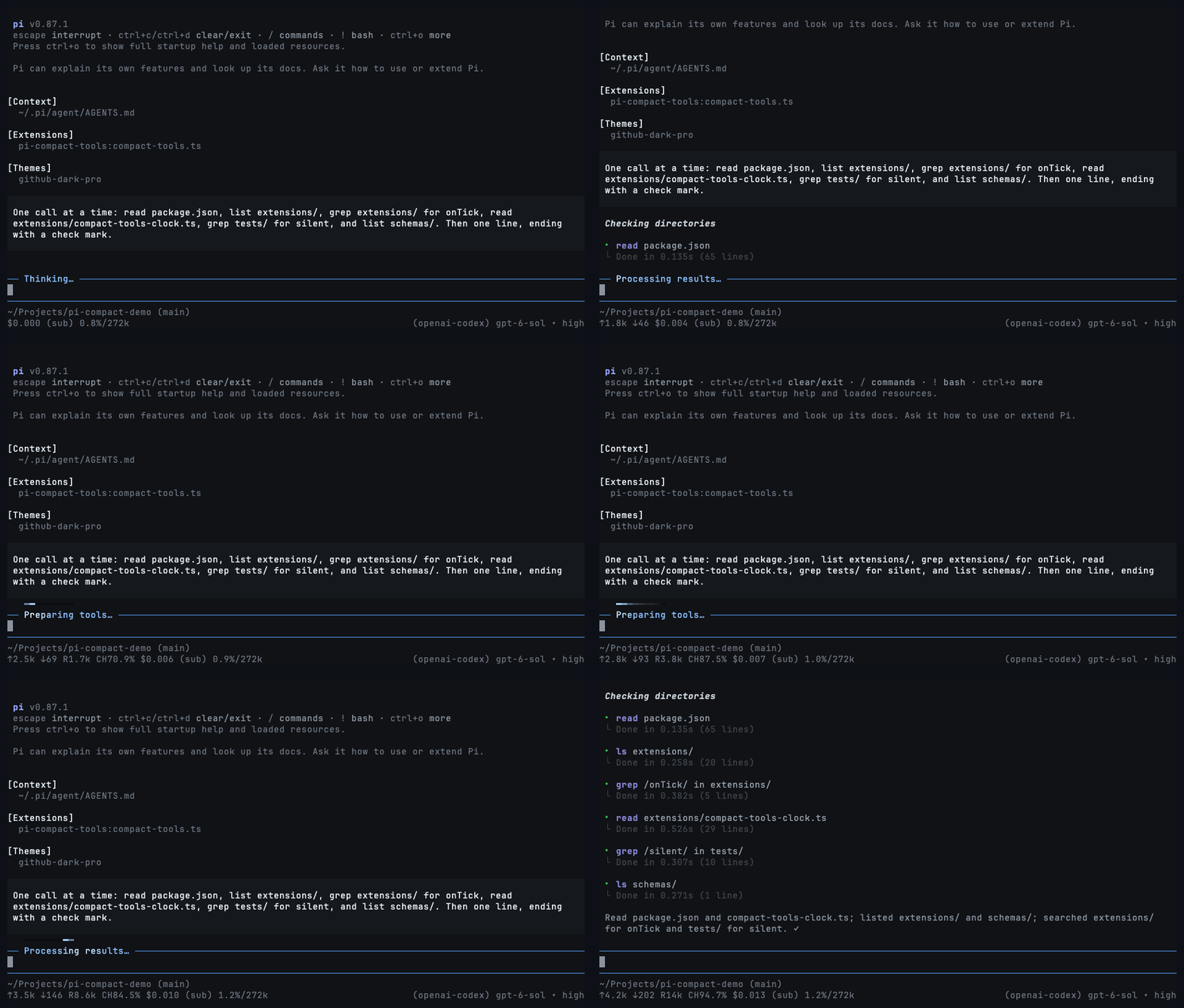
During work: hide tool rows while the activity light keeps moving and the answer still arrives. Turn it off to restore every row.
In a resumed session: hide pages of completed tool calls to see the conversation at a glance.
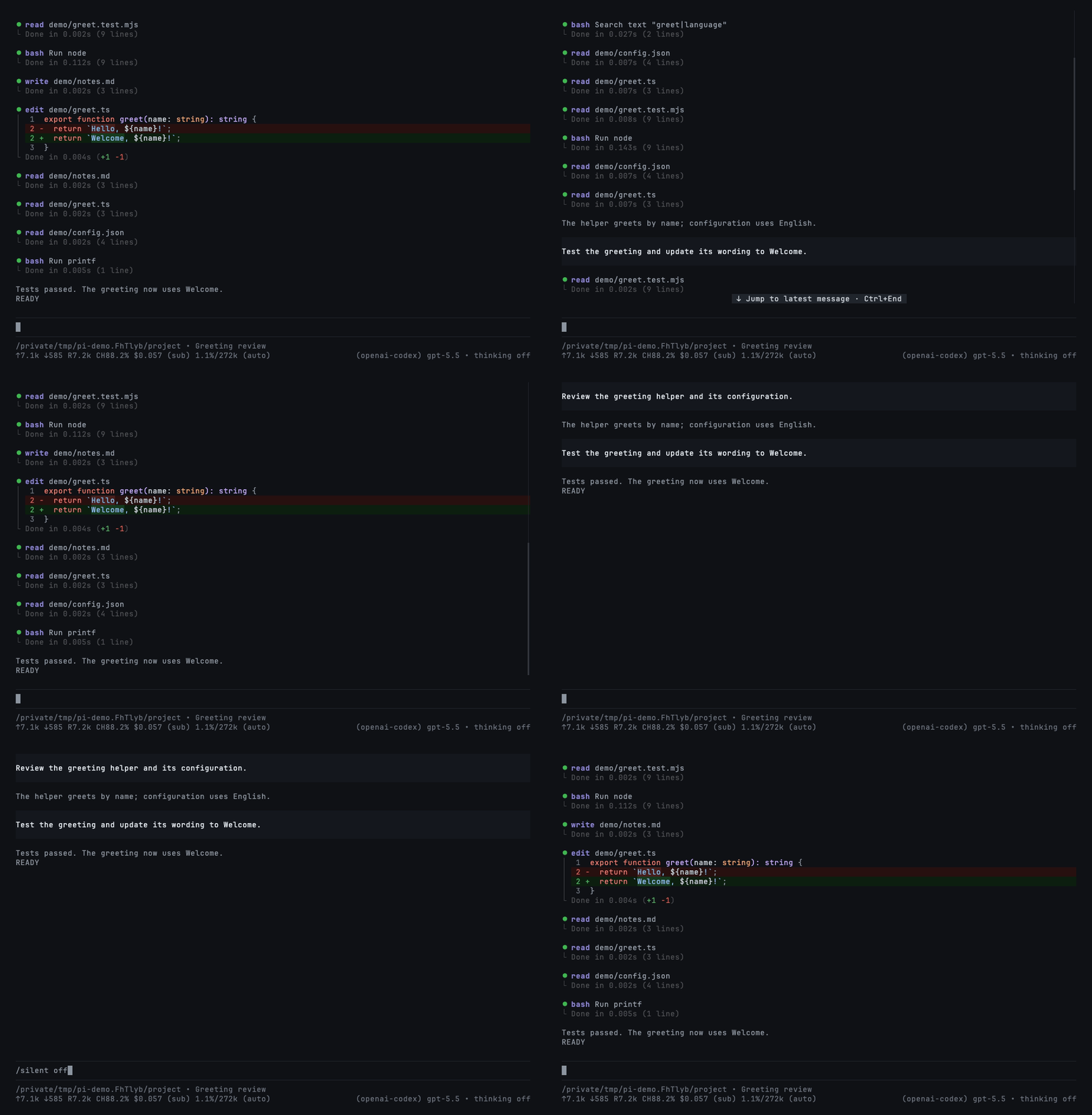
This changes the display only—not the saved history or the model's context. Set "mode": "silent" to start sessions with it on.
Codemode summaries
Codemode is Pi's tool for scripts that call other tools. Enable it for a session with pi --tools +codemode; use Pi 1.2+ for the native summaries shown here. This extension only renders it.
Completed scripts show outcomes in all three styles: read 3 · bash 1 · edit 3 2. Counts use your theme's success, error, and warning colors—green, red, and yellow in the included theme. Each tool appears once; edits come last.
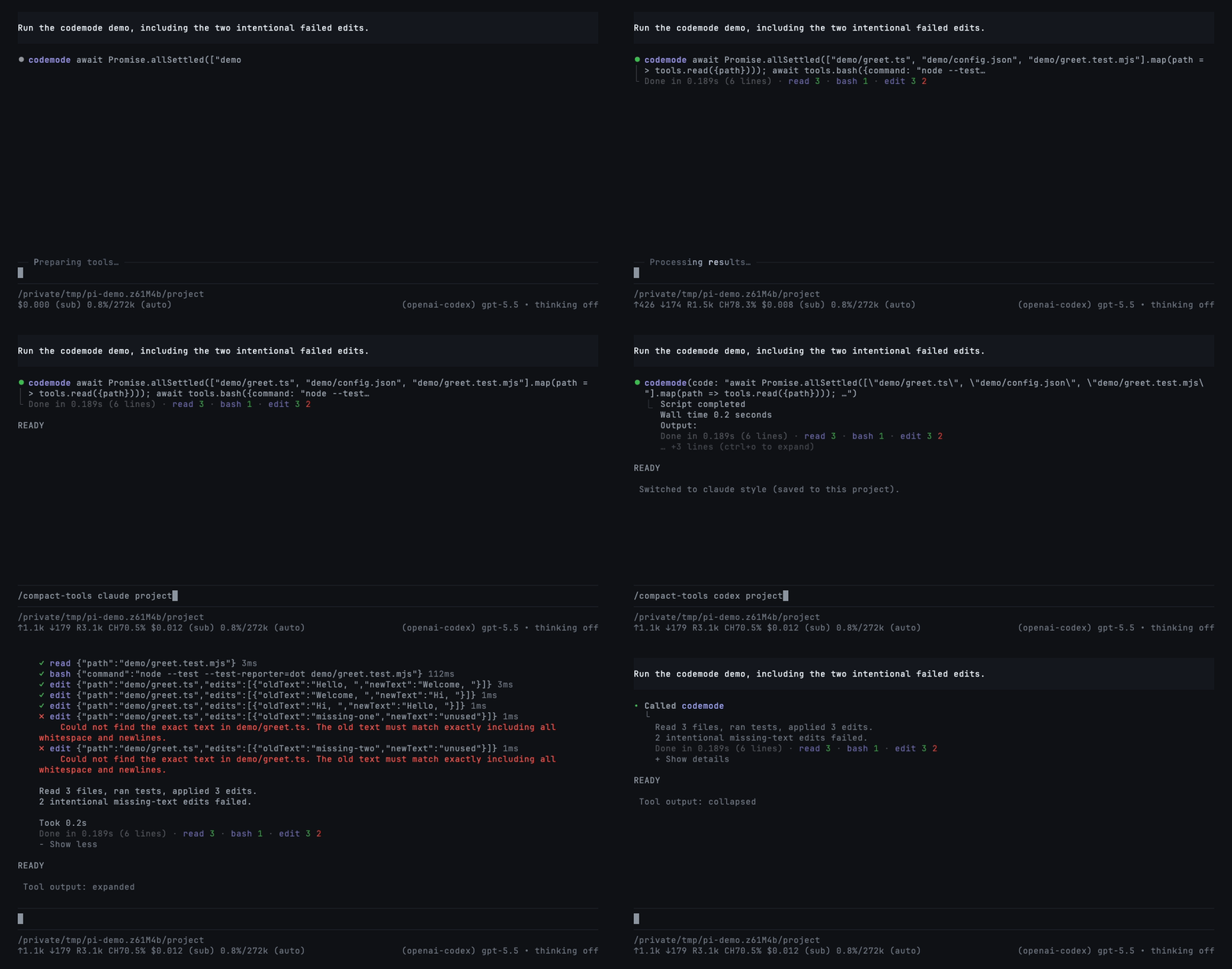
The two failed edits are intentional. Reload/resume preserves summaries from nested-call records; older hosts without those records keep normal previews. See compatibility details.
Commands and controls
/compact-tools                 # choose style and save scope
/compact-tools claude project  # save for this trusted project
/compact-tools codex global    # save globally
/compact-tools status          # effective settings and paths
/compact-tools off             # restore Pi's native UI live, even while streaming
Without a scope, changes are saved where the style is configured: project or global. A trusted project's own style overrides a global save. /compact-tools off immediately restores native tool rows, unmodified thinking, Pi's working indicator and keyboard behavior, with no grouping or silent hiding—even while a response or tool is running. No reload, abort, or restart occurs. Your selected theme, tool execution, and session history are not changed. Use /compact-tools compact, claude, or codex to enable it again, also live. Your silent-mode choice is retained for when you re-enable a style; /silent while off only updates that saved choice, without hiding native UI.
- Click a row/group or press
Ctrl+Oto expand/collapse. On Pi 1.5+, output hints follow your configured expand key. Ctrl+Tchanges the thinking display, not the model's reasoning effort.- Choose
github-dark-proin Pi's/settingsfor the included theme.
Configuration
Optional: ~/.pi/agent/compact-tools.json or <project>/.pi/compact-tools.json. Trusted project settings override global settings field by field.
{
  "$schema": "https://raw.githubusercontent.com/nedleeds/pi-compact-tools/main/schemas/compact-tools.schema.json",
  "style": "compact",
  "mode": "normal",
  "previewLines": 10,
  "auto_compact": { "read": true, "write": true, "edit": false, "bash": true },
  "custom_tools": { "enabled": true, "auto_compact": true, "exclude": [] }
}
auto_compact entries set to true start Compact rows collapsed. Add tool names to custom_tools.exclude to keep their own rendering. All options are described in the linked schema.
Development
Pi 1.5+ shows package changes through its native Extension Updates notice (including collapseChangelog); older hosts keep the extension's own notice.
See development, compatibility, and demo recording. Run npm ci and npm run check before contributing.
License
MIT