pi-compact-tools
Compact, expandable UI for pi's built-in tools, bundled with a polished GitHub Dark theme.
Package details
Install pi-compact-tools from npm and Pi will load the resources declared by the package manifest.
$ pi install npm:pi-compact-tools- Package
pi-compact-tools- Version
0.8.1- Published
- Sep 19, 2026
- Downloads
- 1,758/mo · 1,758/wk
- Author
- nedleeds
- License
- MIT
- Types
- extension, theme
- Size
- 91.1 KB
- Dependencies
- 0 dependencies · 2 peers
Pi manifest JSON
{
  "image": "https://raw.githubusercontent.com/nedleeds/pi-compact-tools/main/assets/nerd-font-workflow-optimized.gif",
  "themes": [
    "./themes/github-dark-pro.json"
  ],
  "extensions": [
    "./extensions/compact-tools.ts"
  ]
}Security note
Pi packages can execute code and influence agent behavior. Review the source before installing third-party packages.
README
pi-compact-tools
Compact, expandable rendering for Pi's built-in tools, with a GitHub Dark theme.
Features
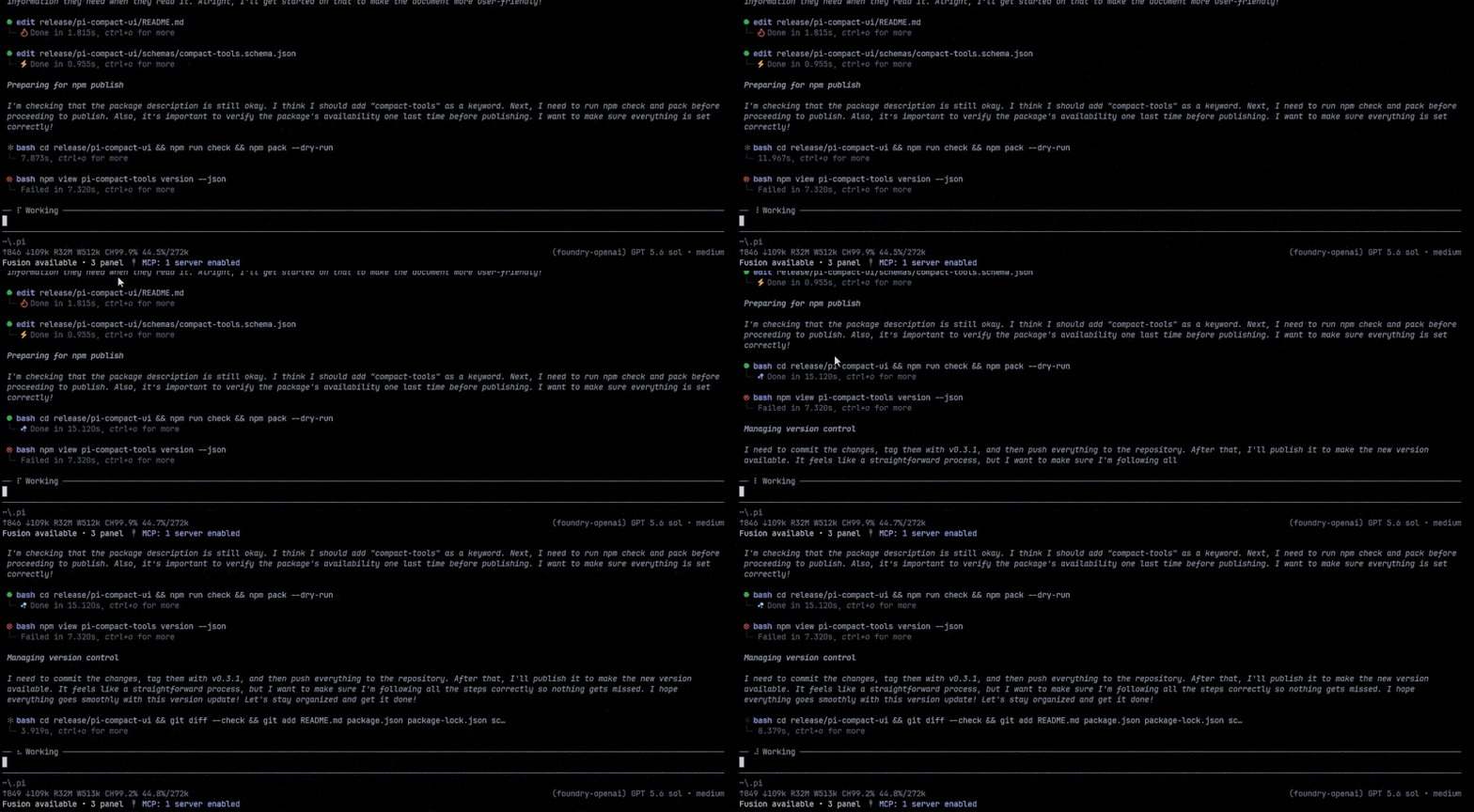
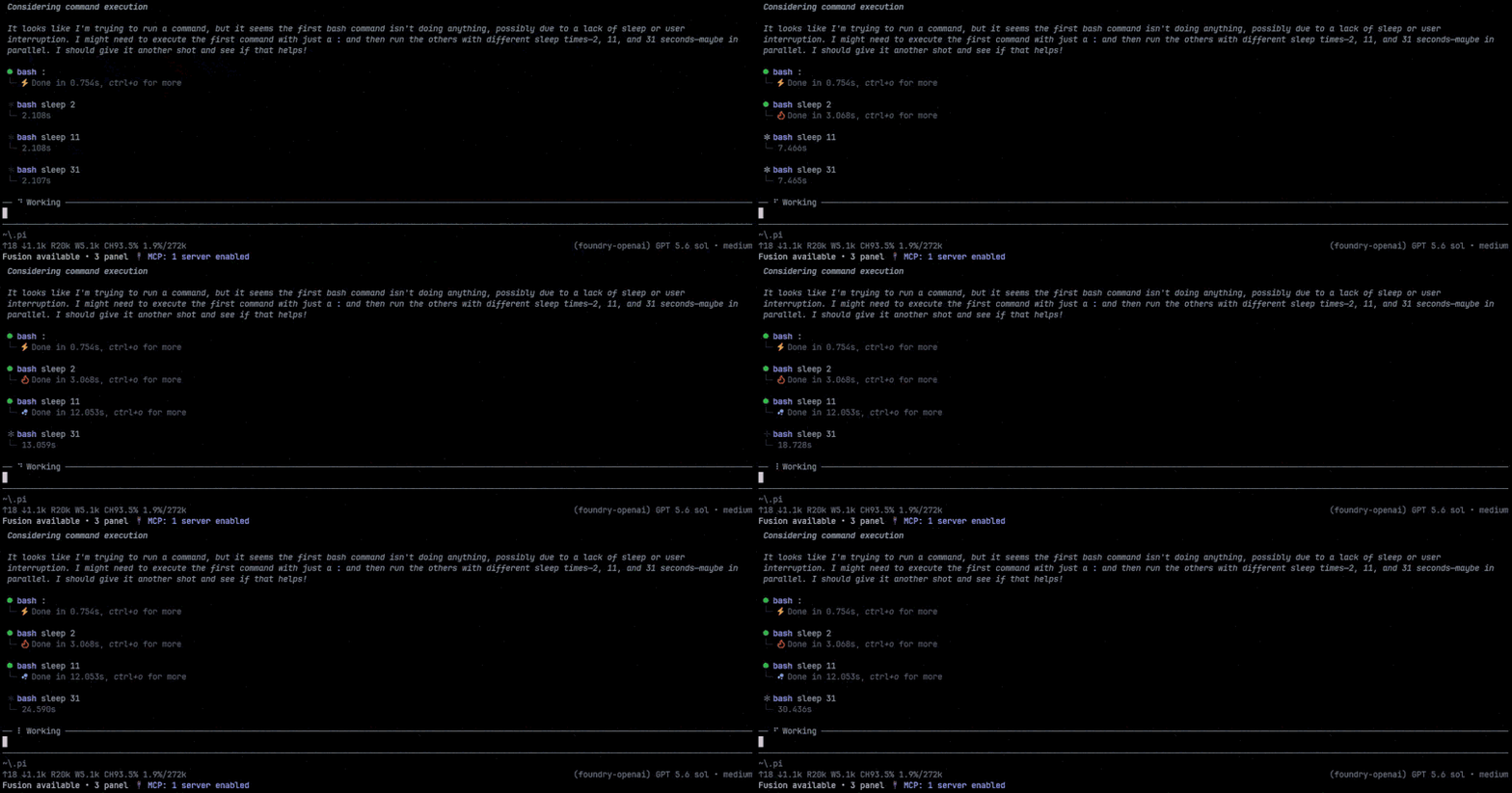
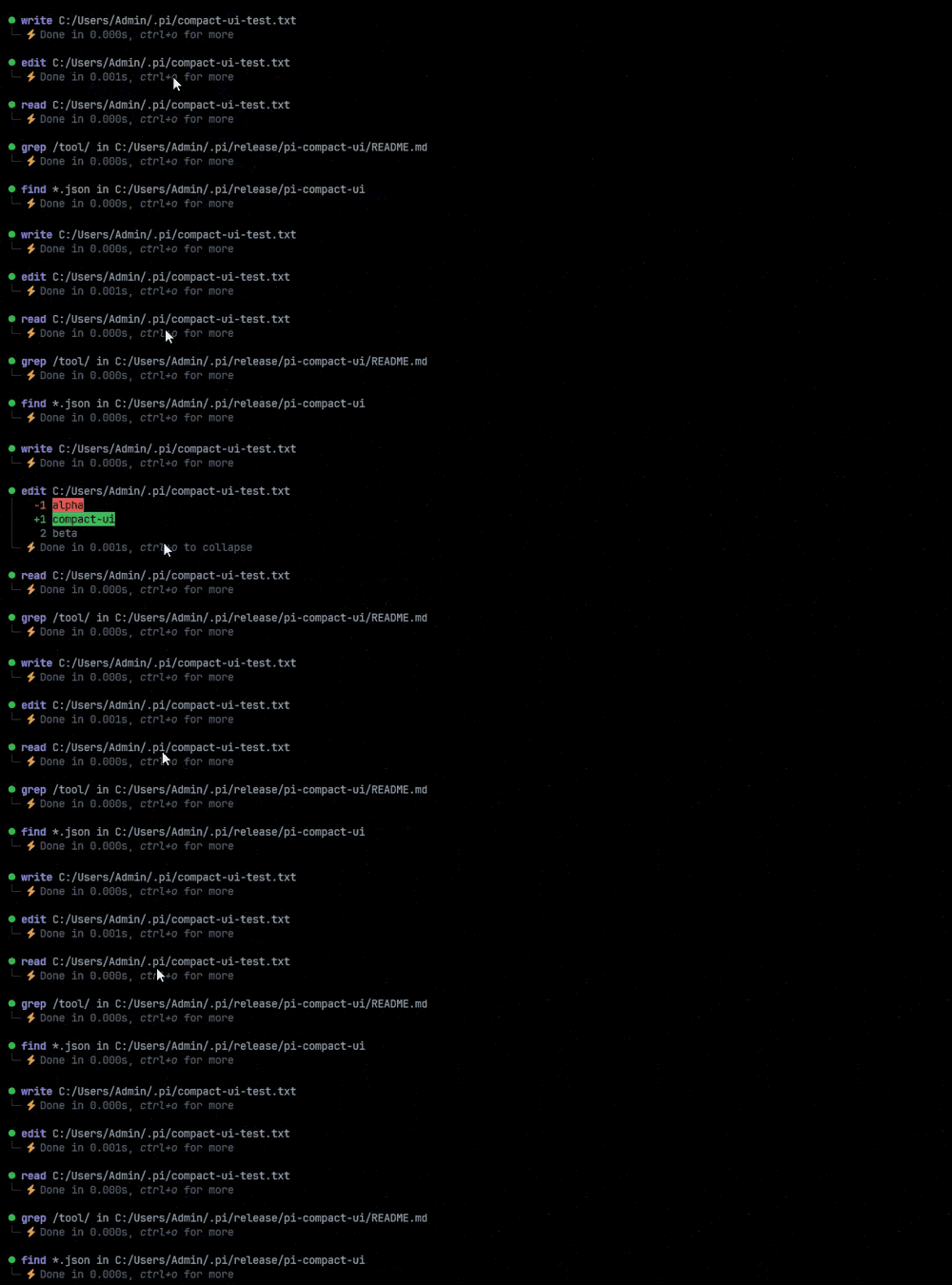
- Compact rows for
read,write,edit,bash,powershell,grep,find, andls, with status, duration, and line count - Syntax-highlighted edit diffs and numbered
read/writecode views, including Markdown code fences - Animated working label above the prompt and a
Ctrl+Tthinking summary/detail cycle - No Nerd Font required
Install
pi install npm:pi-compact-tools
Then restart Pi or run /reload. For the bundled theme, set "theme": "github-dark-pro" in ~/.pi/agent/settings.json.
Configuration
Optional. Put it in ~/.pi/agent/compact-tools.json or <project>/.pi/compact-tools.json:
{
  "tools": ["read", "write", "edit", "bash"],
  "previewLines": 10,
  "auto_compact": { "read": true, "write": true, "edit": false, "bash": true }
}
tools: tools to render compactly. Also available:grep,find,ls,powershell.auto_compact:truestarts hidden,falsestarts with a preview of up topreviewLinesrows (1–100).
Controls
- Click a row or press
Ctrl+Oto expand or collapse results. Ctrl+Tcycles thinking: summary → detail → summary → hidden.
Development
npm install
npm run check
pi -e .
License
MIT