pi-compact-tui
Pi extension bundle with compact, distraction-free editor and footer components for a focused coding experience
Package details
Install pi-compact-tui from npm and Pi will load the resources declared by the package manifest.
$ pi install npm:pi-compact-tui- Package
pi-compact-tui- Version
0.8.2- Published
- Nov 3, 2026
- Downloads
- 271/mo · 94/wk
- Author
- saltfishpr
- License
- MIT
- Types
- extension
- Size
- 272 KB
- Dependencies
- 7 dependencies · 4 peers
Pi manifest JSON
{
  "image": "https://raw.githubusercontent.com/saltfishpr/pi-compact-tui/refs/heads/master/assets/cover.png",
  "extensions": [
    "./packages/pi-bash-audit/index.ts",
    "./packages/pi-clear-command/index.ts",
    "./packages/pi-compact-layout/index.ts",
    "./packages/pi-history/index.ts",
    "./packages/pi-model-instructions/index.ts",
    "./packages/pi-provider-stats/index.ts",
    "./packages/pi-recap/index.ts",
    "./packages/pi-subagent/index.ts",
    "./packages/pi-tips/index.ts",
    "./packages/pi-trust-git/index.ts",
    "./packages/pi-web-search/index.ts"
  ]
}
Security note
Pi packages can execute code and influence agent behavior. Review the source before installing third-party packages.
README
English | 中文
pi-compact-tui
A collection of Pi extensions for everyday use: a compact TUI, additional status information, command auditing, input history, session recaps, subagents, web search, and more.

Installation
pi install npm:pi-compact-tui
# or
pi install git:github.com/saltfishpr/pi-compact-tui
Configuration files for all extensions are stored in ~/.pi/agent/extensions/. A default configuration is generated automatically on first use, so you do not need to create one manually.
Extensions
Bash Command Audit (pi-bash-audit)
Intercepts bash commands executed by Pi, with two layers of protection:
- Rule matching: includes a built-in allowlist of read-only commands (such as
ls,cat, andgit status), which are allowed directly. Rules can also explicitly allow a command, require confirmation, or send it to the model for auditing. - Model audit: commands not allowed by a rule are evaluated for risk by the selected chat model or classifier, including JEV. High-risk commands require manual confirmation. Classifier decisions also require confirmation when the selected category's probability is below the configured threshold.

Configuration: Run /audit to select a chat model or classifier and enable auditing. Chat models also let you select a reasoning level; classifiers skip this step. You can also edit ~/.pi/agent/extensions/bash-audit.json directly:
{
  "enable": true,
  "model": "anthropic/claude-sonnet-4-5",
  "thinkingLevel": "off",
  "timeoutMs": 10000,
  "minProbability": 0.9,
  "rules": [
    { "command": "pnpm", "args": ["install"], "action": "allow" },
    { "command": "rm", "args": ["-rf"], "action": "prompt" }
  ]
}
Field descriptions:
enable: Whether automatic model auditing and custom rules are enabled. Defaults tofalse; completing/auditenables them. When disabled, only the built-in read-only allowlist runs automatically; other commands require confirmation.model: Audit model in<provider>/<model-id>format. Supports chat models and classifiers. If no model is configured or the model is unavailable, commands requiring model audit require manual confirmation instead. Existing chat-model configurations continue to work.thinkingLevel:off/minimal/low/medium/high/xhigh/max. Applies only to chat models.timeoutMs: Model audit timeout in milliseconds. Defaults to10000.minProbability: Minimum probability of the selected low- or medium-risk category for automatic execution by a classifier, from0to1. Defaults to0.9; chat-model audits are unaffected. High-risk commands always require confirmation. Classifier audit messages show the category and probability instead of a generated explanation.rules: Custom command rules. Defaults to an empty array; matching is described below.
To use JEV, configure OpenRouter authentication in Pi or set OPENROUTER_API_KEY, then select openrouter/typesafe/jev-1.13 in /audit or set it as model in the configuration.
Audit rules
Custom rules are checked in array order. The first matching rule without a matching exception takes effect. If no rule matches, the built-in read-only allowlist is used; other commands are sent to model audit. Custom rules take precedence over the built-in allowlist.
Each rule contains:
command: Matches the command name exactly, such aspnpm;/usr/bin/pnpmis not automatically treated aspnpm.args: Matches parsed arguments in order, not the entire command text. Omit it or use[]to match any arguments.except: An optional array of exceptions in the form[{ "args": ["..."] }]. Any matching exception skips this rule and continues checking later rules; it does not reject the command outright.action:allow(allow) /prompt(require manual confirmation) /auto(model audit, or manual confirmation if no model is available).
Both args and each exception's args use the same argument patterns:
| Pattern | Matching behavior |
|---|---|
A literal, such as "install" |
Matches one argument exactly. An all-literal array matches a prefix, so ["install"] also matches install --frozen-lockfile |
"*" or "--*=*" |
Matches one argument; * represents any length of text within that argument |
"/regular expression/" |
Matches one complete argument using a regular expression; trailing flags are not supported |
"**" |
Matches zero or more arguments |
An array containing a wildcard or regular expression must match the entire argument list; add "**" explicitly to allow additional arguments. For example, ["**", "-rf", "**"] matches the standalone argument -rf anywhere in the list, but not -fr or other equivalent forms.
This example rules array allows ordinary pnpm install calls but sends calls containing --ignore-scripts to model audit:
[
  {
    "command": "pnpm",
    "args": ["install"],
    "except": [{ "args": ["install", "**", "--ignore-scripts", "**"] }],
    "action": "allow"
  },
  { "command": "pnpm", "args": ["install"], "action": "auto" },
  { "command": "rm", "args": ["**", "-rf", "**"], "action": "prompt" }
]
Pipelines and compound commands combine the results of their parts, with priority prompt > auto > allow. Even when a rule returns allow, additional shell behavior such as write redirection or background execution may send the entire command to model audit. Dynamic commands or arguments are not directly allowed by these rules either.
Audit scope: This extension audits only the main session's bash tool calls. It does not cover subagent bash tool calls or ! commands in subagent profiles. Profile ! commands use separate command approval; see “Command approval” in the Subagent section below.
Clear and Start a New Session (pi-clear-command)
Provides the /clear command to start a fresh session while keeping the current model and thinking level.
Compact Layout (pi-compact-layout)
Customize the editor borders and footer to put model, usage, and Git information where you want it. Supports a multi-line footer and three editor positions: top-right, bottom-left, and bottom-right. Pi's activity indicator is embedded in the top-left border, while native scrolling hints, shortcuts, and border colors are preserved.
Configuration: Edit ~/.pi/agent/extensions/compact-layout.json, then run /reload. The default configuration is:
{
  "separator": " ",
  "footer": [
    {
      "left": [
        "pwd",
        { "kind": "element", "value": "branch", "prefix": "(", "suffix": ")" },
        "sessionName"
      ],
      "right": [
        "status:codex-stats",
        "status:deepseek-stats",
        "status:opencode-go-stats",
        "status:zai-stats",
        "cacheHitRate",
        "cost",
        "context"
      ]
    },
    { "left": ["extensionStatuses"], "right": [] }
  ],
  "editor": {
    "topRight": [
      { "kind": "element", "value": "provider", "prefix": "(", "suffix": ")" },
      "model",
      { "kind": "element", "value": "thinkingLevel", "prefix": "• ", "suffix": "" }
    ],
    "bottomLeft": [],
    "bottomRight": []
  }
}
Layout fields:
footer: One object per line, withleftandrightarrays aligned to each side. Set to[]to hide the footer; lines without content are hidden automatically.editor:topRight,bottomLeft, andbottomRightplace items in the corresponding editor corners. Set to{}to clear all three positions without affecting Pi's activity indicator or scrolling hints.separator: Text between non-empty items in the same array. Defaults to one space.
Items appear in array order, without built-in separators such as bullets or decorative parentheses. Use any item below in any position; move it to change its position or repeat it to display it more than once. Omitting the entire footer or editor field keeps that section's default layout. Providing a field replaces its entire layout rather than merging with defaults; unspecified line sides or editor positions are empty. Content is truncated or hidden when space is limited, with Pi's activity indicator and scrolling hints taking priority.
Available items:
| Item | Displays |
|---|---|
pwd, branch, sessionName |
Current session directory, Git branch, and session name |
provider, model, thinkingLevel |
Current provider, model, and reasoning level (such as high or off); reasoning level appears only for reasoning-capable models |
inputTokens, outputTokens |
Session-wide input and output token totals |
cacheReadTokens, cacheWriteTokens |
Session-wide cache read and write token totals |
cacheHitRate |
Input cache hit rate of the latest model response |
cost |
Session-wide cost, with (sub) for subscription models |
context |
Context usage percentage and window size, with (auto) when automatic compaction is enabled |
extensionStatuses |
Other extension statuses without an explicitly assigned position |
status:<key> |
A specific extension status, such as status:codex-stats; requires the extension providing that status to be enabled |
For example, move status:codex-stats from the footer to editor.bottomRight to show Codex usage in the editor's bottom-right border. Explicitly positioned statuses are excluded from extensionStatuses, and extension-provided colors are preserved. Subscription usage and account balances are supplied by this package's pi-provider-stats extension and are hidden when no matching status is available.
To decorate an item, use { "kind": "element", "value": "branch", "prefix": "(", "suffix": ")" }. value accepts any item above, including status:<key>. Optional prefix and suffix default to empty strings and appear only when the item has content. The default layout uses this to show (branch), (provider), and model • thinkingLevel; plain string items remain undecorated.
Arrays can also contain { "kind": "literal", "value": "|" } for custom single-line text. color is optional; when provided, it accepts a Pi theme foreground color name, such as dim, accent, or warning. Missing or invalid colors fall back to dim.
Input History (pi-history)
Press Shift+↑ / Shift+↓ in the input box to browse previous input. The latest 100 entries are persisted across sessions. Clearing the editor with Ctrl+C also saves the draft for later recall.
Model Instructions (pi-model-instructions)
Appends a model-specific Markdown file to the system prompt while keeping your global and project AGENTS.md instructions. Use /model-instructions to preview the matching file and see the last injection.
Configuration: Edit ~/.pi/agent/extensions/model-instructions.json:
{
  "rules": [
    {
      "provider": "anthropic",
      "model": "claude-*",
      "file": "model-instructions/claude/AGENTS.md"
    },
    {
      "provider": "openai",
      "model": "gpt-*",
      "file": "model-instructions/gpt/AGENTS.md"
    }
  ]
}providerandmodelmatch the selected provider and model ID, including virtual models. Matching is case-sensitive; only*is a wildcard.openaiandopenai-codexare separate providers.- The first matching rule wins. Put specific rules first; use
"provider": "*", "model": "*"in a final rule for a default file. The default configuration has no rules. fileis relative to the configuration directory, so the first example reads~/.pi/agent/extensions/model-instructions/claude/AGENTS.md. Absolute paths and~/are also supported. Files are read as plain text; the filename can be any Markdown filename.
Model switches and configuration or file edits take effect on the next run. A run includes its tool calls and follow-up model requests. An unmatched model, empty file, or loading error adds no model-specific instructions; errors are reported and old file contents are not reused. Switching instructions preserves the conversation history and its previous effects; start a new session when you need a fresh context. This extension does not apply to this package's subagent sessions.
Session Recap (pi-recap)
When a session is idle, automatically generates a short recap above the input box (what you are currently doing and the next step). It is cleared automatically when you submit a new input or resume work. You can also run /recap at any time to generate one manually.
Configuration: Edit ~/.pi/agent/extensions/recap.json:
{
  "model": "anthropic/claude-sonnet-4-5",
  "thinkingLevel": "off",
  "idle": "30s"
}model/thinkingLevel: The model and reasoning level used to generate recaps. Defaults to the current session model when omitted.idle: Time before triggering a recap. Accepts a number (milliseconds) or duration strings such as"30s"and"1m"; minimum 5 seconds.
Subagent (pi-subagent)
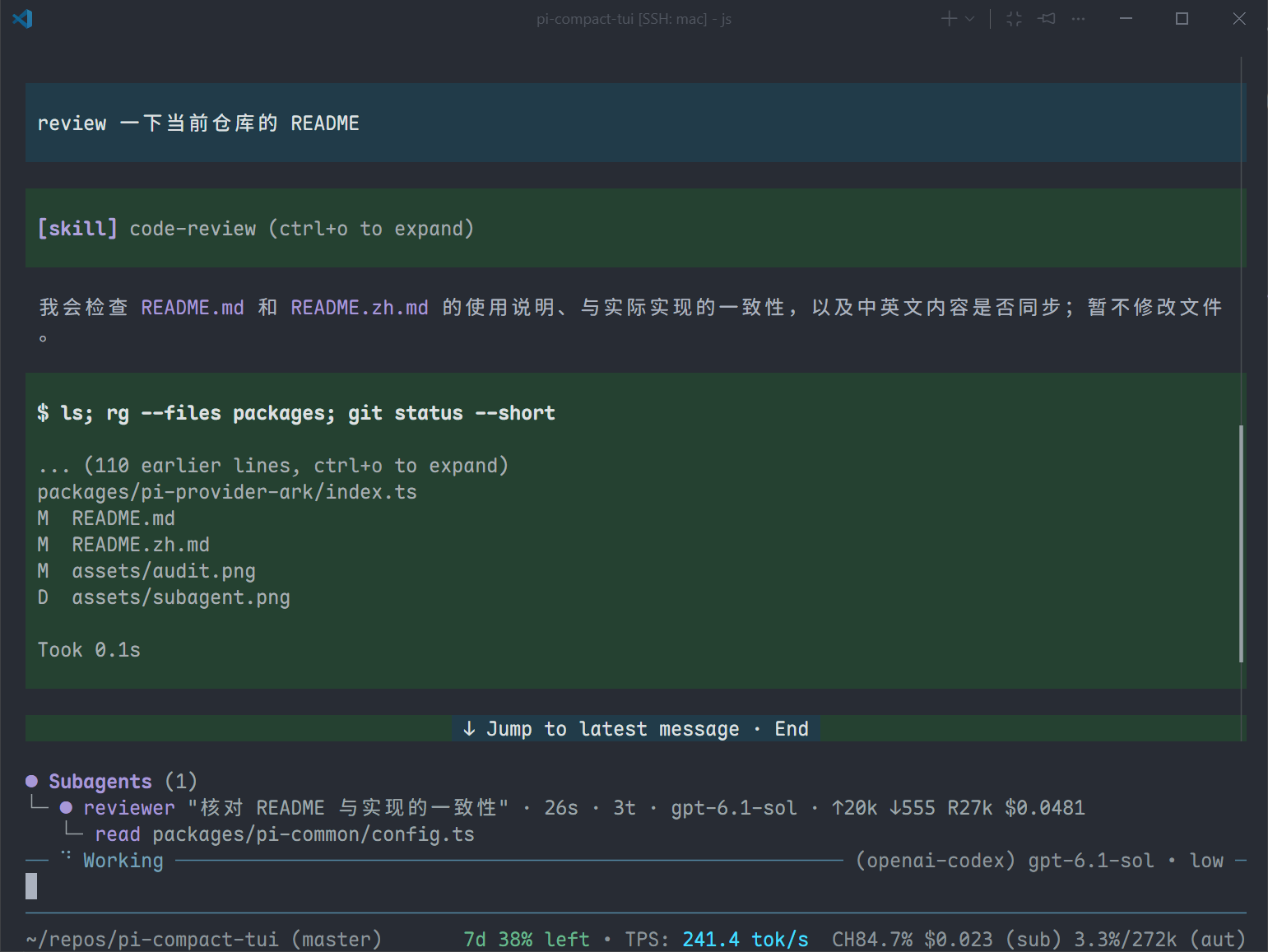
Provides Pi with an agent tool for delegating independent subtasks to subagents running in isolated contexts. Three subagents are included: explore, planner, and reviewer; you can add your own as well.
Add a subagent: Place a Markdown file in ~/.pi/agent/agents/ (global) or .pi/agents/ (project). The filename becomes the subagent name:
---
description: Review code changes and produce a list of issues
model: anthropic/claude-sonnet-4-5
effort: low
maxTurns: 30
---

!git status --short

Write the subagent system prompt here...description(required): Tells the main model when to use this subagent.model/effort/maxTurns: Optional. They inherit the current session model when omitted;maxTurnsdefaults to 50.!command: Optional shell command at the start of a line (outside code blocks). It runs in the current project directory before the subagent starts; its output is supplied to the subagent.
Configuration: Edit ~/.pi/agent/extensions/subagent.json to disable the feature, limit concurrency, or override model / effort / maxTurns by subagent name:
{
  "enabled": true,
  "maxConcurrent": 4,
  "agents": {
    "explore": { "effort": "low" }
  }
}
Command approval: Before a profile's ! commands run, choose Deny, Allow once, or Trust this version. In the TUI, /subagent-trust lists available profiles: search by name, toggle trust with Enter/Space, select all with Ctrl+A, clear with Ctrl+X, then press Ctrl+S to save all changes at once or Esc to discard them. The command maintains trustedProfiles in subagent.json; trust is tied to the file path and content hash across all working directories, so edits require fresh approval. Profiles from other projects that are not listed are left unchanged. This approval covers only ! commands, not the subagent's tools.
Usage Tips (pi-tips)
Displays a random usage tip at the top of every new session, such as keyboard shortcuts and common commands. Supports multiple languages.
Automatic Git Trust (pi-trust-git)
Automatically trusts projects based on their Git origin remote, skipping Pi's manual confirmation.
Configuration: Edit ~/.pi/agent/extensions/trust.json. A match against either list automatically trusts the project:
{
  "domains": ["github.com"],
  "usernames": ["saltfishpr"]
}domains: Trusted remote domains (such asgithub.comandgitlab.com).usernames: Trusted first path segments in remotes (for example,saltfishpringithub.com/saltfishpr/xxx).
Subscription Quotas and Balances (pi-provider-stats)
Displays provider usage for the current model in the status bar:
- openai-codex: Remaining subscription quota and relative reset time in the 5-hour / 7-day rate-limit windows.
- deepseek: Account balance.
- opencode-go: Remaining quota and relative reset time for the 5-hour / weekly subscription windows (
5h/7d). SetshowMonthly: trueto also show the monthly window (1mo), which is hidden by default. Uses the OpenCode Go API key configured in Pi. Its layout status key isstatus:opencode-go-stats. - zai-coding-cn (Zhipu): Account balance.
Configuration: Edit ~/.pi/agent/extensions/provider-stats.json to disable individual providers, hide subscription reset times, or set the balance currency:
{
  "providers": {
    "openai-codex": { "showResetTime": false },
    "opencode-go": { "showMonthly": false },
    "deepseek": { "enabled": true, "currency": "CNY" }
  }
}
Providers are enabled by default. Subscription reset times are shown by default only when the remaining quota in the corresponding window is below 20%.
Web Search (pi-web-search)
Adds a web_search tool for finding current or externally verifiable information. Results include titles, URLs, and snippets for citations. The tool becomes available when a search provider is registered.
Configuration: In ~/.pi/agent/extensions/web-search.json, set provider to the default provider ID. maxResults sets the default result limit (1–10; defaults to 5). A web_search call can override either value. Without a default provider, the call must specify provider.
For other search services, see the custom provider guide.
BigModel
Built-in provider for BigModel web search. To enable it, add your API key to ~/.pi/agent/extensions/web-search.json:
{
  "provider": "bigmodel",
  "maxResults": 5,
  "providers": {
    "bigmodel": {
      "apiKey": "your-api-key",
      "searchEngine": "search_std"
    }
  }
}
searchEngine can be search_std (default), search_pro, search_pro_sogou, or search_pro_quark.
DeepSeek
Built-in provider for DeepSeek web search. It uses the DeepSeek credentials configured in Pi by default. To enable it, set the following in ~/.pi/agent/extensions/web-search.json:
{
  "provider": "deepseek",
  "maxResults": 5
}
You can override the credentials with providers.deepseek.apiKey. To enable DeepSeek while keeping another default provider, add "deepseek": {} under providers.
Queries must contain 1–128 Unicode characters and cannot be blank. Search operators such as site:, -site:, and quoted phrases are supported. Results use the long summary when available, falling back to the short snippet.
Migrating from Brave or Tavily: These built-in providers are no longer available. Existing provider: "brave" or provider: "tavily" settings will not enable search. Switch to BigModel or DeepSeek, or register a custom provider using the guide above.
License
MIT