pi-content-offloader
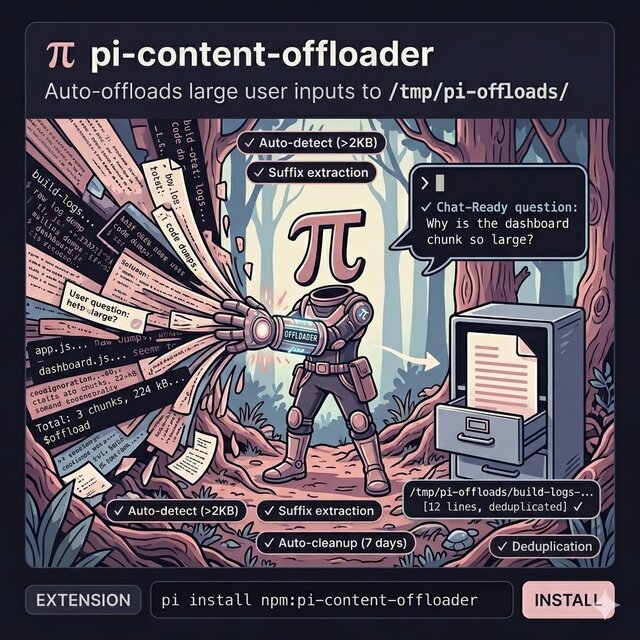
Auto-offloads large user inputs in pi to a temporary directory — explicit $offload markers and auto-detect for paste content >2KB
Package details
Install pi-content-offloader from npm and Pi will load the resources declared by the package manifest.
$ pi install npm:pi-content-offloader- Package
pi-content-offloader- Version
0.1.10- Published
- Jun 18, 2026
- Downloads
- 1,241/mo · 234/wk
- Author
- snorreks
- License
- MIT
- Types
- extension
- Size
- 27.7 KB
- Dependencies
- 0 dependencies · 1 peer
Pi manifest JSON
{
  "extensions": [
    "./src/index.ts"
  ],
  "image": "https://raw.githubusercontent.com/snorreks/pi-content-offloader/master/assets/thumbnail.jpg",
  "video": "https://raw.githubusercontent.com/snorreks/pi-content-offloader/master/assets/showcase.mp4"
}
Security note
Pi packages can execute code and influence agent behavior. Review the source before installing third-party packages.
README
pi-content-offloader
Offloads user content in pi to a temporary directory (<tmpdir>/pi-offloads/).
Modes
Stable mode (default) — only offloads content explicitly wrapped between markers:
$offload build-logs

app.js     123.4 kB  gzip  45.2 kB
about.js    12.3 kB  gzip   4.1 kB
dashboard.js  89.0 kB  gzip  28.3 kB

$/offload

Why is the dashboard chunk so large?
Everything between $offload and $/offload is offloaded to a file. A summary replaces it in the chat. Your question after $/offload stays in the conversation.
Auto-detect mode (opt-in) — pasted content matching log/output patterns is automatically detected and offloaded. Enable by setting the environment variable in your shell before launching pi:
export PI_OFFLOADER_AUTO_DETECT=true
Or in your pi config (~/.pi/config.toml):
[env]
PI_OFFLOADER_AUTO_DETECT = "true"
Or toggle at runtime with /offloader-toggle.
[2026-06-04 14:32:01] ERROR: Connection timeout on /api/users
[2026-06-04 14:32:02] ERROR: Retry failed (1/3)
[2026-06-04 14:32:03] ERROR: Retry failed (2/3)
[2026-06-04 14:32:04] ERROR: Retry failed (3/3)
[2026-06-04 14:32:05] FATAL: Connection pool exhausted


Can you investigate this timeout issue?
Content matching log/output patterns (>2KB) or anything >8KB is offloaded automatically. The question after the blank lines stays in the chat.
Features
- Explicit markers:
$offload [name]starts a block,$/offloadends it. Everything between is offloaded. No accidental offloads. - Fallback without $/offload: Content ends at a double blank line with conversational text after it, or at the next
$offloadmarker. - Smart previews: Shows a concise summary (error first/last lines, build chunk stats, table rows) instead of the raw dump. Content is classified as: log output, stack trace, build output, config dump, table, or generic content.
- Suffix extraction: Your question (after
$/offloador a double blank line) stays in the chat while the data is offloaded. - Deduplication: Content hashes prevent duplicate offloads.
- Auto-cleanup: Files older than 7 days are removed automatically on session start.
Install
pi install npm:pi-content-offloader
Or from a local path:
pi install ./extensions/content-offloader
Configuration
| Setting | Default | Description |
|---|---|---|
PI_OFFLOADER_AUTO_DETECT |
false |
Set to true to enable auto-detect paste offloading |
/offloader-toggle |
— | Toggle auto-detect on/off at runtime |
Development
bun install        # install dev dependencies
bun test           # run tests
bun typecheck      # type-check with tsc
bun lint           # lint with biome
License
MIT