pi-context-view
Pi extension to visualize context usage and inspect the hidden parts: base prompt, tools defs, and extension injections
Package details
Install pi-context-view from npm and Pi will load the resources declared by the package manifest.
$ pi install npm:pi-context-view- Package
pi-context-view- Version
0.6.0- Published
- Sep 20, 2026
- Downloads
- 5,918/mo · 1,147/wk
- Author
- dimk90
- License
- MIT
- Types
- extension
- Size
- 277.1 KB
- Dependencies
- 0 dependencies · 2 peers
Pi manifest JSON
{
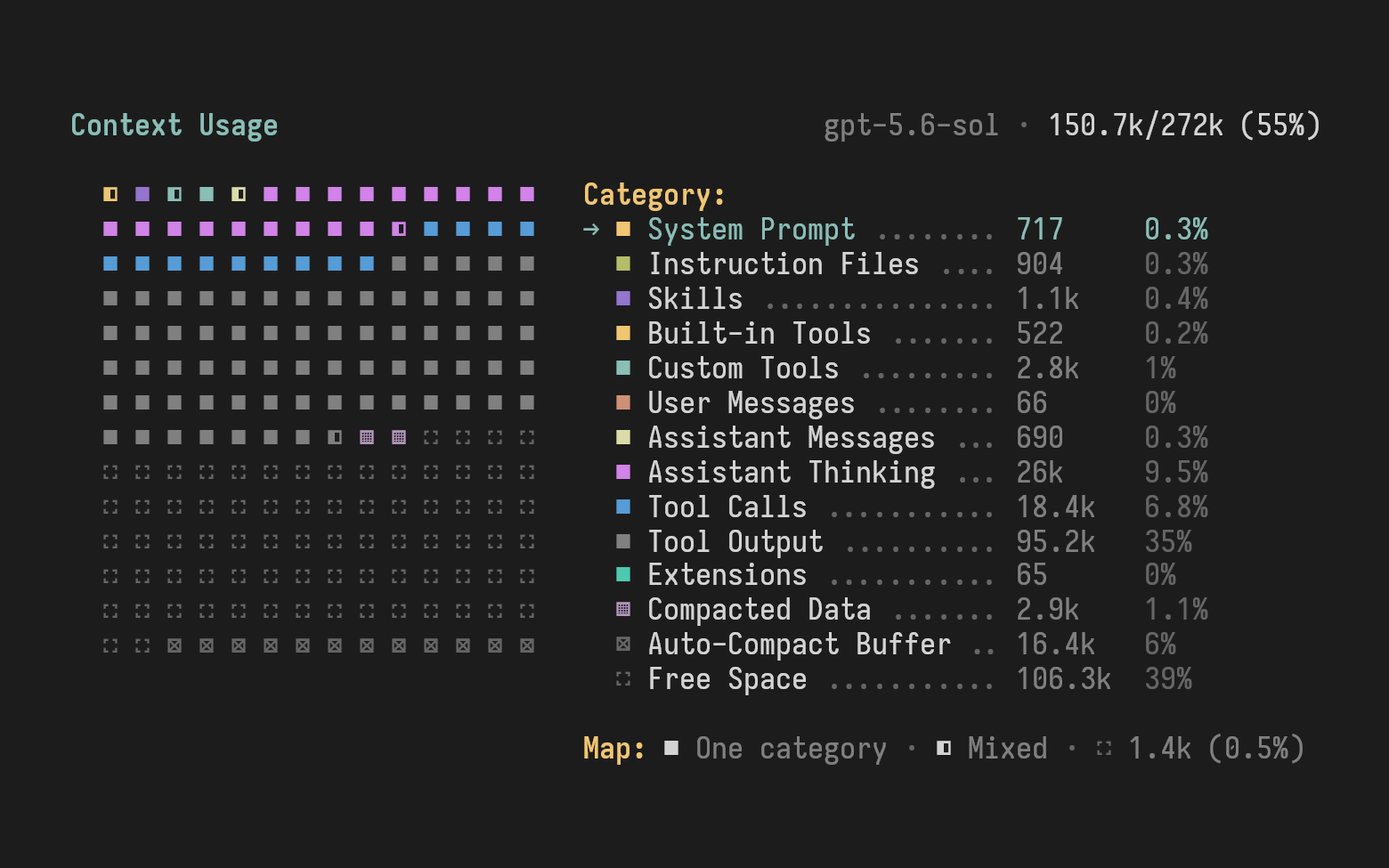
  "image": "https://media.githubusercontent.com/media/dimk90/pi-context-view/9a9f9f4fafaa09c77759485d53c42f8694650755/doc/images/pi-context-view.png",
  "extensions": [
    "./src/index.ts"
  ]
}
Security note
Pi packages can execute code and influence agent behavior. Review the source before installing third-party packages.
README
pi-context-view
Pi extension that visualizes context usage and lets you inspect the parts you normally can't see: the system prompt, tool definitions, and instructions injected by other extensions.
Features
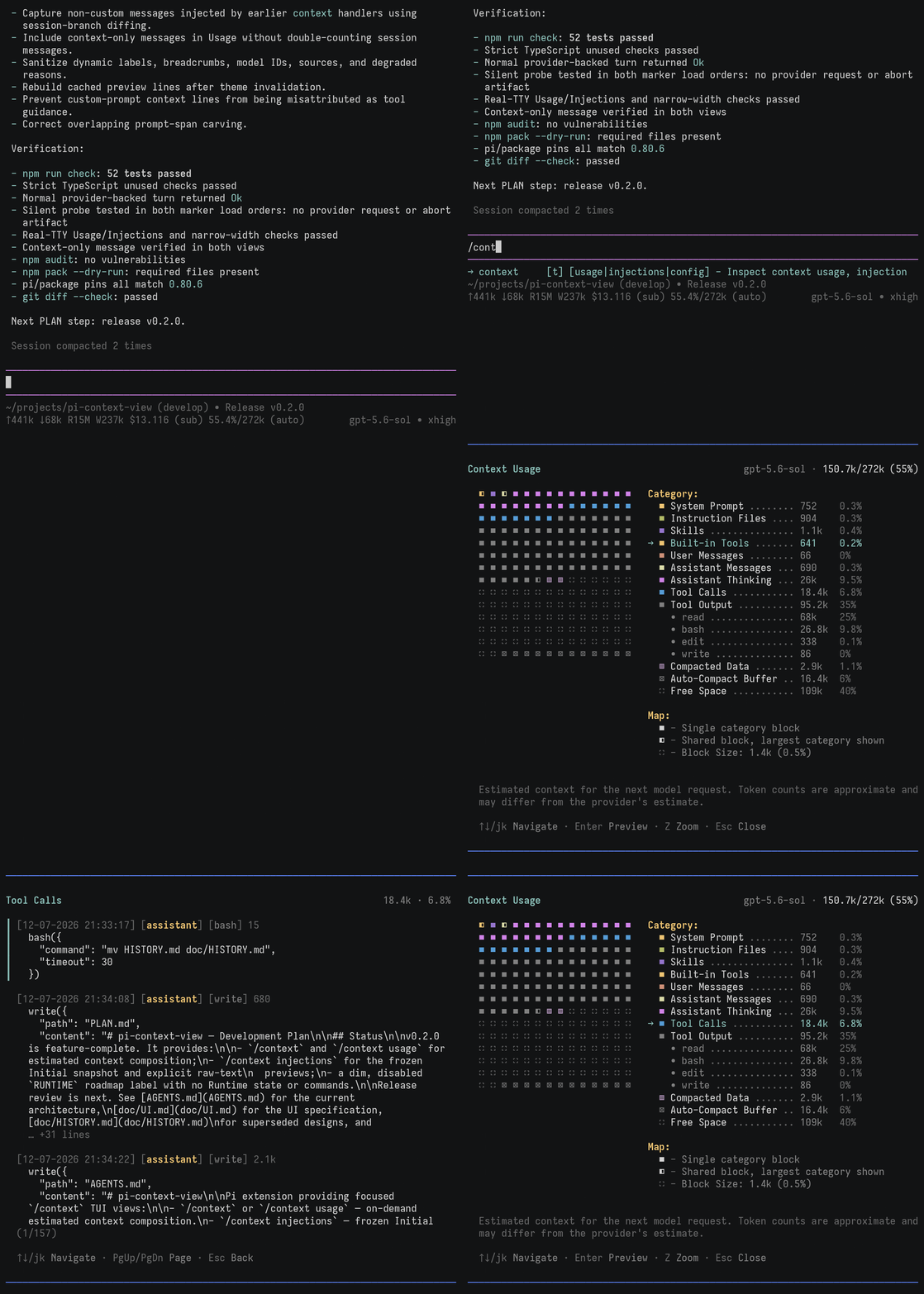
Context usage map - visualize used and free context space, grouped by category (tools, skills, messages, and more).
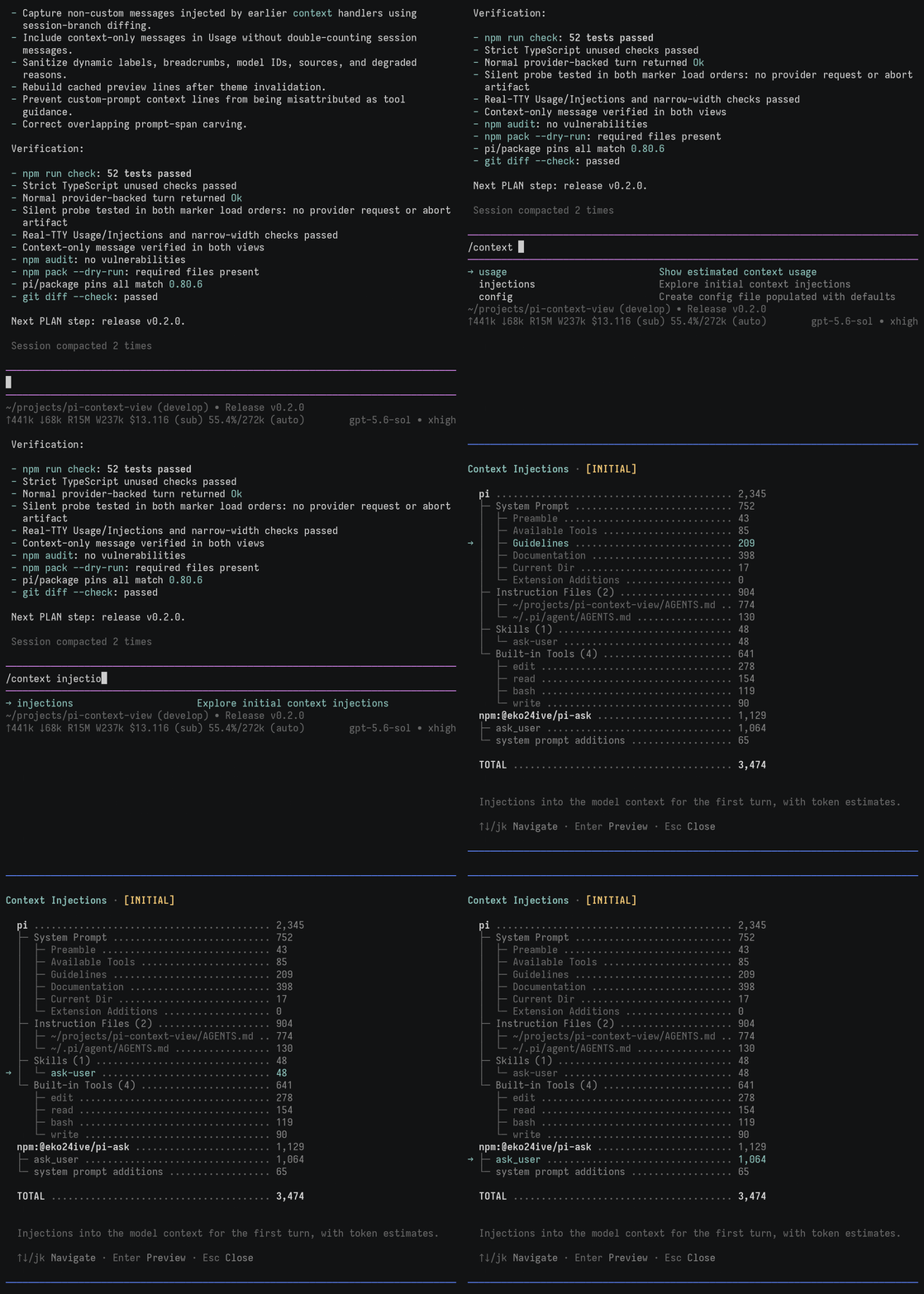
Context injections - explore the hidden parts of the context: the system prompt, tool definitions, and extension injections.
Commands
/context- shorthand for/context usage./context usage- open the context usage visualization./context injections- show the hidden parts of the context captured at session start or resume./context config- create the global configuration file populated with defaults, useful for customization.
Demo
/context
See what fills your context, for example, what survives compaction:
/context injections
Inspect hidden parts of the context, such as tool definitions:
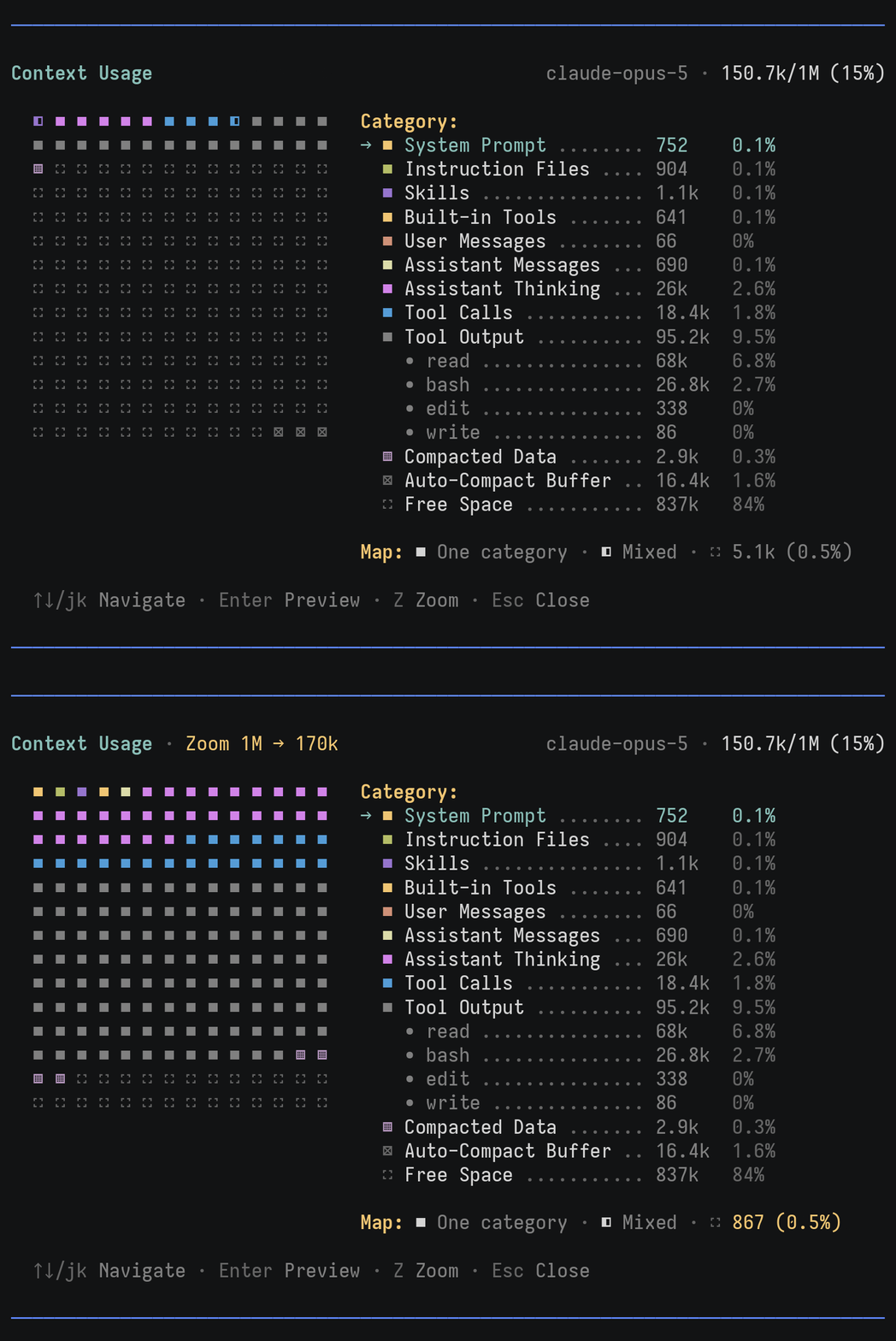
Zoom
Zoom in for a more detailed breakdown of large context windows, such as 1M-token windows:
Install
pi install npm:pi-context-view
Customization
Currently, you can customize only the colors and dimensions of the Context Usage map.
To get started, create a configuration file populated with the current defaults:
/context config
This creates
~/.pi/agent/extensions/pi-context-view.json.
See the configuration reference for each parameter's meaning and default value.
Category Colors
You can use theme color names to match your current theme or hex values for colors that stay the same across themes. Here are examples of custom terrain and rainbow palettes:
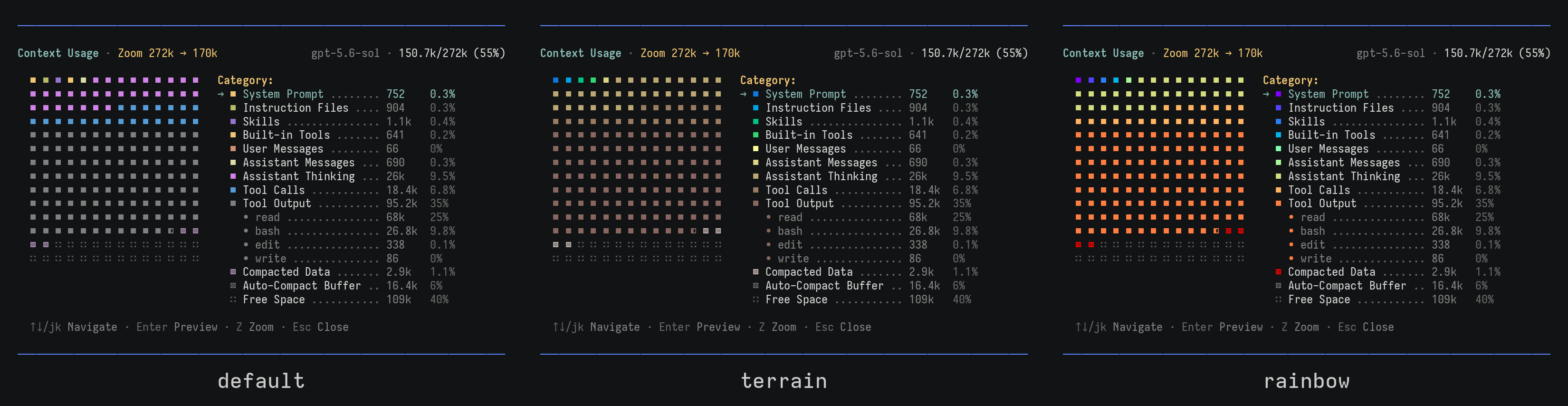
See the theme color reference for color names that follow the current theme.
Map Size
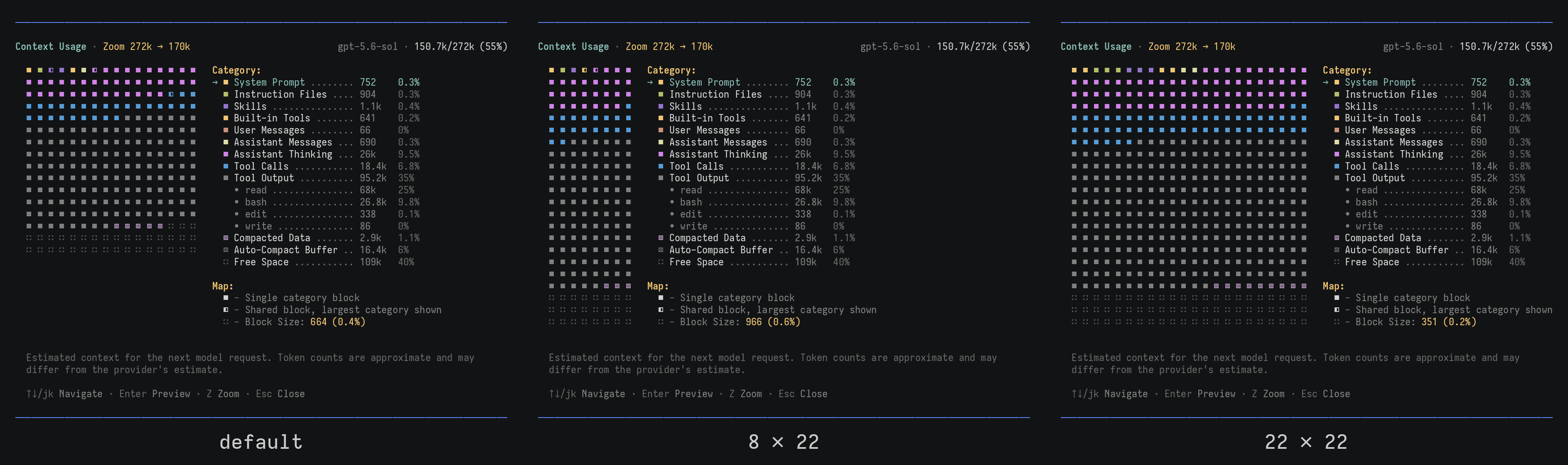
You can configure the number of rows and columns in the Context Usage map:
Context Footprint
pi-context-view does not add any instructions or messages to the model context.
My Other Stuff
📌 S-VHS - terminal recorder used to create the demo GIFs.