pi-context-view
Pi extension to visualize context usage and inspect the hidden parts: base prompt, tools defs, and extension injections
Package details
Install pi-context-view from npm and Pi will load the resources declared by the package manifest.
$ pi install npm:pi-context-view- Package
pi-context-view- Version
0.3.1- Published
- Jul 28, 2026
- Downloads
- 635/mo · 475/wk
- Author
- dimk90
- License
- MIT
- Types
- extension
- Size
- 129.4 KB
- Dependencies
- 0 dependencies · 2 peers
Pi manifest JSON
{
  "extensions": [
    "./src/index.ts"
  ],
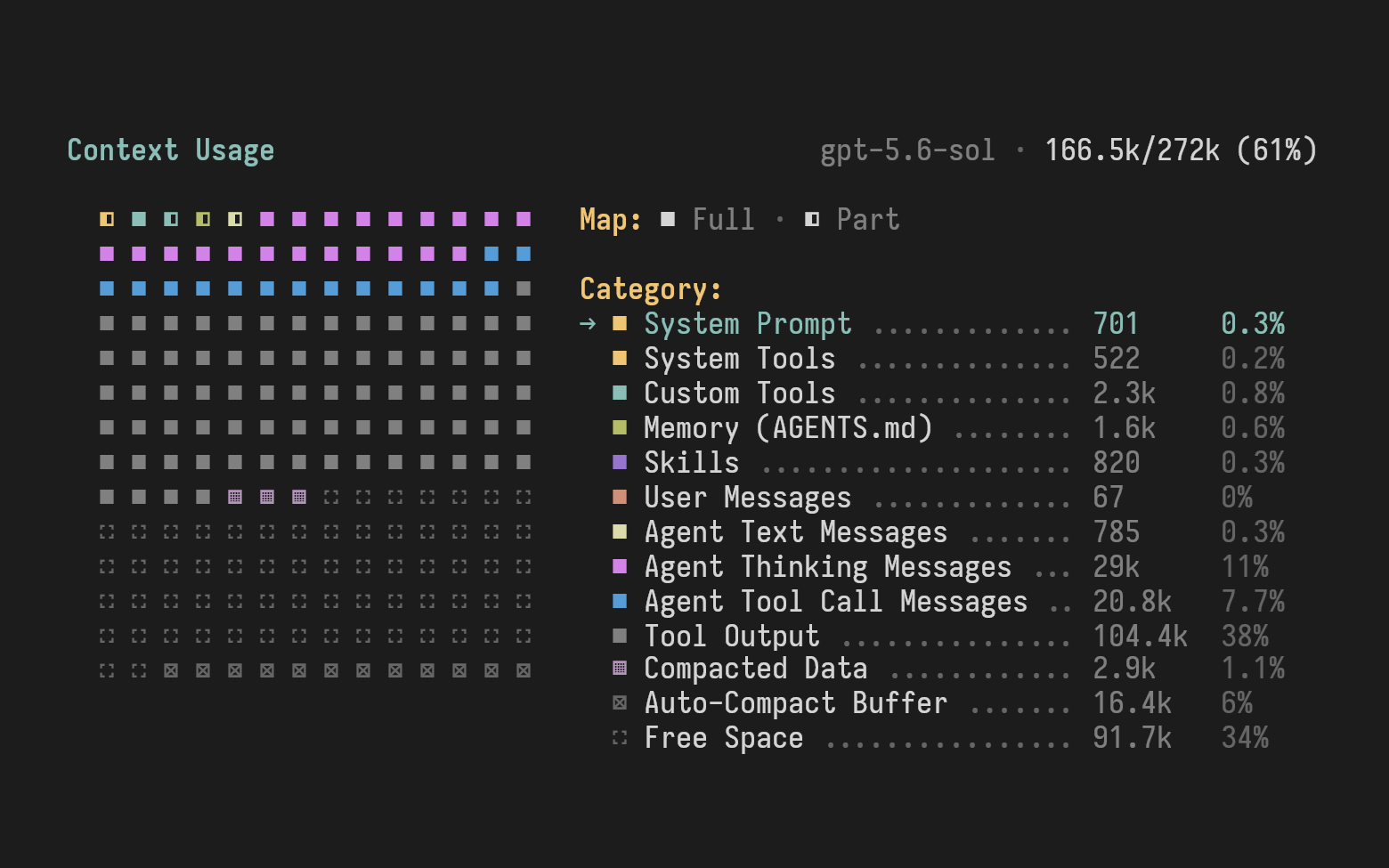
  "image": "https://media.githubusercontent.com/media/dimk90/pi-context-view/c69c44d9ed0ee245183c3f82de11d8da312ba129/doc/images/pi-context-view.png"
}
Security note
Pi packages can execute code and influence agent behavior. Review the source before installing third-party packages.
README
pi-context-view



Pi extension to visualizes context usage and lets you inspect the parts you normally can't see: the base prompt, tool definitions, and instructions injected by other extensions.
Features
Context usage map - visualize used and free context space, grouped by category (tools, skills, messages, and more).
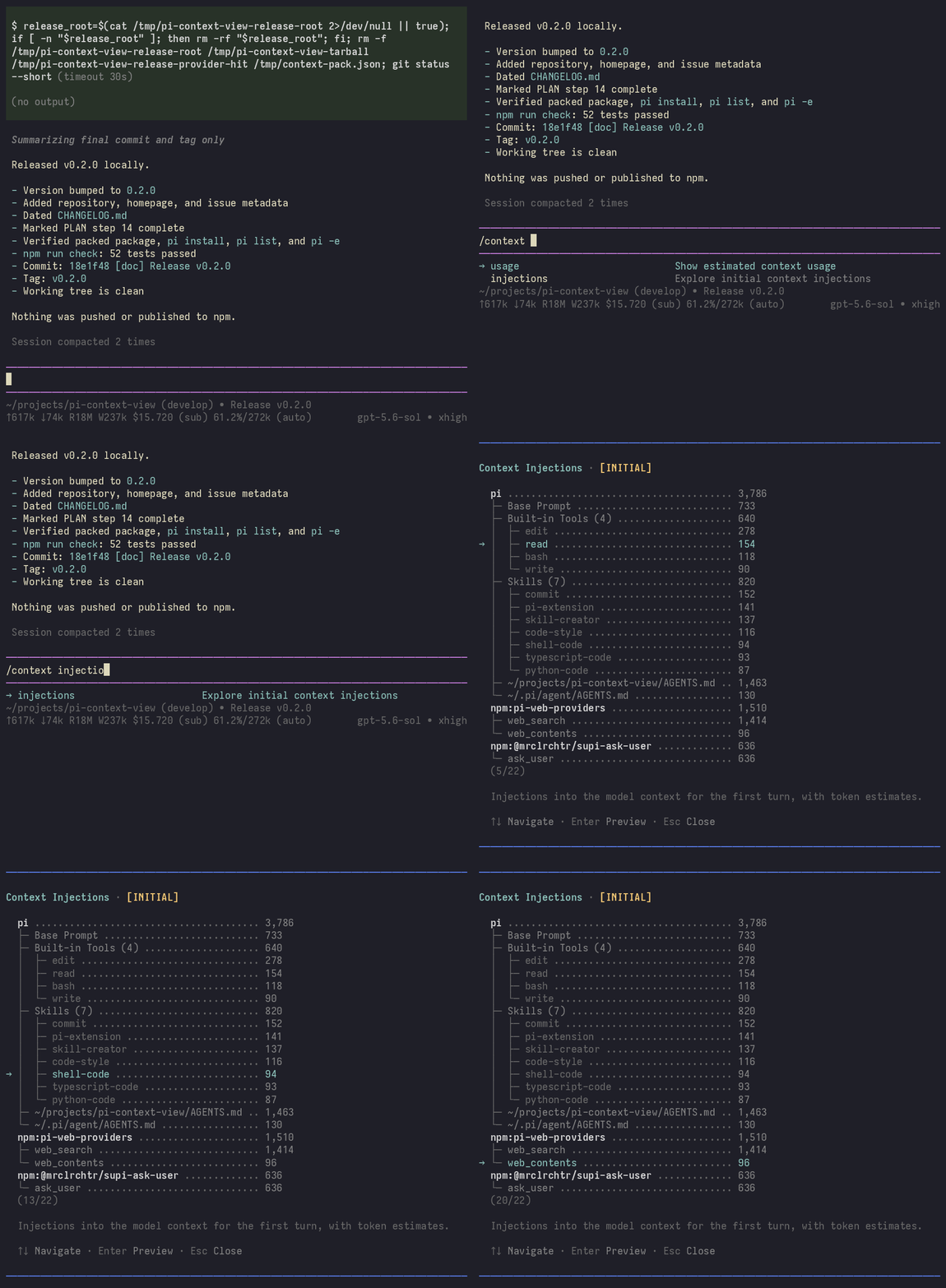
Context injections - explore the hidden pieces of the context: the initial prompt, tool definitions, and extension injections.
Commands
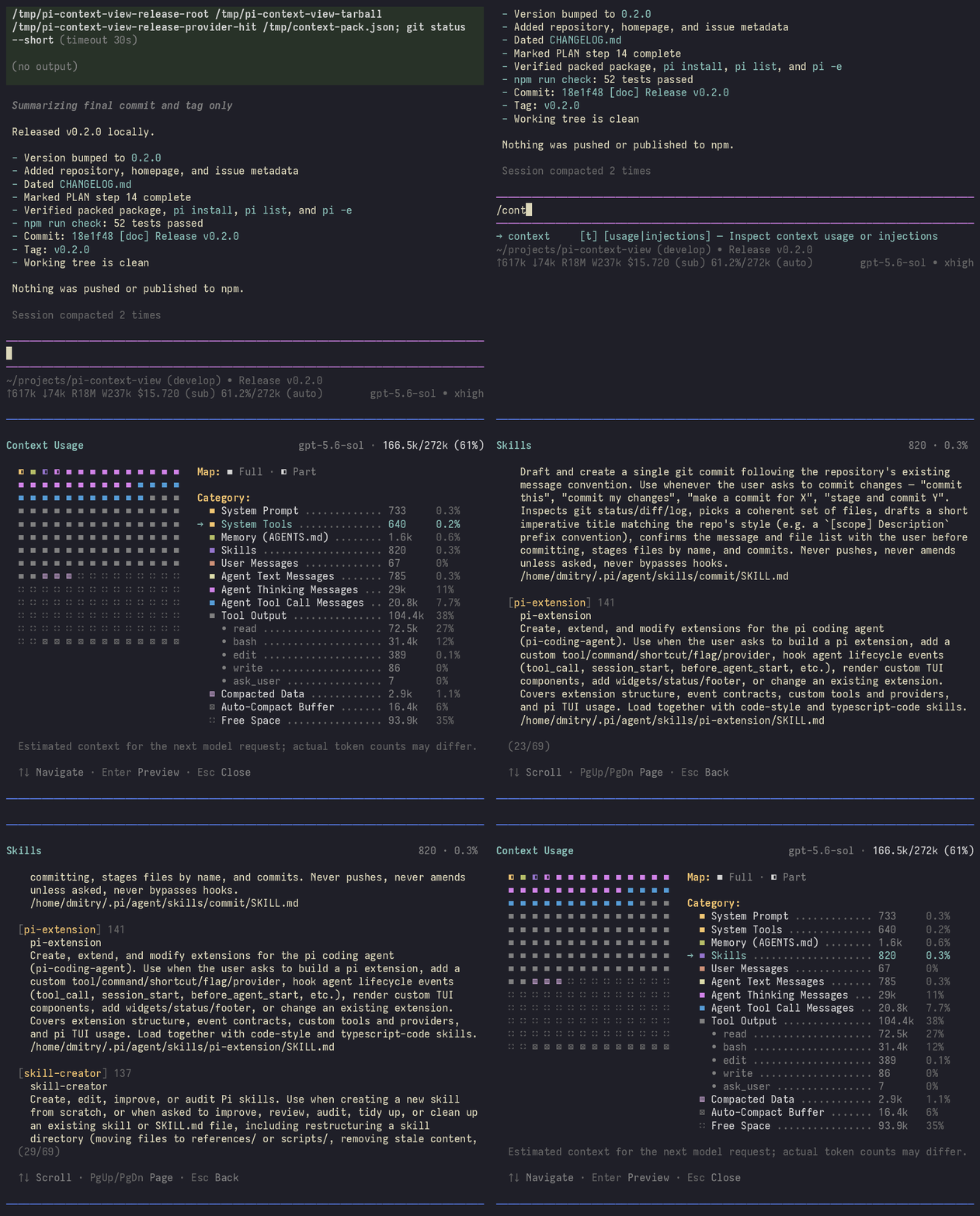
/context- shorthand for/context usage./context usage- open the context usage visualization./context injections- show the hidden content of the context at session start or resume.
Usage Examples
/context
See what fills your context. For example, check what remains after compaction:
/context injections
Inspect hidden parts of the context, such as tool definitions:
Install
pi install npm:pi-context-view
Context
pi-context-view does not add any instructions or messages to the model context.
License
MIT