pi-cost
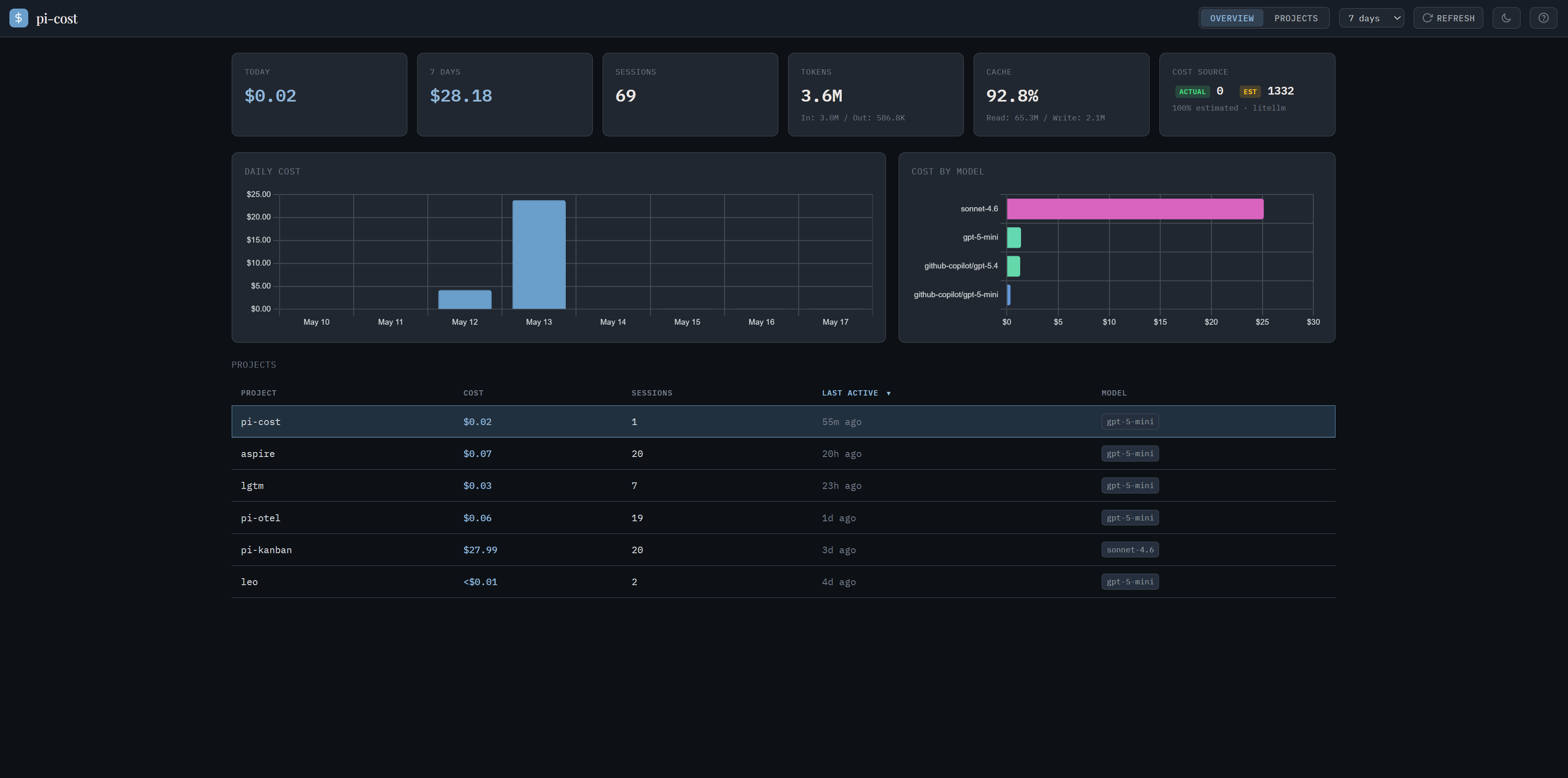
Cost dashboard for the pi coding agent
Package details
Install pi-cost from npm and Pi will load the resources declared by the package manifest.
$ pi install npm:pi-cost- Package
pi-cost- Version
0.1.1- Published
- May 17, 2026
- Downloads
- not available
- Author
- nikiforovall
- License
- MIT
- Types
- extension
- Size
- 133.6 KB
- Dependencies
- 2 dependencies · 1 peer
Pi manifest JSON
{
  "extensions": [
    "./extensions"
  ],
  "image": "https://raw.githubusercontent.com/NikiforovAll/pi-cost/main/assets/overview.png",
  "video": "https://raw.githubusercontent.com/NikiforovAll/pi-cost/main/assets/demo.mp4"
}
Security note
Pi packages can execute code and influence agent behavior. Review the source before installing third-party packages.
README
pi-cost


Cost dashboard for the pi coding agent — overview → project → session → message, with actual and estimated spend.

Documentation
User guide, cost-source model, keyboard shortcuts, and theme authoring all live there.
Installation
pi install npm:pi-cost
Then use /cost start | stop | restart | status | open from inside pi.
Or run standalone:
npx pi-cost
Open http://localhost:5461 — npm run dev auto-opens the browser.
From source
git clone https://github.com/NikiforovAll/pi-cost
cd pi-cost
npm install
npm start              # http://localhost:5461
pi --add ./extensions  # register as a pi extension
Screenshots
| View | Preview |
|---|---|
| Overview |  |
| Project |  |
| Session |  |
| Session (light) | |