pi-cyber-ui
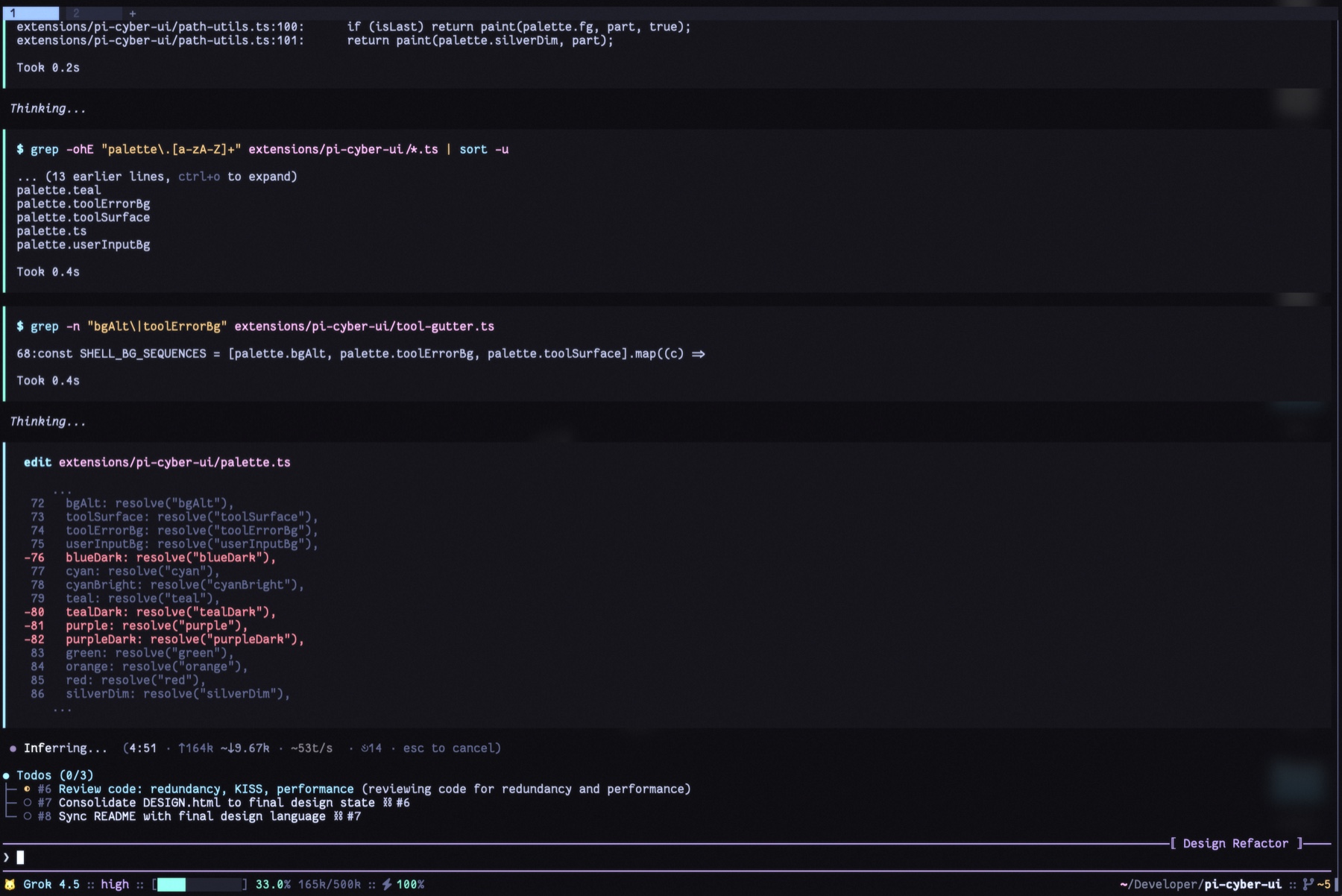
Cyber-inspired Pi theme + UI: silver prompt, neon tool gutter, compact footer, working HUD.
Package details
Install pi-cyber-ui from npm and Pi will load the resources declared by the package manifest.
$ pi install npm:pi-cyber-ui- Package
pi-cyber-ui- Version
0.1.33- Published
- Aug 13, 2026
- Downloads
- 261/mo · 110/wk
- Author
- 22gnus
- License
- MIT
- Types
- extension, theme
- Size
- 569.7 KB
- Dependencies
- 0 dependencies · 3 peers
Pi manifest JSON
{
  "image": "https://raw.githubusercontent.com/22GNUs/pi-cyber-ui/main/docs/screenshot.jpg",
  "themes": [
    "./themes"
  ],
  "extensions": [
    "./extensions/pi-cyber-ui/index.ts"
  ]
}
Security note
Pi packages can execute code and influence agent behavior. Review the source before installing third-party packages.
README
pi-cyber-ui
Tokyo Night–derived theme + UI for Pi. Status lives in the bar. Motion stays in the HUD.
Features
- Silver
❯editor — thinking/bash border, session label⟦ name ⟧ - Neon tool gutter — static
▍on one slate panel, every tool - Working HUD — letter-wave verb, pink/cyan
●, idle✓ done - Compact footer — model · thinking · context · cache · path · git
Surfaces
Built-in calls use tokyonight fish roles: command cyan · param muted · quote silver · $VAR green.
Live reference: design/DESIGN.html
Install
pi install npm:pi-cyber-ui
# or from git:
pi install git:github.com/22GNUs/pi-cyber-ui.git
/settings → theme cyber-ui-dark. Requires Pi >=0.82.1.
Config
Optional ~/.pi/agent/pi-cyber-ui.json. Missing file/fields use defaults; /reload after edit.
{
  "toolHighlight": "gutter",
  "userMessageStyle": "prompt"
}
| Key | Values | Default |
|---|---|---|
toolHighlight |
gutter / blocks |
gutter |
userMessageStyle |
prompt / block |
prompt |
Dev
npm install && npm test && npm run typecheck
Release
Bump version, push a matching vX.Y.Z tag. GitHub Actions publishes to npm.
License
MIT