pi-cycle
Pi extension: /cycle + hotkey cycles model+thinking profiles (OpenAI-focused) with a menu-based config UI for Pi coding agent.
Package details
Install pi-cycle from npm and Pi will load the resources declared by the package manifest.
$ pi install npm:pi-cycle- Package
pi-cycle- Version
0.1.2- Published
- Apr 26, 2026
- Downloads
- 135/mo · 135/wk
- Author
- jrryfn
- License
- MIT
- Types
- extension
- Size
- 177.2 KB
- Dependencies
- 0 dependencies · 3 peers
Pi manifest JSON
{
  "extensions": [
    "./index.ts"
  ]
}
Security note
Pi packages can execute code and influence agent behavior. Review the source before installing third-party packages.
README
pi-cycle


One hotkey + one command to switch work modes in the Pi coding agent by cycling model + thinking level together.
Why this is worth starring
- Mode switch is atomic: you never end up in a mismatched “model changed but thinking didn’t” state.
- Defaults that actually work: prefers Pi’s
enabledModelsto avoid recommending unusable models. - Doesn’t get stuck: cycles past unauthorized/unsupported models with a warning.
- No UI clutter: no footer/status artifacts (pairs nicely with
pi-oneliner). - Self-diagnosing:
/cycle doctorproduces a report you can paste into issues.
Quick facts:
- Hotkey: F8 (default) → cycle next profile
- Command:
/cycle→ menu UI (all actions live under/cycle ...) - Provider focus: OpenAI / OpenAI Codex
- Tested with Pi: v0.70+
If this helps your daily Pi loop, star the repo → it directly drives maintenance time.
Demo (VHS)
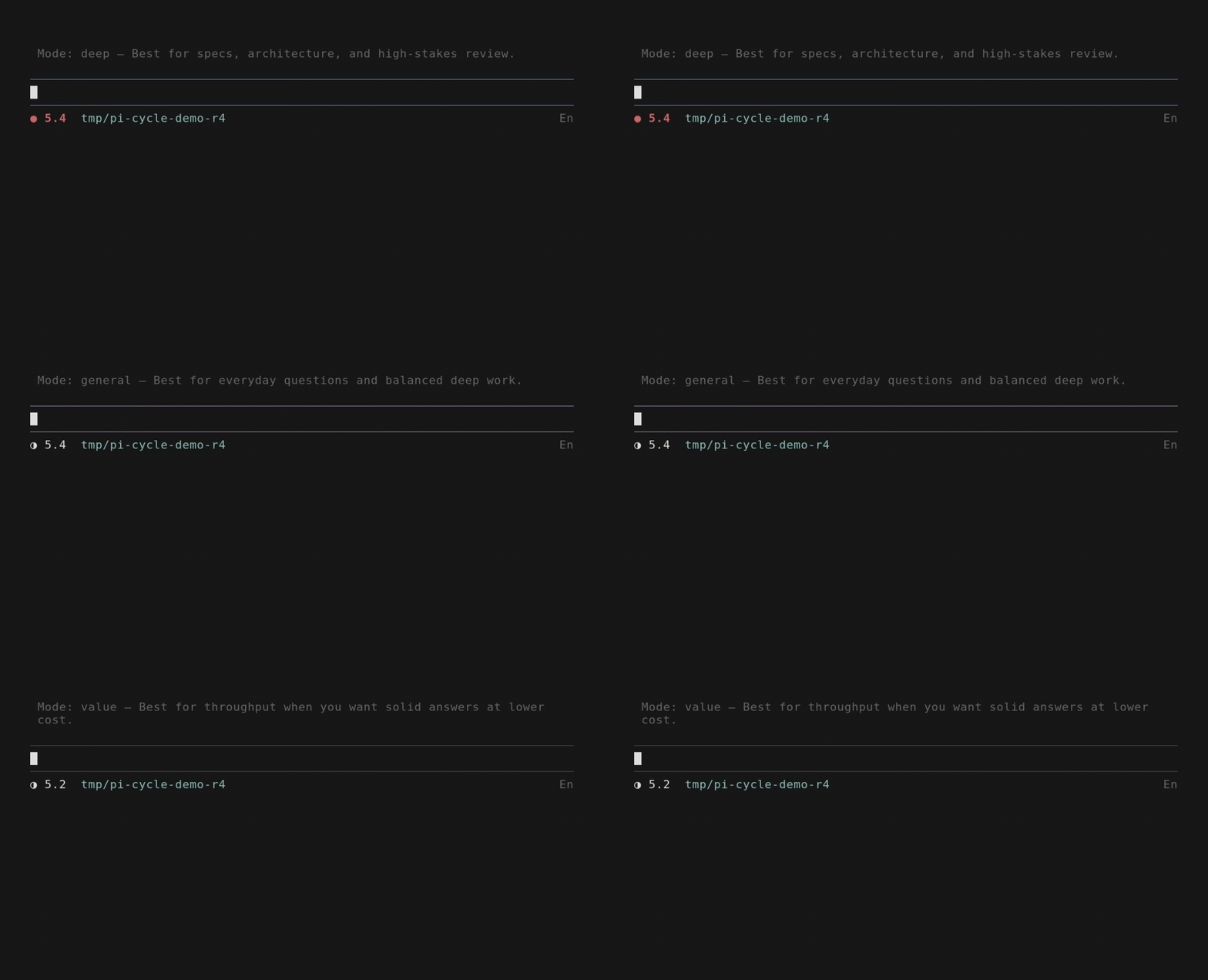
This repo includes a demo.tape for VHS, but the README GIF is rendered as a still-montage (more reliable than a single take).
To re-render demo.gif locally (WSL recommended):
git clone https://github.com/jerryfan/pi-cycle
cd pi-cycle
bash tools/vhs/render-demo.sh
Install
Install with Pi, not npm:
pi install npm:pi-cycle
Then in Pi:
/reload
Project-local install (shared via .pi/settings.json):
pi install npm:pi-cycle -l
Quickstart
- Open the menu:
/cycle - Cycle next: press
F8(or/cycle next) - Pick a specific profile:
/cycle pick - Configure profiles/hotkey:
/cycle config - Self-check:
/cycle doctor
Default OpenAI profile cycle
| Order | Profile | Model | Thinking | Good for |
|---|---|---|---|---|
| 1 | deep |
openai-codex/gpt-5.5 |
xhigh |
Specs, architecture, high-stakes review |
| 2 | code |
openai-codex/gpt-5.3-codex |
high |
Implementation, debugging, refactors |
| 3 | general |
openai-codex/gpt-5.4 |
medium |
Everyday questions + balanced deep work |
| 4 | fast |
openai-codex/gpt-5.4-mini |
low |
Quick iterations and small edits |
| 5 | value |
openai-codex/gpt-5.2 |
medium |
Throughput / value mode |
Tip: gpt-5.3-codex-spark is usually best as a dedicated spark profile (fast coding-oriented, no images, smaller context) rather than your general daily mode.
Commands
/cycle(menu)/cycle next/cycle pick(UI required)/cycle config(UI required)/cycle doctor/cycle help/cycle <name>(direct set)
Config
Config file:
~/.pi/agent/pi-cycle.json
Migration note:
pi-cyclewill also read legacy config at~/.pi/agent/py-cycle.jsonif present.- Any save action writes to
pi-cycle.json.
No-UI behavior:
- If Pi is running without interactive UI,
/cyclefalls back to cyclingnext. /cycle pickand/cycle configrequire interactive UI.
Adaptive thinking cap (optional)
pi-cycle can optionally cap thinking when the current session context window is nearly full.
This helps avoid surprises near the limit.
Configure via:
/cycle config→low-context
Note: this uses context window usage, not provider billing quota.
Troubleshooting
Installed but
/cycleis unknown- run
/reload(or restart Pi)
- run
Model activation errors (e.g. “model not supported with this account”)
- remove that model from the cycle via
/cycle config - run
/cycle doctorto see which profile is failing
- remove that model from the cycle via
Hotkey doesn’t fire
- some terminals don’t transmit certain key combos reliably
- change it via
/cycle config→hotkey(reload required)
Development
Local dev install:
pi install -l <path-to-pi-cycle>
Then in Pi:
/reload
/cycle
License
MIT