pi-desktop-ui
A native desktop GUI for pi — full chat window with real-time streaming, markdown rendering, and workspace management
Package details
Install pi-desktop-ui from npm and Pi will load the resources declared by the package manifest.
$ pi install npm:pi-desktop-ui- Package
pi-desktop-ui- Version
1.3.0- Published
- Apr 22, 2026
- Downloads
- 374/mo · 146/wk
- Author
- thepritamjagtap
- License
- MIT
- Types
- extension
- Size
- 1.9 MB
- Dependencies
- 3 dependencies · 1 peer
Pi manifest JSON
{
  "extensions": [
    "./index.ts"
  ],
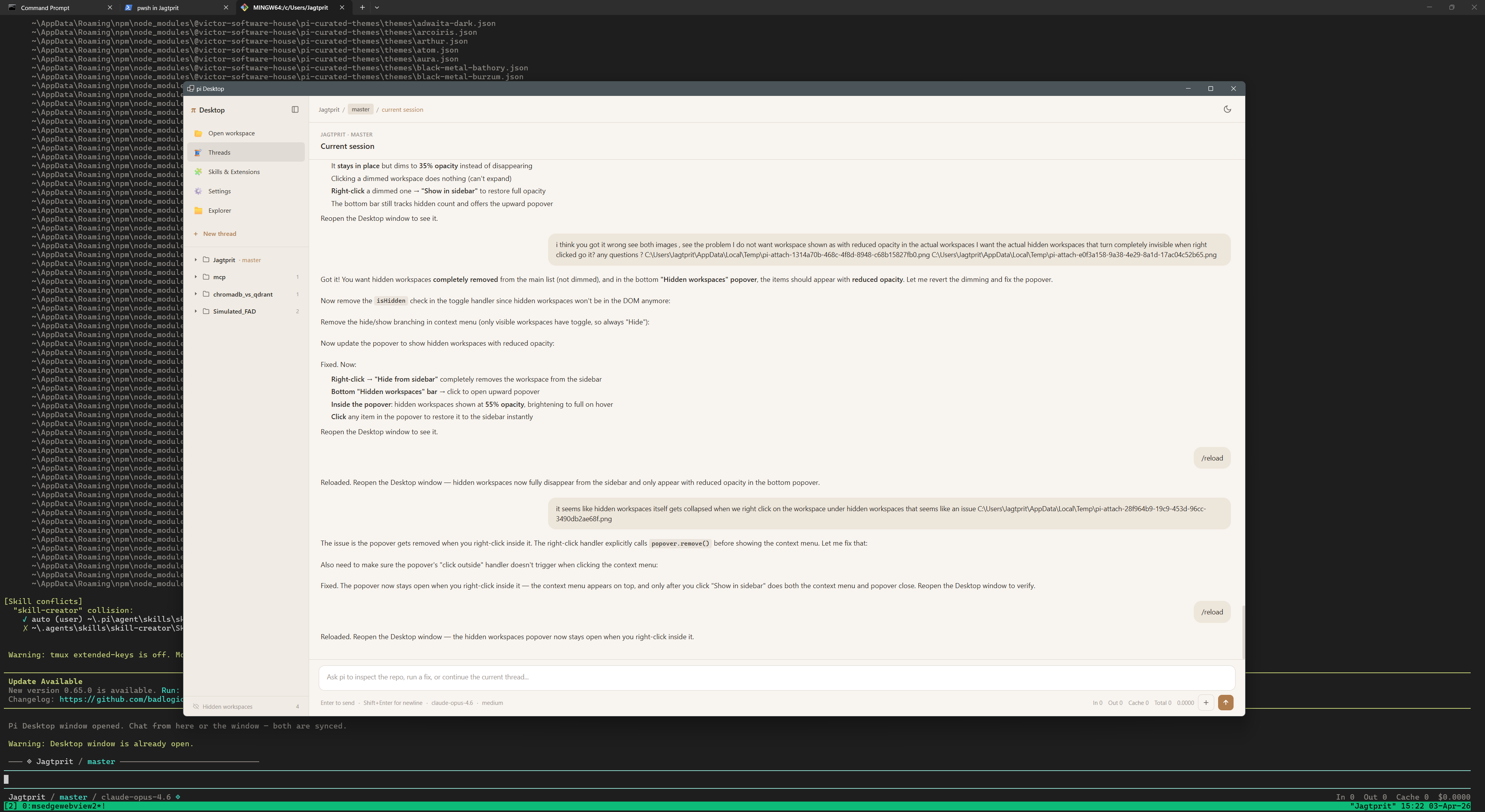
  "image": "https://raw.githubusercontent.com/pvjagtap/pi-desktop-ui/main/assets/Screenshot_1.png"
}
Security note
Pi packages can execute code and influence agent behavior. Review the source before installing third-party packages.
README
Pi Desktop UI
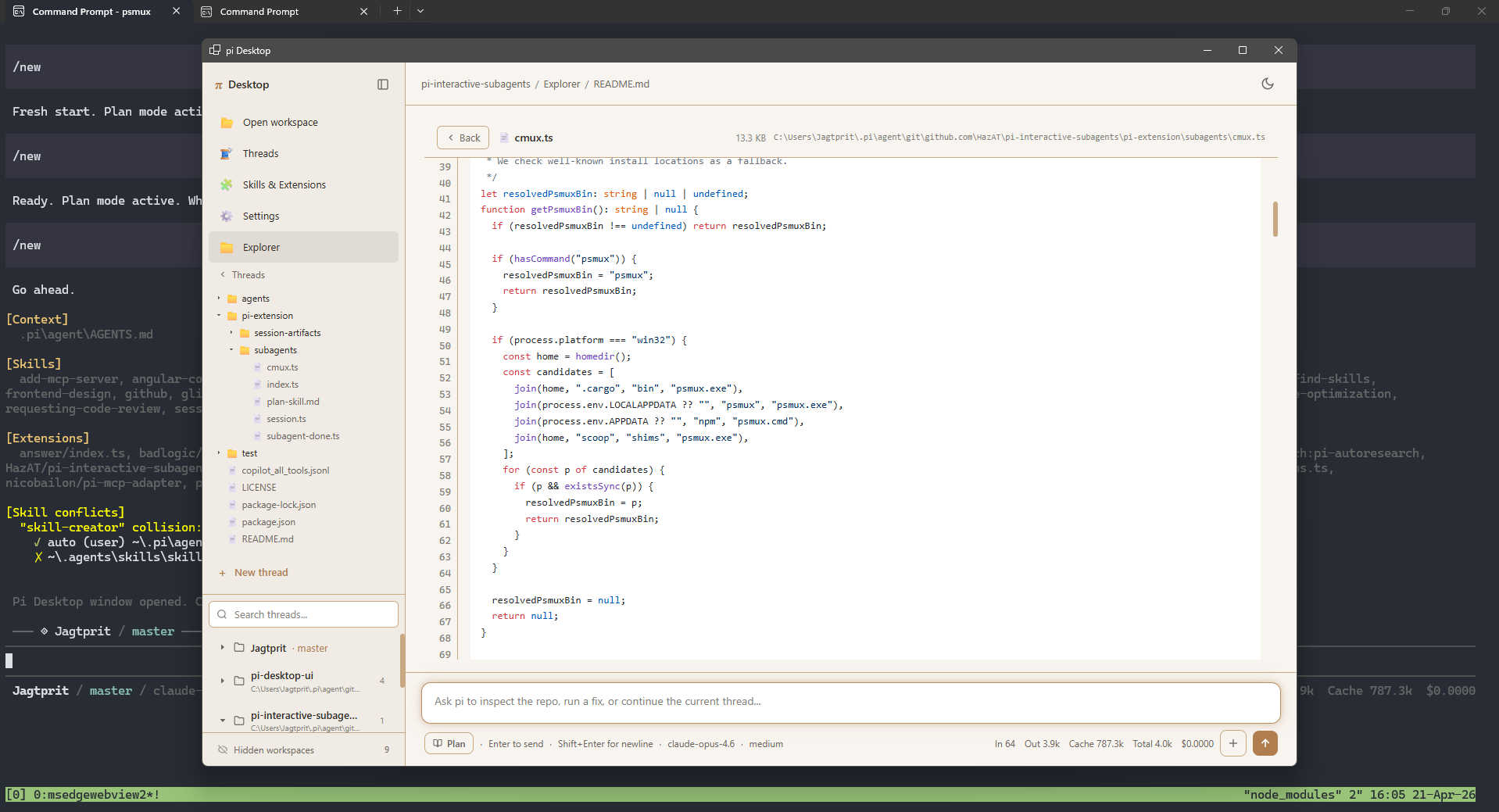
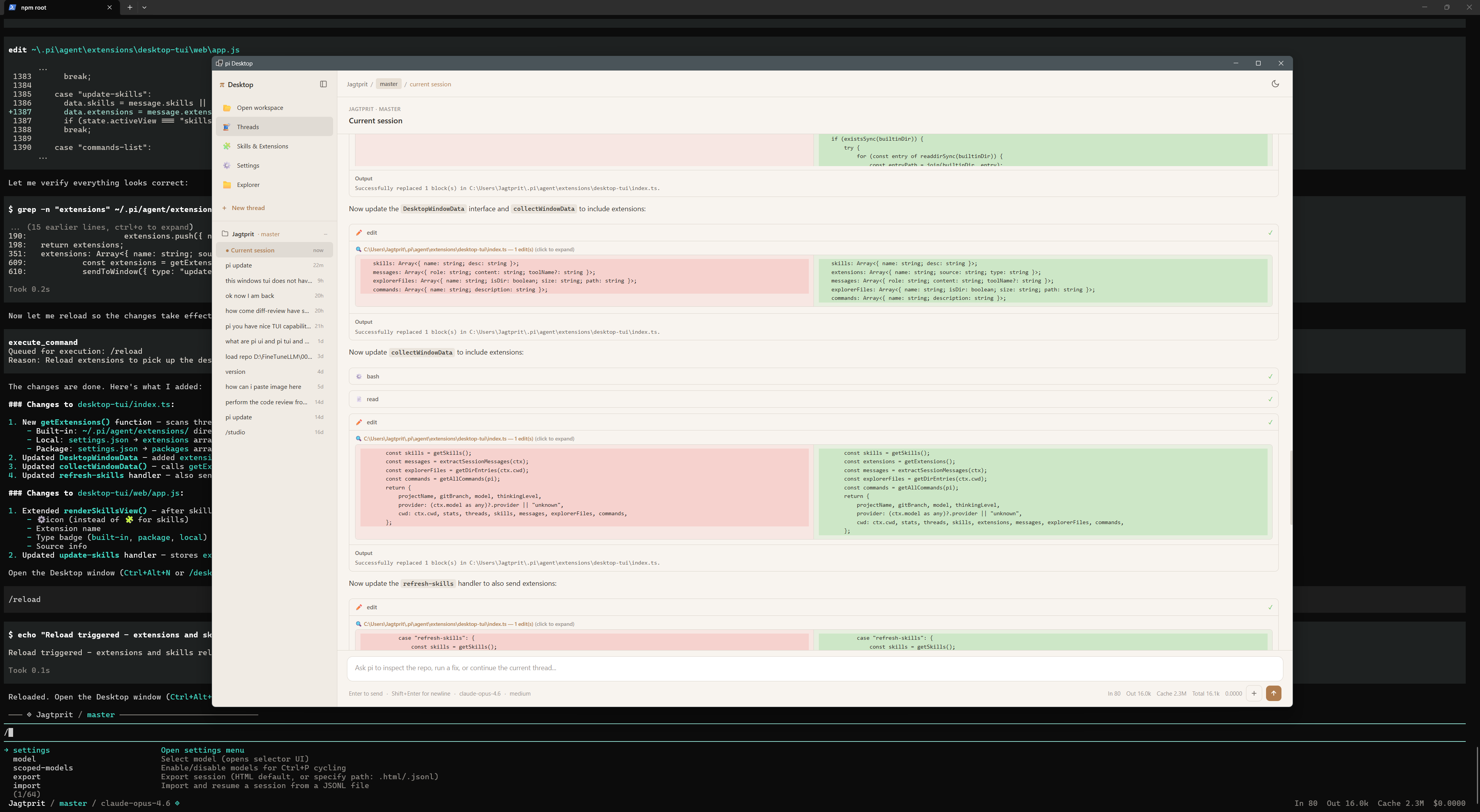
A native desktop GUI for pi — a fully functional chat window that mirrors your terminal session with real-time streaming, markdown rendering, and workspace management.
Features
- Full bidirectional chat — send messages from the window or the terminal, both stay in sync
- Real-time streaming — assistant responses stream token-by-token with thinking indicators
- Markdown rendering with syntax-highlighted code blocks
- Mermaid diagrams — flowcharts, sequence diagrams, state machines, and more rendered as SVG (neutral theme, dark mode adapted via CSS)
- LaTeX math — inline
$...$and block$$...$$formulas rendered via KaTeX - Cancel streaming — stop button replaces send during streaming, Escape / Ctrl+C keyboard shortcuts
- Tool execution display — see tool calls (bash, read, edit, write) with inline diffs for edits
- Sidebar navigation:
- Threads — browse and switch between session threads
- Skills & Extensions — view installed skills and loaded extensions
- Settings — model info, token stats, cost tracking
- Explorer — browse project files
- Workspaces — navigate across all pi workspaces and their sessions
- Slash command palette — access all pi commands from the window
- File attachments — drag & drop or attach files to messages
- Custom footer & widget in the terminal showing project, branch, model, and token stats
Installation
From Git (recommended)
pi install git:github.com/pvjagtap/pi-desktop-ui
Manual
Clone the repo into your pi extensions directory:
git clone https://github.com/pvjagtap/pi-desktop-ui ~/.pi/agent/extensions/pi-desktop-ui
cd ~/.pi/agent/extensions/pi-desktop-ui
npm install
Then reload pi:
/reload
Usage
Auto-open on startup
pi --desktop
This launches pi and automatically opens the desktop window. You can also create a shortcut using the included pi-desktop.cmd (Windows) or pi-desktop.sh (macOS/Linux) scripts.
Open manually during a session
| Method | Action |
|---|---|
Ctrl+Alt+N |
Keyboard shortcut |
/desktop |
Slash command |
/nav |
Slash command (alias) |
The window opens alongside your terminal — type in either place. Messages, tool calls, and responses are synced in real-time.
Security
The extension implements multiple layers of defense:
- XSS prevention — all markdown output is sanitized through DOMPurify with a strict tag/attribute allowlist
- Content Security Policy — restrictive CSP blocks inline scripts from external sources, disables
connect-src,object-src, andform-action - Subresource Integrity — CDN dependencies (marked, highlight.js, DOMPurify) are loaded with
integrityhashes to prevent tampering - Pinned dependencies — all CDN scripts are pinned to exact versions
- Path traversal protection — file explorer, thread viewer, and workspace handlers validate that paths stay within allowed directories (cwd and
~/.pi/agent/sessions/) - Attachment limits — file uploads are capped at 25 MB with sanitized filenames
- Input validation — message length caps, strict shape validation on persisted config, and traversal rejection on all user-supplied paths
Dependencies
- glimpseui — native webview windows from Node.js
- marked — markdown parsing
- mermaid — diagram rendering (loaded via CDN)
- KaTeX — LaTeX math rendering (loaded via CDN)
- DOMPurify — HTML sanitization (loaded via CDN)
- highlight.js — syntax highlighting (loaded via CDN)
- ws — WebSocket support
Requirements
How It Works
The extension hooks into pi's event system to capture the full agent lifecycle:
session_start— initializes the custom footer and context widgetmessage_start/message_update/message_end— streams assistant responses to the windowtool_execution_start/tool_execution_end— displays tool calls with arguments and resultsagent_start/agent_end— shows loading states and updates token stats
User messages typed in the desktop window are sent to pi via pi.sendUserMessage(), and the response streams back through the same event hooks.
Package Structure
pi-desktop-ui/
├── assets/
│   ├── Screenshot_1.png
│   └── Screenshot_2.png
├── web/
│   ├── index.html     # Desktop window HTML shell
│   └── app.js         # Frontend app (sidebar, chat, explorer, themes)
├── index.ts           # Extension entry point (events, commands, window management)
├── package.json       # Pi package manifest + dependencies
├── pi-desktop.cmd     # Windows launcher shortcut
├── pi-desktop.sh      # macOS/Linux launcher shortcut
└── README.md
License
MIT