pi-files-widget-overlay
In-terminal file browser, viewer, and diff overlay for Pi.
Package details
Install pi-files-widget-overlay from npm and Pi will load the resources declared by the package manifest.
$ pi install npm:pi-files-widget-overlay- Package
pi-files-widget-overlay- Version
0.8.0- Published
- Sep 18, 2026
- Downloads
- 998/mo · 998/wk
- Author
- tallshort
- License
- MIT
- Types
- extension
- Size
- 1 MB
- Dependencies
- 0 dependencies · 2 peers
Pi manifest JSON
{
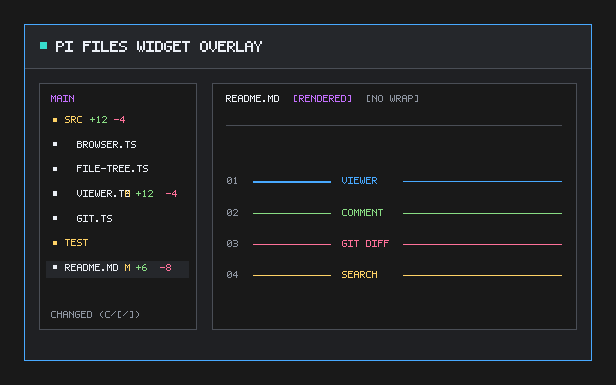
  "image": "https://raw.githubusercontent.com/tallshort/pi-files-widget-overlay/main/gallery-preview.png",
  "extensions": [
    "src/index.ts"
  ]
}
Security note
Pi packages can execute code and influence agent behavior. Review the source before installing third-party packages.
README
pi-files-widget-overlay
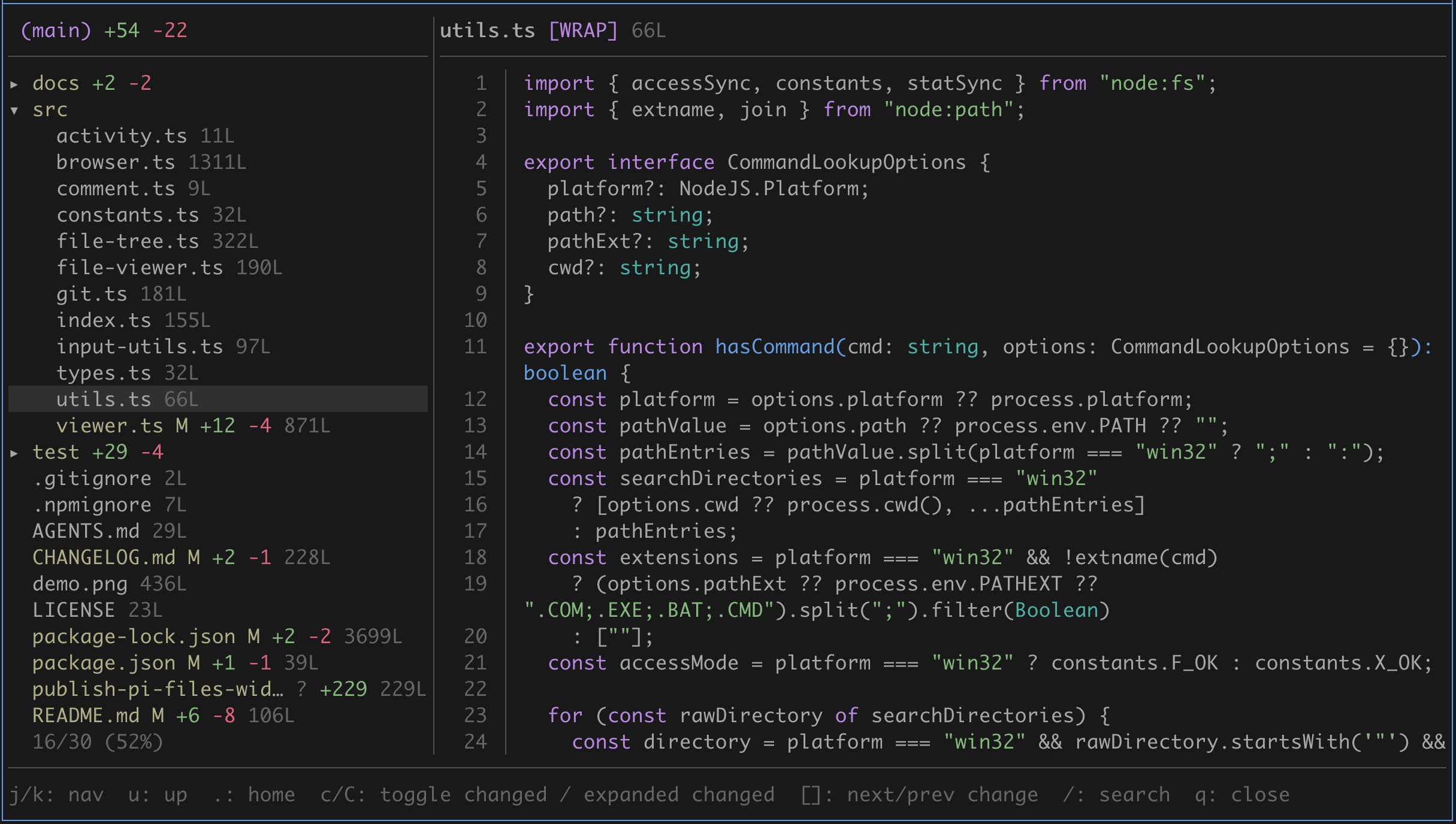
An in-terminal floating file browser, file viewer, and Git diff overlay for Pi.
Origin
This is an overlay-focused fork of tmustier/pi-extensions — files-widget.
Screenshots
Install
Install from npm with Pi's package manager:
pi install npm:pi-files-widget-overlay
For local development, add the repository directory to Pi's global settings file ($PI_CODING_AGENT_DIR/settings.json, defaulting to ~/.pi/agent/settings.json):
{
  "extensions": [
    "~/pi-files-widget-overlay"
  ]
}
Dependencies
- Pi
>=0.84.4 gitfor Git status and diff mode when available
The extension has no bat, glow, or delta runtime dependency. It uses Pi's theme-aware syntax highlighter and Markdown renderer.
Commands
| Command | Description |
|---|---|
/readfiles |
Open the browser at the current directory. |
/readfiles <path...> |
Open the browser with one or more absolute, relative, or ~-prefixed roots. Quote paths containing spaces. |
For development:
npm install
npm test
npm run typecheck
Browser keybindings
| Key | Action |
|---|---|
j / k or ↑ / ↓ |
Move the selection. |
Enter |
Open a file or expand/collapse a directory. |
h / l or ← / → |
Collapse/expand a directory; l / → opens a selected file. |
PgUp / PgDn |
Page through the tree in the single-column layout. |
p |
Toggle the tree/preview split on wide terminals. |
Tab / Shift-Tab |
Switch to the next / previous command-provided root when multiple distinct roots are provided. |
y |
Copy the selected file or directory's absolute path. |
* |
Pin/unpin the selected directory (or selected file's parent) for default /readfiles roots. |
c |
Toggle changed-only view within the current search results. |
C |
Toggle expanded changed view within the current search results. |
[ / ] |
Previous/next changed file; when searching, stay within the current results. |
/ |
Search file names. |
@ |
Search literal file content asynchronously. |
u |
Re-root at the parent directory. |
. |
Return to the command's starting directory. |
+ / = and - / _ |
Increase/decrease panel height. |
? |
Show/hide the complete browser help. |
q / Esc |
Close the overlay. |
While either search is active, type to search and use ↑ / ↓ to move. Enter keeps the query and returns to the normal browser help; its header displays the query as /foo (Esc clears) or @foo (Esc clears). Esc cancels the active search; Backspace deletes input and cancels when the query is empty. After confirming a browser query, Esc clears the retained query before a second Esc closes the overlay. Press the active search key again to clear the query.
Viewer keybindings
| Key | Action |
|---|---|
j / k or ↑ / ↓ |
Move the line cursor. |
PgUp / PgDn or Ctrl-U / Ctrl-D |
Scroll by half a page. |
g / G |
Jump to the top/bottom; <count>G jumps to a logical line. |
d |
Toggle Git diff for a changed tracked file. |
m |
Toggle rendered/raw Markdown. |
w |
Toggle word wrap. |
y |
Copy the current file's absolute path. |
/ |
Enter search mode. |
n / N |
Next/previous search match. |
v |
Enter or leave line-selection mode. |
c |
Comment on selected lines. |
C |
Comment on the whole file while selecting. |
[ / ] |
Previous/next changed file. |
+ / = and - / _ |
Increase/decrease panel height. |
? |
Show/hide the complete viewer help. |
q, Esc, or ← |
Return to the browser when not searching, selecting, or editing a comment. |
In search mode, type to search and press Enter to keep the query; its header displays /foo (Esc clears) and the match position (including [0/0] when no line matches). Esc or ← exits active search; Backspace deletes input and exits only when the query is empty; pressing / again clears the query. With a kept query, Esc or ← clears that query; a subsequent Esc or ← returns to the browser.
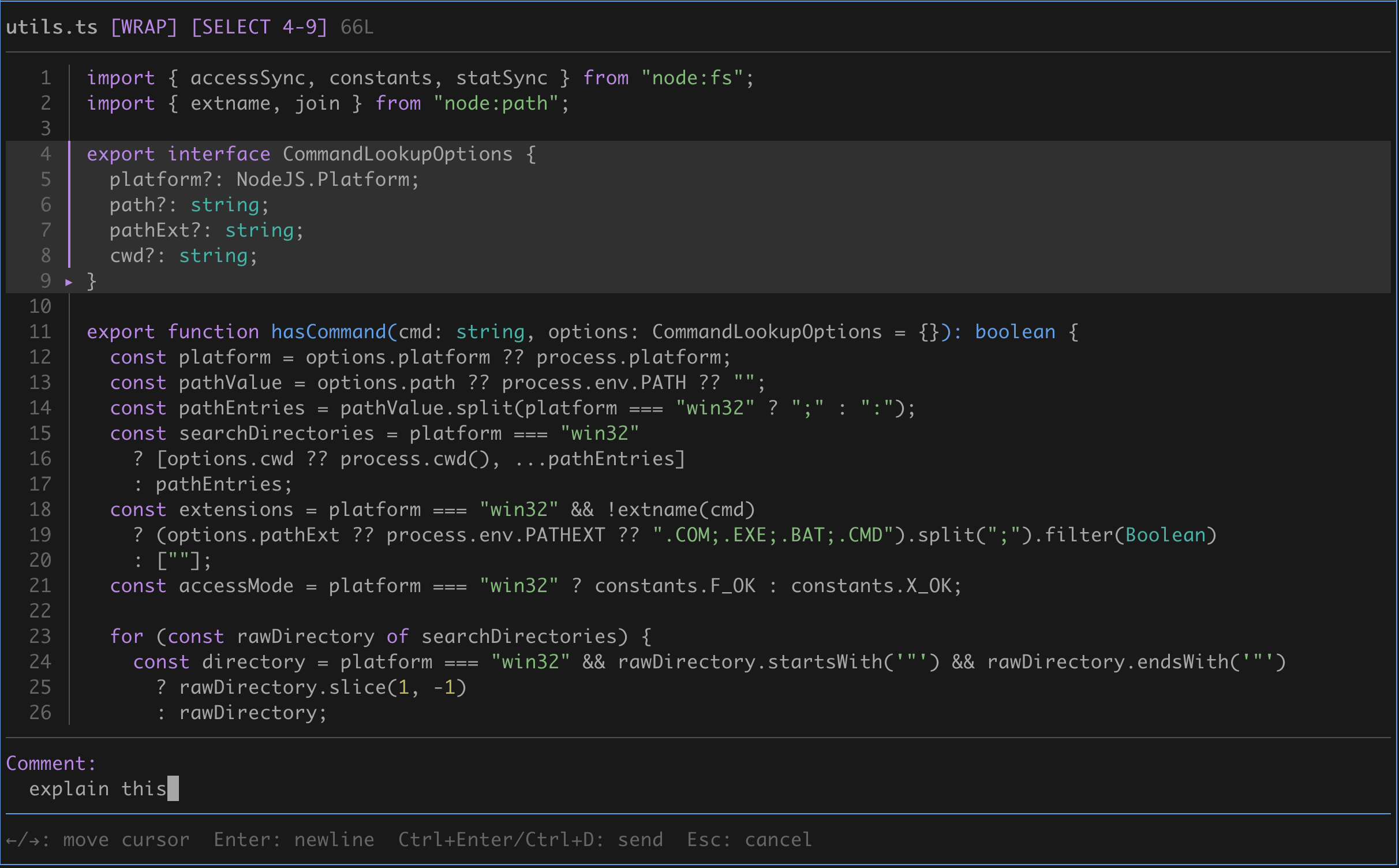
In selection mode, j / k or ↑ / ↓, PgUp / PgDn, Ctrl-U / Ctrl-D, and g / G extend or reset the selection; Esc, ←, or v cancels it. c opens the line-comment editor and C opens the file-comment editor. In the comment editor, Enter or Shift+Enter adds a line, ← / → moves the cursor, Backspace deletes, Ctrl+Enter, Ctrl+D, or supported Alt+Enter sends the comment, and Esc cancels.
Configuration
Browse-position restoration is disabled by default. To restore the last selected file or browser directory for each single-root /readfiles command root in the same Pi session, add this namespace to Pi's global settings file ($PI_CODING_AGENT_DIR/settings.json, defaulting to ~/.pi/agent/settings.json):
{
  "piFilesWidgetOverlay": {
    "restoreBrowsePosition": true
  }
}
The extension reads restoreBrowsePosition but never writes it. Pinning or unpinning with * updates only piFilesWidgetOverlay.pinnedRoots, preserving other settings fields. Each single-root command root keeps an independent memory-only browsing position: /readfiles and equivalent resolved paths restore their own last position. An explicit single /readfiles <path> starts at that path. Accessible pinned roots are appended to every command's root list after explicit paths (with normalized-path de-duplication), while multi-root state is never saved on close. Equivalent path spellings share a normalized absolute-path record.
Multi-root commands
Pass roots directly to the command, separated by whitespace; quote paths containing spaces:
/readfiles ./src ./test
/readfiles "./my src" "./my test"
The first path must be accessible and is the initial root. Press Tab or Shift-Tab to switch roots. Selecting an inaccessible secondary path reports it as unavailable. Multi-root root selection and locations exist only while the Overlay is open; a valid existing browse record for the first root may initialize that root, but multi-root state is never saved on close.
Notes and edge cases
- The overlay is centered at 95% of terminal width with a one-cell margin. Its maximum height is 95% of the terminal; panels start at 85% and
+/-adjust within that limit. - Wide terminals use a read-only 3:7 tree/preview split. The preview follows the selected item;
g/G,<count>G,PgUp/PgDn,Ctrl-U/Ctrl-D, andwcontrol it without enabling edits. - Hidden project files such as
.pi/and.github/remain visible..git/and common dependency/build caches remain hidden. - Directory symlinks show
↗and can be expanded. Untracked files show[UNTRACKED]and open in normal view. - Searching or selecting rendered Markdown switches it to raw source so matches, line numbers, and comments stay aligned. On terminal-width changes, rendered Markdown keeps the current paragraph when it can identify it; otherwise it returns to the top.
- Comments for files outside the current project use absolute paths; comments for project files use project-relative paths.
- Image, binary, and terminal-control-character files show a safe metadata placeholder instead of rendering their bytes. File names, paths, and error messages are sanitized before terminal rendering.
- Line counts load asynchronously. The Files title reports scan activity and short-lived scan errors. Large non-Git folders can load progressively and show
[partial]in safe mode. - Git status refreshes every 3 seconds while the overlay is open. Folder line counts appear only while the folder is collapsed.