pi-ghost-text
Ghost-text prompt suggestions (inline autocomplete + next-prompt) for the pi coding agent
Package details
Install pi-ghost-text from npm and Pi will load the resources declared by the package manifest.
$ pi install npm:pi-ghost-text- Package
pi-ghost-text- Version
0.1.1- Published
- Sep 13, 2026
- Downloads
- 311/mo · 311/wk
- Author
- chrisvaughan
- License
- MIT
- Types
- extension
- Size
- 41.6 KB
- Dependencies
- 0 dependencies · 3 peers
Pi manifest JSON
{
  "image": "https://raw.githubusercontent.com/jcv/pi-ghost-text/main/assets/social-preview.png",
  "extensions": [
    "./src/index.ts"
  ]
}
Security note
Pi packages can execute code and influence agent behavior. Review the source before installing third-party packages.
README
pi-ghost-text
Ghost-text prompt suggestions for the pi coding agent — like Claude Code's inline autocomplete for the prompt box.
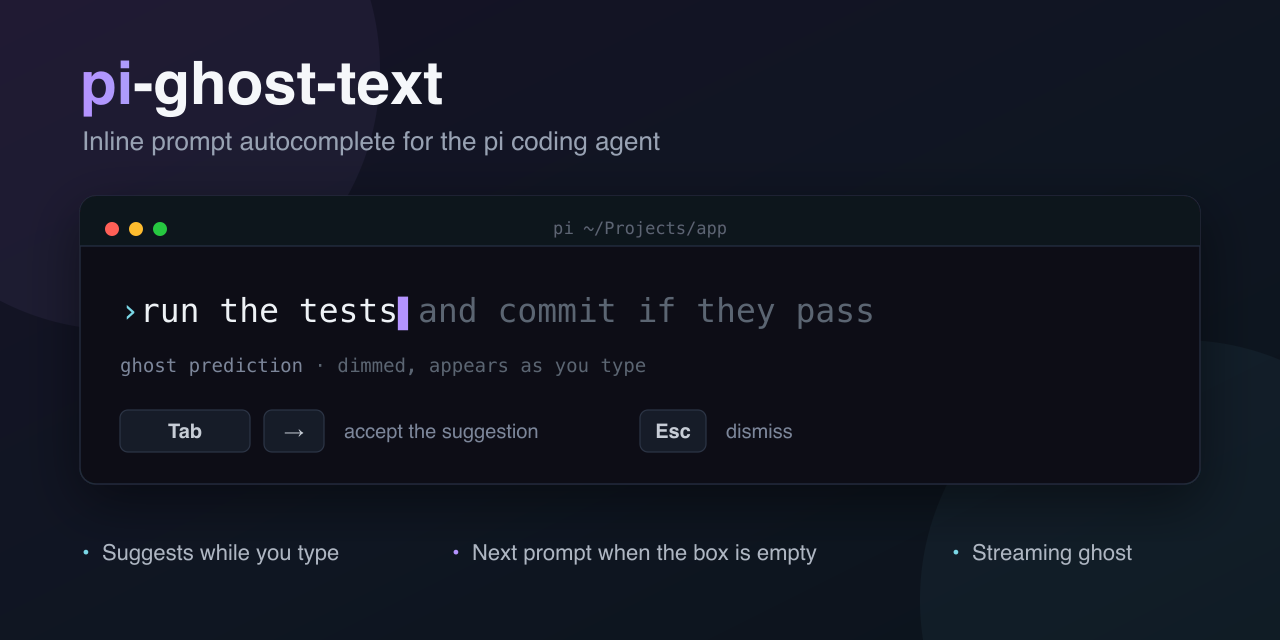
As you type (or after the agent finishes and the input is empty), a dimmed prediction of the likely next prompt appears after the cursor. Accept it, cycle alternatives, or keep typing.
Requirements
- Interactive TUI mode. Suggestions are an editor feature and only appear in the interactive terminal (
piwith no mode flag). They do not run in-p/--print,--mode json, or--mode rpc. - A model with a configured API key. With the default
"model": "auto", the extension scans the available models for a fast/cheap one, in priority order:haiku, thengpt-*mini, thenflash, thennano. If none match — or if an explicitprovider/model-idisn't found — it falls back to the active session model. Set a specific model with/suggest-model.
Install
pi install npm:pi-ghost-text
Remove it:
pi remove npm:pi-ghost-text
Using it
| Key | Action |
|---|---|
Tab |
Cycle to the next candidate; accept when it's the last (or only) one |
→ (right arrow, cursor at end) |
Accept the current suggestion |
Esc |
Dismiss the ghost, keeping what you've typed |
| Move the cursor away from the end | Dismiss |
| Keep typing | Shrink the ghost while it still matches, otherwise regenerate |
Tab only applies to the ghost when the file/command autocomplete dropdown is not open. Accepting inserts the suggestion into the editor for you to edit; press Enter to send it.
When candidates is 1 (the default), Tab simply accepts. Set candidates to 2 or 3 to fetch alternatives and cycle them.
Commands
| Command | What it does |
|---|---|
/suggest |
Choose mode: both, while-typing, after-turn, or off |
/suggest-model |
Pick the suggestion model (or auto to prefer a fast, cheap one) |
/suggest-context |
Set the context window (messages × chars per message) |
Configuration
Stored as JSON, resolved defaults ← global ← project:
- global:
~/.pi/agent/prompt-suggestions.json - project:
.pi/prompt-suggestions.json
{
  "model": "auto",
  "mode": "both",
  "candidates": 1,
  "streaming": true,
  "contextMessages": 8,
  "contextChars": 600,
  "maxPerTurn": 0,
  "debug": false
}
| Key | Default | Description |
|---|---|---|
model |
"auto" |
"auto" (prefer a fast, cheap model) or an explicit provider/model-id |
mode |
"both" |
"both", "while-typing", "after-turn", or "off" |
candidates |
1 |
Alternatives to fetch (1–3); Tab cycles them |
streaming |
true |
Stream the single suggestion token-by-token (ignored when candidates > 1) |
contextMessages |
8 |
Recent messages included in the suggestion prompt (0 = none) |
contextChars |
600 |
Chars kept per message |
maxPerTurn |
0 |
Max suggestions shown per agent turn (0 = unlimited) |
debug |
false |
Append diagnostic lines to ~/.pi/agent/prompt-suggestions.log |
mode, model, contextMessages, and contextChars are settable from the commands above; candidates, streaming, maxPerTurn, and debug are JSON-only. Commands write to the global scope, so a project override in .pi/prompt-suggestions.json takes precedence over a command-set value.
Privacy
When enabled, the suggestion model receives only:
- the text you have typed so far, and
- the last
contextMessagesuser/assistant messages, each trimmed tocontextCharscharacters.
It is never sent:
- the full conversation transcript,
- tool outputs,
- file contents,
- project or session metadata.
Suggestions are advisory and best-effort; failures are never surfaced in the UI. With "debug": true they are logged to ~/.pi/agent/prompt-suggestions.log with a stable category (timeout / error / no-suggestion).
Troubleshooting
If no suggestion appears:
- Confirm the mode is not
off— run/suggest. - Confirm the suggestion model has an API key configured (or, for
auto, that one of the fast/cheap models does)./suggest-modelshows what's available. An explicitmodelthat isn't found silently falls back to the active session model, so check the spelling asprovider/model-id. - While-typing suggestions need ≥4 chars of plain text (not starting with
/or!, not an@filecompletion in progress), a ~700ms pause, and the agent must be idle (not mid-response). - After-turn suggestions only appear when the editor is empty right after the agent settles.
- If
maxPerTurnis set, you may have hit the per-turn cap. - Set
"debug": trueand check~/.pi/agent/prompt-suggestions.logfor[prompt-suggestions]lines — they state the reason (timeout,error,no-suggestion). - If the ghost flakes with streaming enabled, set
"streaming": falseto force the non-streaming path.
Development
npm test # node --test, no dependencies (requires Node ≥ 23.6)
Prior art
Inspired by supi-prompt-suggestions. This adds inline while-typing autocomplete (prefix-anchored, shrink-on-type), multi-candidate cycling, streaming ghost text, scoped global/project config, and explicit modes on top of the empty-box next-prompt suggestion.