pi-glance
A polished input surface extension for pi, with a rounded multiline editor and inline model/context/status glance.
Package details
Install pi-glance from npm and Pi will load the resources declared by the package manifest.
$ pi install npm:pi-glance- Package
pi-glance- Version
0.2.2- Published
- May 5, 2026
- Downloads
- 1,312/mo · 389/wk
- Author
- linys77
- License
- MIT
- Types
- extension
- Size
- 73.6 KB
- Dependencies
- 0 dependencies · 3 peers
Pi manifest JSON
{
  "extensions": [
    "./index.ts"
  ]
}Security note
Pi packages can execute code and influence agent behavior. Review the source before installing third-party packages.
README
◌ pi-glance
A calm input surface for pi
Replace the default prompt with a rounded multiline editor and an inline glance at model, context, tokens, cost, and Git.


Install
From npm:
pi install npm:pi-glance
Or clone as a traditional pi extension directory:
git clone https://github.com/LinYS77/pi-glance.git ~/.pi/agent/extensions/pi-glance
Then restart pi or run /reload.
For development/testing:
pi -e /path/to/pi-glance
Local Git diagnostics:
npm run test:git
npm run debug:git
Use
/glance
That's the only command — opens a calm settings pane with a home screen and per-segment detail pages.
What you see
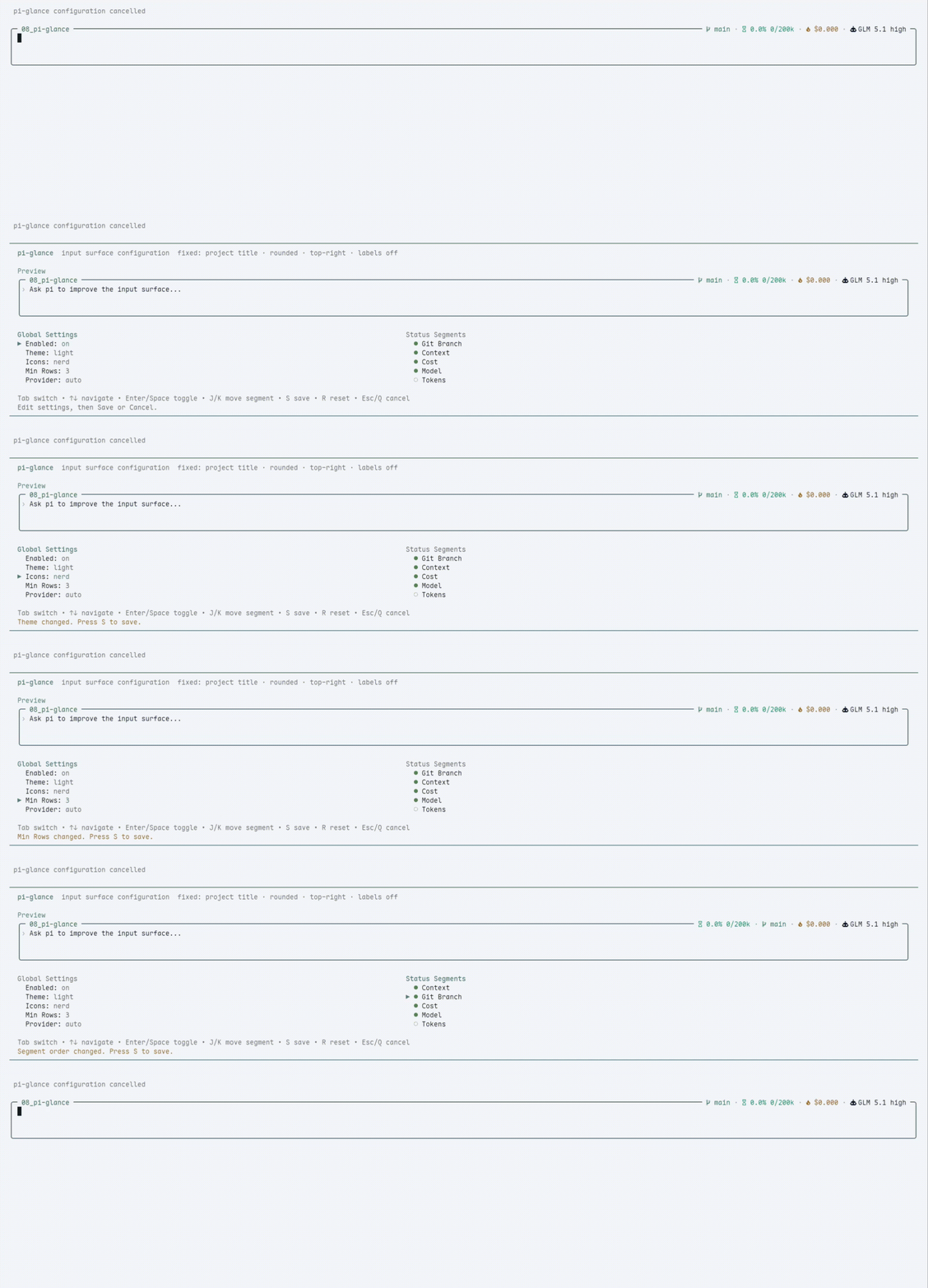
| 🖊️ | Rounded editor | Configurable 2 / 3 / 4 min rows, preserves all pi defaults |
| 🏷️ | Project title | Current folder name on the top-left border |
| 📊 | Inline status | Model · context · tokens · cost · Git status — top-right |
| ⚙️ | /glance pane |
General settings, segment order, and per-segment detail settings — Save / Cancel |
| 💤 | Dim unfocused | Surface quiets down when you scroll the chat |
| 🎨 | Two themes | light and dark with tuned grey-green borders |
Notes
- Icons default to
plainso pi-glance works with normal terminal fonts. - If you use a Nerd Font, open
/glanceand setIconstonerdfor richer symbols.
Git status
The Git segment is intentionally quiet:
- Clean repositories show only the branch name.
- Dirty repositories add
*in plain mode or●in Nerd Font mode. - Conflicts add
!in plain mode or⚠in Nerd Font mode. - Ahead/behind counts appear when Git reports an upstream, for example
↑2 ↓1. - Non-Git directories hide the Git segment.
Open /glance, select Git, and press Enter to configure:
Dirty marker— hide/show normal dirty markers; conflict markers stay visible.Ahead / behind— hide/show upstream counts.SHA—off,detached, oralways.Polling—2s,5s,10s, or30s.
Git is collected asynchronously and cached. External file changes usually appear within a few seconds. For local development/debugging you can compare pi-glance with Git directly:
git status --short --branch
npm run debug:git
Design
- No pi core patches — public extension APIs only
- No render-time IO — Git is collected asynchronously and cached
- Global config at
~/.pi/agent/pi-glance/config.json
License
MIT © 2026 linys77