pi-greptile
Native pi tools for Greptile: AI code reviews, PR data, and organizational custom context — no MCP adapter needed.
Package details
Install pi-greptile from npm and Pi will load the resources declared by the package manifest.
$ pi install npm:pi-greptile- Package
pi-greptile- Version
0.1.0- Published
- Jul 21, 2026
- Downloads
- 137/mo · 137/wk
- Author
- phun333
- License
- MIT
- Types
- extension
- Size
- 36.3 KB
- Dependencies
- 0 dependencies · 4 peers
Pi manifest JSON
{
  "extensions": [
    "./src/index.ts"
  ],
  "image": "https://raw.githubusercontent.com/phun333/pi-greptile/main/banner.png"
}Security note
Pi packages can execute code and influence agent behavior. Review the source before installing third-party packages.
README
pi-greptile


Native Greptile tools for the pi coding agent — AI code reviews, PR data, and organizational custom context as first-class greptile_* tools.
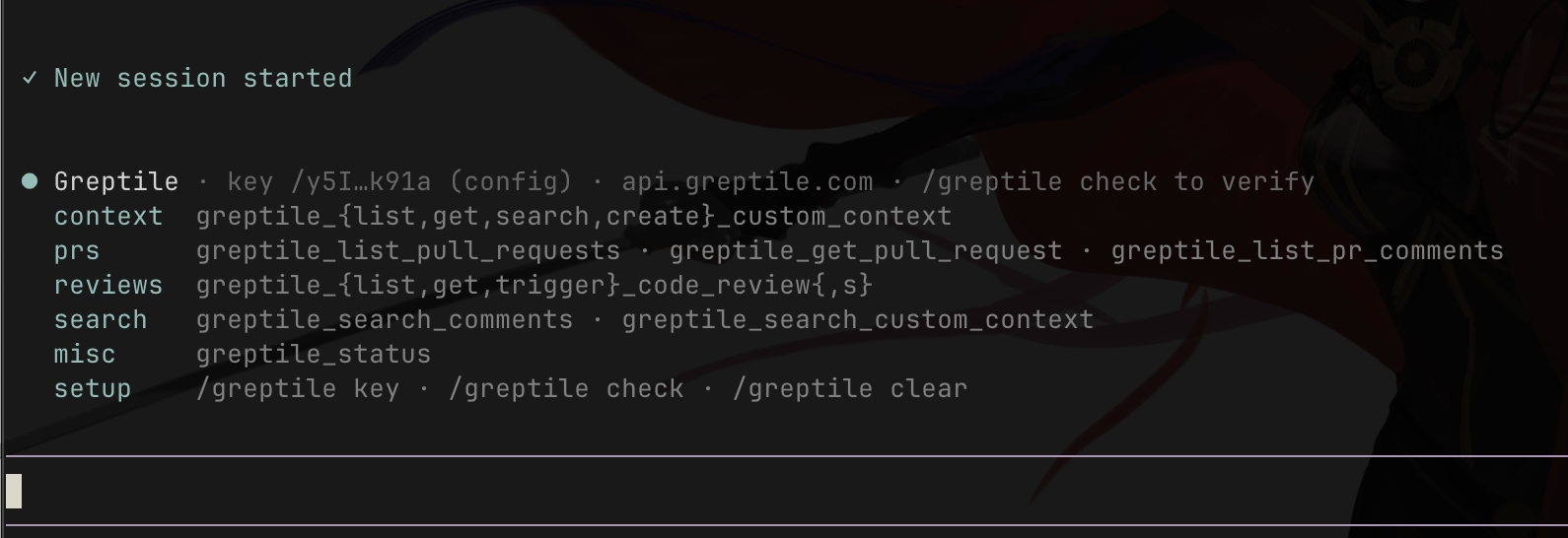
No MCP adapter, no extra process: the extension speaks JSON-RPC directly to Greptile's remote MCP endpoint, skipping the initialize handshake on Greptile's stateless server for faster calls.
● Greptile · connected — key /y5I…k91a (config) · api.greptile.com · 12 remote tools

  context  greptile_{list,get,search,create}_custom_context
  prs      greptile_list_pull_requests · greptile_get_pull_request · greptile_list_pr_comments
  reviews  greptile_{list,get,trigger}_code_review{,s}
  search   greptile_search_comments · greptile_search_custom_context
  misc     greptile_status
  setup    /greptile key · /greptile check · /greptile clear
Install
pi install npm:pi-greptile
# or straight from GitHub:
pi install git:github.com/phun333/pi-greptile
Setup (30 seconds)
Inside pi, run:
/greptile key
Paste your API key (from app.greptile.com → Settings → Organization → API Keys). The key is validated live and saved to ~/.pi/greptile.json with mode 0600.
Alternatives: export GREPTILE_API_KEY="...", or write ~/.pi/greptile.json manually:
{ "apiKey": "..." }
Self-hosted Greptile? Add an endpoint (https required):
{ "apiKey": "...", "endpoint": "https://greptile.internal.example.com/mcp" }
Commands
| Command | What it does |
|---|---|
/greptile |
Instant status panel: key info + all available tools (no network) |
/greptile key |
Interactive key setup with live validation |
/greptile check |
Verify connectivity and key against the live API (~1s) |
/greptile clear |
Remove the saved key |
Tools
| Tool | Purpose |
|---|---|
greptile_list_custom_context |
List org custom context (patterns & review instructions) |
greptile_get_custom_context |
Get one custom context entry by ID |
greptile_search_custom_context |
Search custom context by content |
greptile_create_custom_context |
Create a new pattern / instruction ⚠️ writes org state |
greptile_list_pull_requests |
List PRs (github/gitlab/bitbucket/perforce) |
greptile_get_pull_request |
Get PR details |
greptile_list_pr_comments |
List PR comments (filter Greptile-generated / addressed / date) |
greptile_list_code_reviews |
List AI code reviews (filter by repo, PR, status) |
greptile_get_code_review |
Get one code review in detail |
greptile_trigger_code_review |
Start a new AI review on a PR ⚠️ writes org state |
greptile_search_comments |
Search past Greptile review comments |
greptile_status |
Diagnostics: key validity + remote tool list |
Example prompts
- "List the open PRs Greptile has reviewed in owner/repo"
- "Get the latest code review for PR #42 and summarize unaddressed comments"
- "Search our custom context for anything about error handling"
- "Trigger a Greptile review on PR #10 of owner/repo"
FAQ
Why doesn't it show up under /mcp?
Because it isn't an MCP bridge — the tools are native pi tools (like read or bash), which means no gateway indirection, direct schemas for the model, and faster calls. See them via /greptile or pi config.
Is my key safe?
It's sent only to the configured Greptile endpoint over https, stored 0600, never logged, and always displayed masked. See SECURITY.md.
Contributing
PRs welcome — see CONTRIBUTING.md. Quick start:
git clone https://github.com/phun333/pi-greptile.git && cd pi-greptile
pi install ./
node --test test/*.test.ts