pi-hashline-readmap
Unified pi extension: hash-anchored read/edit/grep, structural code maps, AST-grep, file exploration (ls/find), and bash output compression
Package details
Install pi-hashline-readmap from npm and Pi will load the resources declared by the package manifest.
$ pi install npm:pi-hashline-readmap- Package
pi-hashline-readmap- Version
0.8.4- Published
- May 2, 2026
- Downloads
- 1,126/mo · 587/wk
- Author
- coctostan
- License
- MIT
- Types
- extension
- Size
- 632.4 KB
- Dependencies
- 8 dependencies · 3 peers
Pi manifest JSON
{
  "extensions": [
    "./index.ts"
  ]
}Security note
Pi packages can execute code and influence agent behavior. Review the source before installing third-party packages.
README
pi-hashline-readmap
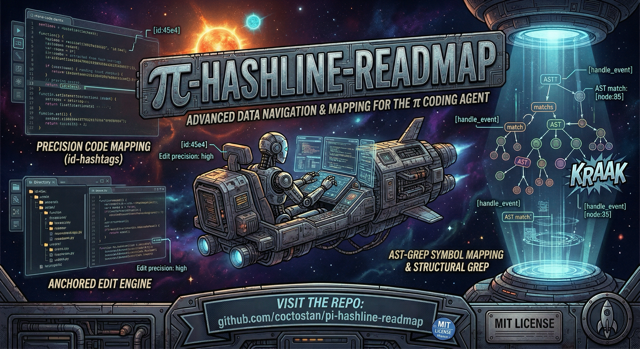


Upgrade pi's local coding workflow with hash-anchored reads and edits, structural file maps, symbol-aware navigation, structural search, agent-friendly file exploration, and compressed bash output.
pi-hashline-readmap is a drop-in pi extension. It replaces the stock read, edit, grep, ls, and find tools, provides an enhanced ast_search tool, registers write, adds an optional nu tool for structured exploration via Nushell, and post-processes bash output so more context budget goes to signal instead of noise.
It also reduces extension conflict risk by replacing several overlapping tool packages with one coordinated implementation.
Why use it?
- Keep edits tied to stable
LINE:HASHanchors instead of fragile line numbers. - Navigate large files with structural maps and direct symbol reads.
- Turn search results into edit anchors without an extra read step.
- Search code structurally with
ast_searchwhen text search is too brittle. - Explore files with agent-oriented
ls,find, and optionalnutools. - Compress noisy test, build, Git, Docker, linter, package-manager, HTTP, transfer, and generic command output.
- Use one extension instead of stacking overlapping
read,grep,edit, and Bash-output packages.
Installation
Requirements
- pi with extension support
- Node.js >= 20 for local development in this repository
From npm
pi install npm:pi-hashline-readmap
From GitHub
pi install git:github.com/coctostan/pi-hashline-readmap
From a local checkout
git clone https://github.com/coctostan/pi-hashline-readmap.git
cd pi-hashline-readmap
npm install
pi install .
Start a new pi session after installation. Running sessions do not hot-reload extension code or tool registrations.
Optional local tools
These tools are not required for the extension to load, but they unlock more capability or better output quality:
brew install nushell           # required for the nu tool
brew install ast-grep          # required for ast_search
brew install fd                # optional, speeds up find
brew install difftastic        # optional, improves semantic edit summaries
brew install shellcheck yq scc # optional, improves some bash-output compression paths
30-second example
The core workflow is: read a file, copy a LINE:HASH anchor, and edit against that verified anchor.
read({ path: "tests/fixtures/small.ts" })

# Example output:
45:4bf|export function createDemoDirectory(): UserDirectory {
edit({
  path: "tests/fixtures/small.ts",
  edits: [
    {
      set_line: {
        anchor: "45:4bf",
        new_text: "export function buildDemoDirectory(): UserDirectory {"
      }
    }
  ]
})
Before writing, edit verifies that anchor against the current file contents. If the file changed, it reports a mismatch instead of silently editing the wrong line.
Common workflows
Safely edit a line
Use read first, then pass the copied anchor to edit.
read({ path: "src/example.ts" })
edit({
  path: "src/example.ts",
  edits: [
    { set_line: { anchor: "12:abc", new_text: "const enabled = true;" } }
  ]
})
read, grep, ast_search, and write all return hashlined output that can feed follow-up edits.
Create a new file with write
write({ path: "src/new-module.ts", content: "export const demo = 1;\n" })
write creates parent directories automatically and returns hashlined output for immediate refinement.
Navigate a large file
read({ path: "src/hashline.ts", map: true })
read({ path: "tests/fixtures/small.ts", symbol: "createDemoDirectory" })
read({ path: "tests/fixtures/small.ts", symbol: "UserDirectory.addUser" })
Structural maps are appended automatically when large reads are truncated. The readmap supports 18 mapped language/file kinds, including TypeScript, JavaScript, Python, Rust, Go, Java, Swift, Shell, C/C++, Clojure, SQL, JSON/JSONL, Markdown, YAML, TOML, and CSV/TSV. Direct symbol reads can target functions, classes, methods, interfaces, type aliases, constants, and enums when the file type is supported.
Read a symbol with local support
read({ path: "tests/fixtures/small.ts", symbol: "createDemoDirectory", bundle: "local" })
Use bundle: "local" when you want the requested symbol plus direct same-file local support.
Search and patch
grep({ pattern: "createDemoDirectory", path: "tests/fixtures", literal: true })
grep({ pattern: "createDemoDirectory", path: "tests/fixtures", literal: true, scope: "symbol" })
grep({ pattern: "createDemoDirectory", path: "tests/fixtures", literal: true, scope: "symbol", scopeContext: 3 })
grep returns anchored matches, supports literal and regex search, can summarize matches with summary: true, and can scope output to enclosing symbols. Use scopeContext: 0 for only matching lines inside the resolved symbol block.
Replace a whole symbol
Use replace_symbol inside edit to swap an entire function, method, or class declaration by name — no anchors needed:
edit({
  path: "src/foo.ts",
  edits: [
    {
      replace_symbol: {
        symbol: "add",
        new_body: "export function add(a: number, b: number) {\n  return a + b + 1;\n}"
      }
    }
  ]
})
replace_symbol resolves the symbol with the same symbol-query syntax as read symbol:"..." for precise in-memory mappers currently registered for TypeScript, JavaScript, Rust, and Java. For files with multiple overloads of the same name, append @<line> to select the exact declaration:
replace_symbol: { symbol: "Foo.bar@42", new_body: "..." }
The new body is automatically re-indented to match the original symbol's leading indentation. After the write, the tree-sitter syntax-regression validator checks for net-new parse errors:
warn(default) — write succeeds; asyntax-regressionwarning is appended.block— write is aborted with thesyntax-regressionptc error code.off— validation skipped.
Set the mode with PI_HASHLINE_SYNTAX_VALIDATE=block|warn|off. See prompts/edit.md for the full replace_symbol contract, supported-language scope, Class.method@line disambiguation rules, and error-precedence ordering. See prompts/read.md for the broader read symbol:"..." lookup contract.
Search code structurally
ast_search({ pattern: "console.log($$$ARGS)", lang: "typescript", path: "src" })
ast_search wraps local ast-grep, returns merged anchored match blocks grouped by file, and is best for syntax-shaped queries rather than raw text matching.
Explore files
ls({ path: "src" })
find({ pattern: "*.ts", path: "src", maxDepth: 2 })
nu({ command: "open package.json | get scripts" })
ls shows one directory with directories first and dotfiles included. find performs recursive discovery, respects .gitignore, includes hidden files, and supports depth, regex, sort, mtime, and size filters. nu registers only when Nushell is installed and is useful for structured JSON, CSV, TOML, YAML, and filesystem inspection.
Handle noisy command output
The extension post-processes bash results to reduce noise while preserving useful output. Route-specific compression covers test runners, builds, compilers, Git, linters, Docker, package managers, HTTP clients, transfer tools, file-listing output, and oversized generic output.
Use PI_RTK_BYPASS=1 when route-specific compression hides something you need:
PI_RTK_BYPASS=1 npm test
PI_RTK_BYPASS=1 git log --stat
PI_RTK_BYPASS=1 does not disable the Bash context guard; very large raw output can still be replaced with a recoverable preview unless PI_HASHLINE_BASH_CONTEXT_GUARD=0 is also set. See docs/bash-output.md for the full layered behavior and recovery details.
Configuration
Most users do not need configuration. Use environment variables when you want to tighten visible grep output budgets, change where structural map caches are stored, disable persistent map caching, tune Bash output recovery, or enable context-hygiene debugging.
| Variable | Purpose | Default / behavior |
|---|---|---|
PI_HASHLINE_GREP_MAX_LINES |
Tighten grep's final visible line budget |
Positive base-10 integer; invalid/unset values use the built-in default; above-default values are clamped down |
PI_HASHLINE_GREP_MAX_BYTES |
Tighten grep's final visible byte budget |
Positive base-10 integer; invalid/unset values use the built-in default; above-default values are clamped down |
PI_HASHLINE_MAP_CACHE_DIR |
Override the persistent structural-map cache directory | Uses the provided path verbatim |
XDG_CACHE_HOME |
Base directory for the persistent map cache when no explicit cache dir is set | Cache lives under $XDG_CACHE_HOME/pi-hashline-readmap/maps |
PI_HASHLINE_NO_PERSIST_MAPS=1 |
Disable the on-disk structural-map cache | Keeps caching in-memory only |
PI_NUSHELL_CONFIG |
Override the Nushell config path used by nu |
Otherwise prefers ~/.config/pi/nushell/config.nu, then --no-config-file |
PI_RTK_BYPASS=1 |
Disable route-specific bash compression for one command invocation |
ANSI is still stripped; anti-pattern hints still apply; the Bash context guard can still trim oversized output |
PI_HASHLINE_BASH_CONTEXT_GUARD=0 |
Disable the Bash context guard and original-output restoration layer | Any value other than exact 0 leaves the default-on guard enabled |
PI_HASHLINE_BASH_CONTEXT_GUARD_MAX_LINES |
Tighten the post-RTK Bash guard line budget | Positive base-10 integer; invalid/unset values use 2000; above-default values are clamped down |
PI_HASHLINE_BASH_CONTEXT_GUARD_MAX_BYTES |
Tighten the post-RTK Bash guard byte budget | Positive base-10 integer interpreted as raw bytes; invalid/unset values use 51200; above-default values are clamped down |
PI_HASHLINE_BASH_CONTEXT_GUARD_HEAD_LINES |
Tighten the guarded preview head size | Positive base-10 integer; invalid/unset values use 80; above-default values are clamped down |
PI_HASHLINE_BASH_CONTEXT_GUARD_TAIL_LINES |
Tighten the guarded preview tail size | Positive base-10 integer; invalid/unset values use 120; above-default values are clamped down |
PI_CONTEXT_HYGIENE_DEBUG=1 |
Register the debug-only context_hygiene_report read-only tool |
Disabled unless explicitly set to 1 |
Advanced documentation
- docs/bash-output.md — Bash compression, original-output restoration, context-guard trimming, and bypass behavior.
- docs/structured-output.md —
details.ptcValue, structured error envelopes, and the exported PTC policy contract. - docs/context-hygiene.md — context-hygiene metadata, stale-context placeholders, and the debug report tool.
- docs/integrations.md — EventBus/global executor exposure for downstream integrations.
- exploratory functional testing — exploratory testing notes.
- prompts/ — tool prompt and schema documentation.
- CHANGELOG.md — release history.
PTC tool policy contract
The package exports HASHLINE_TOOL_PTC_POLICY and getHashlineToolPtcPolicy() for integrations. In that contract, read, grep, ls, and find are safe-by-default and read-only; ast_search and nu are opt-in and read-only; edit is not safe-by-default and is mutating. pi-prompt-assembler may optionally consume this contract when deciding which helpers to expose.
EventBus integration
On extension load, the executor map is emitted with pi.events.emit("hashline:tool-executors", toolExecutors) and also assigned to globalThis.__hashlineToolExecutors. The core executor surface includes read, edit, grep, ast_search, write, ls, and find, plus nu when Nushell is available at runtime.
Project Structure
index.ts                  # extension entry point
src/
  read.ts                 # read tool implementation
  edit.ts                 # edit tool implementation
  grep.ts                 # grep tool implementation
  sg.ts                   # ast-grep wrapper
  write.ts                # write tool implementation
  ls.ts                   # single-directory listing
  find.ts                 # recursive discovery
  nu.ts                   # Nushell integration
  readmap/                # structural mapping and symbol lookup engine
  rtk/                    # bash output compression pipeline
prompts/                  # tool prompt/schema docs
tests/                    # Vitest suite
docs/                     # project notes and reference docs
scripts/                  # helper scripts used by readmap internals
Development
Install dependencies:
npm install
Validate the workspace:
npm test
npm run typecheck
Release candidates should also pass an npm package dry run:
npm pack --dry-run
Before publishing or opening a PR, run the workspace checks above from a clean checkout.
This repository is intended to be used as a pi extension workspace. New agent sessions pick up local extension edits from the checkout, but running sessions do not hot-reload the module graph. Restart the agent session after changing extension code.
For project-specific development workflow details, see AGENTS.md.
Contributing
PRs are welcome. If you change tool behavior or output contracts:
- update the relevant tests in
tests/ - update prompt docs in
prompts/when user-visible contracts change - update
README.mdwhen installation, usage, or output semantics change materially - follow repository workflow notes in AGENTS.md
Credits
Combines and adapts ideas from:
- pi-hashline-edit — hash-anchored editing
- pi-read-map — structural file maps
- pi-rtk — bash output compression
License
This project is licensed under the MIT License — see the LICENSE file for details.