pi-hashline-readmap
Unified pi extension: hash-anchored read/edit/grep, structural code maps, AST-grep, file exploration (ls/find), and bash output compression
Package details
Install pi-hashline-readmap from npm and Pi will load the resources declared by the package manifest.
$ pi install npm:pi-hashline-readmap- Package
pi-hashline-readmap- Version
0.14.0- Published
- Aug 18, 2026
- Downloads
- 2,293/mo · 585/wk
- Author
- coctostan
- License
- MIT
- Types
- extension
- Size
- 881.7 KB
- Dependencies
- 8 dependencies · 3 peers
Pi manifest JSON
{
  "extensions": [
    "./index.ts"
  ]
}
Security note
Pi packages can execute code and influence agent behavior. Review the source before installing third-party packages.
README
pi-hashline-readmap
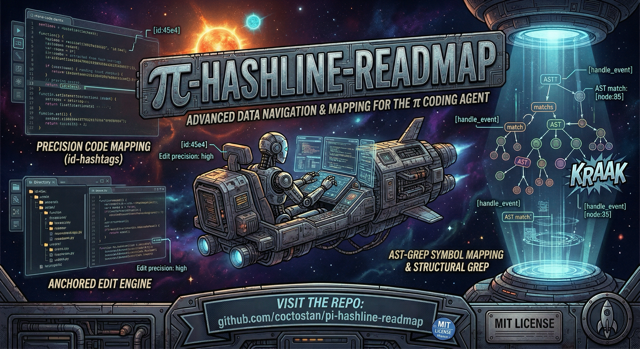


Upgrade Pi's local coding workflow with hash-anchored reads and edits, structural navigation, safer file exploration, and quieter command output.
pi-hashline-readmap replaces Pi's read, edit, grep, write, ls, and find; adds enhanced ast_search; optionally adds nu; and post-processes bash.
Install
pi install npm:pi-hashline-readmap
Requires Pi extension support and Node.js 22.19 or newer. Start a new Pi session after installing; sessions do not hot-reload extensions.
Validated compatibility baseline
Development, schema validation, and extension-load testing use the exact Pi version resolved by package-lock.json, currently Pi 0.84.2, with TypeBox 1.3.7. Pi provides @earendil-works/pi-coding-agent, @earendil-works/pi-tui, and typebox to loaded extensions, so those host-bundled packages intentionally retain "*" peer ranges; the development dependencies and lockfile record the versions validated by this repository.
Run the compatibility coverage through the normal test suite or by itself:
npm test
npm test -- tests/pi-extension-load-compatibility.test.ts
npm run typecheck
The extension and the exact Pi host version resolved by package-lock.json share one Node.js engine baseline, currently Node.js 22.19 or newer. The loader compatibility test verifies that this package's engines.node declaration stays identical to the installed locked Pi host package's declaration.
To advance the compatibility baseline, update the Pi development dependency ranges in package.json and refresh package-lock.json with npm install, reviewing both changes together. Then run the focused compatibility test, the full npm test suite, and npm run typecheck before committing the update. Do not narrow the Pi-hosted wildcard peer ranges to encode the baseline.
# alternatives
pi install git:github.com/coctostan/pi-hashline-readmap

git clone https://github.com/coctostan/pi-hashline-readmap.git
cd pi-hashline-readmap
npm install
pi install .
30-second read/edit
Create a disposable file, read it, and copy the returned LINE:HASH anchor:
write({ path: "hashline-demo.txt", content: "hello, hashline!\n" })
read({ path: "hashline-demo.txt" })
1:f0c|hello, hashline!
Edit against that verified content:
edit({
  path: "hashline-demo.txt",
  edits: [{ set_line: { anchor: "1:f0c", new_text: "hello, anchored edits!" } }]
})
If the file changed between read and edit, the edit reports a mismatch instead of touching the wrong line. Delete hashline-demo.txt when finished.
Why use it?
- Tie edits to content-derived anchors rather than fragile line numbers.
- Jump to symbols, request maps, and include direct same-file support.
- Turn
grepandast_searchresults into edit-ready anchors. - Read supported images through Pi attachments.
- Create with
write; explore withls,find, or optional Nushell. - Compress noisy test, build, Git, Docker, linter, package-manager, and generic command output while retaining recovery paths.
- Use one coordinated extension instead of stacking overlapping read, grep, edit, and Bash-output packages.
Common workflows
Edit safely
Get fresh anchors from read, grep, ast_search, or write, then use set_line, replace_lines, or insert_after. replace is an exact-text escape hatch. Deletion, overlap rejection, whole-symbol replacement, syntax checks, atomic writes, and structured diffs live in tool behavior and structured output.
Navigate large files
read({ path: "src/hashline.ts", map: true })
read({ path: "src/read.ts", symbol: "registerReadTool", limit: 80 })
read({ path: "tests/fixtures/small.ts", symbol: "createDemoDirectory", map: true })
read({ path: "tests/fixtures/small.ts", symbol: "createDemoDirectory", limit: 2, bundle: "local", map: true })
A symbol can combine with limit, map: true, and bundle: "local". symbol+offset is invalid, and bundle without symbol is invalid. Truncated full-file reads append a map when available. Dedicated mapper/runtime details are in configuration and dependencies.
Search and explore
grep({ pattern: "createDemoDirectory", path: "tests", literal: true })
grep({ pattern: "createDemoDirectory", path: "tests", summary: true })
grep({ pattern: "createDemoDirectory", path: "tests", scope: "symbol", scopeContext: 3 })
ast_search({ pattern: "console.log($$$ARGS)", lang: "typescript", path: "src", limit: 100 })
write({ path: "src/new-module.ts", content: "export const demo = 1;\n" })
ls({ path: "src", glob: "*.ts" })
find({ pattern: "*.test.ts", path: "tests", maxDepth: 2 })
nu({ command: "open package.json | get scripts" })
Normal grep output has anchors; summary mode has counts only. ls lists one directory, find recurses by basename and respects .gitignore, and nu registers only when Nushell is available.
Bash output
PI_RTK_BYPASS=1 skips route compression, but the default-on context guard can still trim oversized output. See Bash compression and recovery for routes, limits, snapshots, bypass behavior, and metadata.
Configuration
Most users need none. Global settings live at ~/.pi/agent/hashline-readmap/settings.json; project settings at .pi/hashline-readmap/settings.json; environment variables win. See configuration and local dependencies.
Structured output and integrations
Results retain readable text and additive details.ptcValue records. See structured output and PTC policy. Executors are announced through EventBus and globalThis; see integration surfaces.
Context hygiene
Hashline tracks file, symbol, and command resources, signals staleness forward-only, and keeps hard anchor checks at edit time. See context-hygiene metadata.
Provider-visible metadata
Compact descriptions, parameter descriptions, snippets, and guidelines are provider-visible; full prompt bodies are detailed references. See the constraint inventory and measured diagnosis.
Documentation
Advanced behavior and integration contracts are documented in the references below.
- Bash output and recovery
- Configuration and dependencies
- Context hygiene
- Integration surfaces
- Structured output and tool behavior
- Provider-visible metadata and diagnosis
- Exploratory functional testing
- Tool prompt references
- Changelog
Development
npm install
npm test
npm run typecheck
npm pack --dry-run
Project layout:
index.ts                  # extension entry point
src/
  read.ts                 # hashlined reads and maps
  edit.ts                 # anchored edits
  grep.ts                 # anchored text search
  sg.ts                   # ast-grep wrapper
  write.ts                # complete writes
  ls.ts / find.ts / nu.ts # file exploration
  readmap/                # structural mapping and symbol lookup
  rtk/                    # Bash output compression
prompts/                  # detailed tool references
docs/                     # advanced user and integration references
tests/                    # Vitest suite
Restart Pi after source changes. See AGENTS.md.
Contributing
PRs are welcome. Update focused tests, prompt references, public docs, and mapper cache versions when contracts change.
Credits
- pi-hashline-edit — hash-anchored editing
- pi-read-map — structural file maps
- pi-repo-map — repository-map and tree-sitter inspiration
- pi-rtk — Bash output compression
License
MIT. See LICENSE.