pi-herdsman
Asynchronous Pi subagents and agent fleet orchestration for parallel coding agents with nested delegation, background work, and supervision in herdr.
Package details
Install pi-herdsman from npm and Pi will load the resources declared by the package manifest.
$ pi install npm:pi-herdsman- Package
pi-herdsman- Version
0.22.0- Published
- Oct 8, 2026
- Downloads
- 8,487/mo · 1,538/wk
- Author
- boadij
- License
- Apache-2.0
- Types
- extension, skill
- Size
- 3.5 MB
- Dependencies
- 0 dependencies · 4 peers
Pi manifest JSON
{
  "image": "https://raw.githubusercontent.com/boadij/pi-herdsman/main/docs/assets/thumbnail.webp",
  "skills": [
    "./SKILL.md",
    "./skills"
  ],
  "extensions": [
    "./dist/index.js"
  ]
}
Security note
Pi packages can execute code and influence agent behavior. Review the source before installing third-party packages.
README
Pi Herdsman 🐏




The orchestration layer between Pi and herdr.
Pi Herdsman turns independent Pi sessions into a coordinated agent system, from one background Agent to parallel branch-based project work. Pi owns each coding-agent conversation; herdr owns processes, panes, workspaces, and worktree placement; Herdsman connects them through delegation, ownership, supervision, and project orchestration.
Demo
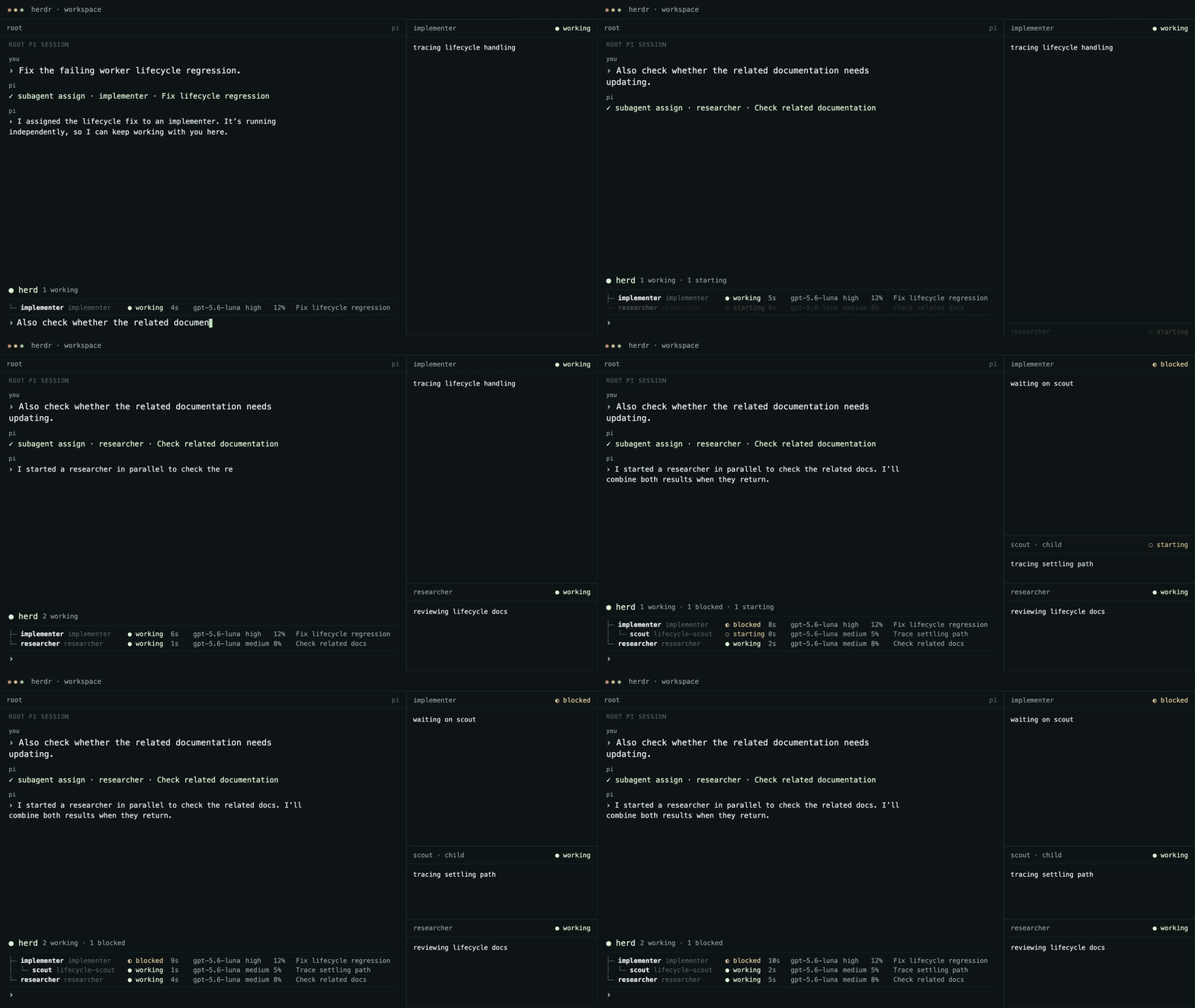
Concept animation, not a live recording.
What Pi Herdsman gives you
- Background Agents. Delegate bounded work without blocking the Lead conversation.
- Parallel and nested delegation. Run independent work concurrently and let explicitly enabled Agents delegate their own bounded subtasks.
- Project orchestration. A Manager coordinates durable branch-based work across independent Leads and their Agent trees.
- Direct supervision. Chief, Manager, Lead, and Agent responsibilities stay explicit instead of collapsing into one global controller.
- Owned usage visibility. Inspect Pi-native token usage and cost for the current session and its transitively owned managed Agents. An active Manager also sees the Leads in its current durable project assignments and their owned Agent trees.
- Your workflow stays yours. Bring your own Agent definitions, models, tools, skills, extensions, and development process.
Quick start
On Linux or macOS, install the released Pi, herdr, and Pi Herdsman stack:
curl -fsSL https://raw.githubusercontent.com/boadij/pi-herdsman/main/install.sh | shSee Getting started for the tested runtime baselines and how the bootstrap handles newer Pi and herdr versions.
If you already manage Pi and herdr yourself:
pi install npm:pi-herdsman
herdr integration install pi
Start herdr in your project, then start Pi inside its pane:
herdr
pi
Delegate naturally:
Use scout to inspect the authentication flow.The Agent runs asynchronously while the Lead conversation stays available. Open the human Agent-management surface at any time with:
/agentsIt also exposes Session stats for the current Pi session and its owned Agent sessions; in active Manager mode, it includes current assigned project Leads and their owned Agent trees.
See Getting started for prerequisites, configuration, observability, and the complete first-use path.
From one Agent to a project
A normal Pi session is a Lead. It owns the Agents it delegates:
You ↔ Lead
      ├─ Agent
      │  └─ Agent
      └─ Agent
For independent project work, an eligible Lead can enter Manager mode. Managers coordinate Leads instead of implementing through Agents themselves:
You ↔ Manager
      ├─ Lead → Agents
      └─ Lead → Agents
A Chief is an optional runtime-wide supervisor above Managers. Without an active Manager for a project, Chief can directly supervise its ordinary Leads.
The important boundaries are:
supervision: Chief → Manager → Lead
ownership: Lead → Agent → Agent
Project work is durable by Git branch. It does not belong to the Manager session that happened to start it, so work can be paused, resumed, completed, or reconciled across Manager turnover.
See Coordination for the mental model and Project orchestration for the Manager workflow.
Choose your next step
| Goal | Start here |
|---|---|
| Install and delegate your first task | Getting started |
| Run independent branch-based project work | Project orchestration |
| Understand roles, ownership, and authority | Coordination |
| Customize Agents | Agent definitions |
| Build against the model-facing tools | Coordination API |
| Deploy an SSH-ready environment | Container deployment |
| Contribute to Pi Herdsman | Documentation index |
Community
Questions, workflows, examples, and ideas are welcome in GitHub Discussions.
For reproducible bugs and concrete actionable work, use GitHub Issues.