pi-history-tree
Read-only user-message history tree and transcript reader for pi
Package details
Install pi-history-tree from npm and Pi will load the resources declared by the package manifest.
$ pi install npm:pi-history-tree- Package
pi-history-tree- Version
0.1.1- Published
- Oct 23, 2026
- Downloads
- 517/mo · 517/wk
- Author
- jxzxiao5
- License
- MIT
- Types
- extension
- Size
- 705.7 KB
- Dependencies
- 0 dependencies · 2 peers
Pi manifest JSON
{
  "extensions": [
    "./src/index.js"
  ]
}
Security note
Pi packages can execute code and influence agent behavior. Review the source before installing third-party packages.
README
pi-history-tree
Revisit earlier conversations without losing your place.
English · 简体中文
Never lose your place in a long Pi conversation
You ask your agent to create a roadmap for understanding a codebase. Then you dive into the first module, inspect implementations, follow function calls, and ask dozens of questions.
When you're ready to move on, the original roadmap is buried hundreds of lines above.
pi-history-tree lets you jump back to that roadmap, read the original response, and return to where you left off—without scrolling through the transcript or changing your session.
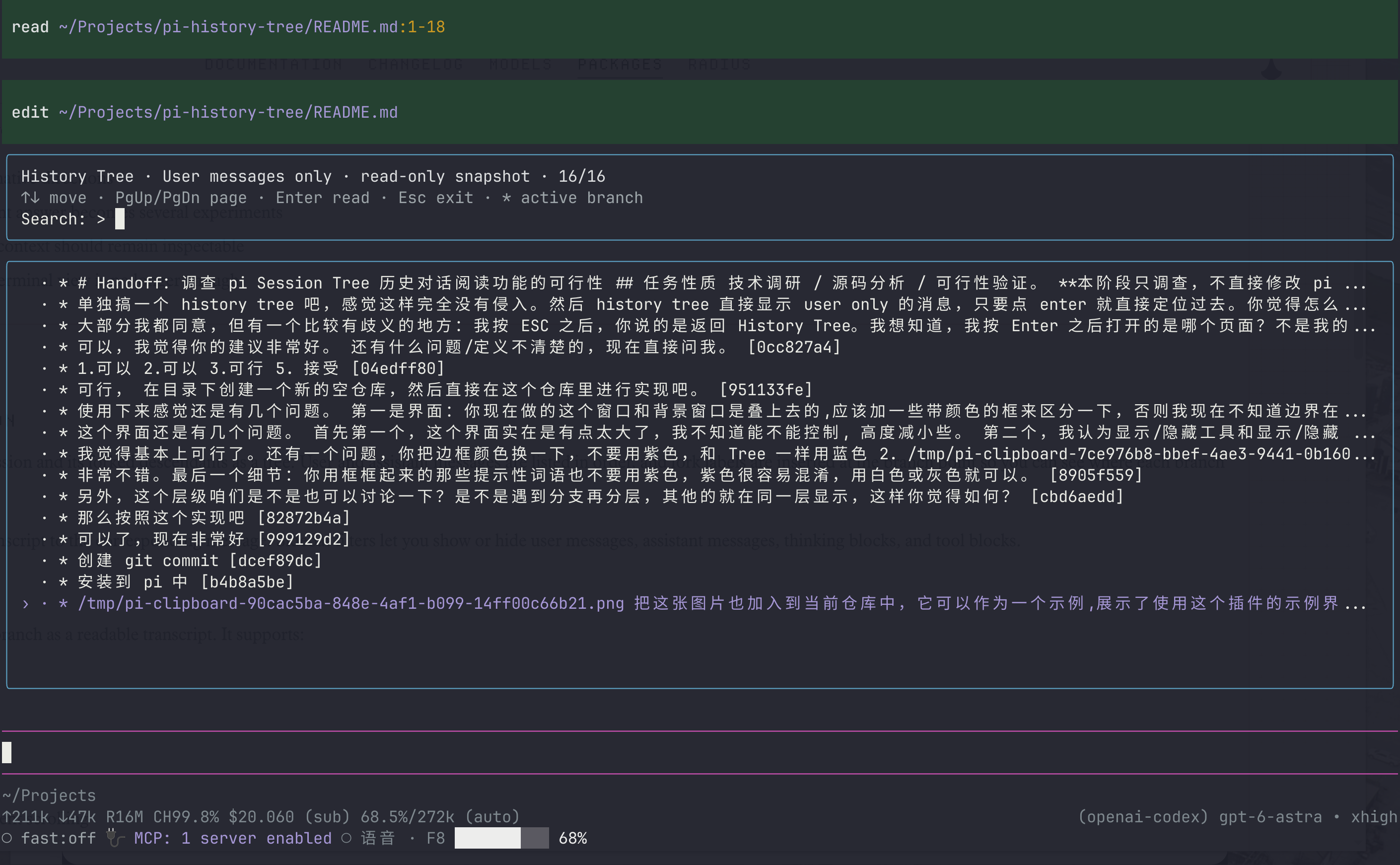
Use /history-tree to browse your previous questions and open the conversation at any selected question. Press Esc to return to the question list, then Esc again to resume your ongoing work.
Your exploration keeps moving forward. Your earlier context stays easy to revisit.
Find the question. Read the answer. Keep going.
- Search what you remember asking. You probably remember “help me plan a reading route through this repository,” not the exact wording of the agent's answer. The list shows only your messages, making that starting point easy to find.
- Read the result, not the execution log. Open a question to see your input and its final reply. Roadmaps, architecture explanations, and summaries stay readable, with thinking, tool calls, and intermediate steps hidden by default.
- Return without losing your place. Reading does not move your active session position, create a branch, rerun a task, or send a model request. Your search and selection stay intact when you return to the list.
- Inspect the process when you need it.
Ctrl+Preveals the full recorded process, including tools, thinking, and compaction summaries.
How is it different from pi’s built-in Tree?
Use pi's built-in /tree when you want to navigate to another point in the session and continue from there. Use /history-tree when you just want to revisit an earlier answer and then carry on with your current work.
The extension opens a separate read-only viewer rather than switching your active branch. It follows one branch at a time, without mixing conversations. Consecutive messages stay at the same indentation level; only forks add a level.
It does not modify pi's core or replace /tree.
Installation
Requires pi. Tested with @earendil-works/pi-coding-agent 1.4.0.
Install from npm (recommended)
Install the published package directly—no repository checkout required:
pi install npm:pi-history-treeTo pin a specific release:
pi install npm:pi-history-tree@0.1.0In an existing pi session, run /reload. New pi sessions load the extension automatically.
Install from a local checkout (for development)
If you want to modify the extension, clone or download this repository and run the following from the repository directory:
pi install .This registers the local package in your user-level pi configuration. Keep the repository in place: pi loads it directly from that directory.
In an existing pi session, run /reload. New pi sessions load the extension automatically.
Try it without installing
Try the npm package for a single pi invocation:
pi -e npm:pi-history-treeOr try your local checkout:
pi -e /absolute/path/to/pi-history-tree/src/index.jsBoth load the extension for that invocation only, without changing your configuration.
If switching from a local installation to npm, remove the local registration first to avoid loading both sources:
pi remove /absolute/path/to/pi-history-tree
pi install npm:pi-history-tree
This removes the pi registration, not your repository directory.
Usage
Run this inside pi:
/history-tree- Search for something you asked earlier—for example, “roadmap”—then use ↑ / ↓ to select the question.
- Press Enter to read the original response, starting at that question.
- Scroll through the conversation with ↑ / ↓ or PgUp / PgDn.
- Press Esc to return to the tree, then Esc again to close it.
If the selected message belongs to the active branch, that branch opens directly. Otherwise, if multiple continuations exist, you choose which one to read. * marks messages on the active branch.
Controls
History Tree
- Type to search; Backspace edits the query. Search also matches message IDs.
- ↑ / ↓ selects a message; PgUp / PgDn moves by a page.
- Enter opens the reader; Esc exits even when a search query is present.
Reader
- ↑ / ↓ scrolls; PgUp / PgDn turns pages; Home / End jumps to the beginning or end.
- Ctrl+P toggles between prompts + final replies and the full process.
- Esc returns to the tree.
Notes
- “Final reply” is inferred from recorded completion status, not generated by a model. Incomplete or unconfirmed replies show a short notice; use Ctrl+P to inspect the original process.
- Images appear as placeholders. Tool output is limited to what was saved; output truncated before saving cannot be recovered.
- The reader uses a snapshot. If the agent is still running, it continues normally; close and reopen the browser to see newer messages.
License
MIT © 2026 JXZxiao5.