pi-icarus-hook
Thin Pi lifecycle bridge to local Hermes/Icarus Memory OS hooks and tools
Package details
Install pi-icarus-hook from npm and Pi will load the resources declared by the package manifest.
$ pi install npm:pi-icarus-hook- Package
pi-icarus-hook- Version
0.5.1- Published
- Jun 18, 2026
- Downloads
- 787/mo · 787/wk
- Author
- ryu-cz
- License
- MIT
- Types
- extension
- Size
- 140.2 KB
- Dependencies
- 0 dependencies · 1 peer
Pi manifest JSON
{
  "extensions": [
    "./src/index.ts"
  ],
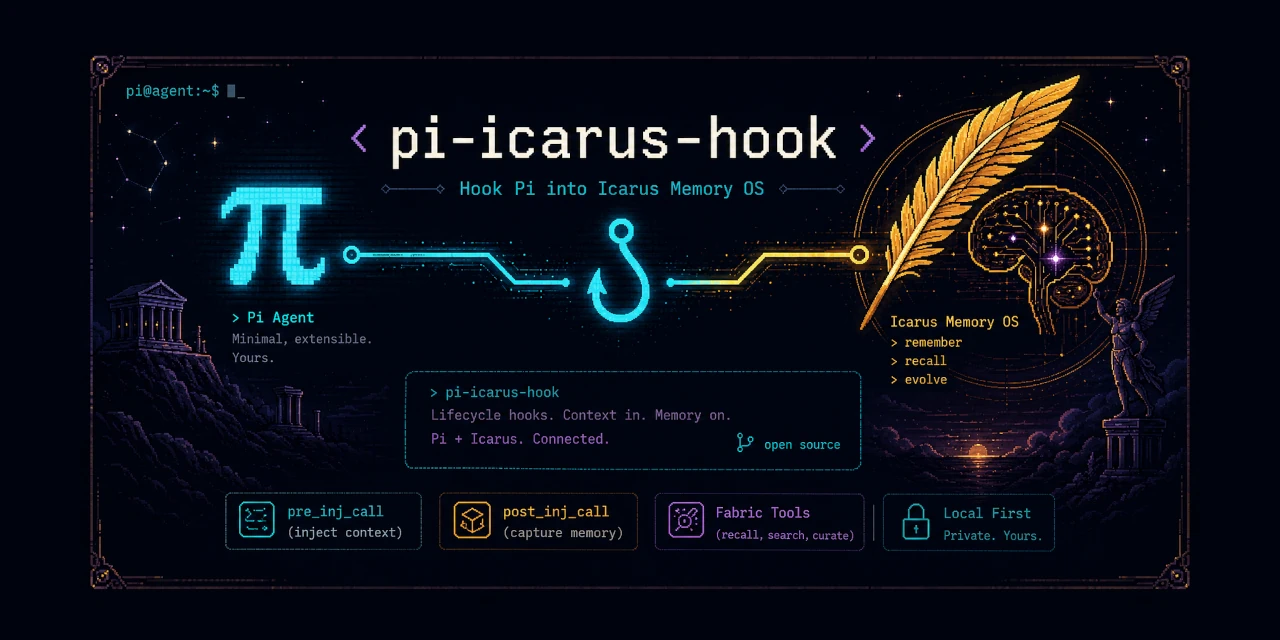
  "image": "https://raw.githubusercontent.com/Ryu-CZ/pi-icarus-hook/main/media/banner.webp"
}
Security note
Pi packages can execute code and influence agent behavior. Review the source before installing third-party packages.
README
pi-icarus-hook
Binds Pi to an existing Hermes/Icarus Memory OS.
Use this when you want Pi to get the same ambient memory behavior Hermes gets from Memory OS - Icarus: retrieve context before an answer, capture useful exchanges afterward, and expose normal Fabric tools.
Requires the Memory OS ecosystem to hook into.
At a glance
- Thin bridge: Pi lifecycle events -> Icarus hooks.
- Memory is automatic: context is injected before the model answers.
- Injected context is visible by default; hide it per-session with
/icarus context hide. /icaruscontrols memory hooks, context visibility, defaults, and inspection.- Pi footer shows
🪽 Icaruswhile ambient memory hooks are active. - Normal Fabric tools are enabled by default: write, recall, search, pending, curate, brief, Obsidian init.
- Admin/training tools are implemented but hidden by default: export, train, eval, switch model, rollback, telemetry, report.
- Not included: raw Qdrant/Redis/worker controls, ingestion queues, reflection controls, or ground-truth editing.
- Persistent Python worker: required so Icarus keeps per-session state across hook calls.
Example experience
A Pi session starts. pi-icarus-hook calls Icarus, receives any relevant session or memory context, and injects it into Pi before the model answers.
User prompt
  -> Pi before_agent_start
    -> pi-icarus-hook
      -> Icarus pre_llm_call(...)
        -> Fabric / sessions / Memory OS context lookup
      <- { "context": "relevant memories..." }
  -> Pi model answers with that context available
After the answer, the extension calls Icarus again so useful exchanges can be captured and later persisted.
Default UI: injected context is visible, and the footer shows 🪽 Icarus while hooks are active.
Install
Install the package into Pi:
pi install npm:pi-icarus-hook
Usage
Start Pi normally:
pi
For a one-shot prompt:
pi -p "What is the last project we worked on?"
Commands
| Command | Effect |
|---|---|
/icarus |
Toggle memory hooks for this session |
/icarus on / /icarus off / /icarus status |
Control memory hooks |
/icarus context |
Toggle injected context visibility for this session |
/icarus context show / /icarus context hide / /icarus context status |
Control context visibility now |
/icarus context default show / /icarus context default hide / /icarus context default status |
Control startup default for future sessions |
/icarus context default hide project |
Write .pi/settings.json |
/icarus context default hide global |
Write ${PI_CODING_AGENT_DIR:-~/.pi/agent}/settings.json |
/icarus config |
Print effective config |
/icarus schema |
Print settings schema |
Runtime toggles are session-local. Default toggles write settings and apply on next Pi start. Use both if you want now + future:
/icarus context hide
/icarus context default hide
The read-only agent tool is icarus_hook_config.
To hide injected context by default in JSON instead:
{
  "piIcarusHook": {
    "contextDisplay": false
  }
}
Requirements
- Node.js 22 or newer.
- Python available as
python3, or setICARUS_PYTHON. - A local Icarus checkout. By default this is expected at
~/.hermes/plugins/icarus. - Any Memory OS, Qdrant, SQLite, or LLM dependencies required by the Icarus hooks you call.
Configuration
Most setups need little or no configuration if Hermes/Icarus uses the standard local layout.
Pi extension behavior is read in this order:
- Project settings at
.pi/settings.json. - Global Pi agent settings at
${PI_CODING_AGENT_DIR:-~/.pi/agent}/settings.json. - Built-in defaults.
Environment variables are only used for external Hermes/Icarus runtime paths and identity, not for Pi UI/tool/hook behavior.
Use piIcarusHook or pi-icarus-hook in Pi settings:
{
  "piIcarusHook": {
    "icarusDir": "~/.hermes/plugins/icarus",
    "hermesHome": "~/.hermes",
    "fabricDir": "~/fabric",
    "agent": "pi-agent",
    "platform": "pi",
    "hooks": true,
    "tools": true,
    "adminTools": false,
    "timeoutMs": 30000,
    "contextDisplay": true,
    "footerStatus": "🪽 Icarus"
  }
}
To customize the footer label globally, put this in ${PI_CODING_AGENT_DIR:-~/.pi/agent}/settings.json:
{
  "piIcarusHook": {
    "footerStatus": "🪽 Icarus"
  }
}
The Pi-specific keys platform, hooks, tools, adminTools, timeoutMs, contextDisplay, and footerStatus are intentionally Pi-settings-only. They are not read from environment variables because they control Pi adapter/UI/tool behavior, not the external Icarus/Hermes runtime.
Pi settings:
| Setting | Default | Purpose |
|---|---|---|
platform |
pi |
Platform label passed to Icarus hooks |
hooks / bindHooks |
true |
Register lifecycle hooks |
tools / registerTools |
true |
Register normal Fabric tools |
adminTools / registerAdminTools |
false |
Register admin/training tools |
timeoutMs / callTimeoutMs |
30000 |
Timeout for each Icarus worker call |
contextDisplay (hiddenDisplay legacy alias) |
true |
Show injected context instead of hiding it |
footerStatus / statusLabel |
🪽 Icarus |
Footer text shown while ambient hooks are active |
Typical variables:
| Variable | Default | Purpose |
|---|---|---|
ICARUS_DIR |
~/.hermes/plugins/icarus |
Local Icarus Python package directory |
HERMES_HOME |
~/.hermes when it exists |
Hermes home for Icarus state files |
HERMES_AGENT_NAME |
inferred from .hermes-<agent>, else pi-agent |
Agent name passed to Icarus |
FABRIC_DIR |
~/fabric |
Shared Fabric markdown directory |
Advanced variables:
| Variable | Default | Purpose |
|---|---|---|
ICARUS_PYTHON |
python3 |
Python executable for the worker |
STATE_DB_PATH / HERMES_STATE_DB |
unset | Optional explicit Hermes session SQLite path |
FABRIC_PROJECT_ID |
current directory name | Project id passed to Icarus writes/retrieval |
Boolean values accept false, 0, no, off, and disabled as false.
Inspection
For machine-readable inspection, the extension exports CONFIG_SCHEMA from src/config-schema.ts and exposes:
/icarus config— effective config and settings snippet./icarus schema— supported settings schema.icarus_hook_config— read-only agent tool with the same schema/effective config.
/icarus config, /icarus schema, and icarus_hook_config are read-only. /icarus context default ... is the explicit settings-writing path and reports the changed file.
What is included
pi-icarus-hook exposes the Icarus/Fabric surface that is safe and useful inside a normal Pi coding session.
Ambient memory hooks
These run automatically when Pi emits lifecycle events:
| Pi event | Icarus hook | Behavior |
|---|---|---|
session_start |
icarus.hooks.on_session_start() |
Injects startup context when returned |
before_agent_start |
icarus.hooks.pre_llm_call() |
Injects per-turn memory context when returned |
agent_end |
icarus.hooks.post_llm_call() |
Captures decisions and updates Icarus session state |
session_shutdown |
icarus.hooks.on_session_end() |
Scores and persists the session, then closes the worker |
The hook path is the recommended default. The model does not need to remember to call a tool before every answer; memory is injected as infrastructure. Use /icarus off to stop loading/saving memory for the current session, or /icarus context hide to keep hooks active but hide injected context.
Normal Fabric tools, enabled by default
These are regular work-session tools and are safe to expose to Pi agents by default:
fabric_write— write a structured entry into shared Fabric memory.fabric_recall— ranked retrieval of relevant Fabric memories by query.fabric_search— literal keyword search across Fabric entries.fabric_pending— list open tasks, reviews, and tickets assigned through Fabric.fabric_curate— update an entry's training value:high,normal, orlow.fabric_brief— summarize pending work, recent Fabric activity, other agents' work, and suggested next action.fabric_init_obsidian— initialize Fabric as an Obsidian-readable vault.icarus_hook_config— inspect this extension's config schema and effective config.
Admin and training Fabric tools, disabled by default
These tools can export training data, start model training, evaluate models, or switch/rollback the active model. They are implemented, but hidden from Pi unless explicitly enabled:
fabric_report— report corpus health and trainable-memory statistics.fabric_telemetry— show recall/reuse telemetry.fabric_export— export Fabric entries as fine-tuning JSONL training pairs.fabric_train— start a Together AI fine-tuning job from Fabric data.fabric_train_status— check status of a Fabric/Together fine-tuning job.fabric_models— list fine-tuned models trained from Fabric.fabric_eval— evaluate a replacement model against Fabric-derived eval prompts.fabric_switch_model— switch the active agent model to an evaluated replacement.fabric_rollback_model— restore the previous model config from backup.
Keep these hidden from Pi by default. They are operational controls, not normal coding-session memory tools. Hermes can keep them available for the main controller/operator, while Pi agents should only receive them when you intentionally enter admin mode.
Enable them only when needed in .pi/settings.json or global Pi settings:
{
  "piIcarusHook": {
    "adminTools": true
  }
}
What is not included
This package is not:
- a Memory OS client;
- a Qdrant, SQLite, or Fabric reimplementation;
- a replacement for Icarus;
- an orchestrator for Hermes internals;
- a Memory OS admin console.
It also does not expose lower-level Memory OS infrastructure controls. If those are needed, they should live in a separate optional admin extension rather than in this thin hook bridge.
Examples of intentionally absent admin/diagnostic surfaces:
- raw Qdrant/vector search
- Redis queue inspection
- worker health controls
- ingestion/reflection enqueue and retry controls
- ground-truth promotion or editing
- last injected context inspection
Keeping this package narrow avoids tool-name conflicts, reduces accidental destructive operations, and preserves the boundary: Pi calls Icarus; Icarus owns Memory OS behavior.
How it works
Simple cascade:
Pi event
  -> pi-icarus-hook
    -> icarus.hooks.pre_llm_call(...)
      -> Icarus internally uses Fabric / Qdrant / SQLite / Memory OS pieces
Context-returning hooks are injected back into Pi as visible messages by default:
Icarus returns {"context": "..."}
  -> pi-icarus-hook wraps it as a Pi message
    -> Pi receives the memory context with display: true
The persistent Python worker is intentional. Icarus keeps per-session dedupe sets and state.exchanges in Python module globals, so hook calls must share one long-lived Python process.
If Memory OS changes behind Icarus, pi-icarus-hook should not need to change unless Icarus hook or tool signatures change.
Verify
Run the package tests:
npm test
The smoke tests verify that Fabric tools pass through to Icarus and that hook session state persists across calls in the Python worker.
Developer install
From a local checkout:
npm install
npm run build
Load this checkout directly:
pi --no-extensions -e ./src/index.ts
For a one-shot local smoke test without other installed extensions:
pi --no-extensions -e ./src/index.ts -p "What is the last project we worked on?"
The package declares its Pi extension entry and gallery image in package.json:
{
  "pi": {
    "extensions": ["./src/index.ts"],
    "image": "https://raw.githubusercontent.com/Ryu-CZ/pi-icarus-hook/main/media/banner.webp"
  }
}