pi-inspector
Inspect the current pi session: live system prompt and full transcript dashboard in the browser
Package details
Install pi-inspector from npm and Pi will load the resources declared by the package manifest.
$ pi install npm:pi-inspector- Package
pi-inspector- Version
0.1.3- Published
- Sep 9, 2026
- Downloads
- 637/mo · 205/wk
- Author
- linkduan
- License
- MIT
- Types
- extension
- Size
- 712.9 KB
- Dependencies
- 4 dependencies · 1 peer
Pi manifest JSON
{
  "extensions": [
    "./src/index.ts"
  ],
  "image": "https://raw.githubusercontent.com/link-duan/pi-inspector/main/assets/pi-inspect-example.png"
}Security note
Pi packages can execute code and influence agent behavior. Review the source before installing third-party packages.
README
pi-inspector
Inspect the current pi session in your browser: live system prompt, full transcript with every internal field, commands, and tools.
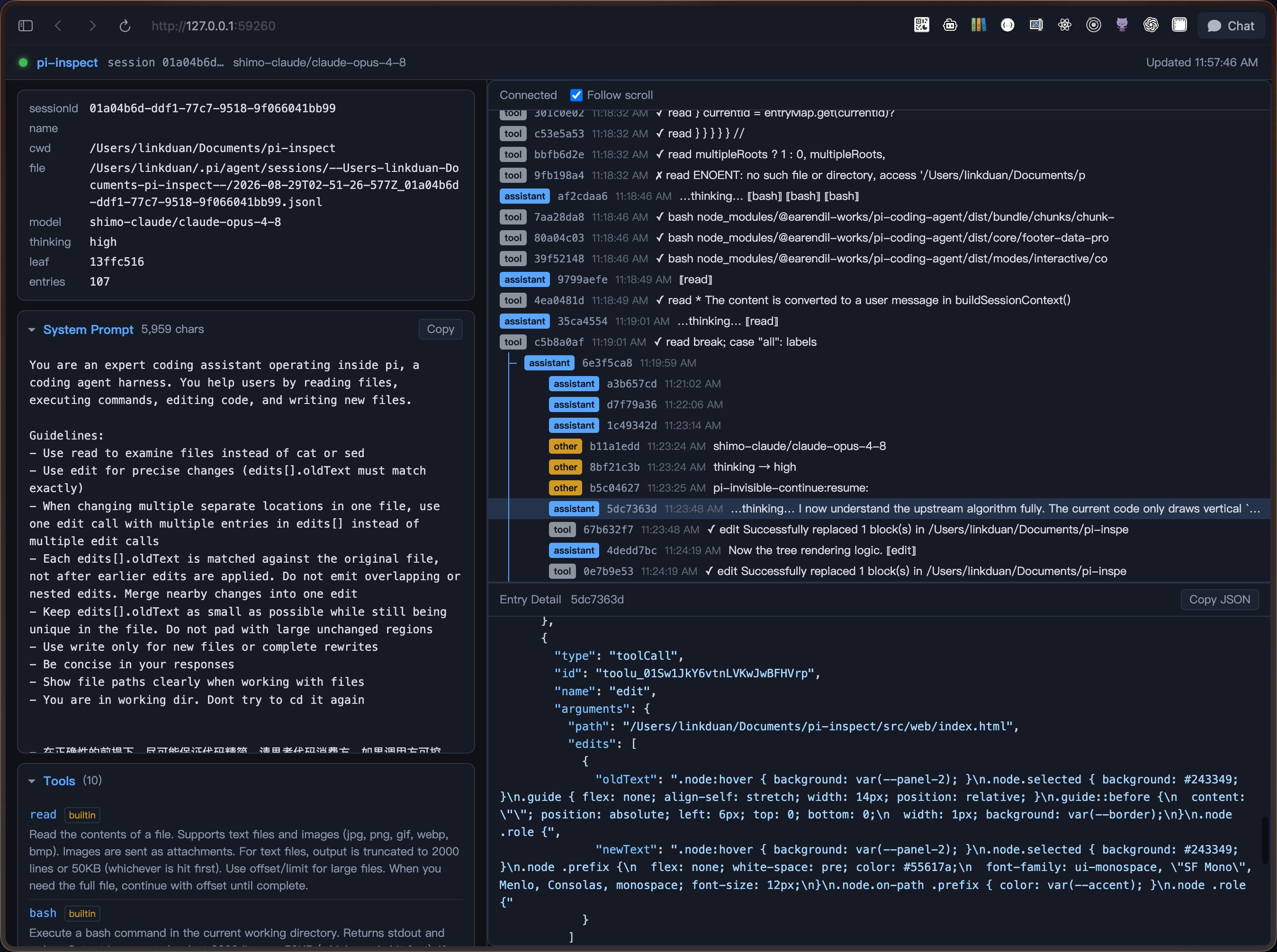
Install
pi install npm:pi-inspector # or: pi install ./path/to/pi-inspector
Usage
/inspect— start the local dashboard and open your browser/inspect stop— stop the dashboard/inspect status— show the current URL/inspect open— reopen the browser tab
The listen URL is also shown in the pi footer status bar.
Features
- Left column: session metadata, system prompt (copyable, from
before_agent_start— the fully-assembled per-turn prompt), slash commands, and tool definitions - Right column: transcript rendered as a tree (roles color-coded, active branch highlighted); click any entry to view its complete raw JSON (all internal fields) with
highlight.jssyntax highlighting - Resizable panels: drag the divider between the left/right columns and between the tree and detail panes (positions are remembered in
localStorage) - Live updates: pi events (
message_*,turn_*,tool_execution_*,agent_*,session_*,model_select, …) are coalesced and pushed to the browser over SSE — no polling - Server binds
127.0.0.1with an ephemeral port; nothing is written to disk
Development
bun install      # install dev dependencies
bunx tsc --noEmit  # type check
pi -e ./src/index.ts  # run the extension directly