pi-llamacpp-infra
Discovery, metrics and control of llama.cpp-family servers for pi (llama.cpp, ZINC, DwarfStar/ds4, lucebox, LM Studio): scan machines (localhost, LAN, Tailscale), register models, live metrics, per-model thinking budgets, vision detection, native config U
Package details
Install pi-llamacpp-infra from npm and Pi will load the resources declared by the package manifest.
$ pi install npm:pi-llamacpp-infra- Package
pi-llamacpp-infra- Version
1.3.1- Published
- Sep 5, 2026
- Downloads
- 551/mo · 551/wk
- Author
- noguerol
- License
- MIT
- Types
- extension
- Size
- 181.1 KB
- Dependencies
- 0 dependencies · 2 peers
Pi manifest JSON
{
  "extensions": [
    "./src/index.ts"
  ],
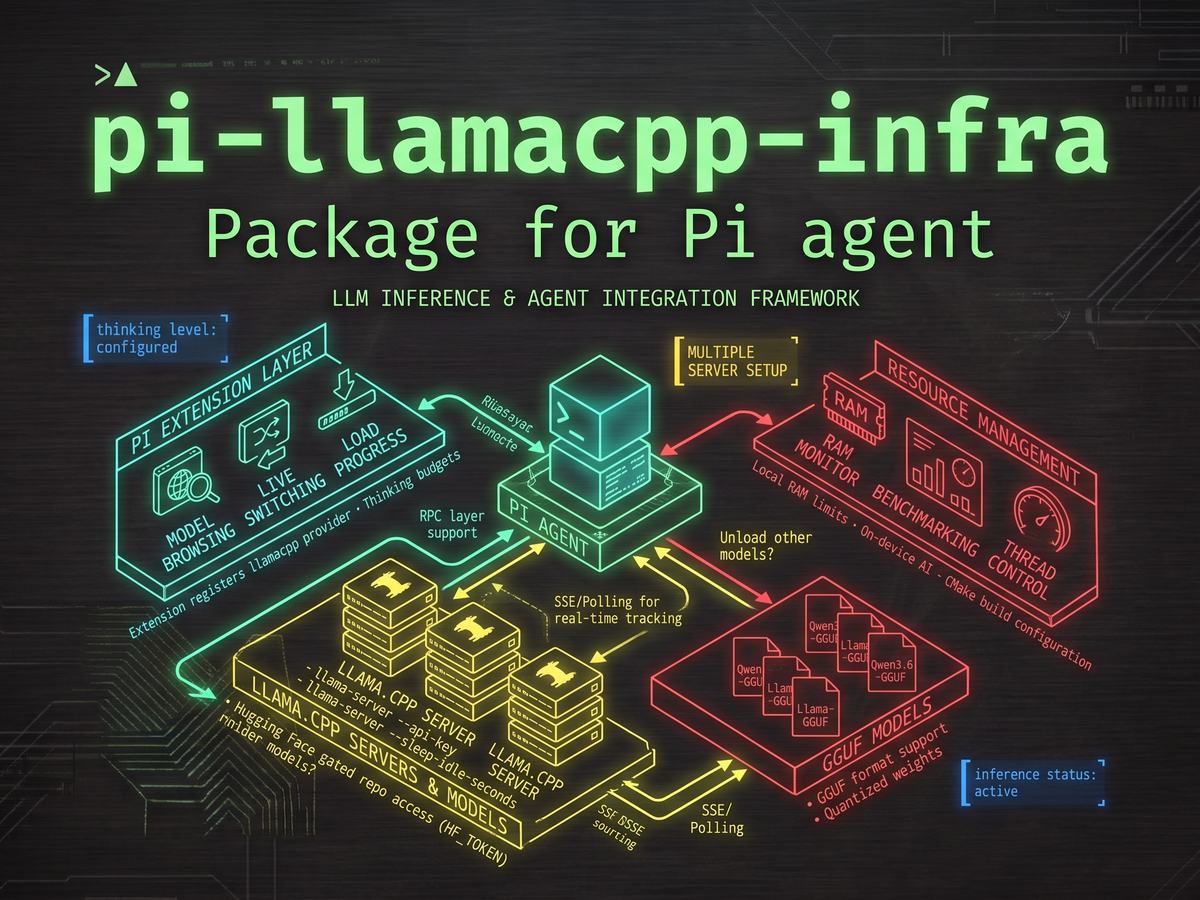
  "image": "https://raw.githubusercontent.com/noguerol/llamacpp-infra/main/docs/preview.jpeg"
}
Security note
Pi packages can execute code and influence agent behavior. Review the source before installing third-party packages.
README
llamacpp-infra — Discovery, Metrics & Control for llama.cpp-family Servers
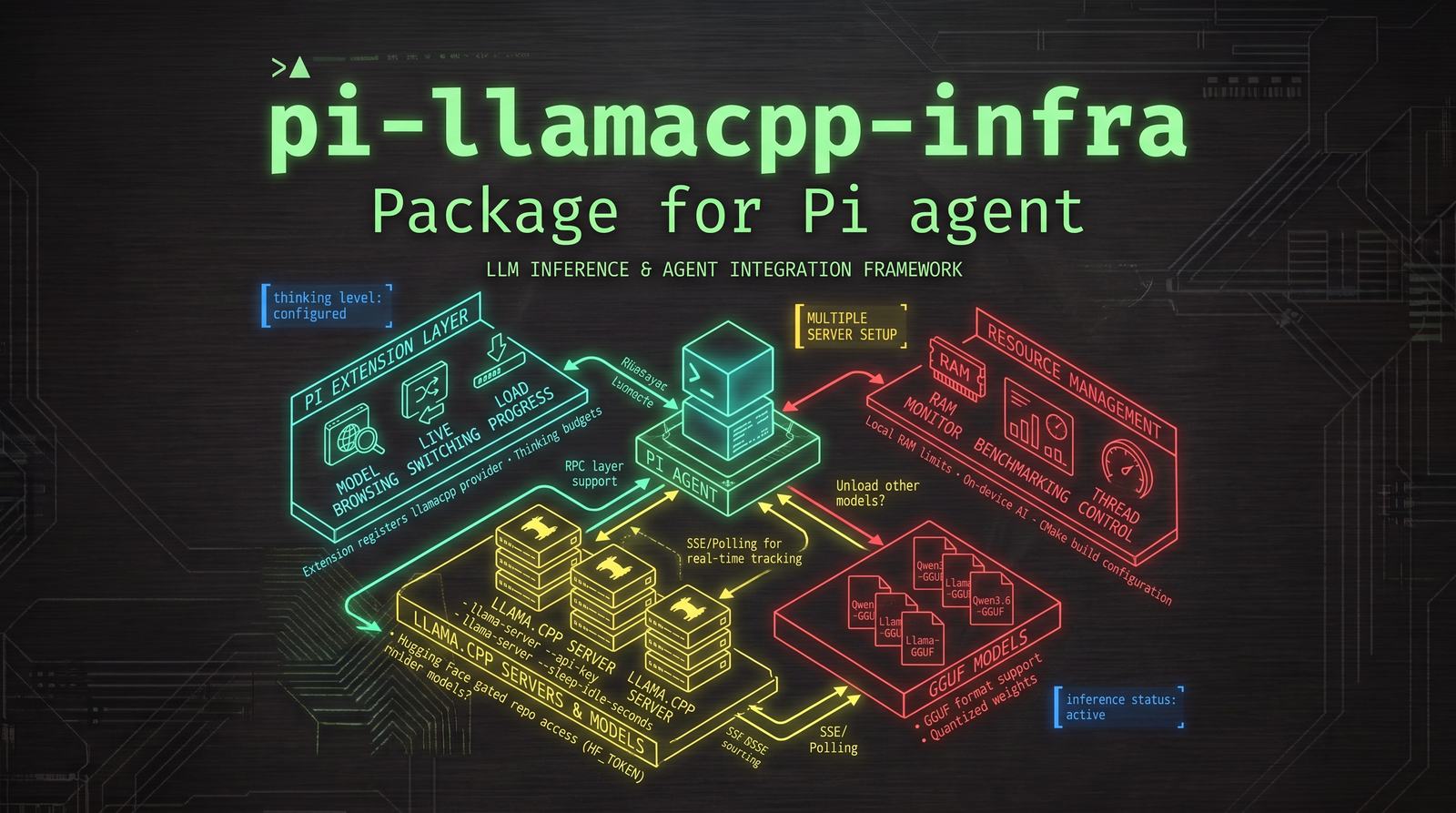
llamacpp-infra turns pi into a first-class citizen of local llama.cpp infrastructure. It probes any number of machines — localhost, LAN or Tailscale — discovers every model served by llama.cpp and its variants (including LM Studio), registers them into pi's native /model list, and gives you live Prometheus metrics, per-model thinking budgets, vision detection and a full configuration UI — all without leaving the pi prompt.
Supported Servers
Every endpoint llamacpp-infra talks to runs llama.cpp or a direct variant:
| Server | Detection | Notes |
|---|---|---|
| llama.cpp | GET /v1/models with meta.n_ctx |
Single-model and router/multi-model modes |
| ZINC | owned_by: "zinc" |
Payload workaround: empty model field + tool normalization |
| DwarfStar / ds4 | Opt-in ping to /v1/chat/completions |
antirez's ds4-server for DeepSeek V4 (per-server probeDs4 flag) |
| lucebox | GET /props with server.name: "luce-*" |
DeepSeek dflash server with rich metadata |
| LM Studio | GET /v1/models + optional /api/v1/models metadata |
Local OpenAI-compatible server backed by llama.cpp; default port 1234 |
Anything else (vLLM, Ollama, cloud APIs…) is out of scope — use pi's built-in providers for those.
Features
- Multi-machine discovery — configurable list of servers (host, ports, API key, options); probes all of them at startup and on demand
- Compact model ids — models appear as
Name (host:port)in pi's/modelpicker, like a native provider; the raw GGUF path/alias is sent to the server automatically on every request - Single-model & router modes — llama.cpp single-model mode (one GGUF per instance) and router mode (multiple models per server, with per-model status and args)
- Long local generations — discovered models are registered with up to 32,768 output tokens (bounded by the model/server context) and llamacpp-infra OpenAI-compatible requests enforce a 20 minute timeout floor so slow local runs don't get cut early by pi defaults
- Per-model metadata badges — 👁️ vision (mmproj / modalities), 🚀 drafter (speculative decoding), 🗜️ quant tag from GGUF filename, 🧠 KV cache quantization (from server args or
/proc) - Live speed & metrics — a constantly updating footer reading of the active model's prefill (⚡) and generation (🔥) token speed, measured straight from the stream (per token, ~10 updates/s); when pi is idle it also mirrors other clients the server's
/metricsendpoint reports. Lives in the footer's status line, so no extra terminal row is taken. Works even without--metrics - Energy cost (💰) — local models report no per-token cost, so llamacpp-infra estimates the electricity the inference consumed: configure each machine's power draw (kW) and tariff (per kWh) once, and every assistant message carries a realistic
usage.cost.total(kW × €/kWh × measured request time) — pi's native cost footer, session stats and any consumer reading usage (e.g. trimegisto agents) all show it. Currency selector: USD / EUR / GBP / CNY - Thinking budgets — llama.cpp accepts
thinking_budget_tokensper request; configure budgets per thinking level (minimal/low/medium/high/xhigh/max) per model; models with budgets are registered with reasoning enabled - Header warmup — pre-caches the system prompt KV on llama.cpp-family servers so the first real request is faster
- LM Studio support — uses LM Studio's OpenAI-compatible
/v1API, enriches names/context/quant/vision from/api/v1/models(or legacy/api/v0/models), and avoids llama.cpp-only request fields - ZINC workaround — ZINC rejects non-empty model IDs; the payload hook rewrites the request and normalizes tool definitions automatically
- Vision detection — scans
/procfor local llama-server processes launched with--mmprojand marks those models as image-capable; also reads server-reportedmodalities/input_modalities - Native configuration UI — everything configurable through
/llamacpp-infra configwith pi's native menus; no config file editing required - Legacy migration — auto-migrates an existing
~/.pi/agent/local-models.jsonon first run
Install
llamacpp-infra is a pi package: a small entrypoint (src/index.ts) backed by several focused modules. Heavier pieces (UI, scan engine, metrics, header warmup) are loaded lazily on first use so the extension stays light at startup. The package is declared in package.json.
# From GitHub
pi install git:github.com/noguerol/llamacpp-infra

# Pin a tag/commit
pi install git:github.com/noguerol/llamacpp-infra@v1.2.0

# From npm
pi install npm:pi-llamacpp-infra

# Local checkout (development)
pi install /path/to/llamacpp-infra

# Try it for one run only
pi -e git:github.com/noguerol/llamacpp-infra
pi list                         # show installed packages
pi remove npm:pi-llamacpp-infra
Security: pi packages run with full system access. Install only packages you trust and review the source.
Requirements: a working pi installation and at least one llama.cpp-family server running somewhere accessible (localhost, LAN or Tailscale). LM Studio works when its local server is started (Developer tab or lms server start, usually on http://localhost:1234/v1).
Quick Start
/llamacpp-infra config      # open the config menu → add your first server (LM Studio: port 1234)
/llamacpp-infra scan        # discover models now
/llamacpp-infra list        # see what was found
That's it. On the next pi startup, llamacpp-infra probes your servers automatically and registers every model into /model. Switch models with /model as usual.
LM Studio quick setup
LM Studio exposes an OpenAI-compatible API on /v1 (default http://localhost:1234/v1) and a richer local REST API for model metadata on /api/v1/models (older LM Studio versions used /api/v0/models). llamacpp-infra probes /v1/models as the source of usable model IDs and, when available, enriches them with LM Studio's context length, display name, quantization and vision capability.
# Start LM Studio's local server (or use the Developer tab in the GUI)
lms server start

# In pi: add/select host 127.0.0.1 with port 1234, then scan
/llamacpp-infra config
/llamacpp-infra scan
No special payload workaround is required: LM Studio accepts standard OpenAI chat-completions requests. llamacpp-infra deliberately does not send llama.cpp-only fields such as cache_prompt or thinking_budget_tokens to LM Studio.
Commands
| Command | Description |
|---|---|
/llamacpp-infra |
Quick status (servers, discovered models, metrics) |
/llamacpp-infra config |
⚙️ Interactive configuration menu |
/llamacpp-infra scan |
Rescan all servers now |
/llamacpp-infra status |
Detailed per-endpoint report |
/llamacpp-infra list |
List discovered models with metadata badges |
/llamacpp-infra metrics |
Toggle live speed & metrics in the footer |
/llamacpp-infra help |
Command help |
/llamacpp-infra config
The main config menu branches into submenus:
- 🖥️ Servers — add/remove/edit servers; per-server settings (host, ports, API key, probeDs4, label)
- 🔄 Scan — rescan all servers now
- 📋 Models — per-model options (thinking budgets, replace/remove)
- 🧪 Test — connectivity test of all configured servers
- 🧠 Thinking budgets — configure per-model thinking_budget_tokens per level
- 📈 Metrics — enable/disable footer metrics, server poll interval
- ⚙️ Settings — discovery timeout, poll interval/budget, startup grace, fail limit, vision detection, prefix model IDs, name badges, unloaded router models, header warmup
- ℹ️ About — extension info
/llamacpp-infra list
Shows every discovered model with metadata badges:
📋 Discovered models (8)

 1. Qwen3.6-27B-UD-Q3_K_XL (local:8080)   👁️ 🗜️ UD-Q3_K_XL
 2. DeepSeek-V4-Flash-ROCMFP2 (local:8081)          🗜️ ROCMFP2
 3. Meta-Llama-3.1-8B (myserver:8080)     🚀 draft-model   🗜️ Q4_K_M
 4. gemma-3-4b-it (myserver:8081)         👁️ 🗜️ Q4_K_M
The same compact id is what pi's /model picker shows, with the serving machine in parentheses.
/llamacpp-infra status
Detailed per-endpoint report:
🖥️ Server status

 local (127.0.0.1)
   :8080  ✅ llama.cpp  b3421  2 models  👁️ vision
   :8081  ✅ lucebox    dflash 1 model

 myserver (192.168.1.20)
   :8080  ✅ llama.cpp  b3421  1 model   🚀 drafter
   :8081  ❌ timeout
Configuration
Everything is configurable through the UI, but the persisted file is ~/.pi/agent/llamacpp-infra.json:
{
  "servers": [
    {
      "id": "local",
      "host": "127.0.0.1",
      "label": "Local",
      "ports": [8000, 8001, 8002, 8080, 8081, 8082, 1234],
      "enabled": true,
      "probeDs4": false,
      "costProfile": { "kW": 0.15, "ratePerKwh": 0.21, "label": "bruma 27B" }
    },
    {
      "id": "myserver",
      "host": "myserver",
      "label": "My Server",
      "ports": [8080, 8081],
      "enabled": true,
      "probeDs4": true,
      "apiKey": "optional-bearer-token"
    }
  ],
  "settings": {
    "discoveryTimeoutMs": 2000,
    "pollIntervalMs": 4000,
    "pollMaxMs": 90000,
    "startupGraceMs": 40000,
    "knownGoodFailLimit": 3,
    "detectVision": true,
    "prefixModelIds": true,
    "showBadgesInNames": true,
    "includeUnloadedRouterModels": false,
    "warmup": true,
    "metricsEnabled": true,
    "metricsPollMs": 5000,
    "currency": "eur",
    "costTracking": true
  },
  "modelOptions": {
    "Qwen3.6-27B (myserver:8080)": {
      "thinkingBudgets": {
        "minimal": 256,
        "low": 1024,
        "medium": 4096,
        "high": 16384
      }
    }
  }
}
Server fields
| Field | Default | Description |
|---|---|---|
id |
required | Unique short id (used in model IDs and logs) |
host |
required | Hostname, tailnet name or IP |
label |
host |
Friendly name shown in menus |
ports |
required | Array of ports to probe (1234 is LM Studio's usual local server port) |
enabled |
true |
Whether to probe this server |
probeDs4 |
false |
Opt-in: ping /v1/chat/completions for DwarfStar/ds4 servers |
apiKey |
— | Optional bearer token sent on discovery and per-model requests |
costProfile |
— | { kW, ratePerKwh } energy-cost profile for this machine; enables 💰 estimation (see Energy Cost) |
Settings
| Setting | Default | Description |
|---|---|---|
discoveryTimeoutMs |
2000 |
Per-request timeout when probing endpoints |
pollIntervalMs |
4000 |
Background re-poll rate while servers load models |
pollMaxMs |
90000 |
Max total polling time |
startupGraceMs |
40000 |
Keep trying at startup while nothing has answered |
knownGoodFailLimit |
3 |
Consecutive failures before a live endpoint is dropped |
detectVision |
true |
Scan /proc for --mmproj + read server-reported modalities |
prefixModelIds |
true |
Append the machine tag (host:port) to model ids; OFF keeps bare names and only disambiguates collisions |
showBadgesInNames |
true |
Append 👁️🚀💤 badges to model display names |
includeUnloadedRouterModels |
false |
Router mode: list models that are not currently loaded |
| output cap | 32768 |
Registered per model as maxTokens unless the server reports an explicit max_tokens; still bounded by available context |
| request timeout | 1200000 |
20 minute timeout floor applied to llamacpp-infra OpenAI-compatible streams |
warmup |
true |
Pre-cache system prompt KV on llama.cpp servers |
metricsEnabled |
true |
Show live speed & metrics in the footer for llamacpp-infra models |
metricsPollMs |
5000 |
How often /metrics is fetched |
currency |
eur |
Display currency for energy costs: usd / eur / gbp / cny |
costTracking |
true |
Accumulate 💰 energy cost and inject it into usage.cost.total |
Thinking budgets
llama.cpp accepts thinking_budget_tokens per request. Configure budgets per thinking level per model through the config menu (🧠 Thinking budgets → select model → set level). Models with any budget configured are registered with reasoning: true, and pi sends the budget automatically when the thinking level matches.
Levels: minimal, low, medium, high, xhigh, max.
Model ID Format
Models are registered with compact display ids: ModelName (host:port), e.g. Qwen3.6-27B-UD-Q3_K_XL (myserver:8080) — the compact model name plus the machine serving it in parentheses, matching how pi shows native provider models. Localhost servers (127.0.0.1, localhost) use local:port in the tag.
pi sends the compact id to the extension's request hook, which transparently rewrites it to the raw server-side id (the GGUF path, alias or router id the server advertised in /v1/models) before the request leaves pi. Config keys under modelOptions use the compact id; legacy host:port/model keys are migrated automatically on the first scan.
With prefixModelIds: false the machine tag is omitted (ModelName); it is re-added automatically only when two models would otherwise collide.
Thinking budgets in the UI
llama.cpp-family models are registered as reasoning models, exactly like a native pi provider: the footer shows ModelName (host:port) • <level>, the thinking selector offers levels with token estimates, and pi sends the configured thinking_budget_tokens budget on each request. Per-model budgets configured in the extension override pi's global per-level budgets.
Live Speed & Metrics (footer)
When enabled, the speed reading appears in the footer's status line (no extra terminal row) whenever the active model is from llamacpp-infra, updating constantly while tokens flow. Both entries are kept ultra-compact so they coexist with other extensions on pi's single status line (which truncates from the end):
🦙(12) ⚡…            (before the first token)
🦙(12) ⚡ 420 t/s 🔥 38.1 t/s  (while streaming)
🦙(12) ⚡ 420 t/s 🔥 38.1 t/s  (just after the answer ends)
🦙(12) ⏸             (between turns)
🦙(12) ▶2 ⚡ 150 t/s 🔥 18.0 t/s  (pi idle, server busy for other clients)
🦙(12) ⏸ 💰3.2c      (energy cost of this session, after a turn)
(🦙(n) is the extension's model-count status; both live on the same footer line, so no extra row is consumed.)
- Client measurement (always, no
--metricsneeded) — prefill speed =prompt tokens ÷ (request → first token)(pi'susage.input, OpenAI-styleprompt_tokensas fallback); generation speed = a moving 1.5 s window over per-token arrival samples. Updated ~every 100 ms while a stream is live (throttled, and unchanged text is skipped, so the footer never churns). - Server supplement (only when pi is idle) — the poller fetches the server's Prometheus
/metricsendpoint (or JSON/stats) everymetricsPollMs(default 5 s). If the server reports other clients processing, their ⚡/🔥 rates are shown (▶n); when the server is idle, the plain⏸reading returns.
Energy Cost (💰)
Cloud providers report their own per-message cost, so pi's native cost footer is always right for them. Local llama.cpp-family servers report nothing — so llamacpp-infra estimates the electricity the inference consumed and feeds it into the standard usage pipeline:
cost = (requestMs / 3_600_000) × kW × tariff
Every assistant message therefore carries a realistic usage.cost.total: pi's own cost display/session stats show it, and any consumer that reads usage (e.g. trimegisto sub-agents, which accumulate usage.cost.total per message into their dashboard) gets it for free — no per-tool cost logic needed anywhere else.
Setup
/llamacpp-infra config  →  💰 Energy cost      (global: currency, master toggle)
/llamacpp-infra config  →  🌐 Servers → machine → 💰 Energy cost   (per machine)
- Currency (global) — USD, EUR, GBP or CNY. It only changes the display unit; tariffs are stored per kWh in that currency.
- Per-server power draw & tariff — the power draw belongs to the machine, so each server gets its own profile inside its own config menu (
🌐 Servers→ select the machine →💰 Energy cost; adding a new server asks for it right away). SetkWduring inference (e.g.0.15for 150 W — GPU TDP + idle draw is a good approximation) and the electricity price per kWh. All models served by that machine inherit it.
Once set, each provider request is timed (before_provider_request → assistant message_end, partial/aborted requests included) and charged. The footer shows the session total as 💰 (e.g. 💰3.2c = 3.2 euro-cents; ¢/c/p/分 per currency); enable/disable anytime from the same menu.
Parallel agents & accuracy — when several clients hammer the same server in parallel, each client's wall time is the server time it actually consumed (decode is interleaved), so the session total approximates the machine's inference energy. Good for cost visibility; not a metering-grade measurement.
Config lives in ~/.pi/agent/llamacpp-infra.json:
{
  "servers": [
    { "id": "local", "host": "127.0.0.1", "ports": [8000, 8080, 8081], "enabled": true,
      "costProfile": { "kW": 0.15, "ratePerKwh": 0.21, "label": "bruma 27B" } }
  ],
  "settings": { "currency": "eur", "costTracking": true }
}
Architecture
llamacpp-infra/
├── package.json         # pi package manifest (pi-package)
├── LICENSE              # MIT
├── README.md
└── src/
    ├── index.ts         # Entrypoint: hooks, command, lifecycle. Statically imports core + types.
    ├── core.ts          # Config persistence, shared state, id helpers, compat profile (loaded at startup).
    ├── types.ts         # Shared interfaces (type-only; erased at runtime).
    ├── scan.ts          # Discovery engine (lazy: HTTP probing, /props, LM Studio catalog, /proc, kind detection).
    ├── registration.ts  # Scan → pi-model mapping + provider registration (lazy).
    ├── metrics.ts       # Server /metrics poller → ServerMetricsState (lazy; only if `metricsEnabled`).
    ├── speed.ts         # Client-side speed tracker + footer status line (lazy; only if `metricsEnabled`).
    ├── cost.ts          # Cost profiles, currency formatting, energy math (static import; tiny).
    ├── cost-tracker.ts  # Energy-cost tracker: times requests, accumulates, feeds usage.cost (static).
    ├── ui.ts            # /llamacpp-infra subcommands, menus, status, help (lazy).
    └── prompt-warmup.ts # Header warmup: capture + cache system prompt KV (lazy; only if `warmup`).
Module load profile:
| Module | Loaded when | Approx. size |
|---|---|---|
index.ts + core.ts (+ types.ts) |
Startup (static) | ~25 KB |
scan.ts + registration.ts |
First discovery (dynamic) | ~27 KB |
prompt-warmup.ts |
Primed at load if warmup enabled; not loaded when disabled |
~15 KB; skipped entirely when warmup is OFF |
metrics.ts + speed.ts |
Primed at load if metricsEnabled; not loaded when disabled |
~18 KB; skipped entirely when metricsEnabled is OFF |
cost.ts + cost-tracker.ts |
Static at load (tiny; needed in sub-agent processes too, which never fire session_start) |
~4 KB |
ui.ts |
First /llamacpp-infra … command (dynamic) |
~32 KB |
Zero external npm dependencies (only pi's bundled @earendil-works/pi-coding-agent + Node built-ins).
Subsystems:
- Discovery engine — multi-server probing with timeouts, retry budgets, and per-server kind detection (llama.cpp, ZINC, DwarfStar, lucebox, LM Studio)
- Router support — single-model and multi-model llama.cpp modes with per-model status, args parsing and metadata extraction
- Speed & metrics subsystem — client-side per-token speed measurement (prefill + moving-window generation), throttled footer status updates, and server
/metricspolling that supplements the footer while the client is idle - Thinking budgets — per-model per-level configuration with automatic
reasoningregistration - Config persistence —
~/.pi/agent/llamacpp-infra.jsonwith one-time migration fromlocal-models.json - /proc scanner — local llama-server process detection for vision, KV cache quant, and drafter flags
Migration from local-models
If you have an existing ~/.pi/agent/local-models.json, llamacpp-infra migrates it automatically on first run — your servers and settings are preserved. The old local-models extension can be removed after migration.
License
MIT © Javier Noguerol