pi-local-token-costs
Token cost tracking extension for Pi Agent — live footer display with cheapest OpenRouter pricing, cross-session history, and local model matching
Package details
Install pi-local-token-costs from npm and Pi will load the resources declared by the package manifest.
$ pi install npm:pi-local-token-costs- Package
pi-local-token-costs- Version
1.4.3- Published
- Sep 4, 2026
- Downloads
- 1,133/mo · 541/wk
- Author
- gunjantomer
- License
- MIT
- Types
- extension
- Size
- 127.5 KB
- Dependencies
- 0 dependencies · 3 peers
Pi manifest JSON
{
  "image": "https://raw.githubusercontent.com/gunjantomer/pi-local-token-costs/main/media/gallery.png",
  "extensions": [
    "./extensions"
  ]
}
Security note
Pi packages can execute code and influence agent behavior. Review the source before installing third-party packages.
README
pi-local-token-costs
Token cost tracking extension for Pi. Tracks token usage and estimated costs for every model in every session. Shows live costs in the powerline footer, maintains cross-session history, and always uses the cheapest available provider pricing from OpenRouter.
Screenshots
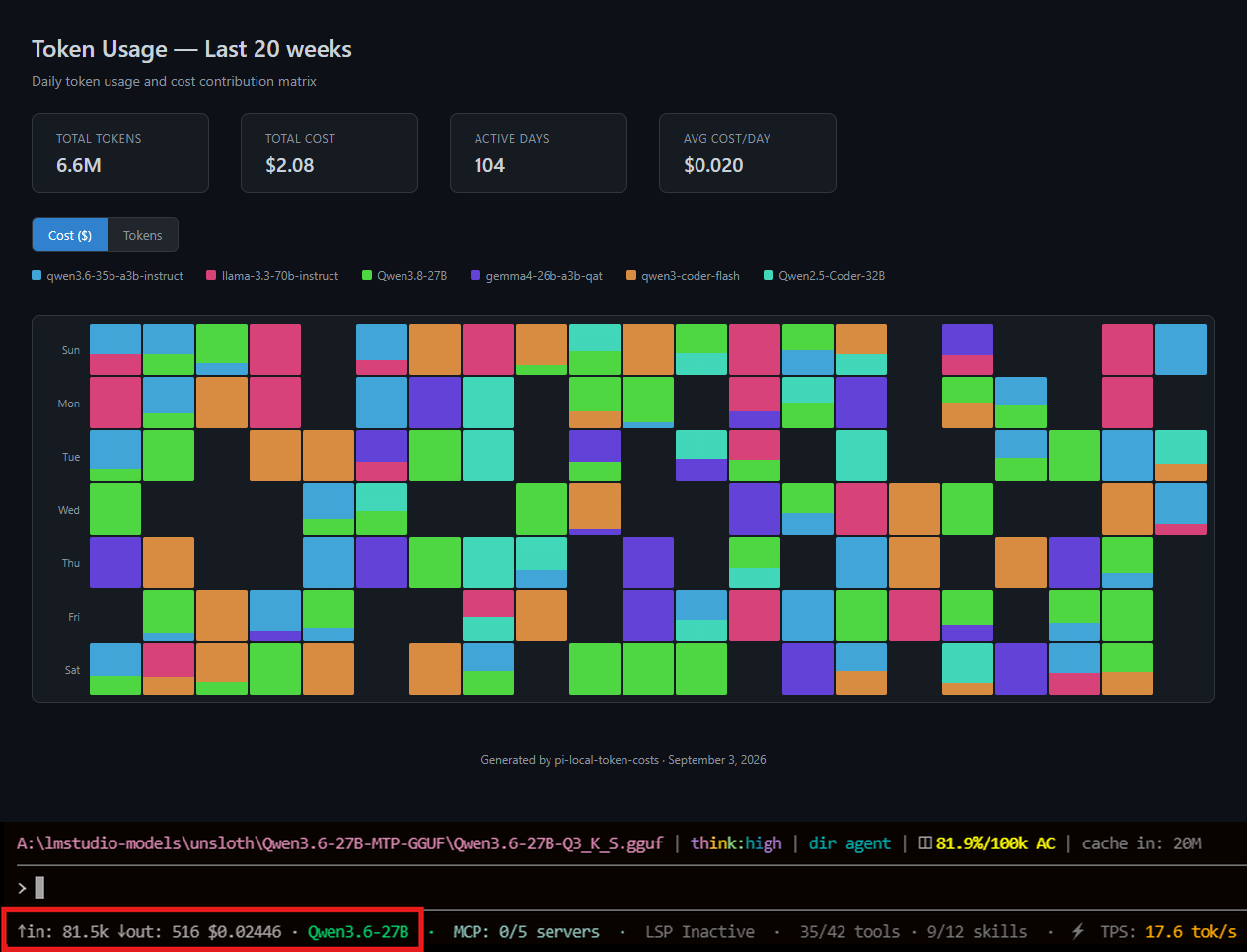
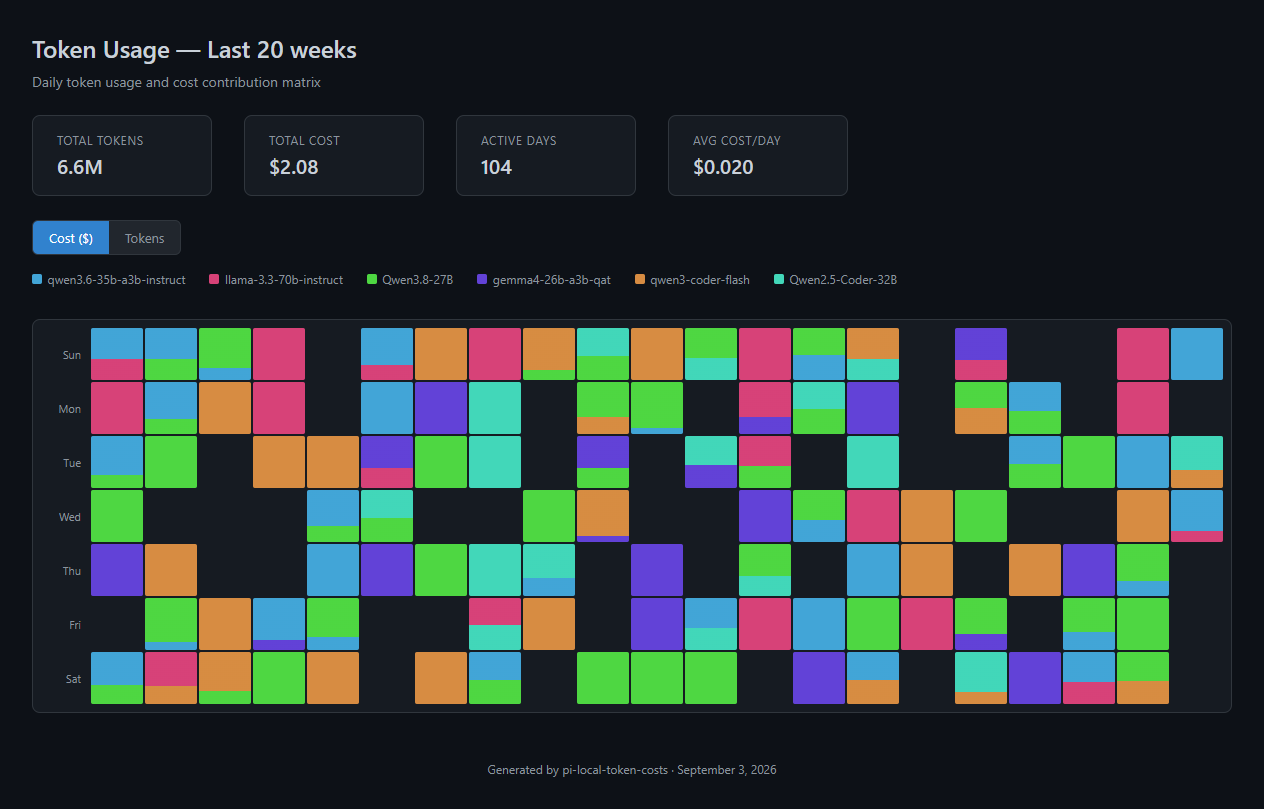
Token usage matrix (/token-matrix)
A GitHub-style heatmap of daily token usage and cost across sessions.
Live footer
Real-time token counts and estimated cost in the powerline footer.

Key Features
- Live pricing from 30+ providers (cheapest rate automatically selected)
- Accurate local model matching via dot-preserved keys, GGUF stripping, and param-count-aware strategies
- Savings comparison — see what running locally costs vs. online equivalents
- Cross-session history with per-model breakdowns
- Visual contribution matrix — GitHub-style heatmap of daily token usage and cost
- Offline fallback with ~60 cloud models + Qwen family pricing
Installation
# From npm
pi install npm:pi-local-token-costs

# From git
pi install git:github.com/gunjantomer/pi-local-token-costs@v1.4.3
Requires pi-powerline-footer for the footer display. Restart pi or run /reload after installing.
Live Footer Display
The powerline footer shows real-time token counts and estimated cost:
↑in: 142k ↓out: 28k $0.20000 · Qwen3.6-35B-A3B |
↑in:= input tokens consumed this session (dynamic, updates while streaming)↓out:= output tokens generated this session (dynamic)$X.XXXXX= cumulative estimated cost (cheapest provider pricing, 5 decimal places)- Model name shown in green if priced match, red if not
Commands
| Command | Description |
|---|---|
/token-stats |
Show current session's token usage and cost breakdown by model |
/token-history |
Show cross-session history of the last 50 messages, grouped by model with pricing source |
/token-clear |
Clear all persisted token usage history (with confirmation) |
/token-matrix |
Open a GitHub-style contribution matrix in your browser showing daily token usage and cost |
/token-matrix --weeks N |
Show the last N weeks of usage (default: 12) |
/token-matrix --months N |
Show the last N months of usage |
/token-price <model-id> |
Show how a specific model is resolved and priced |
/token-price --set <id> $in $out |
Set a custom price override for any model ID |
Documentation
- Configuration — User price overrides, cache file, history file, dependencies
- Token Usage Matrix — Visual contribution grid for daily token/cost tracking
- Model Matching — Normalization, stripping strategies, priority chain
- Architecture — Data flow, pricing pipeline, state persistence
- Troubleshooting — Common issues and fixes
- Changelog — Release history
License
MIT