pi-mermaid-server
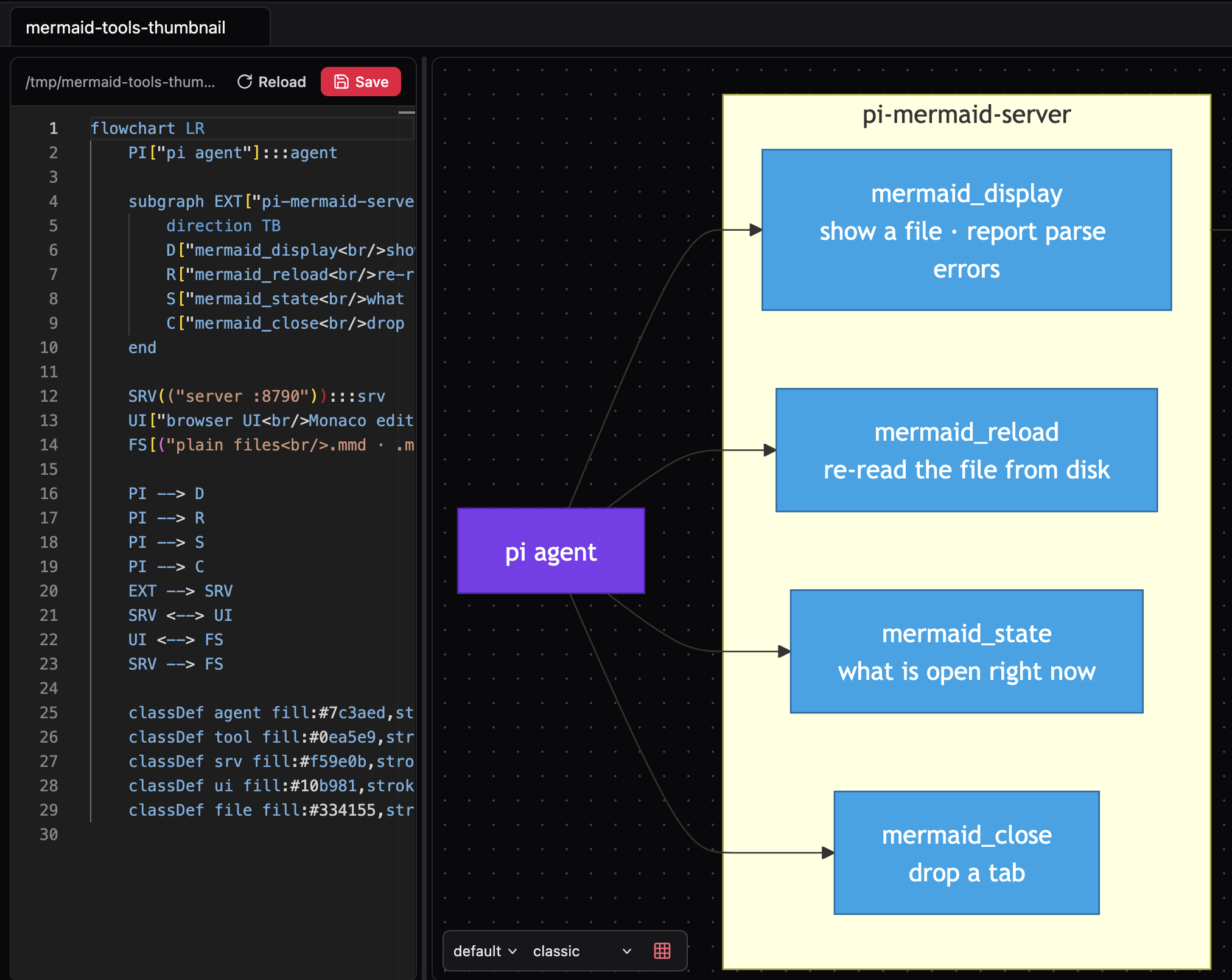
Mermaid diagram editor + live preview for the pi coding agent: tabbed, file-backed, served by a bundled local HTTP server (100% offline).
Package details
Install pi-mermaid-server from npm and Pi will load the resources declared by the package manifest.
$ pi install npm:pi-mermaid-server- Package
pi-mermaid-server- Version
0.1.0- Published
- Sep 18, 2026
- Downloads
- 201/mo · 16/wk
- Author
- wdyky
- License
- MIT
- Types
- extension
- Size
- 37.8 MB
- Dependencies
- 0 dependencies · 2 peers
Pi manifest JSON
{
  "extensions": [
    "./index.js"
  ],
  "image": "https://raw.githubusercontent.com/wdyky/mermaid-server/main/docs/thumbnail.png"
}
Security note
Pi packages can execute code and influence agent behavior. Review the source before installing third-party packages.
README
pi-mermaid-server
A local mermaid diagram editor for the pi coding agent: you (or the agent) open files as tabs in a browser UI with a live preview, and the agent can drive it with tools. Self-contained — the server bundle and the web UI are committed, so there is nothing to build or install.
Source: github.com/wdyky/mermaid-server
Install
pi install npm:pi-mermaid-server
# or pinned from git:
pi install git:github.com/wdyky/mermaid-server@v0.1.0
Use
- Tools:
mermaid_display(show or re-point a file, reports parse errors),mermaid_reload,mermaid_state,mermaid_close. - Command:
/mermaid— status (server state, UI url shape, where the token lives),start | stop | restart,host | port | root,autos on|off,tokgen. - UI:
http://127.0.0.1:8790/?token=<token>— the token is generated once and stored in~/.pi/agent/extdata/mermaid/config.json; the server also accepts it as a cookie, so the URL can be cleaned after the first open. - The server is started on demand and dies with pi (including after a hard kill).
Loopback only — the API can read and write local files, so don't expose it.
License
MIT