pi-model-pick
A model picker for Pi that puts your favorite and recently used models first
Package details
Install pi-model-pick from npm and Pi will load the resources declared by the package manifest.
$ pi install npm:pi-model-pick- Package
pi-model-pick- Version
0.2.0- Published
- Nov 2, 2026
- Downloads
- 296/mo · 128/wk
- Author
- pringled
- License
- MIT
- Types
- extension
- Size
- 12.8 KB
- Dependencies
- 0 dependencies · 3 peers
Pi manifest JSON
{
  "image": "https://raw.githubusercontent.com/Pringled/pi-extensions/main/assets/images/pi-model-pick-dark.gif",
  "extensions": [
    "./extensions/model-pick.ts"
  ]
}
Security note
Pi packages can execute code and influence agent behavior. Review the source before installing third-party packages.
README
pi-model-pick
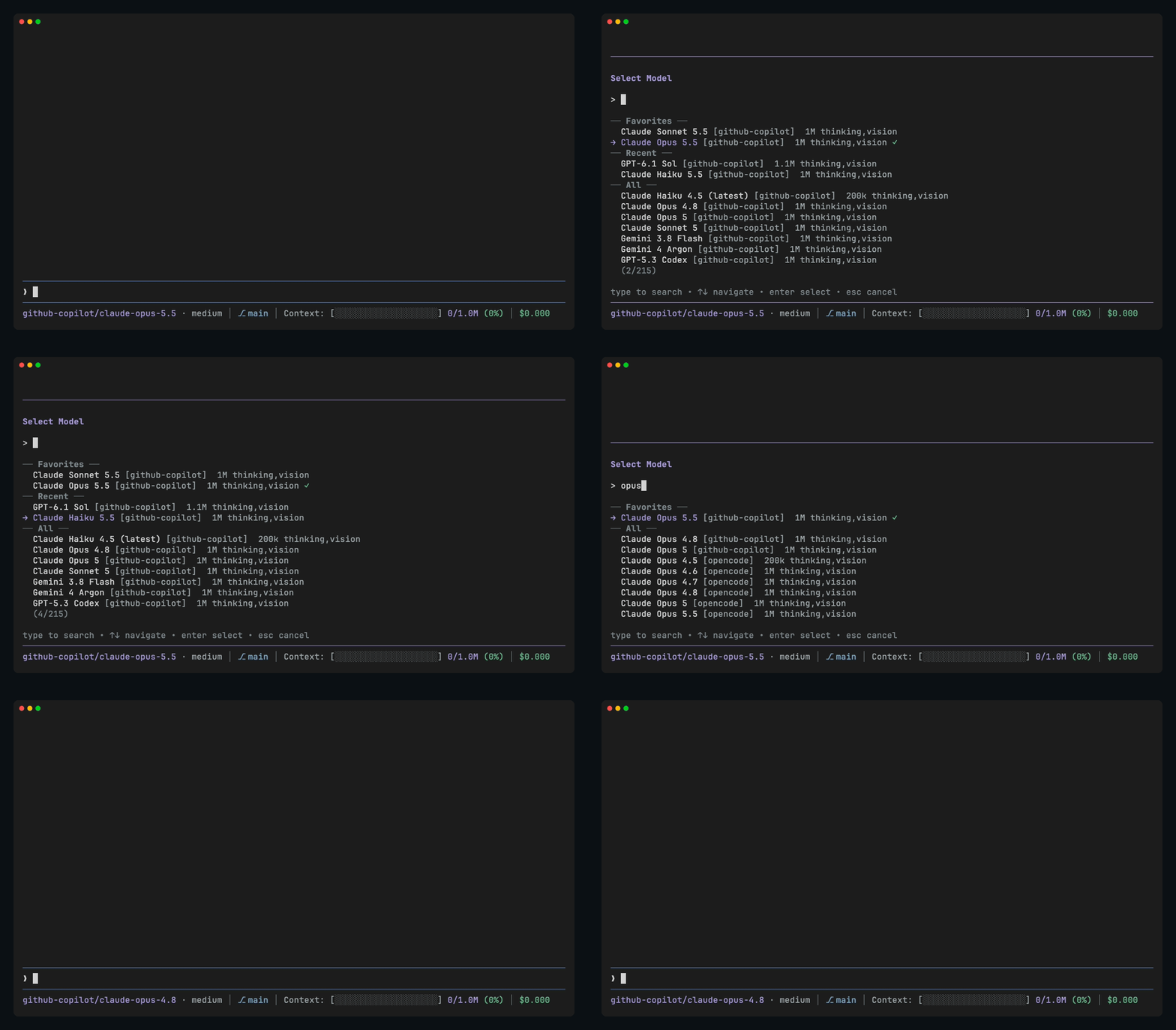
A model picker for Pi with your favorite and recently used models at the top. Pi's own /model shows every model from every provider in one long list; this one puts the ones you use first.
pi install npm:pi-model-pickUsage
/pickorctrl+shift+mopens the picker: favorites first, then the last 8 models you used, then all models. Type to filter./favstars or unstars the current model.
Favorites and recents are kept in ~/.pi/agent/model-picker-state.json. Pi's own /model picker stays available.
Settings
A model you pick, with /pick, /model or ctrl+p, also becomes the default, so new sessions start on the model you used last. Resuming a session brings back that session's model without changing the default. To keep Pi's own behaviour, where only ctrl+s in /model saves a default, add this to ~/.pi/agent/settings.json:
"modelPick": { "rememberLast": false }License
MIT