pi-multicodex
Rotate multiple ChatGPT Codex OAuth accounts for pi
Package details
Install pi-multicodex from npm and Pi will load the resources declared by the package manifest.
$ pi install npm:pi-multicodex- Package
pi-multicodex- Version
1.0.2- Published
- Feb 4, 2026
- Downloads
- 45/mo · 11/wk
- Author
- kim0
- License
- MIT
- Types
- extension
- Size
- 185.8 KB
- Dependencies
- 0 dependencies · 2 peers
Pi manifest JSON
{
  "extensions": [
    "./index.ts"
  ],
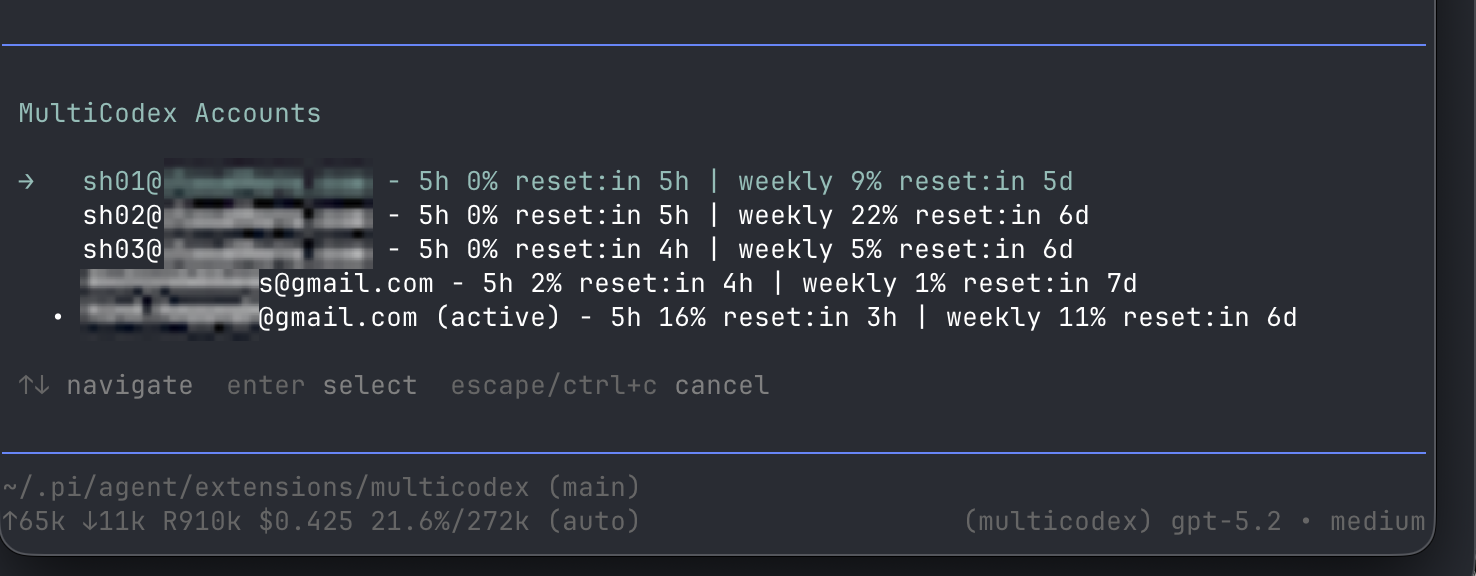
  "image": "https://raw.githubusercontent.com/kim0/pi-multicodex/main/assets/multicodex.png"
}
Security note
Pi packages can execute code and influence agent behavior. Review the source before installing third-party packages.
README
MultiCodex Extension
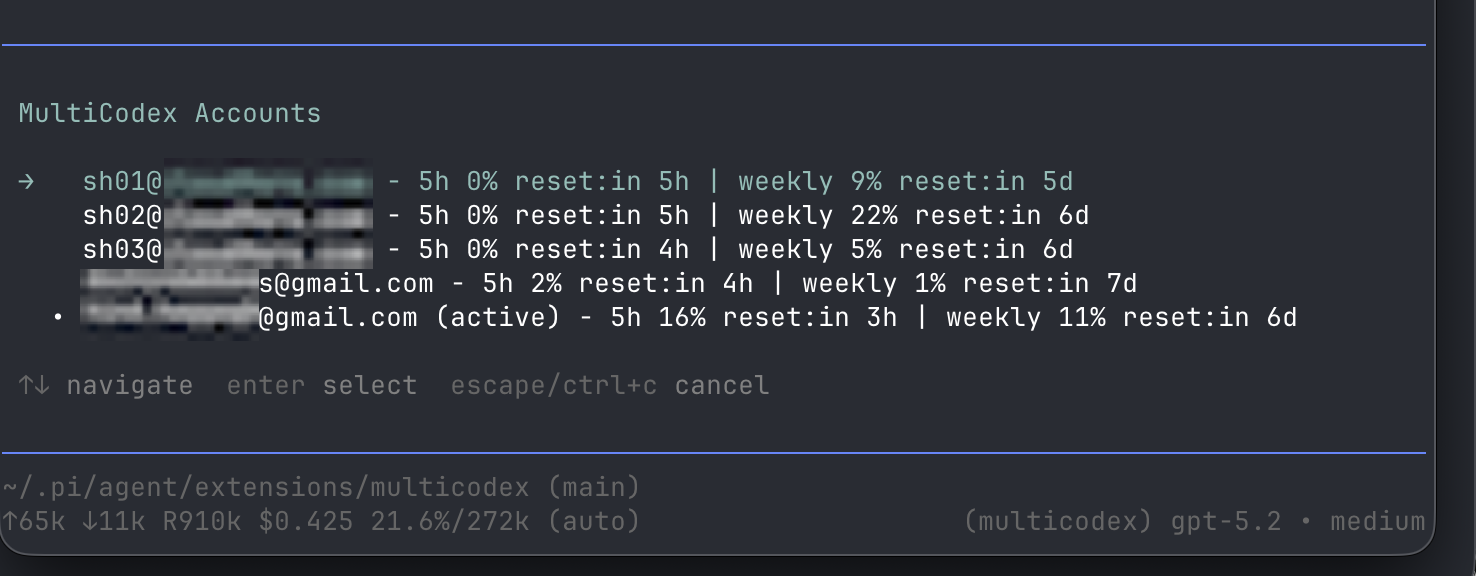
MultiCodex is a pi extension that lets you use multiple ChatGPT Codex OAuth accounts with the built-in openai-codex-responses API.
It helps you maximize usable Codex quota across accounts:
- Automatic rotation on quota/rate-limit errors (e.g. 429, usage limit).
- Prefers untouched accounts (0% used in both windows) so fresh quota windows don’t sit unused.
- Otherwise, prefers the account whose weekly window resets soonest.
Install (recommended)
pi install npm:pi-multicodex
After installing, restart pi.
Install (local dev)
From this directory:
pi -e ./index.ts
Quick start
Add at least one account:
/multicodex-login your@email.comUse Codex normally. When a quota window is hit, MultiCodex will rotate to another available account automatically.
Commands
/multicodex-login <email>- Adds/updates an account in the rotation pool.
/multicodex-use- Manually pick an account for the current session (until rotation clears it).
/multicodex-status- Shows accounts + cached usage info + which one is currently active.
How account selection works (high level)
When pi starts / when a new session starts, the extension:
- Loads your saved accounts.
- Fetches usage info for each account (cached for a few minutes).
- Picks an account using these heuristics:
- Prefer accounts that are untouched (0% used in both windows).
- Otherwise prefer the account whose weekly quota window resets soonest (5h window is ignored for selection).
- Otherwise pick a random available account.
When streaming and a quota/rate-limit error happens before any tokens are generated, it:
- Marks the account as exhausted until its reset (or a fallback cooldown)
- Rotates to another account and retries
Checks
npm run lint
npm run tsgo
npm run test