pi-observability
Live observability dashboard for pi coding agent sessions — tokens, cost, TPS, runtime, git stats, and context usage
Package details
Install pi-observability from npm and Pi will load the resources declared by the package manifest.
$ pi install npm:pi-observability- Package
pi-observability- Version
1.3.0- Published
- Apr 29, 2026
- Downloads
- 287/mo · 25/wk
- Author
- m0hammedimran
- License
- MIT
- Types
- extension
- Size
- 12.5 MB
- Dependencies
- 0 dependencies · 3 peers
Pi manifest JSON
{
  "extensions": [
    "./extensions/observability.ts"
  ]
}
Security note
Pi packages can execute code and influence agent behavior. Review the source before installing third-party packages.
README
🔭 pi-observability
A pi extension that replaces the default footer with a live observability bar, provides a full dashboard command, and prints a TPS summary after each agent run.
Features
Live footer bar showing:
- Session input/output tokens & estimated cost
- Live TPS (tokens per second) during streaming
- Session runtime
- Current model, thinking level, fast mode & git branch
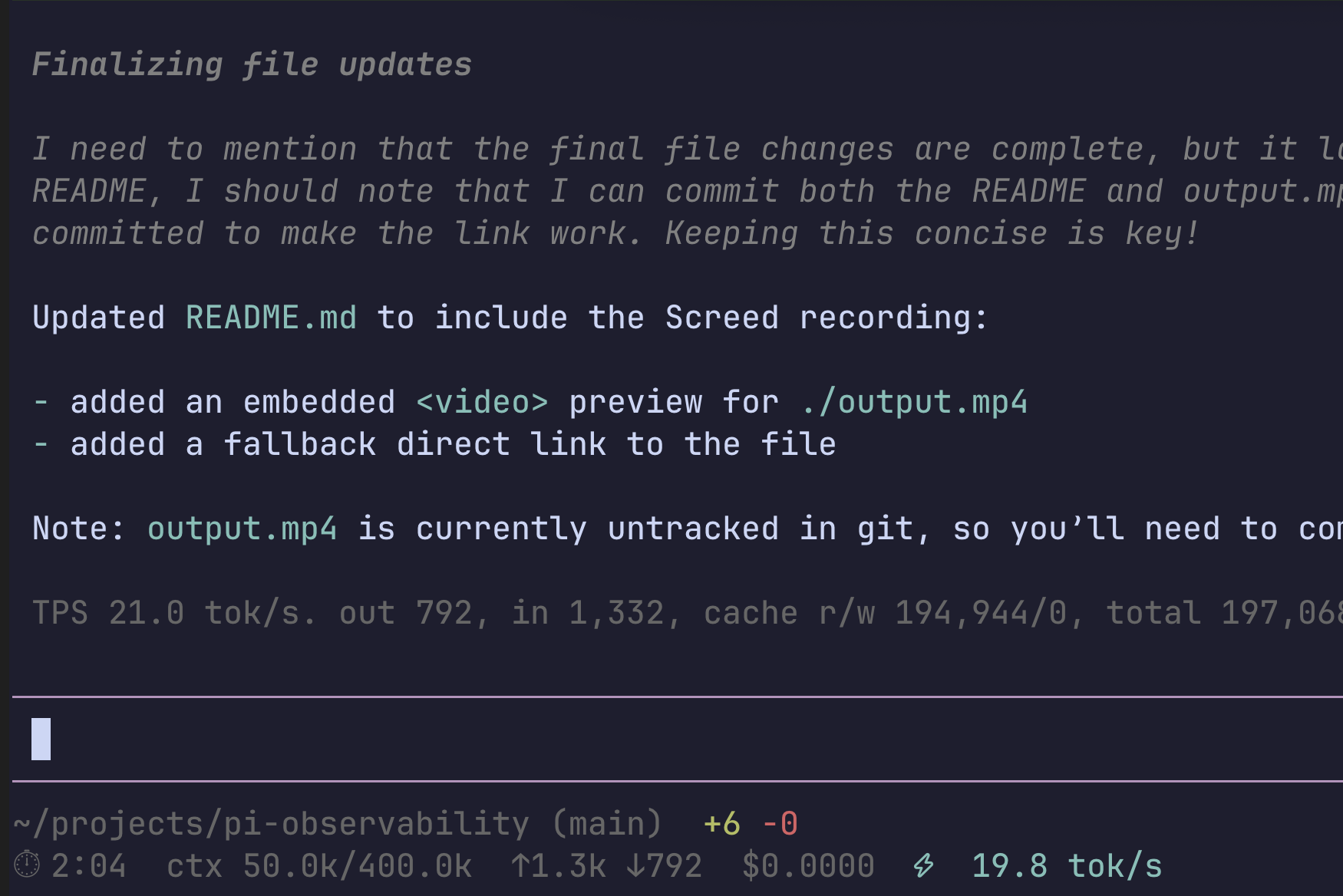
- Git diff stats (added/removed lines)
- Context usage (current / max)
- Thinking level colors match pi's input field — off/low/medium/high use the same theme colors as the editor border
- Rainbow mode —
xhighandmaxthinking levels render the model indicator in cycling rainbow colors
/obscommand — Full-screen TUI dashboard with per-turn breakdowns and last 10 session history. Renders through pi's native TUI (no console spam), with theme-aware borders and dynamic terminal width.End-of-run TPS notification — Prints the legacy TPS summary after each agent run: output TPS, input/output tokens, cache read/write tokens, total tokens, and elapsed time.
/obs-togglecommand — Toggle the live footer on/off
Preview
Screed recording
GitHub does not render inline MP4 players in
README.md, so here's a short animated preview. Click it to open the full recording.
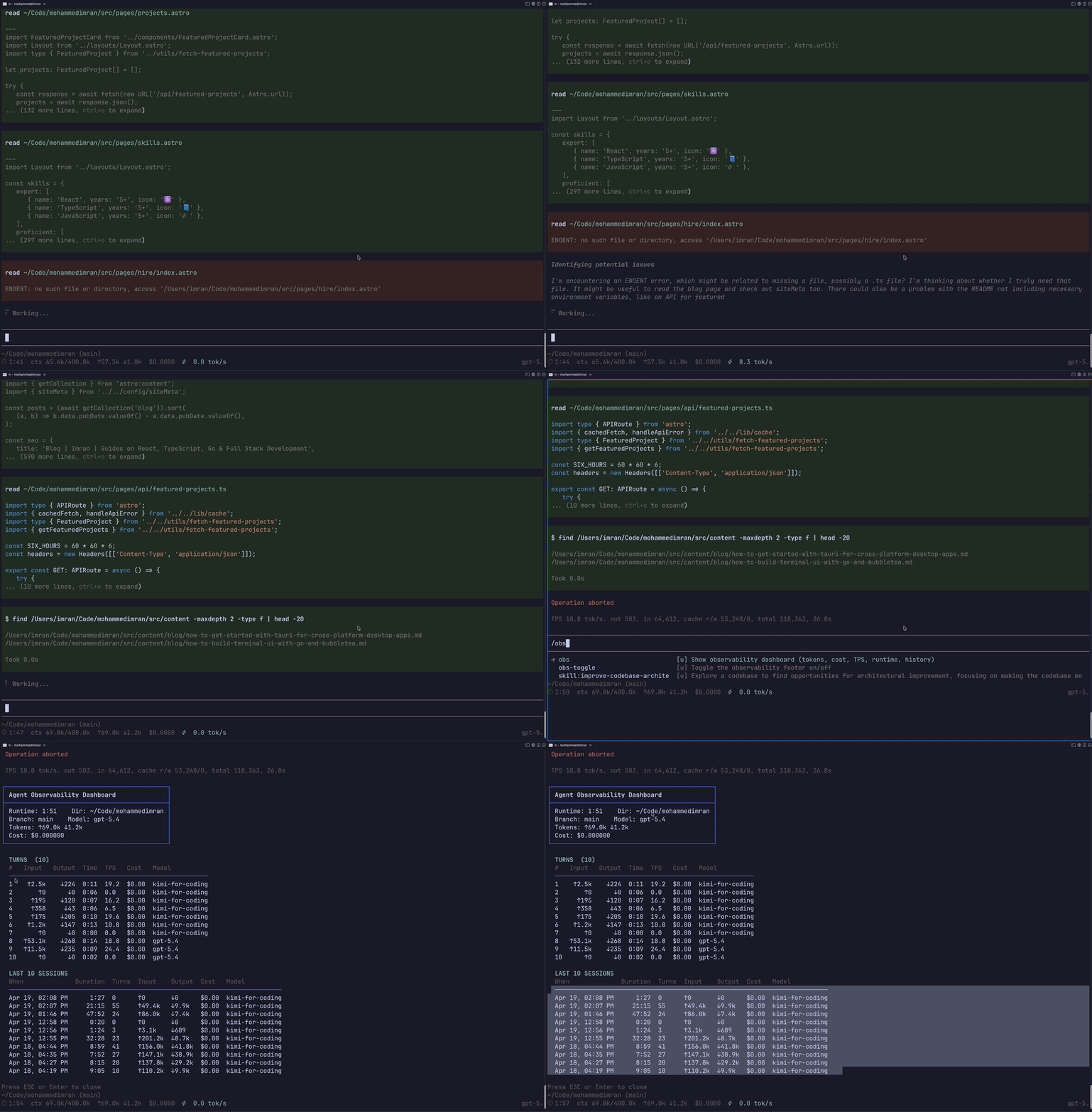
Open the full screed recording (MP4)
Footer
Compact single-line layout that falls back to two lines when the terminal is narrow:
gpt-5.5:high ▸ ⏱ 12:34 ▸ 📁 my-app ▸ main +42 -7 ▸ ctx 4.2k/200k ▸ ↑1.2k ↓3.4k ▸ ⚡45.2 ▸ $0.0042
With xhigh or max thinking, the model name renders in rainbow:
gpt-5.5:xhigh ▸ ⏱ 12:34 ▸ 📁 my-app ▸ ↑1.2k ↓3.4k ▸ ⚡45.2 ▸ $0.0042
Git diff in the status bar
Dashboard (/obs)
┌──────────────────────────────────────────┐
│ Agent Observability Dashboard            │
├──────────────────────────────────────────┤
│ Runtime: 12:34    Dir: ~/projects/my-app │
│ Branch: main    Model: claude-sonnet-4   │
├──────────────────────────────────────────┤
│ Tokens: ↑1.2k ↓3.4k                      │
│ Cost: $0.004200                          │
└──────────────────────────────────────────┘

  TURNS  (2)
  #   Input   Output   Time   TPS    Cost    Model
  ─────────────────────────────────────────────────
  1   ↑450    ↓1200    0:45   26.7   $0.00   claude-sonnet-4
  2   ↑320    ↓900     0:32   28.1   $0.00   claude-sonnet-4

  LAST 10 SESSIONS
  When                Duration   Turns   Input   Output   Cost
  ───────────────────────────────────────────────────────────
  Apr 18, 04:19 PM    9:05       10      ↑110k   ↓9.9k    $0.00
Install
Via npm
pi install npm:pi-observability
Via git
pi install git:github.com/imran-vz/pi-observability
Manual
Copy the entire extensions/ directory to ~/.pi/agent/extensions/ (or .pi/extensions/ for project-local):
cp -r extensions/* ~/.pi/agent/extensions/
Note: This extension is split into multiple files (
observability.ts+lib/). Copying only the main file will break imports.
Commands
| Command | Description |
|---|---|
/obs |
Open full observability dashboard in TUI overlay |
/obs-toggle |
Toggle the observability footer on/off |
/obs-toggle-path |
Toggle between folder name and full path in footer |
Migration from TPS
The standalone TPS extension is no longer required. pi-observability now includes its end-of-run TPS notification, so remove ~/.pi/agent/extensions/tps.ts if it is installed to avoid duplicate notifications.
Requirements
- pi coding agent
- Git (for branch & diff stats)
License
MIT