pi-openai-codex-status
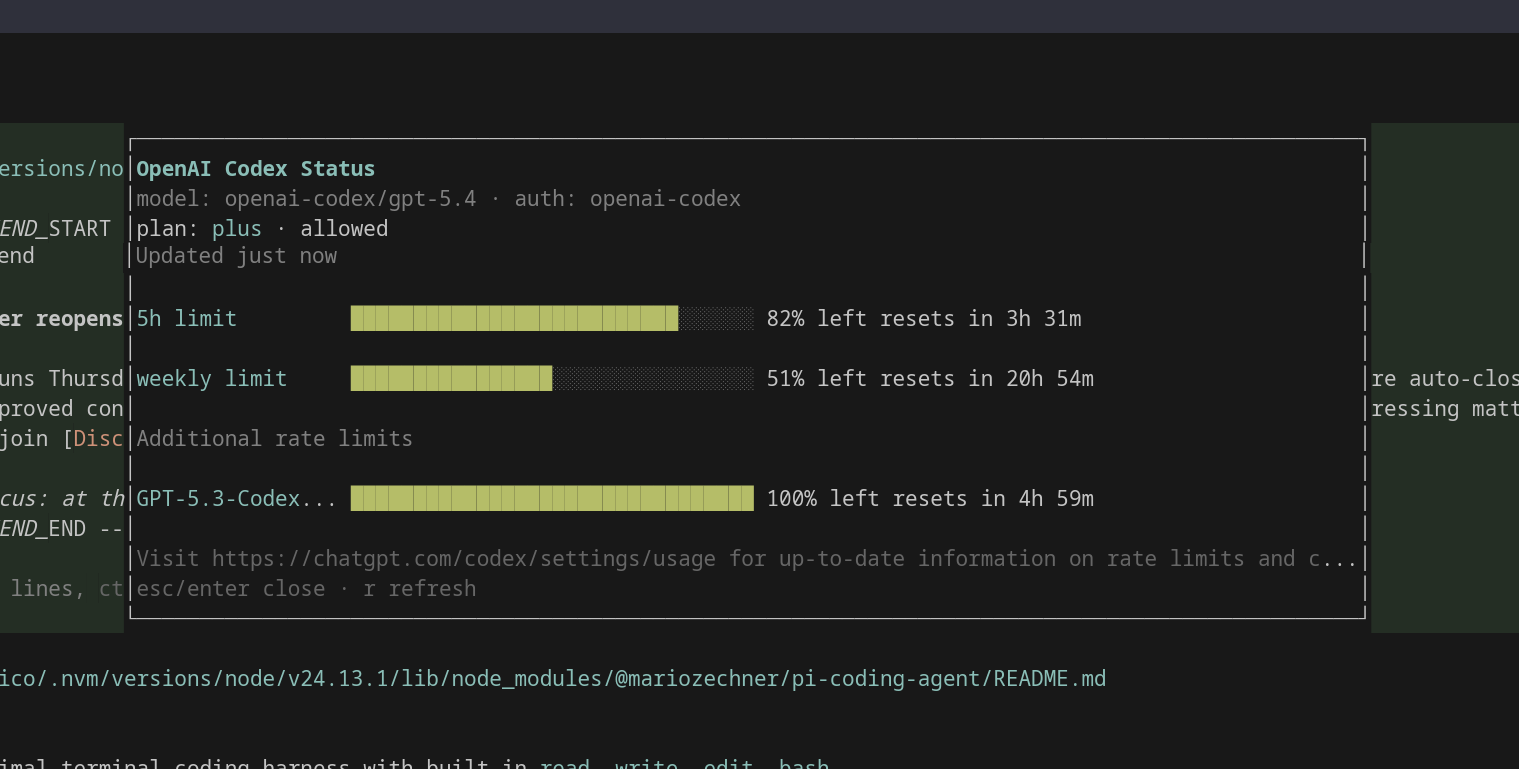
Pi extension that shows OpenAI usage for hourly and weekly subscription limits like Codex with a /status command.
Package details
Install pi-openai-codex-status from npm and Pi will load the resources declared by the package manifest.
$ pi install npm:pi-openai-codex-status- Package
pi-openai-codex-status- Version
0.1.0- Published
- Apr 7, 2026
- Downloads
- 182/mo · 21/wk
- Author
- nxcop
- License
- MIT
- Types
- extension
- Size
- 122.7 KB
- Dependencies
- 0 dependencies · 2 peers
Pi manifest JSON
{
  "extensions": [
    "./extensions"
  ]
}
Security note
Pi packages can execute code and influence agent behavior. Review the source before installing third-party packages.
README
pi-openai-codex-status
Pi extension that shows OpenAI usage for hourly and weekly subscription limits like Codex with a /status command.
Install
From npm
pi install npm:pi-openai-codex-status
From GitHub
pi install git:github.com/NxcOP1891/pi-openai-codex-status
Usage
- Start pi in interactive mode.
- Run
/login. - Choose OpenAI Codex.
- Run
/status. - Press
rto refresh,escorenterto close.
Features
- Reads Codex usage from
https://chatgpt.com/backend-api/wham/usage - Shows primary and secondary rate-limit windows
- Shows credits status
- Shows a centered overlay inside pi's TUI
- Caches the last snapshot briefly to make reopening faster
Notes
- This extension depends on pi's built-in OpenAI Codex login support.
- If you're not logged in, run
/loginand choose OpenAI Codex first. - The command only works in pi's interactive TUI, because it opens a custom overlay.
License
MIT