pi-played
A Pi extension that adds a World of Warcraft style /played command for play time and token totals
Package details
Install pi-played from npm and Pi will load the resources declared by the package manifest.
$ pi install npm:pi-played- Package
pi-played- Version
0.1.0- Published
- Jul 12, 2026
- Downloads
- 27/mo · 27/wk
- Author
- danielkhoo
- License
- MIT
- Types
- extension
- Size
- 112.9 KB
- Dependencies
- 0 dependencies · 2 peers
Pi manifest JSON
{
  "extensions": [
    "./extensions/played/index.ts"
  ]
}
Security note
Pi packages can execute code and influence agent behavior. Review the source before installing third-party packages.
README
Pi Played
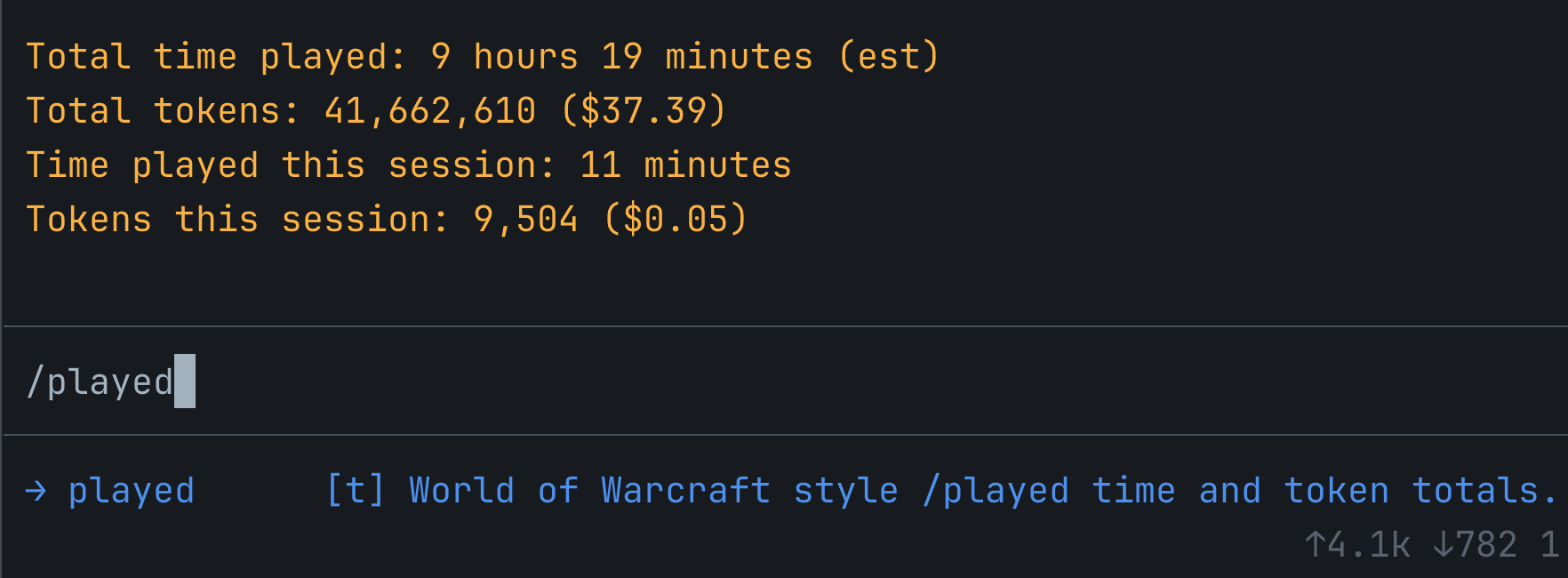
World of Warcraft style /played for Pi usage stats.
Install
pi install npm:pi-played
Or install from GitHub:
pi install git:github.com/danielkhoo/pi-played
Usage
/played
How time is counted
pi-played records exact spans from Pi session_start to session_shutdown using custom session entries. If Pi exits without a clean shutdown (crash, killed terminal), the span is recovered using the session's last message activity.
If the recorded total is less than one day, /played also merges in message-activity estimates for all sessions, marked (est). This mostly covers history from before the extension was installed. Estimates split sessions when the gap between messages is more than two hours.
Overlapping intervals are merged before totaling, so simultaneous Pi sessions are not double-counted in the total time.
For the current session, /played uses recorded spans when available. If no recorded span exists, it falls back to the same message-activity estimate.
Token counts
Token and cost totals are summed from assistant message usage stored in Pi session files:
- input
- output
- cache read
- cache write
Forking a session copies its history into a new session file, so tokens and cost from before the fork are counted once per fork in the all-time totals.
Dependencies
@earendil-works/pi-coding-agent(peer)@earendil-works/pi-tui(peer)
License
MIT © 2026 Daniel Khoo