pi-pretty-tui
A beautiful, polished TUI for the Pi coding agent
Package details
Install pi-pretty-tui from npm and Pi will load the resources declared by the package manifest.
$ pi install npm:pi-pretty-tui- Package
pi-pretty-tui- Version
0.3.3- Published
- Nov 3, 2026
- Downloads
- 1,337/mo · 164/wk
- Author
- ykn0309
- License
- MIT
- Types
- extension
- Size
- 2.9 MB
- Dependencies
- 0 dependencies · 2 peers
Pi manifest JSON
{
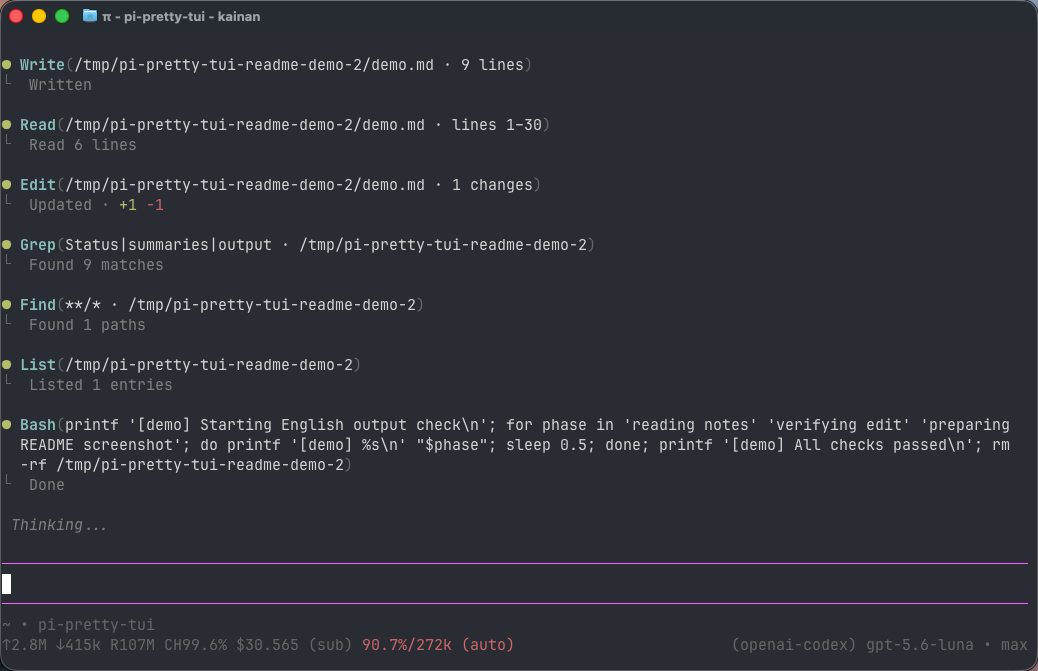
  "image": "https://raw.githubusercontent.com/ykn0309/pi-pretty-tui/main/assets/screenshot.png",
  "extensions": [
    "./extensions/index.ts"
  ]
}
Security note
Pi packages can execute code and influence agent behavior. Review the source before installing third-party packages.
README
pi-pretty-tui
English | 简体中文
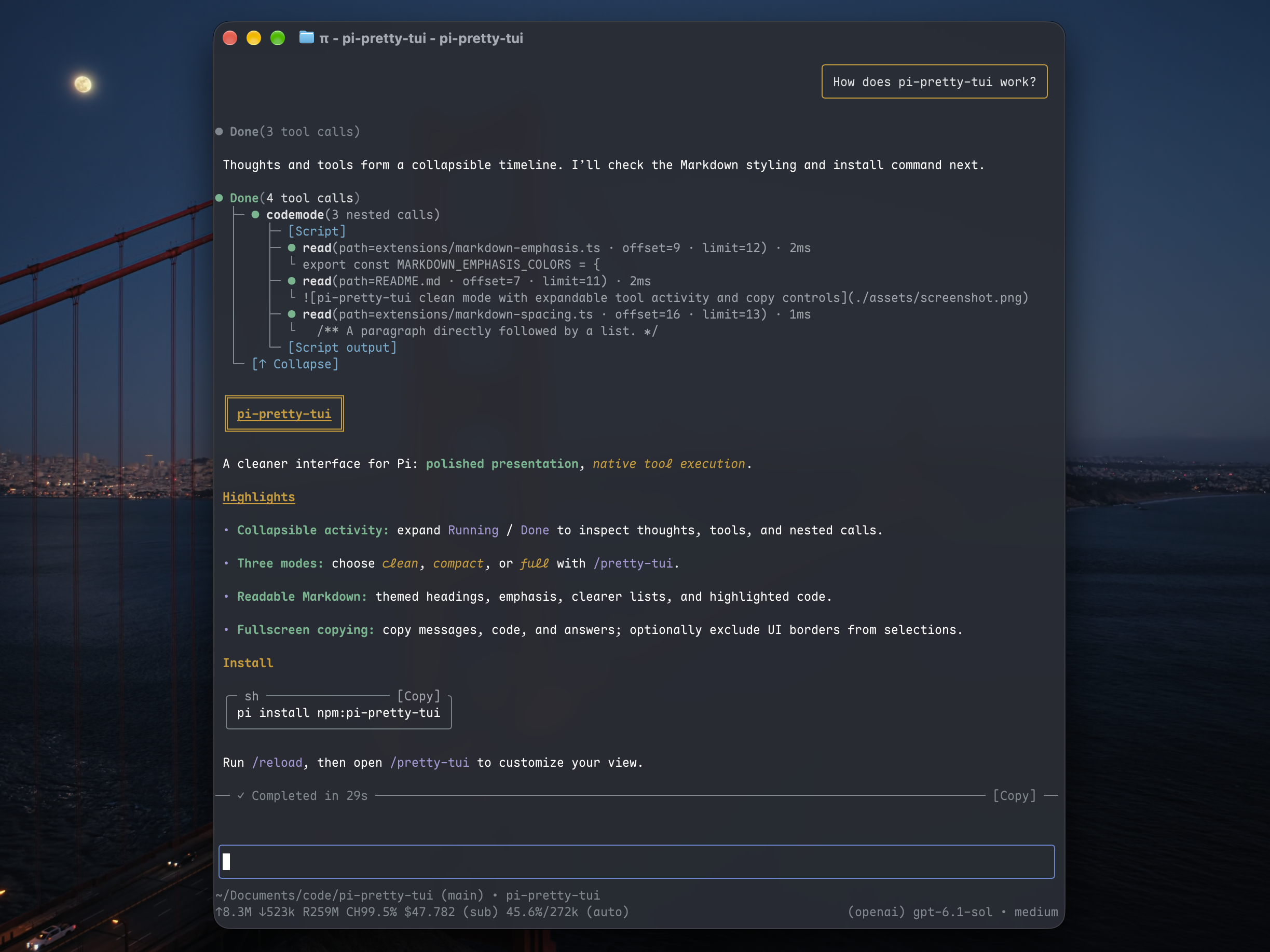
A cleaner, theme-aware interface for the Pi coding agent, with collapsible tools and thoughts, rounded message cards, and convenient copying.
Install
pi install npm:pi-pretty-tuiRestart Pi or run /reload.
Rendering modes
Run /pretty-tui to open settings and choose a mode:
| Mode | Experience |
|---|---|
| clean (default) | Group tools and thoughts into a collapsible Running / Done timeline. |
| compact | Show separate tool and thought cards with concise previews; expand for details. |
| full | Keep Pi's native details and interactions inside themed cards, with thoughts initially expanded. |
All modes include rounded messages and code blocks, syntax highlighting, a live working timer, and final-answer duration and copy controls. Clean and compact also support expandable nested-tool trees.
Click activity rows, tool titles or thought entries to expand and collapse details. In clean, use these local controls; in compact and full, Pi's Ctrl+O and Ctrl+T shortcuts remain available.
| Command | Action |
|---|---|
/pretty-tui clean |
Switch to clean mode |
/pretty-tui compact |
Switch to compact mode |
/pretty-tui full |
Switch to full mode |
/pretty-tui enable / /pretty-tui disable |
Enable or disable the extension and reload |
/pretty-tui status |
Show current settings |
Settings persist across sessions. Disabling the extension restores Pi's native appearance.
Repeated errors
In clean and compact, adjacent standalone errors can share the first complete error and a [×2] / [×3] count even when trace, request or correlation IDs change. Source type, title and surrounding text must match exactly; only standalone hexadecimal IDs (16–128 characters containing a letter) or UUIDs may differ. Short codes, numeric quantities and prefixed IDs such as msg_... / rs_... remain exact.
Other transcript entries break the run; errors with thoughts, tool calls or visible answer text are not folded. In fullscreen, click the first error to expand or collapse the run. Expanded errors show every complete original error, aligned with the same prefix and without numbering; new retries preserve the expanded state. Session records remain unchanged. You can also use /pretty-tui full to see every occurrence and its original IDs.
Copying
Start Pi in fullscreen mode to use mouse controls:
pi --tui-mode fullscreen- User message: click its body or border to copy the original text.
- Code block: click
[Copy]to copy the code without its frame. - Final answer: click
[Copy]beside the response duration to copy the answer without thoughts or tool output.
Dragging selects text rather than copying a whole message. Links keep their normal behavior; image attachments are not included in text copies.
Optional border-free selection
Enable Selection copy in /pretty-tui, or run:
/pretty-tui selection-copy on
/pretty-tui selection-copy off
This experimental option is off by default. In fullscreen mode, it removes UI borders, titles and layout padding from copied selections while preserving literal box-drawing characters in the content. It works in all three rendering modes; toggling it saves the setting and reloads Pi.
In regular mode, the terminal handles selection and copying, so this option has no border-removal effect. Fullscreen/regular is independent of clean/compact/full.
Notes
- Tested with Pi 1.5.0. Future Pi updates may require compatibility fixes.
- Keeps Pi's native input behavior and tool execution, including third-party tool implementations.
- Nested-tool text details are saved with sessions for restoration and may be truncated. Session files can contain sensitive tool output.
- See Releases for changes and contributor acknowledgments.
Uninstall
pi remove npm:pi-pretty-tuiRestart Pi afterward.