pi-qq-integration
QQ integration for pi — control pi from QQ | pi QQ 集成 — 在 QQ 中操控 pi
Package details
Install pi-qq-integration from npm and Pi will load the resources declared by the package manifest.
$ pi install npm:pi-qq-integration- Package
pi-qq-integration- Version
0.5.2- Published
- Aug 3, 2026
- Downloads
- 1,503/mo · 1,167/wk
- Author
- nu11dev
- License
- MIT
- Types
- extension
- Size
- 921.6 KB
- Dependencies
- 1 dependency · 1 peer
Pi manifest JSON
{
  "extensions": [
    "./dist/index.js"
  ],
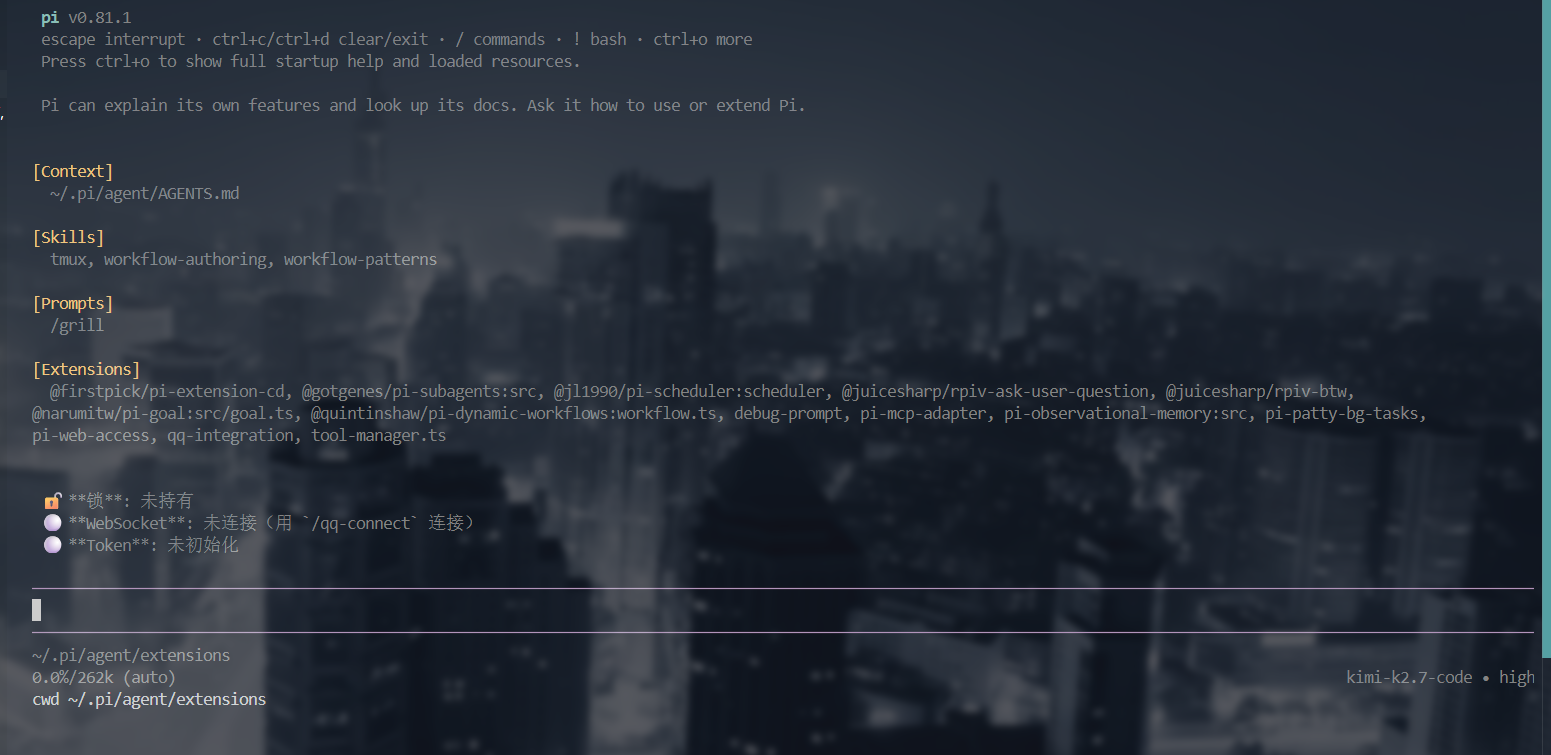
  "image": "https://raw.githubusercontent.com/Star-233/pi-qq-integration/master/screenshot.png"
}
Security note
Pi packages can execute code and influence agent behavior. Review the source before installing third-party packages.
README
pi-qq-integration
Control pi from QQ. A pi extension that connects your pi coding agent to QQ via the official QQ Bot API. Send prompts, browse sessions, view history, and toggle forwarding — all from a QQ chat window.
Install
pi install npm:pi-qq-integration
Quick Start
1. Register a QQ Bot
Create a bot application on the QQ Open Platform to obtain your AppID and AppSecret.
2. Create a config file
Create ~/.pi/agent/qq-integration-config.json:
{
  "appId": "your-app-id",
  "appSecret": "your-app-secret"
}
3. Start pi
pi
The extension loads on pi startup and automatically connects to QQ Bot when a pi session starts. To disable auto-connect, add "autoConnect": false to the config file and use /qq-connect manually. Send a message to your bot in QQ — it'll be forwarded to pi as a prompt.
Configuration
Config file path: ~/.pi/agent/qq-integration-config.json
Top-level fields
| Field | Type | Required | Default | Description |
|---|---|---|---|---|
appId |
string | ✅ | — | QQ Bot application AppID |
appSecret |
string | ✅ | — | QQ Bot application AppSecret (sensitive — never commit to git) |
instanceId |
string | ❌ | PID |
Unique ID for this pi instance (default = process.pid; used for #to <PID> switching and message signatures) |
role |
"auto" | "leader" | "follower" |
❌ | "auto" |
Multi-instance role: auto = file-lock election; leader = force QQ connection holder; follower = connect via IPC to leader |
autoConnect |
boolean | ❌ | true |
Auto-connect QQ Bot on pi startup; set false to require manual /qq-connect |
allowedUsers |
string[] | ❌ | — | Whitelist of c2c user openids allowed to send prompts to pi. If unset, all QQ private messages are processed (with a security warning). Strongly recommended to prevent remote prompt injection |
allowedGroups |
string[] | ❌ | — | Whitelist of group openids allowed to send prompts to pi. If unset, all group @-bot messages are processed |
settings field (forwarding options)
| Field | Type | Default | Description |
|---|---|---|---|
forwardDesktopMessages |
boolean | false |
Forward messages typed in the pi terminal to QQ |
forwardToolCalls |
boolean | false |
Forward tool calls and their results to QQ (mutually exclusive with lastMessageOnly; enabling one auto-disables the other, enforced both in config and via #settings) |
lastMessageOnly |
boolean | false |
Only forward the final assistant reply per agent run (mutually exclusive with forwardToolCalls; enabling one auto-disables the other) |
defaultSession |
object | undefined | undefined |
Default QQ session target for desktop/tool forwarding. Auto-updated to the source of the most recent incoming QQ message; also settable via /qq-target or QQ #target |
settingsfields can be configured statically in the config file or changed dynamically in QQ using#settingscommands (see QQ Commands below). Settings are persisted to the config file.
Full example
{
  "appId": "your-app-id",
  "appSecret": "your-app-secret",
  "autoConnect": true,
  "role": "auto",
  "settings": {
    "forwardDesktopMessages": false,
    "forwardToolCalls": false,
    "lastMessageOnly": false
  }
}
Environment variables
| Variable | Description |
|---|---|
QQ_INTEGRATION_DATA_DIR |
Override data directory (default: ~/.pi/agent) |
QQ_API_BASE |
Override QQ API base URL (default: https://api.sgroup.qq.com) |
QQ_TOKEN_API |
Override Token API endpoint (default: https://bots.qq.com/app/getAppAccessToken) |
Multi-instance
When running multiple pi instances simultaneously, a file-lock elects a single leader to hold the QQ WebSocket connection. Other instances become followers and delegate QQ send/receive to the leader via local IPC (Unix socket on macOS/Linux, named pipe on Windows).
role: "auto"(default) — first instance to acquire the lock becomes leader; rest become followers.role: "leader"/"follower"— force a specific role.followernever attempts to take over leadership even if the leader is down.instanceId— default is the process PID; used as the instance signature and the#to <PID>routing target. Set it only when you need a fixed ID.
Message signatures — every outgoing QQ message is prefixed with a quote-block signature showing which instance sent it:
> 【session-name-3863】

<message content>
(The session name is your pi session name; if the session is unnamed, the signature is > 【PID】.) The signature is also used as a fallback for quote-based routing (see below).
Quote-based routing — when you quote (reply to) a message in QQ, the message is automatically routed back to the instance that sent the quoted message (via ref_idx mapping, 60-min TTL; falls back to matching the signature inside the quoted content). This lets you send a message to a specific instance by quoting one of its replies.
Architecture
QQ User
  │
  ├─ Send message → QQ Bot Server → WebSocket
  │                                      │
  │                      ┌───────────────▼───────────────┐
  │                      │  pi-qq-integration extension   │
  │                      │                                │
  │                      │  ws-client.ts                  │
  │                      │    ↕ WebSocket (long-lived)    │
  │                      │  command-handler.ts            │
  │                      │    ↕ #cmd parsing              │
  │                      │  index.ts                      │
  │                      │    ↕ sendUserMessage           │
  │                      └───────────────┬───────────────┘
  │                                      │
  │                      ┌───────────────▼───────────────┐
  │                      │        pi engine               │
  │                      │   processes prompt & replies   │
  │                      └───────────────┬───────────────┘
  │                                      │
  └─────── REST API ←──── reply content
Two independent channels:
- WebSocket — receives QQ messages (long-lived connection with heartbeat and auto-reconnect)
- REST API — sends replies to QQ, POSTing to the endpoint matching session type:
/v2/users/{openid}/messages(c2c),/v2/groups/{group_openid}/messages(group), or/channels/{channel_id}/messages(channel)
pi Slash Commands
Commands used in the pi terminal:
| Command | Description |
|---|---|
/qq-connect |
Manually connect QQ Bot |
/qq-disconnect |
Disconnect QQ Bot |
/qq-status |
Connection overview (role, lock, WebSocket, Token) |
/qq-diagnose |
Detailed diagnostics (session_id, heartbeat, reconnect count, etc.) |
/qq-logs |
View last 30 log entries |
/qq-logs-path |
Show log file path |
/qq-logs-clear |
Clear log file |
/qq-target |
Set/view default QQ forwarding target |
QQ Commands
Messages sent in QQ that start with # are treated as commands. Anything else is forwarded to pi as a prompt.
| Command | Description |
|---|---|
#help |
Show help |
#sessions [page] |
List all sessions across projects, 10 per page, most recently used first |
#history [N] |
View last N messages in the current instance's session (default: 5) |
#target |
Set current QQ conversation as default forwarding target |
#settings |
View/modify forwarding settings (#setting is an alias) |
#instances |
List online instances (ID, role, claimed sessions with name/last-message preview) |
#to <PID/name> [content] |
View current binding / switch the session to a specific instance / send content directly to it |
#create <index/name> |
Spawn a new pi instance reusing an existing session |
#create new [--dir <dir>] |
Spawn a new pi instance with a brand-new session (optional working dir) |
#close <PID> [PID...] |
Close instance(s) by PID (multiple PIDs space-separated) |
#settingsuses short aliases for two options:forwardMessages=forwardDesktopMessages,forwardTools=forwardToolCalls.
#settings examples
You: #settings
Bot: ## ⚙️ QQ Bot 设置
     | 选项 | 状态 | 说明 |
     | forwardMessages | ❌ 关 | 桌面端消息转发到 QQ |
     | forwardTools | ✅ 开 | 工具调用转发到 QQ |
     | lastMessageOnly | ❌ 关 | 只转发整次回复的最后一条 assistant 回复 |

You: #settings forwardTools on
Bot: ✅ **工具调用转发** 已开启,同时 `lastMessageOnly` 已自动关闭。

You: #settings lastMessageOnly on
Bot: ✅ **只转发最后一条回复** 已开启,assistant 整次运行仅发送一条最终回复;`forwardTools` 已自动关闭。
Bot replies are hardcoded in Chinese regardless of locale.
Desktop message forwarding
When forwardDesktopMessages is enabled, messages typed in the pi terminal are forwarded to QQ. The target is selected by priority:
- The most recent QQ message's source session (incoming QQ messages auto-update
defaultSession) - The manually set default target (
/qq-targetor QQ#target) — only used before any QQ message has been received
Note: Messages forwarded from QQ into pi are prefixed with a source tag (
[QQ]for private chat,[QQ群]for group). This prefix is also used to detect and skip desktop echoes, preventing forwarding loops.
# Set default target in pi terminal
/qq-target c2c <user-openid> [name]      # Private chat (name optional)
/qq-target group <group-openid> [name]   # Group chat
/qq-target channel <channel-id> [name]   # Channel
/qq-target                               # View current target (alias: show)
/qq-target clear                         # Clear

# Or in QQ: send #target to set current conversation as target
File structure
pi-qq-integration/
├── index.ts              # Entry: init, events, slash commands
├── constants.ts          # Centralized constants (paths, URLs, timeouts)
├── config.ts             # Config file read/write (atomic writes)
├── auth.ts               # QQ Bot access token management + auto-refresh
├── lock.ts               # File lock (O_EXCL atomic creation, multi-instance)
├── ws-client.ts          # WebSocket client (connect, auth, heartbeat, reconnect)
├── api-client.ts         # REST API client (send messages)
├── ipc.ts                # IPC (leader-follower delegation; Unix socket / Windows pipe)
├── registry.ts           # Instance registry (atomic writes)
├── routing.ts            # Quote-based routing pure functions (ref_idx + signature fallback)
├── validation.ts         # Session/sessionKey validation, name sanitization
├── session-manager.ts    # Pi session browser
├── command-handler.ts    # QQ #command parser
├── logger.ts             # File logger with rotation
├── types.ts              # Type definitions
└── package.json
Multi-instance details
~/.pi/agent/
├── qq-integration.lock          # File lock (O_EXCL atomic creation)
│   └─ JSON: { pid, startedAt, heartbeatAt }  (heartbeat every 30s)
└── qq-integration/
    ├── registry.json             # Instance registry (atomic write)
    └── instances/
        └── <pid>.sock            # IPC Unix socket (leader; named pipe on Windows)
- First pi instance acquires the lock → becomes leader → connects QQ Bot
- Subsequent instances detect the lock → become followers → connect to leader via IPC
- If the leader crashes or exits, its PID becomes invalid → the next follower takes over the lock during its reconnect cycle (failover).
role: followerdisables this takeover - While the leader is down, followers silently retry in the background (logs only, no UI spam); they notify you only when the connection is restored
Logging
All debug logs are written to:
~/.pi/agent/qq-integration.log
Use /qq-logs in pi to view the last 30 entries, or /qq-logs-path for the file path. Log files are truncated (cleared) at 5 MB.
Notes
- Token security — Access tokens expire in ~2 hours and are auto-refreshed. After 3 consecutive refresh failures, the extension disconnects and notifies the user.
- Message rate limits — QQ Bot proactive messages are limited to 4 per user/group per month (QQ platform rule). Passive replies have more relaxed limits.
- Session management — Create new instances with
#create(reuse a session or start fresh), list all sessions with#sessions, close instances with#close. Session switching within an instance is not available (use#create+#toinstead). - Settings persistence —
#settingschanges are saved toqq-integration-config.jsonand survive/reload. - Group messages — Only @-bot messages are received (
GROUP_AT_MESSAGE_CREATE). - Config file — Contains AppSecret. Never commit it to git.
Development
cd ~/.pi/agent/extensions/pi-qq-integration
npm install          # Install dependencies
npm run build        # Compile TypeScript
npm run typecheck    # Type check only
npm test             # Run the test suite (node:test, zero extra dev deps)
# Edit code, then /reload in pi to hot-reload
Dependencies — the only runtime dependency is ws (WebSocket client, used by ws-client.ts). Everything else uses Node.js built-ins.
Contributors
Thanks to @illusionlie for the Windows IPC bug report (#1) and fix PR (#2).