pi-quota-monitoring
Pi extension - shows subscription quota usage in the status bar for Command Code and OpenCode Go
Package details
Install pi-quota-monitoring from npm and Pi will load the resources declared by the package manifest.
$ pi install npm:pi-quota-monitoring- Package
pi-quota-monitoring- Version
1.0.3- Published
- Aug 31, 2026
- Downloads
- 674/mo · 231/wk
- Author
- anhydrite
- License
- MIT
- Types
- extension
- Size
- 71 KB
- Dependencies
- 0 dependencies · 1 peer
Pi manifest JSON
{
  "extensions": [
    "./extensions/quota-monitor.ts"
  ],
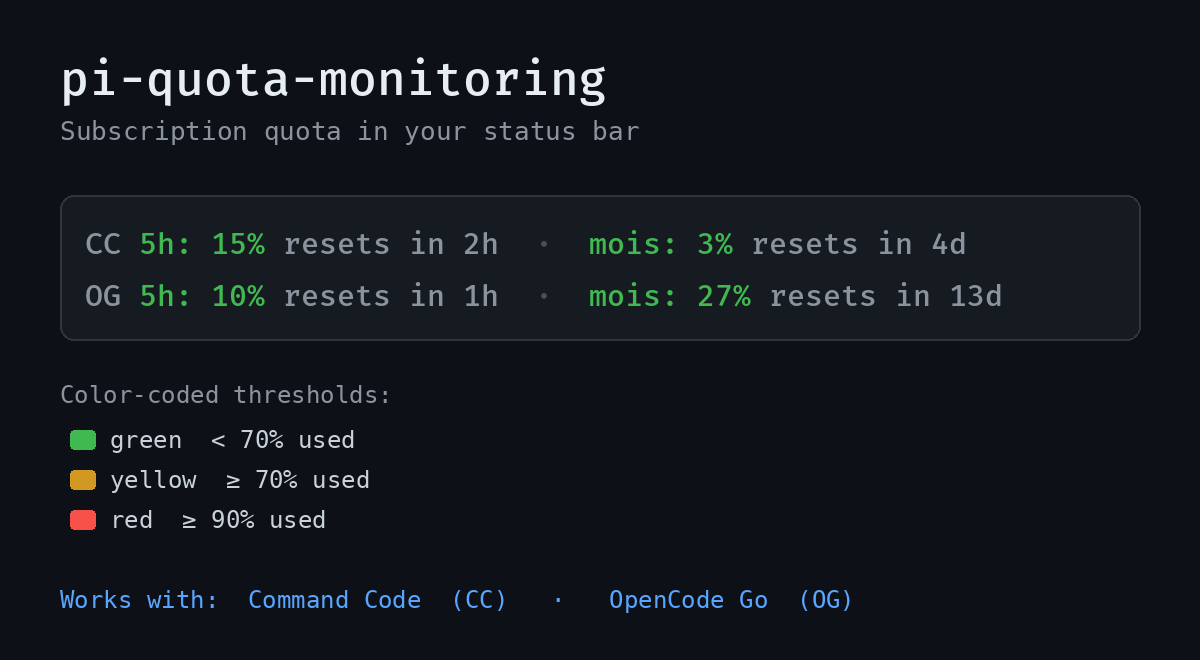
  "image": "https://raw.githubusercontent.com/Anhydrite/pi-quota-monitoring/main/assets/preview.png"
}
Security note
Pi packages can execute code and influence agent behavior. Review the source before installing third-party packages.
README
pi-quota-monitoring
A pi extension that shows your subscription quota usage (%) in the status bar.
Supported providers:
| Provider | Label | Quota source |
|---|---|---|
Command Code (commandcode) |
CC |
api.commandcode.ai billing period + 5h window |
OpenCode Go (opencode-go) |
OG |
opencode.ai/zen/go/v1/usage rolling window |
The quota only appears when you're using a model from a supported provider. Switch to any other provider (e.g. minimax) and the display clears automatically.
What it looks like
In the pi footer, the extension shows one segment per usage window:
CC 5h: 15% resets in 2h · mois: 3% resets in 4d
OG 5h: 10% resets in 2h · mois: 27% resets in 13d
If you also have pi-token-speed installed, the quota appears to the right of your TPS readout (the zz-quota status key sorts right after tokenSpeed).
- Two windows shown: the 5-hour window (tighter limit, with reset countdown) and the monthly billing period
- Color-coded: green (ok), yellow (≥70% used), red (≥90% used)
- Reset countdown: each window shows
resets in 2h/5m/1duntil it resets - the 5h window uses the provider's real reset timestamp; the monthly window uses the provider's reset timestamp when available (OpenCode Go), otherwise the next calendar-month start (Command Code) - Auto-refresh: every 60s and after every agent turn
- Command Code shows the 5-hour window + monthly billing-period total
- OpenCode Go shows the rolling (≈5h) + monthly windows
Install
pi install npm:pi-quota-monitoring
Then /reload or restart pi.
Usage
Nothing to configure. Pick a model from a supported provider and the quota shows up in the footer.
How it works
The extension reads the API key from pi's model registry (falling back to the standard auth stores), then queries each provider's usage endpoint:
- Command Code:
GET https://api.commandcode.ai/alpha/whoami→GET /alpha/billing/credits+GET /alpha/usage/summary- computes the 5-hour window percentage and the monthly billing-period percentage (used / total). - OpenCode Go:
GET https://opencode.ai/zen/go/v1/usage- the API returnsrolling(≈5h) andmonthlypercentages directly.
The status is set under the key zz-quota, which sorts alphabetically just after tokenSpeed in pi's footer (when pi-token-speed is installed), placing the quota to the right of the TPS display.
License
MIT