pi-redline
Redline pi sessions: an overlay TUI showing every file changed in the current pi session with syntax-highlighted diffs, per-line selection, fix/explain annotations, and a one-key submit-as-prompt flow.
Package details
Install pi-redline from npm and Pi will load the resources declared by the package manifest.
$ pi install npm:pi-redline- Package
pi-redline- Version
0.3.0- Published
- May 14, 2026
- Downloads
- not available
- Author
- alonmartin2222
- License
- MIT
- Types
- extension
- Size
- 74.3 KB
- Dependencies
- 0 dependencies · 2 peers
Pi manifest JSON
{
  "extensions": [
    "./extensions/session-diff.ts"
  ]
}Security note
Pi packages can execute code and influence agent behavior. Review the source before installing third-party packages.
README
pi-redline
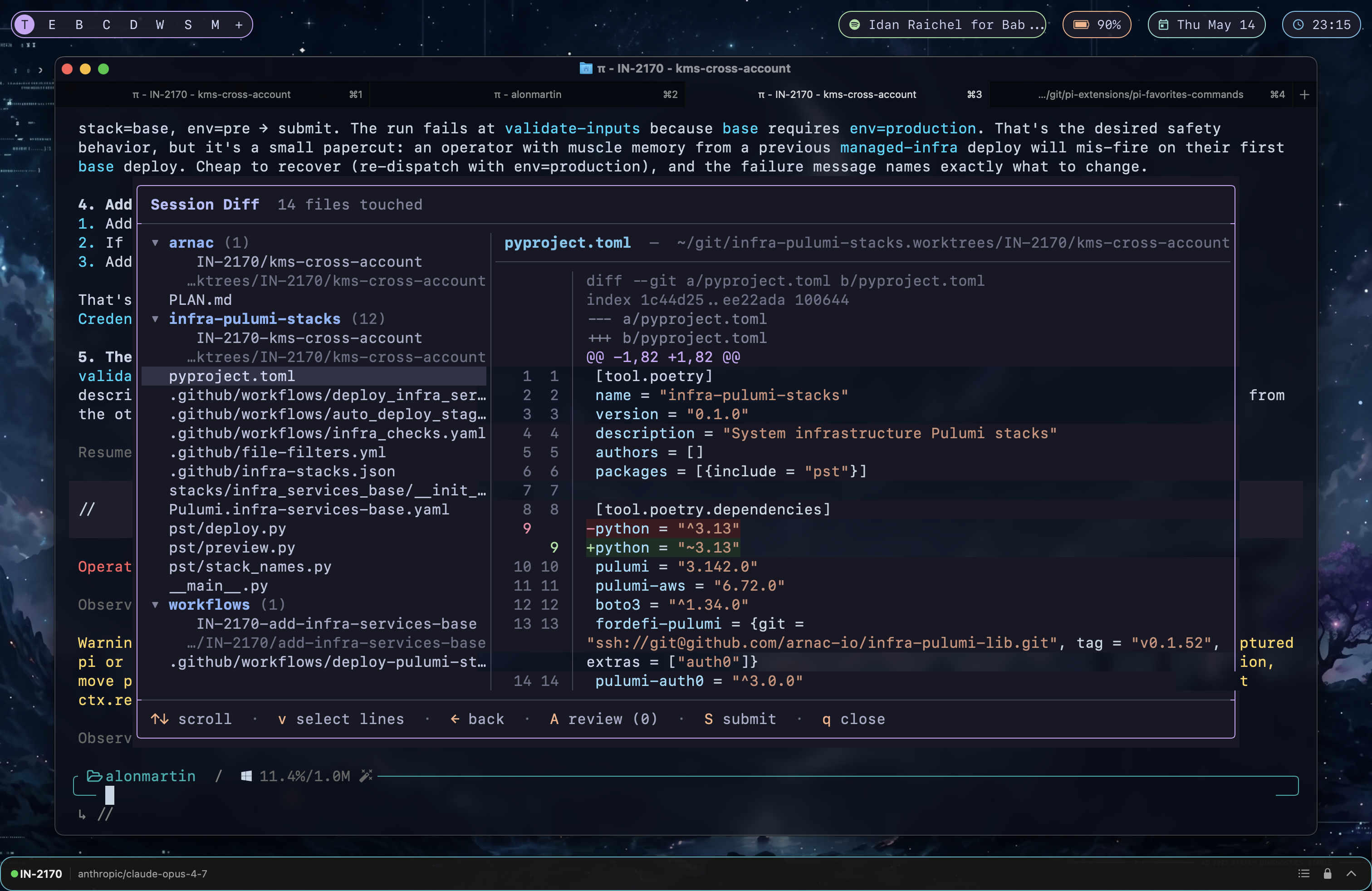
Redline your pi sessions. An overlay TUI for pi that shows every file the agent changed in the current session, with syntax-highlighted full-file diffs, line numbers, per-line selection, fix/explain annotations, and a one-key flow to send the marked-up review back to the session as a prompt.
Why
You just had pi edit ten files across three repos in one session. Now you want to walk every change, leave a few notes on lines that need follow-up, and have pi act on those notes — all without leaving the terminal, without opening a PR, and without losing your scroll position.
Features
- 📁 Session-scoped file list grouped by repo. Tracks every successful
edit/write/multiedittool result, retroactively on/reloadtoo. Handles multiple repos and worktrees in one session. - 🌈 Syntax-highlighted full-file diffs (not just hunks) using pi's own highlighter, with line numbers and red/green gutters for added/removed lines.
- ✎ Per-line annotations —
vto enter select mode, space to drop an anchor, ↑↓ to extend, thenafor a fix note orxto ask pi to explain. Yellow gutter marker on annotated lines. - 📋 Cross-file review pane (
A) lists every annotation across every file with kind badges (fix/explain), jump-to-line, and per-row delete. - 🚀 One-key submit (
S) sends a single markdown-formatted prompt back to the session with all annotations grouped by kind — pi gets a clean review packet with diff snippets and your notes. - 🪟 True overlay — your pi session stays visible behind the panel.
- ⌨️ Two-step esc, persistent annotations across overlay open/close, and a footer that surfaces the right hotkeys per mode.
Install
pi install npm:pi-redline
# /reload  (or restart pi)
Usage
/session-diff
Keys
| Mode | Key | Action |
|---|---|---|
| Left pane | ↑↓ |
navigate repos / files |
→ / ⏎ |
focus diff pane | |
← |
collapse repo / jump to repo header | |
| Diff pane | ↑↓/jk |
scroll |
space |
page down · Ctrl+B page up |
|
← |
return focus to file list | |
v |
enter SELECT mode | |
A |
open review pane | |
S |
submit annotations as prompt | |
| SELECT | ↑↓ |
move cursor; extends selection once anchor set |
space |
first press drops anchor, second press → annotate | |
o |
swap cursor and anchor | |
a / ⏎ |
annotate as fix (note required) | |
x |
annotate as explain (note optional) | |
esc |
drop in-progress range / exit SELECT | |
| Review | ↑↓ |
navigate annotations |
⏎ |
jump to annotated line | |
d |
delete annotation | |
S |
submit | |
| Anywhere | q / esc |
close overlay (annotations persist) |
Submission
S builds a markdown prompt and sends it via pi.sendUserMessage(). It groups annotations by kind:
I'm reviewing the changes you made in this session...

## Fixes requested
### src/handler.py (repo: ~/git/kms-cross-account)

**L45-48** — handle the case where the role chain returns no creds
```diff
   def assume_role(arn):
+      session = boto3.Session()
       ...
```

## Explanations requested
### src/util.py
**L12** — what does this regex actually match?
The agent picks it up as your next user turn.
Walkthrough
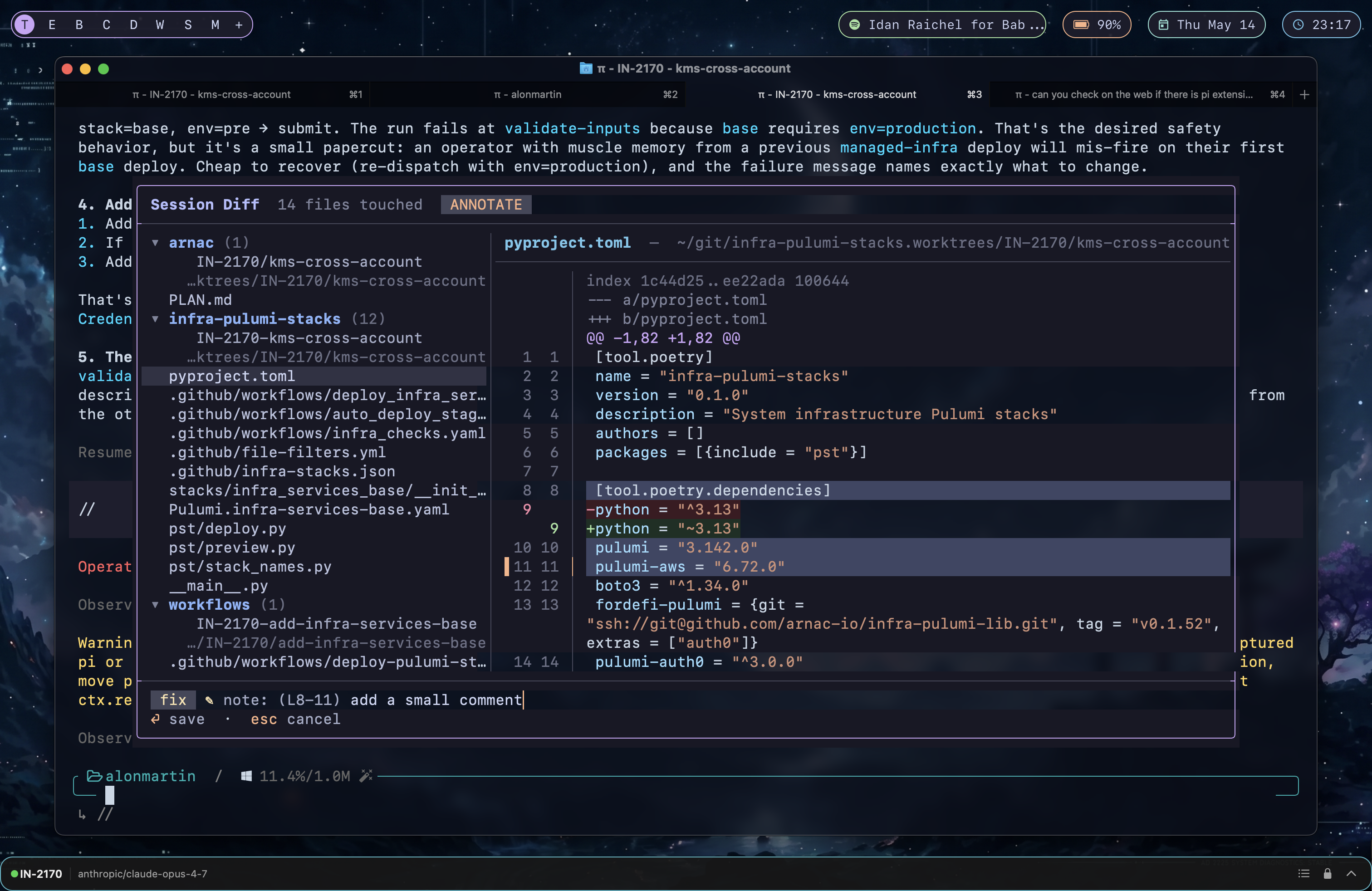
1. Mark a line range as a fix
Press v in the diff to enter SELECT mode, space to drop an anchor, ↑↓ to extend, then a to attach a note. The yellow fix badge means “I want the agent to change something here”.
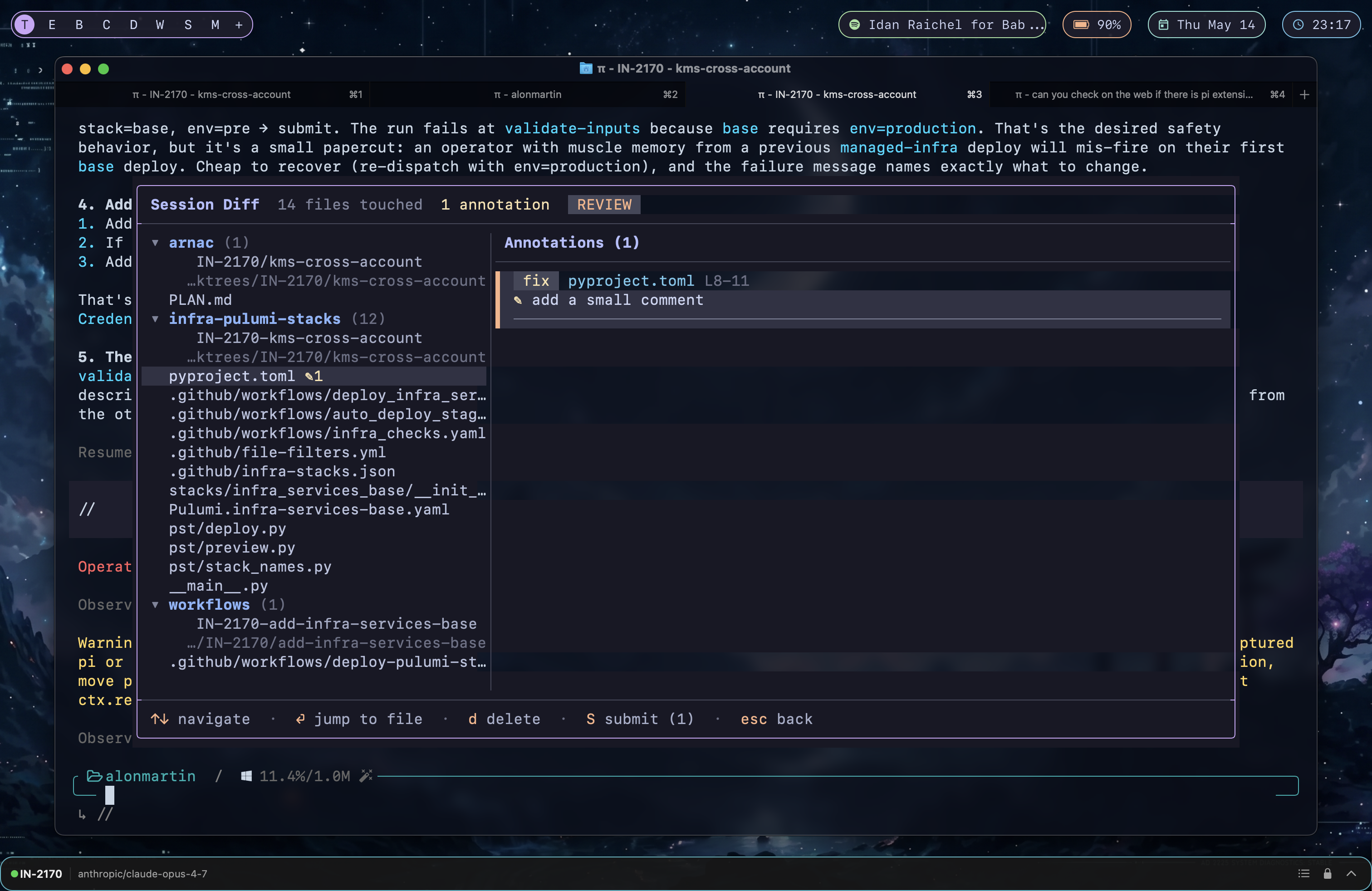
2. Review every annotation across every file
A opens the review pane. Each row shows the kind badge, file, line range, and note. ⏎ jumps to the line, d deletes, S submits.
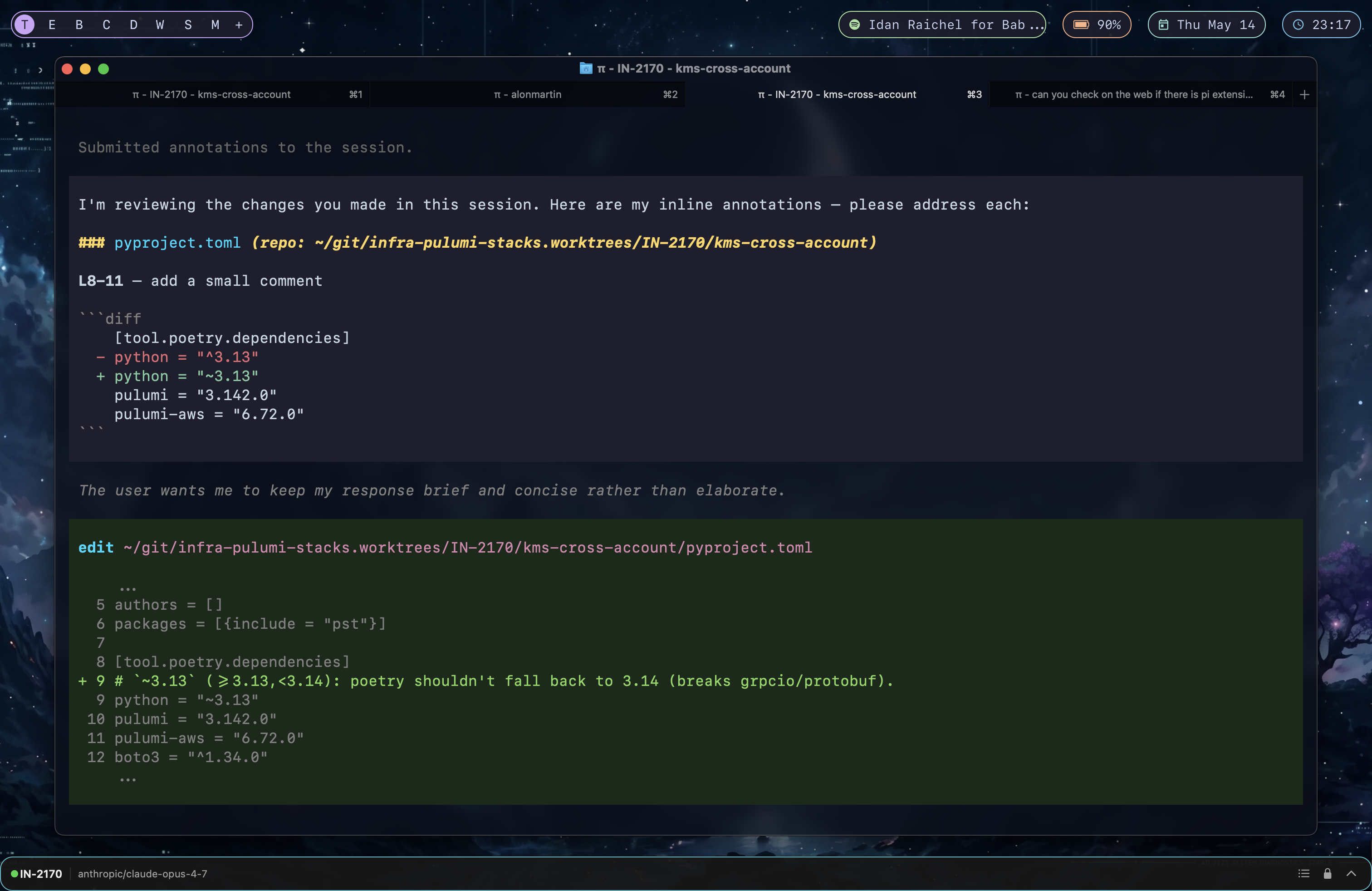
3. Submit — the agent receives the review and acts on it
S closes the overlay and sends a single markdown prompt back to the session. The fix turns into a real edit the agent applies immediately.
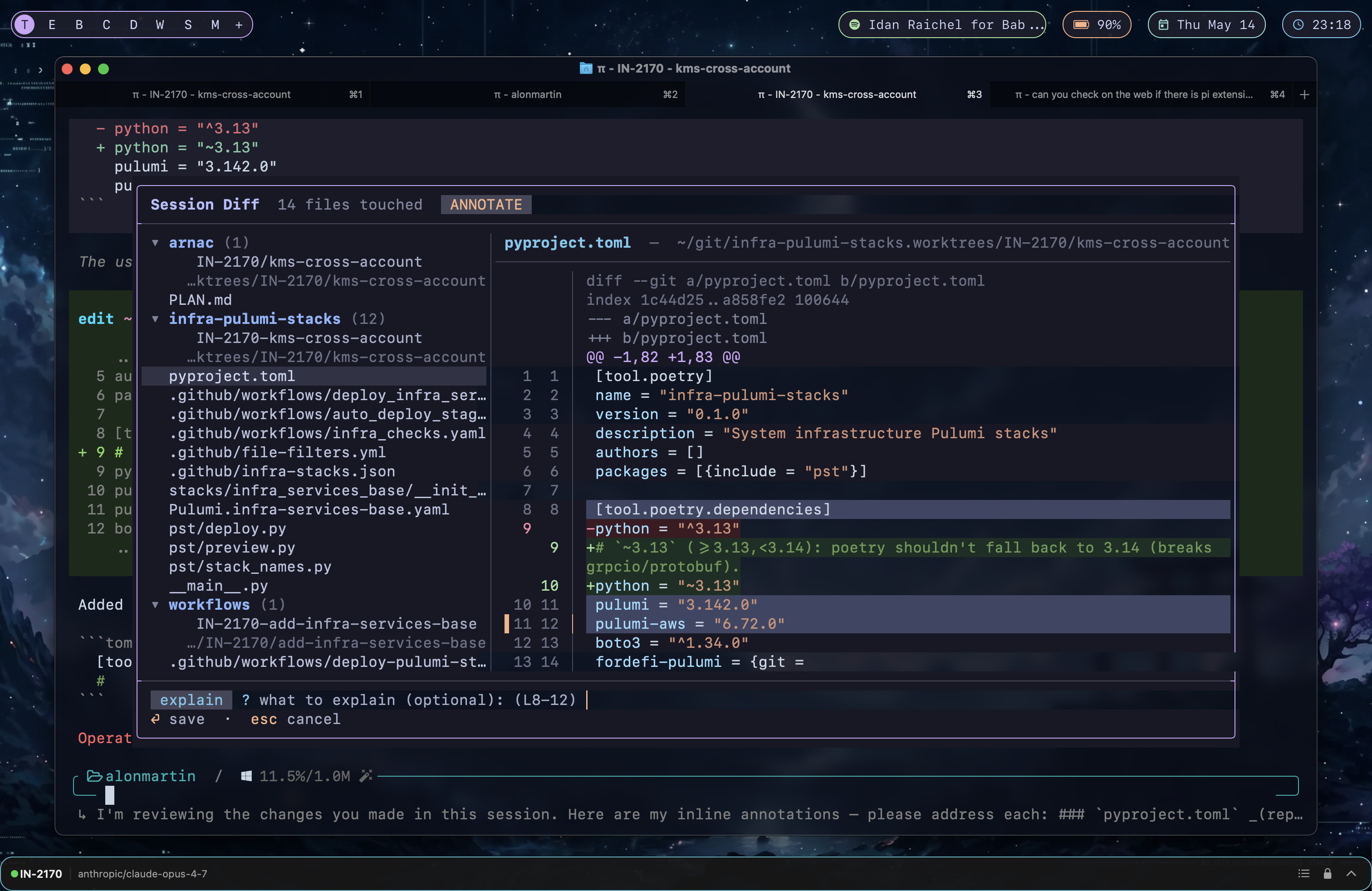
4. Or ask the agent to explain a region instead
In SELECT mode press x instead of a. The note is optional — leave it blank and the agent is asked to explain the snippet on its own terms. The badge turns sapphire.
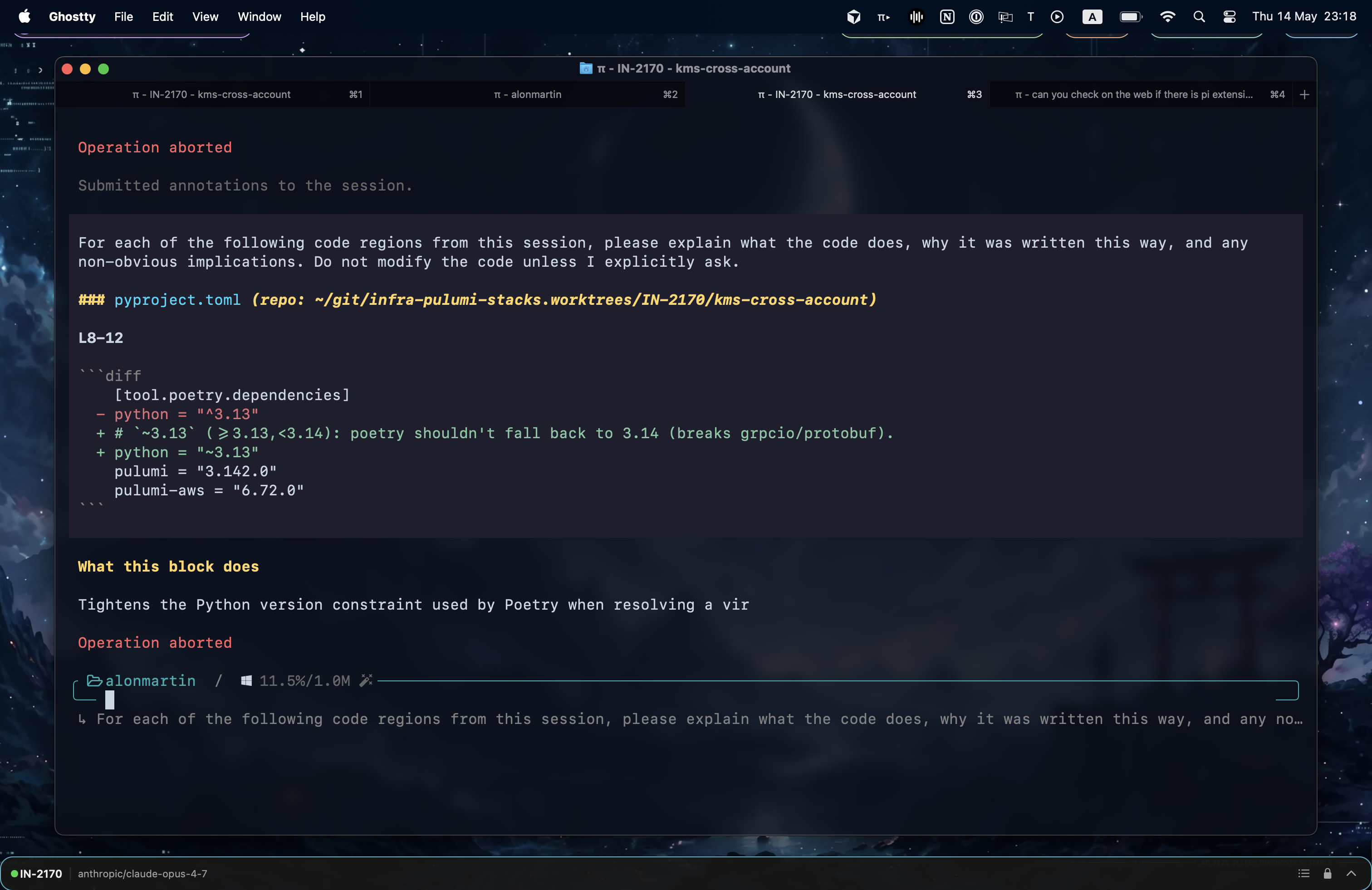
5. The agent walks the code for you
Explain annotations submit as a separate section of the prompt with an explicit “do not modify” instruction, so the agent narrates the code without touching it.
How it works
- Tracking: subscribes to
pi.on('tool_result')for successfuledit/write/multiedittools and absolutizes the path againstctx.cwd. Persists each new path as a custom session entry (customType: "session-diff:touched") so it survives/reload. Onsession_start, also scans historicaltoolResultentries paired with their precedingAssistantMessage.toolCall.argumentsto rebuild the touched-file map retroactively (useful when installed mid-session). - Repo grouping: walks each touched file up to its
.gitroot. For worktrees usesgit rev-parse --git-common-dirto resolve the canonical project name so siblings of one repo group under a single header. Files outside any git repo are diffed viagit diff --no-index /dev/null <file>. - Full-file diffs: every diff is computed with
git diff --unified=999999so the entire file is shown, not just hunks — context lines stay neutral, only+/-lines are colored. - Syntax highlighting: pi exposes
getLanguageFromPath()andhighlightCode()from its theme module; context lines are fully highlighted,+/-lines keep the highlight + a dark green/red background tint. - Overlay rendering: uses
ctx.ui.custom(factory, { overlay: true, overlayOptions: { width: '90%', maxHeight: '85%', anchor: 'center' } })so the live pi session is visible behind the panel.
Requirements
- pi ≥ 0.74 (uses
ctx.ui.customoverlay options and the syntax-highlighting helpers) - Node ≥ 20
giton$PATH
License
MIT — see LICENSE.