pi-remove-concise-and-filepath-rules
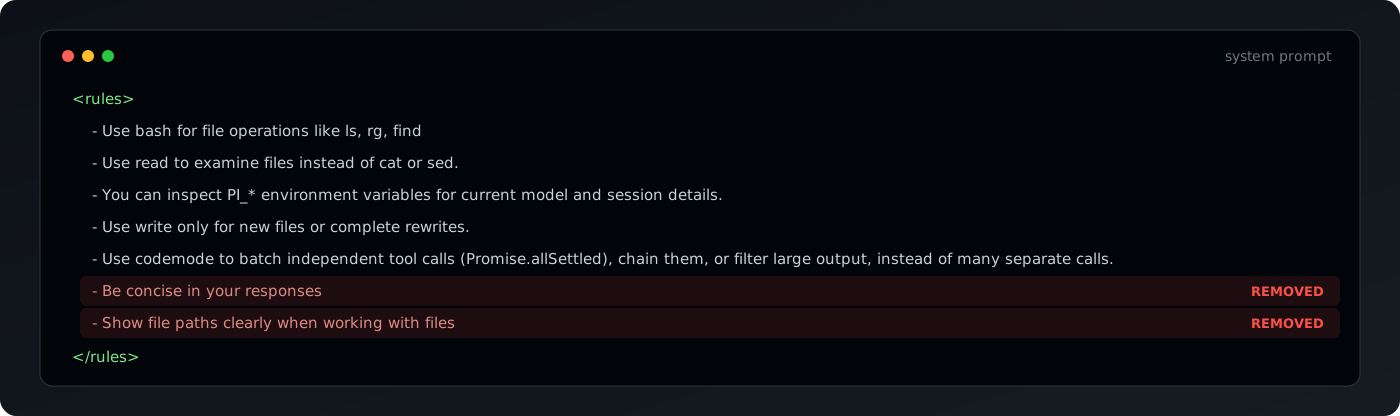
Pi extension that removes the built-in "Be concise" and "Show file paths clearly" system prompt rules.
Package details
Install pi-remove-concise-and-filepath-rules from npm and Pi will load the resources declared by the package manifest.
$ pi install npm:pi-remove-concise-and-filepath-rules- Package
pi-remove-concise-and-filepath-rules- Version
1.0.2- Published
- Oct 18, 2026
- Downloads
- 684/mo · 46/wk
- Author
- xryul
- License
- MIT
- Types
- extension
- Size
- 7.4 KB
- Dependencies
- 0 dependencies · 1 peer
Pi manifest JSON
{
  "image": "https://raw.githubusercontent.com/xRyul/pi-remove-concise-and-filepath-rules/v1.0.2/banner.svg",
  "extensions": [
    "./index.ts"
  ]
}
Security note
Pi packages can execute code and influence agent behavior. Review the source before installing third-party packages.
README
pi-remove-concise-and-filepath-rules
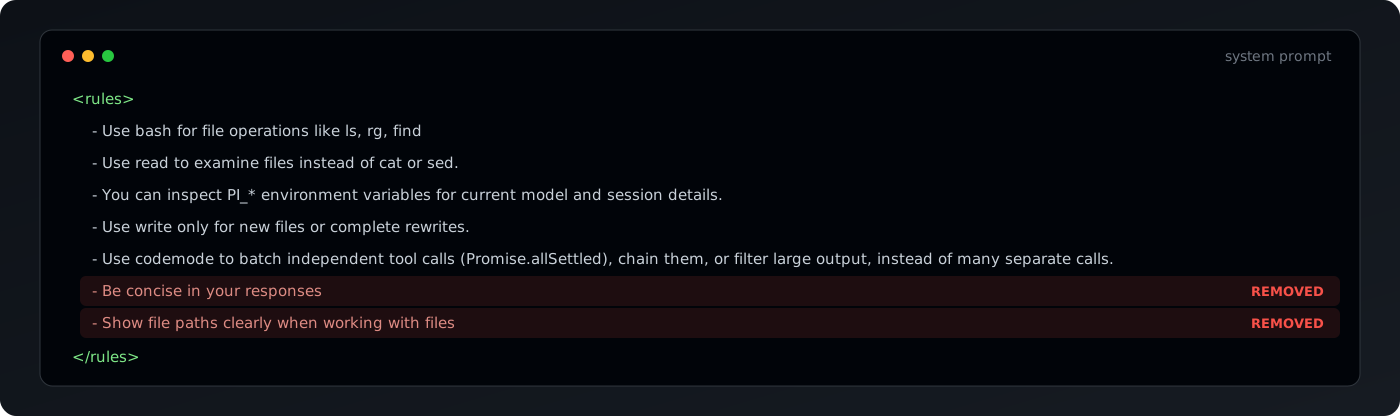
Pi extension that removes 2 of Pi's built-in system prompt rules.
- Removes
Be concise in your responsesfrom Pi's rules - Removes
Show file paths clearly when working with filesfrom Pi's rules. - Raises Codex verbosity:
text.verbosityfrom Pi's defaultlowtomedium(this is ChatGPT default)
At least in my tests "be concise" rule caused confusion when multiple skills and prompts tried to explain what type of output style they want, removing this helps keep models defaults and drive style ouput via personal skills or promtps instead.
Install
pi install npm:pi-remove-concise-and-filepath-rulesOr from git:
pi install git:github.com/xRyul/pi-remove-concise-and-filepath-rulesThen run /reload in Pi.
Uninstall
pi uninstall npm:pi-remove-concise-and-filepath-rulesOr, if you installed from git:
pi uninstall git:github.com/xRyul/pi-remove-concise-and-filepath-rulesThen run /reload in Pi.