pi-scream
Usage limits extension for pi coding agent
Package details
Install pi-scream from npm and Pi will load the resources declared by the package manifest.
$ pi install npm:pi-scream- Package
pi-scream- Version
0.1.2- Published
- May 9, 2026
- Downloads
- 36/mo · 36/wk
- Author
- daya0576
- License
- MIT
- Types
- extension
- Size
- 28.7 KB
- Dependencies
- 0 dependencies · 2 peers
Pi manifest JSON
{
  "extensions": [
    "./extensions/pi-scream/index.ts"
  ],
  "image": "https://raw.githubusercontent.com/daya0576/pi-scream/main/assets/pi-scream.png"
}
Security note
Pi packages can execute code and influence agent behavior. Review the source before installing third-party packages.
README
pi-scream
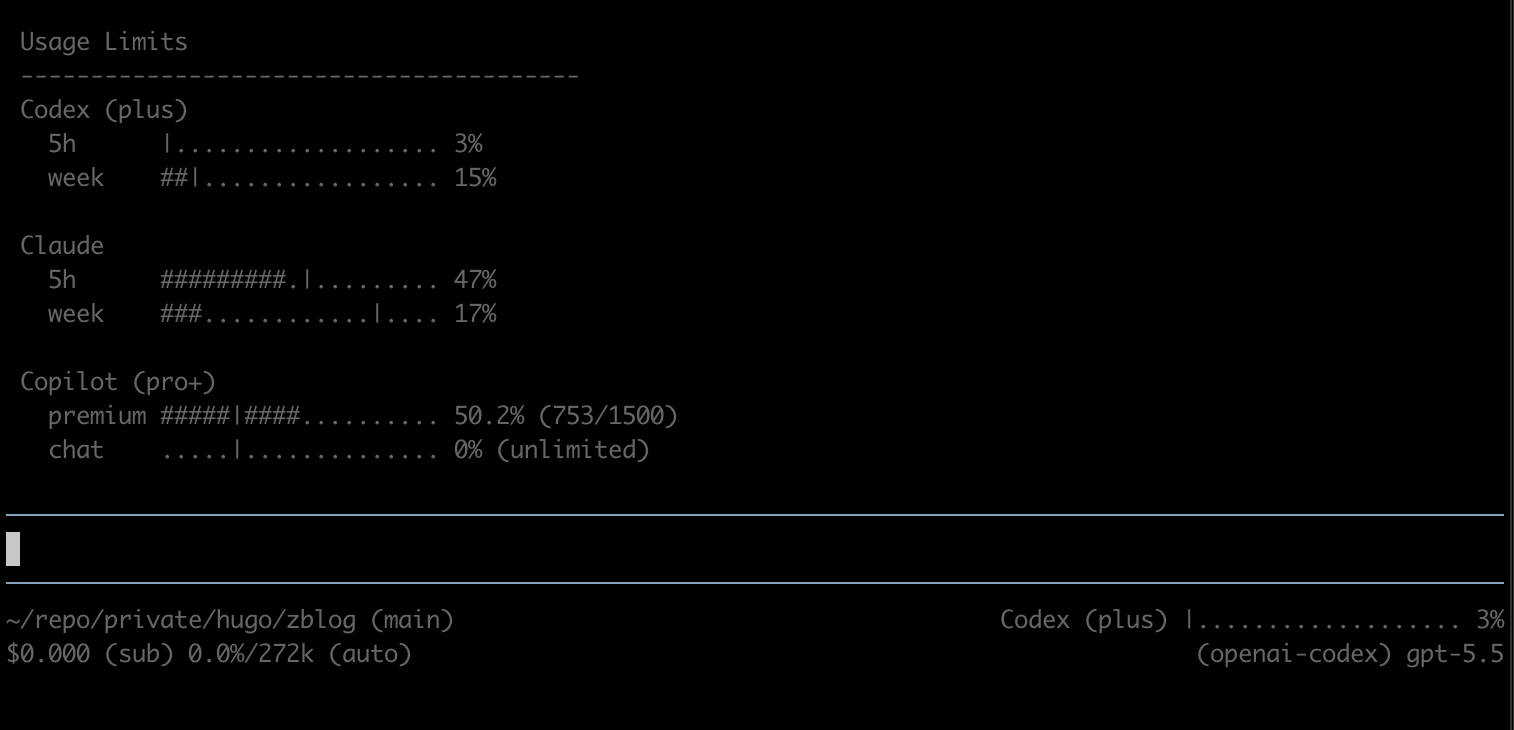
A usage limits extension for pi coding agent that shows Codex, Claude, and GitHub Copilot quota status in a command and the status bar.
Demo
/usage:
Usage Limits
----------------------------------------
Codex (plus) [premium]
  5h    #######........|.... 33%
  week  ##|................. 8%

https://chatgpt.com/codex/cloud/settings/analytics
Footer/status bar:
Codex (plus) #######........|.... 33%
The | marker indicates reset-window progress. For example, in a 5h window:
- reset in 5h -> marker near 0%
- reset in 1h -> marker near 80%
- reset now -> marker near 100%
Provider titles
| Provider | Title logic | Examples | Plan reliability |
|---|---|---|---|
| Codex | Fixed title | Codex (plus) |
Fixed/manual |
| Claude | Claude only; plan usually unavailable from API |
Claude |
Low |
| Copilot | Copilot + optional normalized plan |
Copilot, Copilot (pro), Copilot (pro+) |
Medium |
Provider data sources
| Provider | Source | Auth |
|---|---|---|
| Codex | ChatGPT usage endpoint | openai-codex OAuth token managed by pi |
| Claude | Anthropic OAuth usage endpoint; plan type usually unavailable | anthropic OAuth token managed by pi |
| GitHub Copilot | GitHub Copilot user API; premium interaction and chat quota snapshots when returned | github-copilot OAuth credentials managed by pi |
Installation
Install from npm:
pi install npm:pi-scream
Or install from GitHub:
pi install git:github.com/daya0576/pi-scream
Then reload pi:
/reload
Usage
Run:
/usage
/usage copilot
/usage all refresh
License
MIT