pi-session-bookmarks
Bookmark Pi sessions and jump back in from any repo.
Package details
Install pi-session-bookmarks from npm and Pi will load the resources declared by the package manifest.
$ pi install npm:pi-session-bookmarks- Package
pi-session-bookmarks- Version
0.1.1- Published
- Jun 2, 2026
- Downloads
- 143/mo · 143/wk
- Author
- dr-baker
- License
- MIT
- Types
- extension
- Size
- 222.7 KB
- Dependencies
- 0 dependencies · 2 peers
Pi manifest JSON
{
  "extensions": [
    "./extensions/session-bookmarks"
  ],
  "image": "https://cdn.jsdelivr.net/npm/pi-session-bookmarks/assets/bookmark-list.png"
}
Security note
Pi packages can execute code and influence agent behavior. Review the source before installing third-party packages.
README
pi-session-bookmarks
You had a good idea, but now you need to switch contexts?
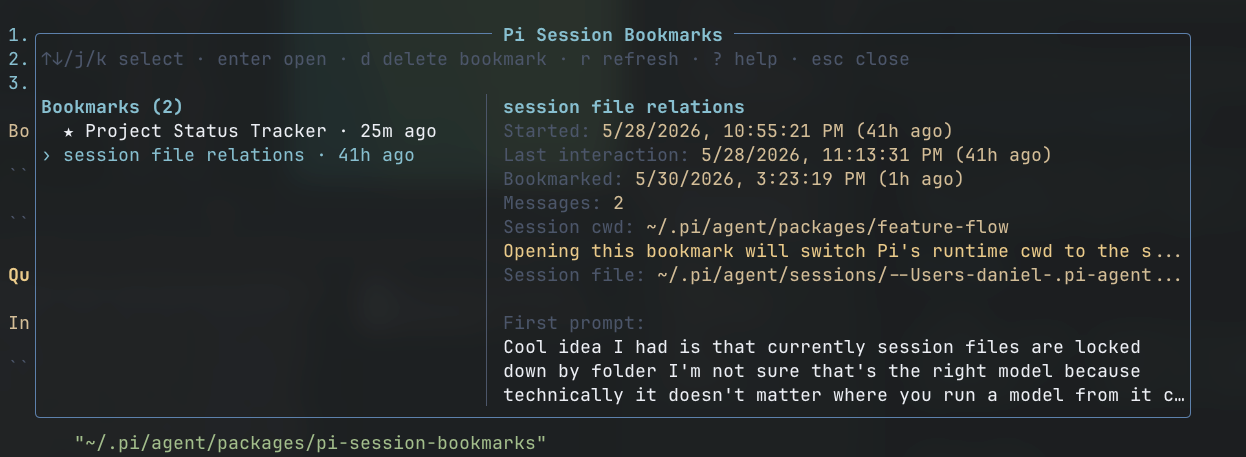
Make a bookmark and keep track of important Pi sessions across workspaces. Easy /bookmark and /bookmark-list makes it easy to hop back in.
Usage
/bookmark [note]   bookmark the current Pi session
/bookmark-list     browse all bookmarked sessions
/unbookmark        remove the current session bookmark
Typical flow:
- Run
/bookmark new app idea: tinder for horsesin a session you want to keep. - Later, from any workspace, run
/bookmark-list. - Pick the session and press Enter to resume it.
Bookmarks are global, not tied to the current cwd. They are stored at:
~/.pi/agent/session-bookmarks/bookmarks.json
Quickstart
Install with Pi:
pi install npm:pi-session-bookmarks
Then restart Pi or run /reload.
cwd
/bookmark-list allows switching the current Pi session. If the bookmarked session belongs to another workspace, Pi's runtime cwd changes to that session's cwd. Your outer shell's cwd is unchanged.