pi-skill-chrome-cdp-auto
Pi skill package for chrome-cdp with auto-launch: zero-config browser debugging that starts a dedicated Chrome instance when no CDP endpoint is found.
Package details
Install pi-skill-chrome-cdp-auto from npm and Pi will load the resources declared by the package manifest.
$ pi install npm:pi-skill-chrome-cdp-auto- Package
pi-skill-chrome-cdp-auto- Version
0.3.3- Published
- Aug 25, 2026
- Downloads
- 1,150/mo · 1,150/wk
- Author
- heykb
- License
- MIT
- Types
- skill
- Size
- 54.4 KB
- Dependencies
- 0 dependencies · 0 peers
Pi manifest JSON
{
  "skills": [
    "./skills"
  ]
}
Security note
Pi packages can execute code and influence agent behavior. Review the source before installing third-party packages.
README
pi-skill-chrome-cdp-auto


A pi skill that controls a local Chrome browser via the Chrome DevTools Protocol — screenshots of rendered pages, accessibility-tree snapshots, navigation, clicks, typing, JavaScript evaluation, and network timing.
What makes this fork different from upstream: it auto-launches a dedicated debugging Chrome when no CDP endpoint is reachable — zero config, zero consent prompts.
Why this fork exists
Upstream @howaboua/pi-skill-chrome-cdp relies on the chrome://inspect/#remote-debugging toggle to enable debugging. With that flow, Chrome shows an "Allow debugging" consent dialog for every newly attached tab, and you have to re-approve after the session daemon goes idle — multiple confirmations per task.
This fork builds launching into the CLI itself:
- Probe
CDP_PORT/9222first, then fall back toDevToolsActivePort(with liveness validation — stale port files won't send you to a dead port) - If nothing responds, automatically start a dedicated Chrome instance with its own profile and wait until it's ready (up to 15s)
- Logins in that profile persist across restarts
One behavior chain for users: connect if reachable, launch if not.
Demo
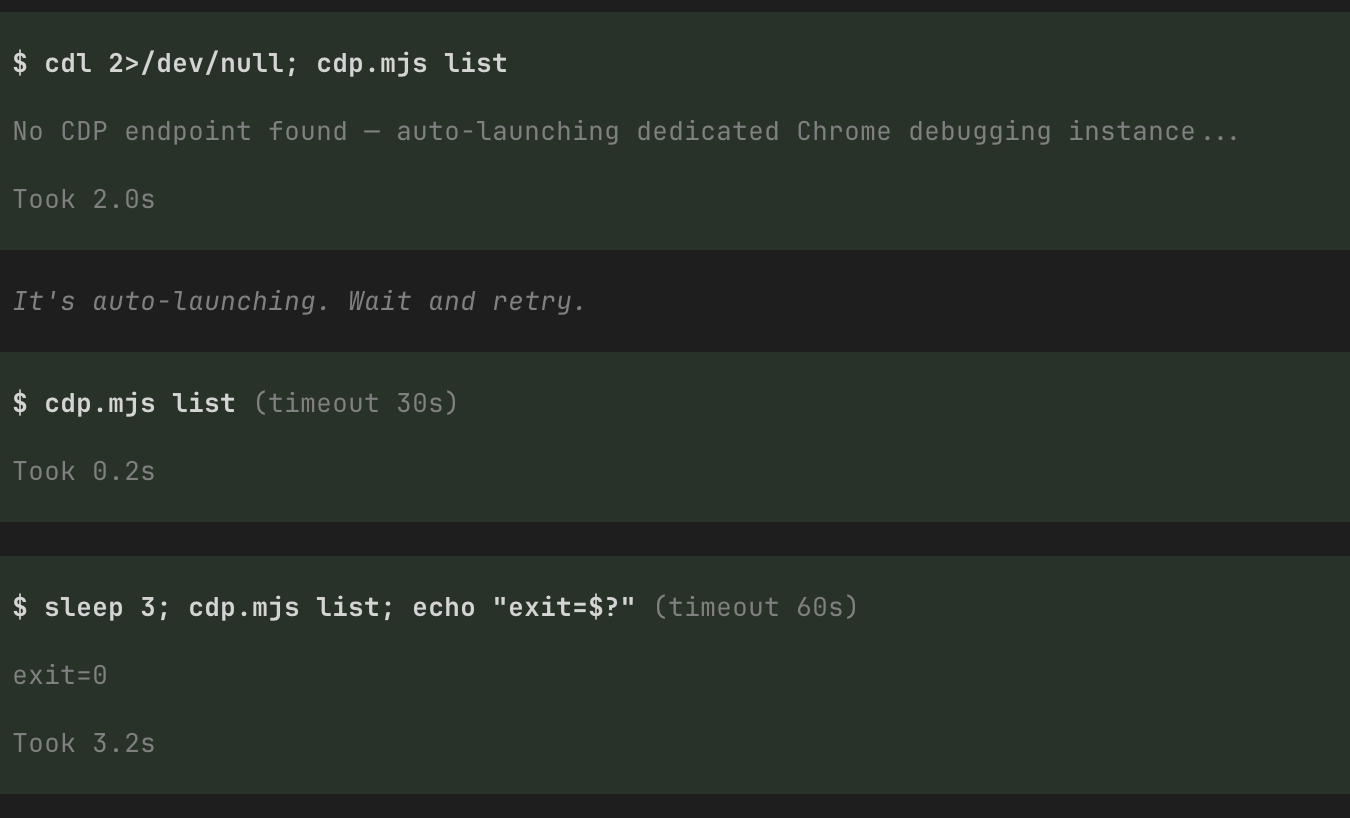
Cold start with zero CDP endpoints — the CLI launches a dedicated Chrome instance in ~2s, and the agent invokes everything by bare filename:
Install
# npm (recommended)
pi install npm:pi-skill-chrome-cdp-auto

# or from GitHub
pi install git+https://github.com/heykb/pi-skill-chrome-cdp-auto
Or clone manually and add the skills/ path to the skills array in ~/.pi/agent/settings.json.
Requirements
- Node.js ≥ 22 (uses built-in WebSocket)
- Chrome/Chromium
Environment variables (all optional)
| Variable | Default | Description |
|---|---|---|
CDP_PORT |
9222 |
Fixed debugging port |
CDP_AUTOLAUNCH_PORT |
9222 |
Port used by auto-launch |
CDP_PROFILE_DIR |
~/.cache/chrome-cdp-profile |
user-data-dir of the dedicated instance |
CDP_NO_AUTOLAUNCH |
– | Set to 1 to disable auto-launch |
CDP_PORT_FILE |
– | Non-standard location of the DevToolsActivePort file |
Security notes
- The auto-launched instance exposes a CDP port (bound to
127.0.0.1). Any local process can read page contents and cookies and act as you through it. Only use on devices you trust. - Never point a debugging-enabled Chrome at your default profile directory — Chrome 136+ blocks that combination, which is exactly why this fork uses a dedicated profile.
Platform support
- ✅ Tested on macOS with Google Chrome 151
- ⚠️ Linux / Windows browser-path branches are implemented but untested
Credits
Based on pasky/chrome-cdp-skill → @howaboua/pi-skill-chrome-cdp (MIT), with auto-launch and port-file validation added. See LICENSE.