pi-slate
A minimal-TUI with rich-graphics support that adds zero-context bloat
Package details
Install pi-slate from npm and Pi will load the resources declared by the package manifest.
$ pi install npm:pi-slate- Package
pi-slate- Version
0.1.18- Published
- Oct 25, 2026
- Downloads
- 3,696/mo · 217/wk
- Author
- tiredhades
- License
- MIT
- Types
- extension, theme
- Size
- 1.2 MB
- Dependencies
- 2 dependencies · 2 peers
Pi manifest JSON
{
  "image": "https://raw.githubusercontent.com/GaganSD/pi-extensions/1e84be304270c8d859e04e7005dc3cf674fbd574/pi-slate/assets/slate-overview.png",
  "themes": [
    "./themes/*.json"
  ],
  "extensions": [
    "./extensions/pi-slate/index.ts"
  ]
}Security note
Pi packages can execute code and influence agent behavior. Review the source before installing third-party packages.
README
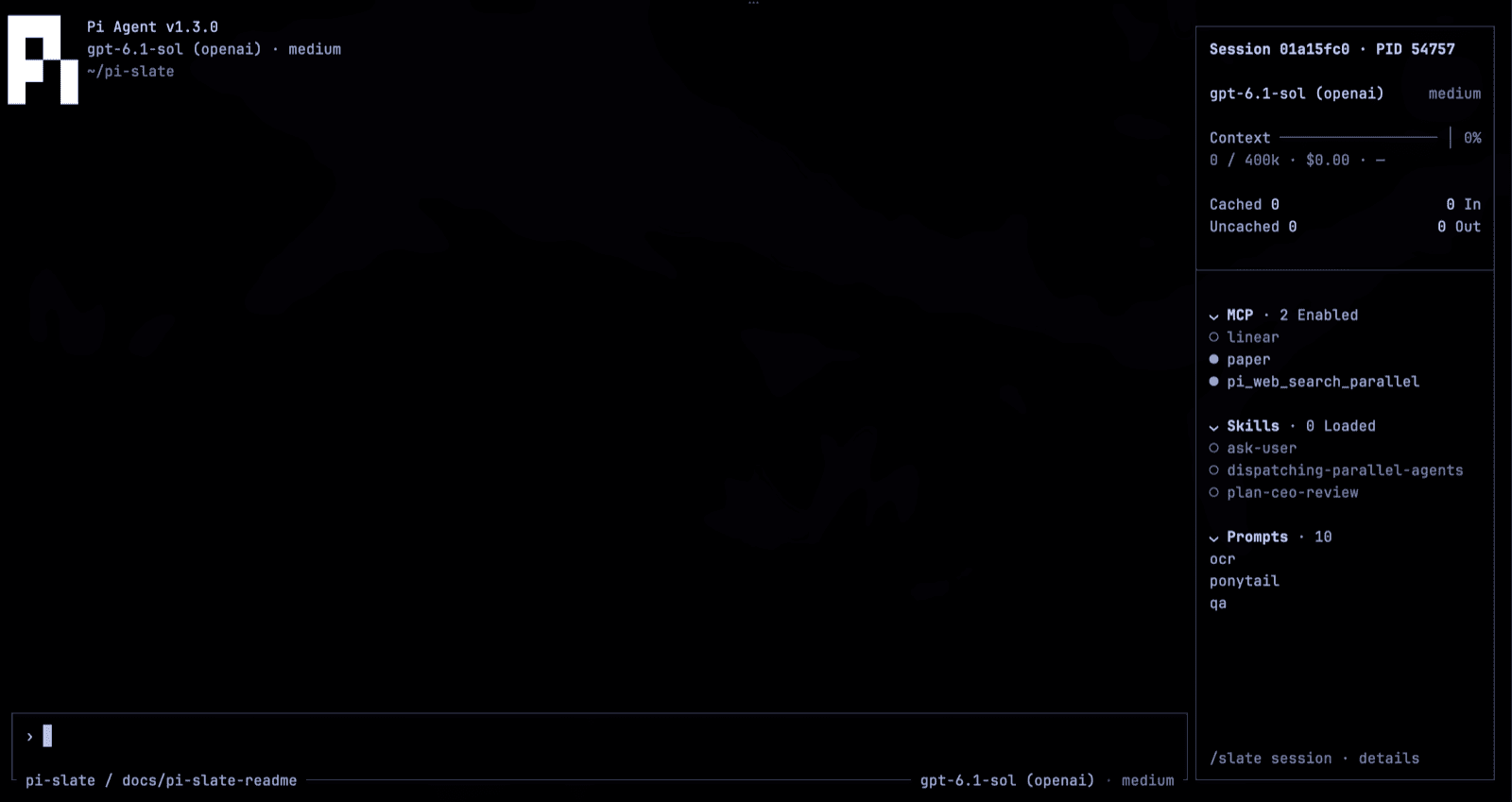
Setup
pi install npm:pi-slateTested with Pi 1.4.0. Requires Pi Coding Agent and a terminal that renders the Kitty or iTerm2 image protocol, such as Ghostty or Warp. Keep other UI extensions enabled and select only the surfaces you want Slate to own; same-slot writers follow host precedence.
Explore settings with /slate after installation, and copy a bug report with /slate bug. Releases: CHANGELOG.
Features
Slate renders cleanly into your terminal and stays customizable without adding new model-facing tools, prompts, or model calls.
Quiet Workbench
The header keeps the stock Pi data and builds on it. Fresh settings start focused (sidebar hidden); restore it with /slate focused off, or get the full workbench with /slate surfaces full then /reload. Below 100 columns or 30 rows, the rail hides and its facts move onto the prompt frame.
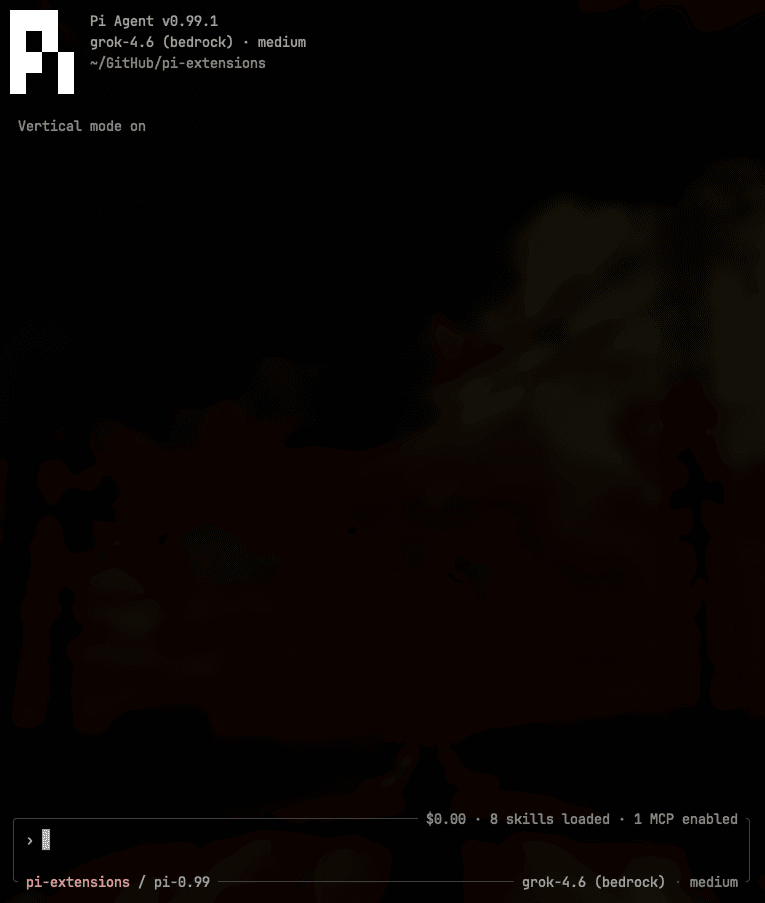
Working Indicator
While the model runs, the composer edge shows a progress animation — /slate progress picks waves (default), dna-helix, snake, or cylon-scanner.

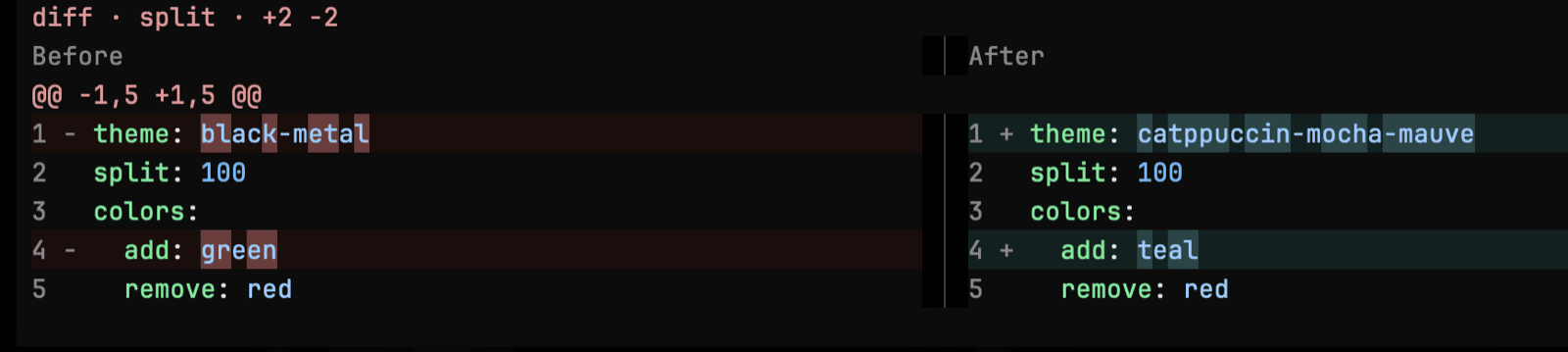
Diff
With tool-cards selected, edit and write results are syntax-highlighted in the transcript.

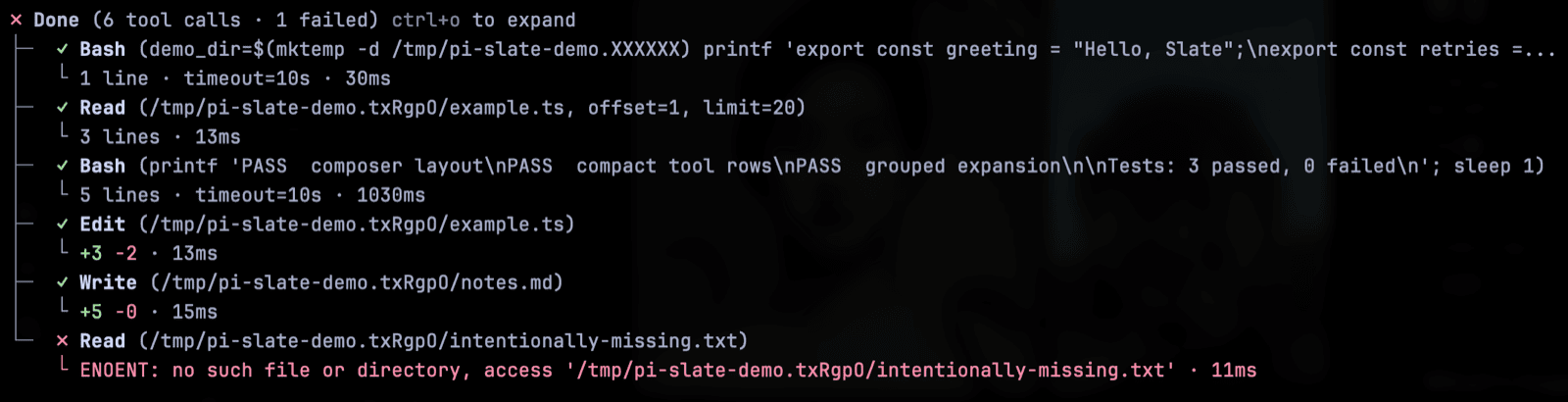
Claude Code Tool Style
Slate's default tool style renders compact ✓ Name (args) calls grouped into Done (…) trees, with durations and edit counts. Set "toolStyle": "default" in ~/.pi/agent/pi-slate.json and /reload to restore Pi's native cards.
Rich Media Rendering
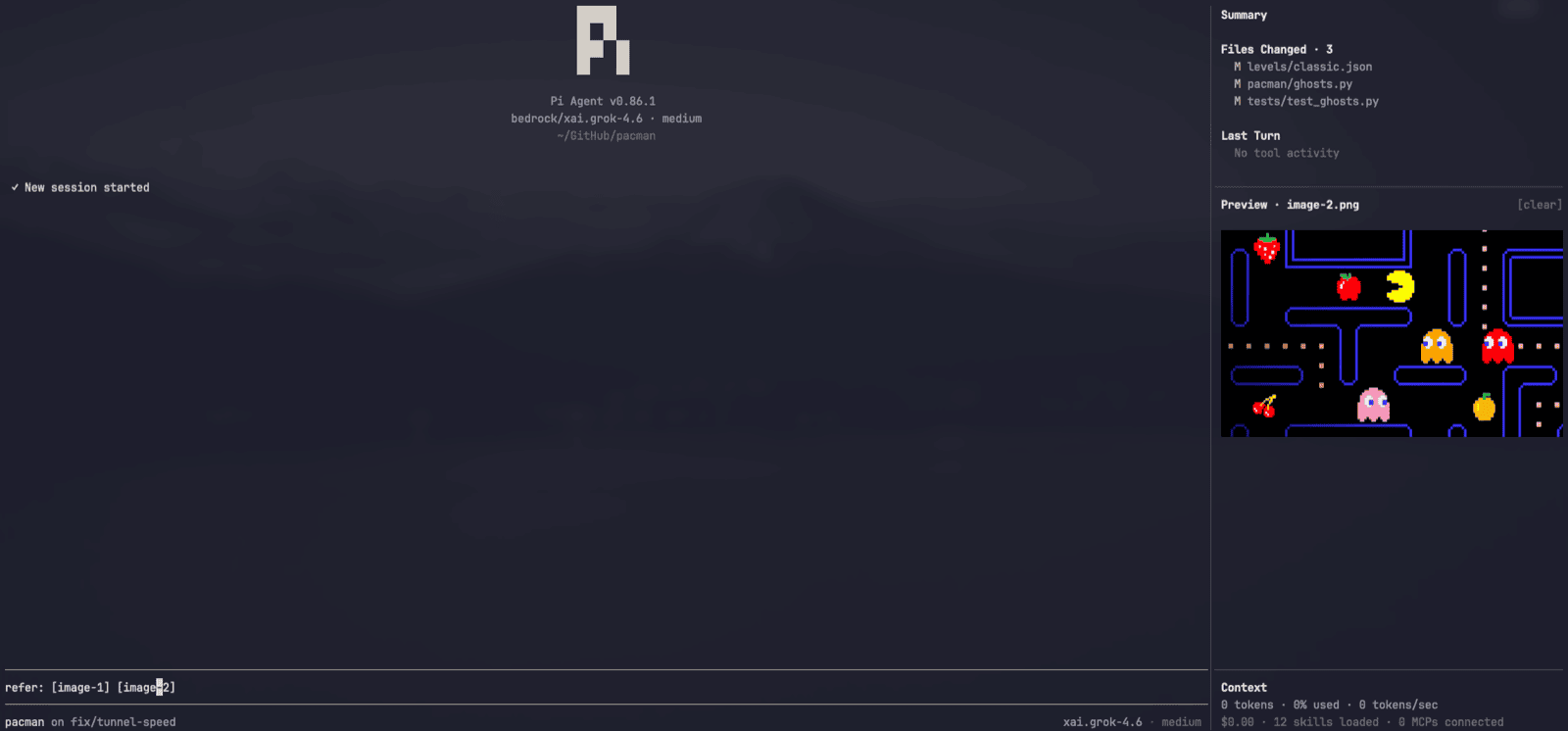
Slate uses Kitty Graphics Protocol to display rich media inside your terminal.
Usage: Caret-peek over image tokens to display.
[image-N]is a single object — the caret cannot enter it, and the whole token highlights. Open or copy from the image shelf, or double-click the image to open it. The peek leaves when the caret does. Task inspection never replaces the image. Pi-generated clipboard image paths are converted into[image-N]tokens.
Session Dashboard
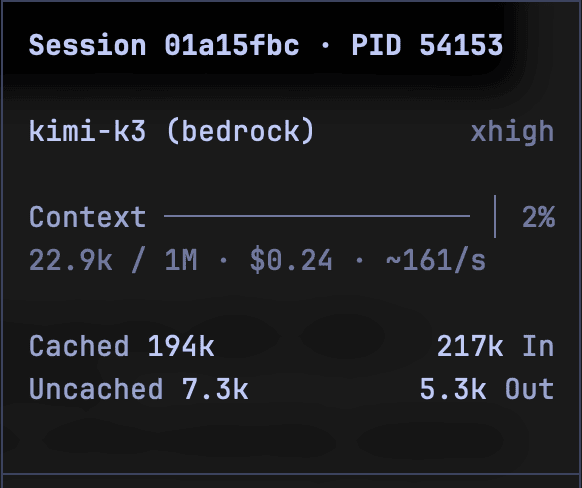
The sidebar keeps session facts visible without sending them to a model: a live session title at the top in bold theme accent color (click to copy its full text), session id and PID on the next row (click to copy the full id), model, context meter with cost and rate, foldable MCP/Skills/Prompts lists, plus background tasks and an image shelf when nonempty. Long titles use a width-aware ellipsis; unnamed sessions leave that row blank. Set a name with Pi's /name <title> or a naming extension; Slate displays it and follows renames without generating titles. /slate session shows the full title and accounting; focused and compact modes move the facts onto the prompt frame.
Background Tasks & Subagents
Other extensions can publish detached terminals or jobs to the sidebar's task shelf through the pi:background-tasks event on Pi's event bus; snapshots are display-only and cleared with their session. With editor and a fullscreen sidebar selected, Slate can also lend the sidebar's chat slot to a pi-subagents worker conversation — a UI-only handshake with no new model tools — and restores the same surfaces on return. Without a compatible slot, pi-subagents uses its own fallback.
Themes
Slate supports the following themes and can be changed with /slate theme <name>:
| Themes | Accent |
|---|---|
tokyo-night |
🟦 |
black-metal |
⬛ |
quiet |
⬜ |
mauve |
🟪 |
sapphire |
🟦 |
peach |
🟧 |
teal |
🟩 |
default |
Pi's system theme |
Black Metal is an optional bundled theme, not an install default: pick it with /slate theme black-metal or the /slate theme menu. Every selection is saved and also appears in /settings.
With /slate effort-border on, bundled themes use a restrained effort ramp from their neutral border toward their border accent: blue for Tokyo Night, the selected Catppuccin style, cool grays for Quiet, and grayscale for Black Metal. Higher effort increases intensity instead of switching to unrelated hues; the effort label remains the precise cue. The sidebar stays neutral, bash mode keeps its separate color, and external themes retain their own effort colors. These are native theme tokens, so Pi's stock editor also uses the ramp when a bundled Slate theme is selected. Effort-colored Slate frames remain off by default.
Prompt Templates
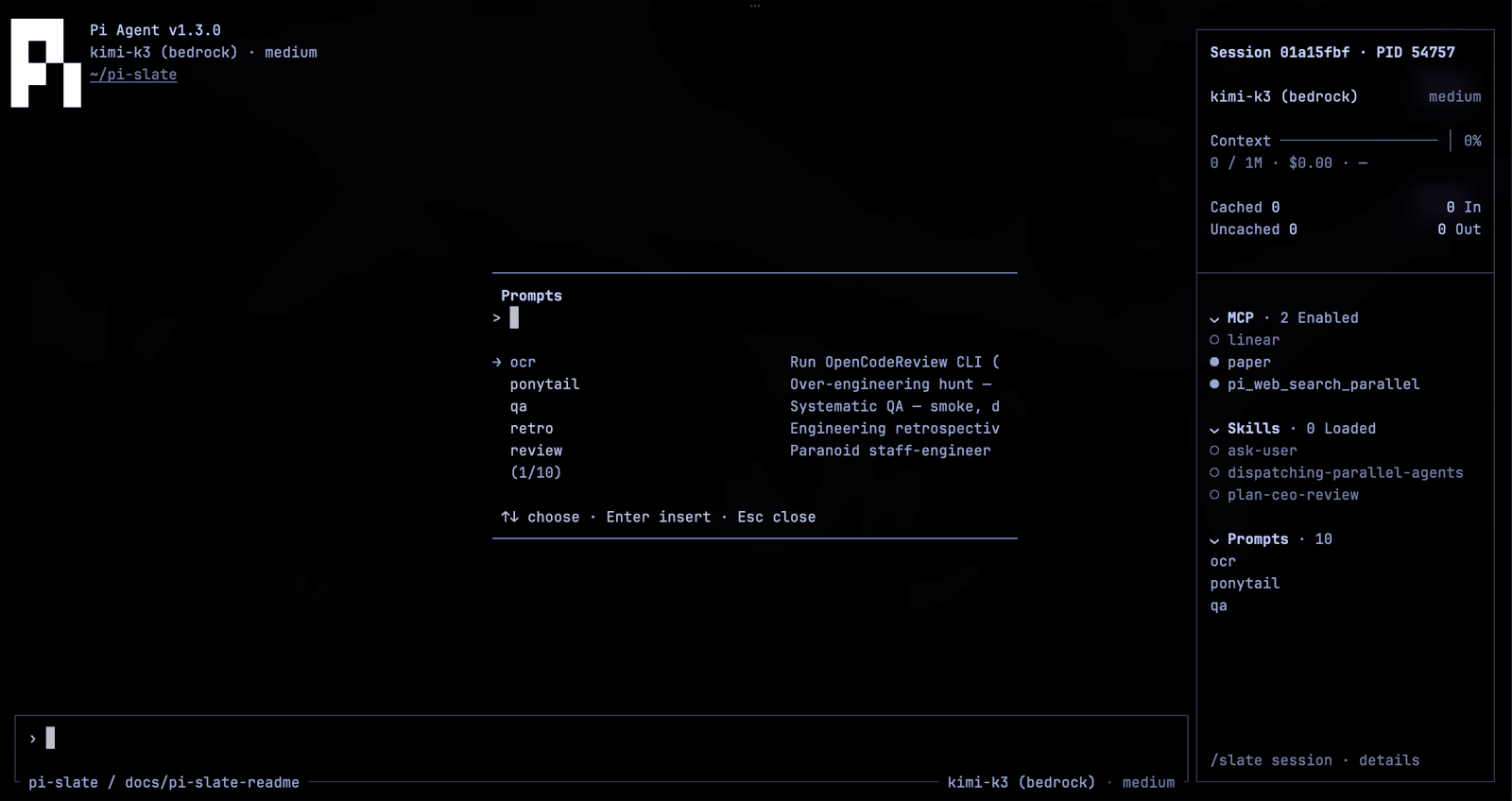
With editor selected, /prompts opens a searchable picker of Pi's prompt templates; Enter inserts at the composer cursor. There is no default shortcut. Optional bind in ~/.pi/agent/pi-slate.json, then /reload:
{ "shortcuts": { "prompts": "" } }false or "none" also mean none.
Composer Keys
These work when editor is selected. No terminal configuration.
| Action | Keys |
|---|---|
| Select all prompt text | Ctrl+A |
| Copy the prompt | Ctrl+C |
| Scroll a long prompt | Mouse wheel over the composer |
| Replace or drop a large prompt | Ctrl+A then Backspace, or Esc Esc |
| Submit selected prompt | Enter |
| Clear the prompt | Esc Esc |
| Expand or collapse a paste | Click the [paste #N] token |
Commands
/slate with no args opens the settings picker. /prompts is registered only with editor selected. /exit always quits Pi, same as /quit.
| Setting | Commands | Effect |
|---|---|---|
| Surfaces | /slate surfaces [set <names...>|full|none] |
Show or save the selected set; requires /reload. |
| Focused | /slate focused [on|off] |
Set focused mode. Focused mode hides the sidebar; standard mode restores it. |
| PID display | /slate pid [on|off] |
Show the agent process ID on the composer's top edge. Off by default; omitted when the frame is too narrow. |
| Effort border color | /slate effort-border [on|off] |
Let Pi's native thinking-level and bash-mode colors paint the composer frame. Off by default: Slate keeps its neutral chrome. Applies immediately with editor selected. |
| Working indicator | /slate progress [waves|dna-helix|snake|cylon-scanner] |
Animate the composer's working-status slot. waves is the default. |
| Sidebar width | /slate width [default|narrow|medium|wide|<percent>] |
Choose the sidebar width and return to standard mode. default is 20%. |
| Session dashboard | /slate session [mcp|skills|commands|tasks|image] |
Inspect facts, expand/collapse resources, insert commands, or manage the image shelf. |
| Message length | /slate message-length [default|all|<count>] |
How many chat messages stay on screen. default is 100. |
| Density | /slate density [comfortable|compact] |
Comfortable shows a › prompt in the composer; compact is tighter. |
| Composer metadata | /slate footer [standard|minimal] |
Legacy command alias: standard shows model and thinking on the composer; minimal hides them. Not footer-slot ownership. |
| Theme | /slate theme [default|tokyo-night|black-metal|quiet|mauve|sapphire|peach|teal] |
Default restores Pi's system theme. Tokyo Night and Black Metal are explicit; other styles select Catppuccin; /slate style retains Catppuccin aliases. |
| Bugs | /slate bug [file|open] |
Copy a bug report, or open the npm package page. |
Independent Surfaces
Slate can own one surface and leave the rest untouched. The closed set is header, footer, editor, sidebar, tool-cards, transcript.
Changes are saved and require /reload; appearance settings stay live. A fresh install selects ["editor", "sidebar", "tool-cards"].
| Surface | Owns |
|---|---|
header |
Compact workspace identity and update hairline |
footer |
Zero-row footer (hides Pi's native footer) |
editor |
Composer, keys, paste/images, working/thinking status |
sidebar |
Session dashboard, resources, tasks and images |
tool-cards |
Highlighted edit/write cards and grouped reads |
transcript |
Visible-message window |