pi-slate
A minimal-TUI with rich-graphics support that adds zero-context bloat
Package details
Install pi-slate from npm and Pi will load the resources declared by the package manifest.
$ pi install npm:pi-slate- Package
pi-slate- Version
0.1.17- Published
- Oct 21, 2026
- Downloads
- 4,038/mo · 378/wk
- Author
- tiredhades
- License
- MIT
- Types
- extension, theme
- Size
- 1.2 MB
- Dependencies
- 2 dependencies · 2 peers
Pi manifest JSON
{
  "image": "https://raw.githubusercontent.com/GaganSD/pi-extensions/1e84be304270c8d859e04e7005dc3cf674fbd574/pi-slate/assets/slate-overview.png",
  "themes": [
    "./themes/*.json"
  ],
  "extensions": [
    "./extensions/pi-slate/index.ts"
  ]
}Security note
Pi packages can execute code and influence agent behavior. Review the source before installing third-party packages.
README
Setup
pi install npm:pi-slateRequires Pi Coding Agent and a terminal that renders the Kitty or iTerm2 image protocol, such as Ghostty or Warp. Keep other UI extensions enabled and select only the surfaces you want Slate to own; same-slot writers follow host precedence.
Explore settings with /slate after installation, and copy a bug report with /slate bug. Releases: CHANGELOG.
Features
Slate renders cleanly into your terminal and stays customizable without adding new model-facing tools, prompts, or model calls.
Quiet Workbench
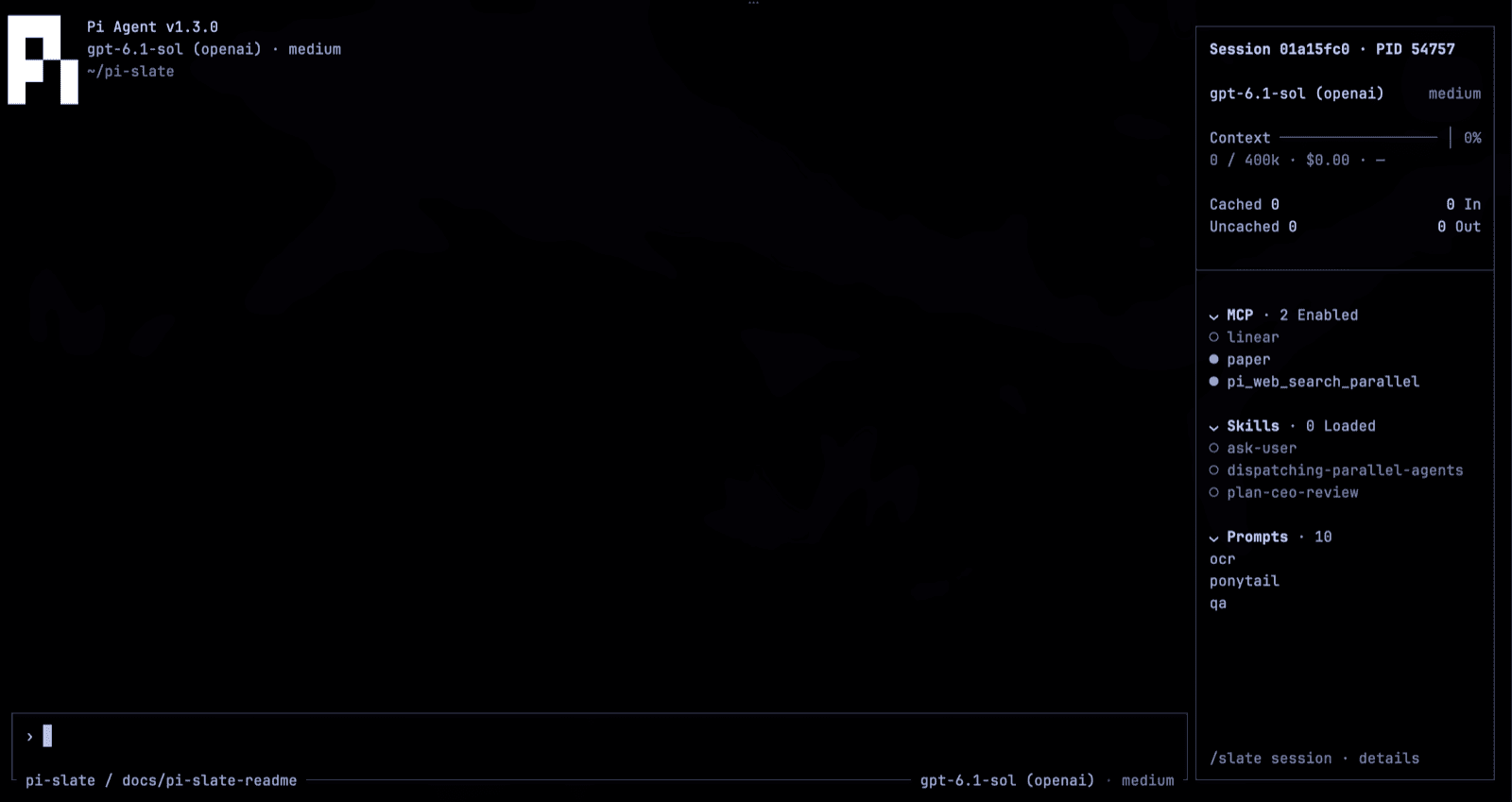
The header keeps the stock Pi data and builds on it. Fresh settings start focused (sidebar hidden); restore it with /slate focused off, or get the full workbench with /slate surfaces full then /reload. Below 100 columns or 30 rows, the rail hides and its facts move onto the prompt frame.
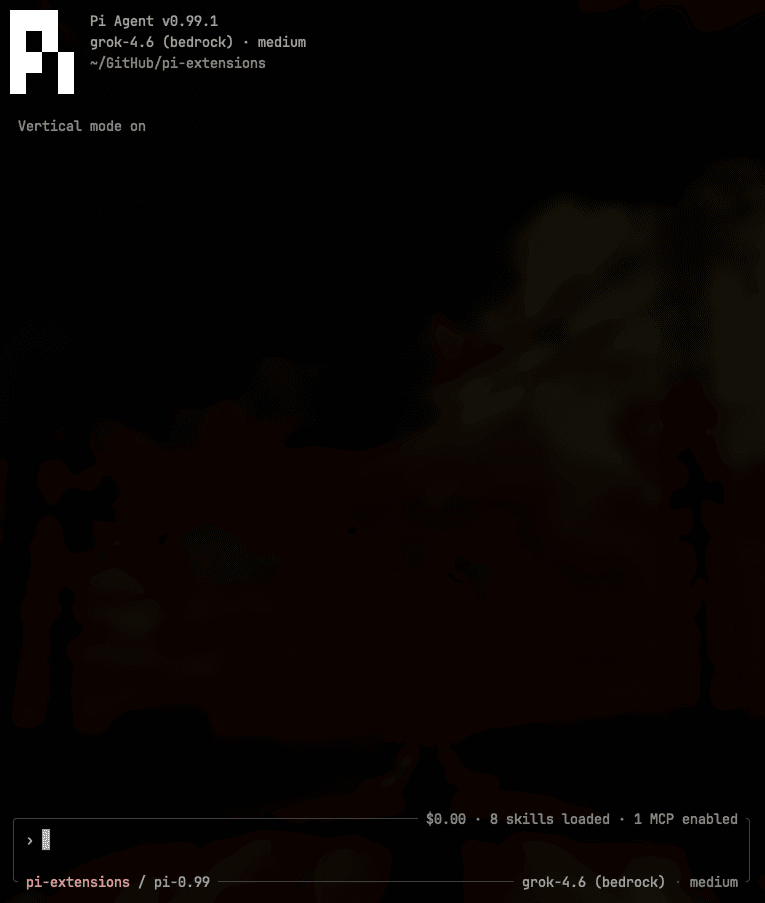
Working Indicator
While the model runs, the composer edge shows a progress animation — /slate progress picks waves (default), dna-helix, snake, or cylon-scanner.

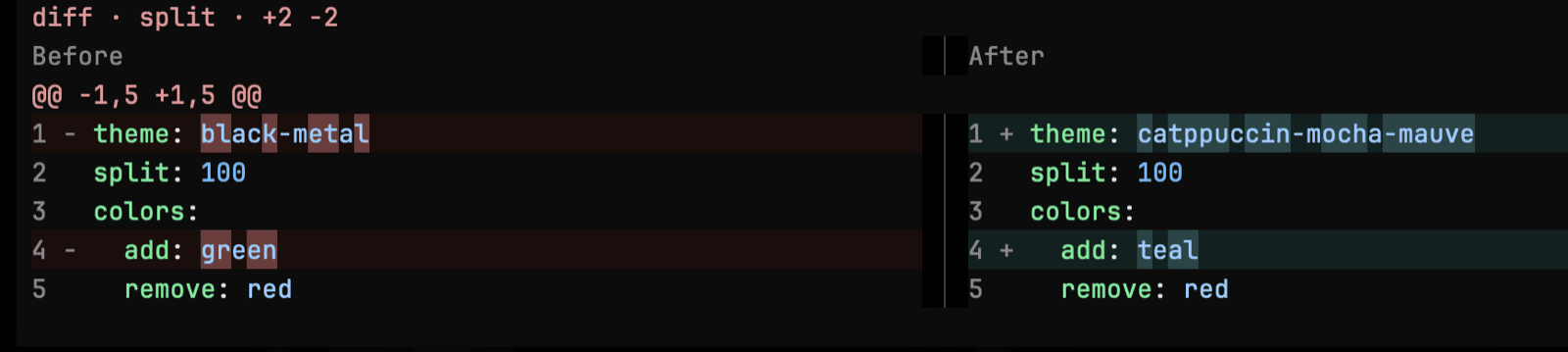
Diff
With tool-cards selected, edit and write results are syntax-highlighted in the transcript.

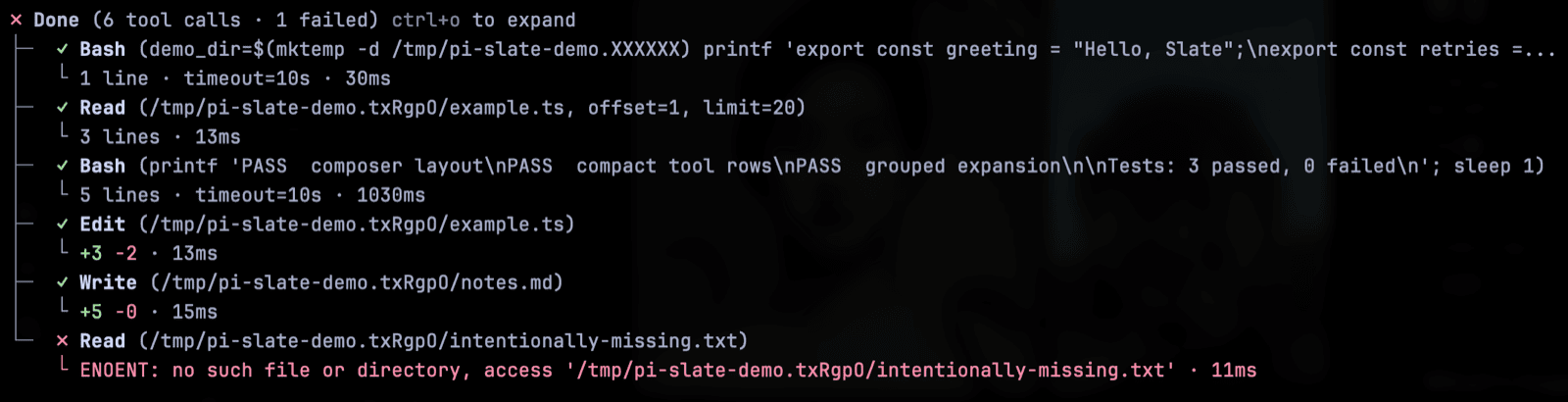
Claude Code Tool Style
Slate's default tool style renders compact ✓ Name (args) calls grouped into Done (…) trees, with durations and edit counts. Set "toolStyle": "default" in ~/.pi/agent/pi-slate.json and /reload to restore Pi's native cards.
Rich Media Rendering
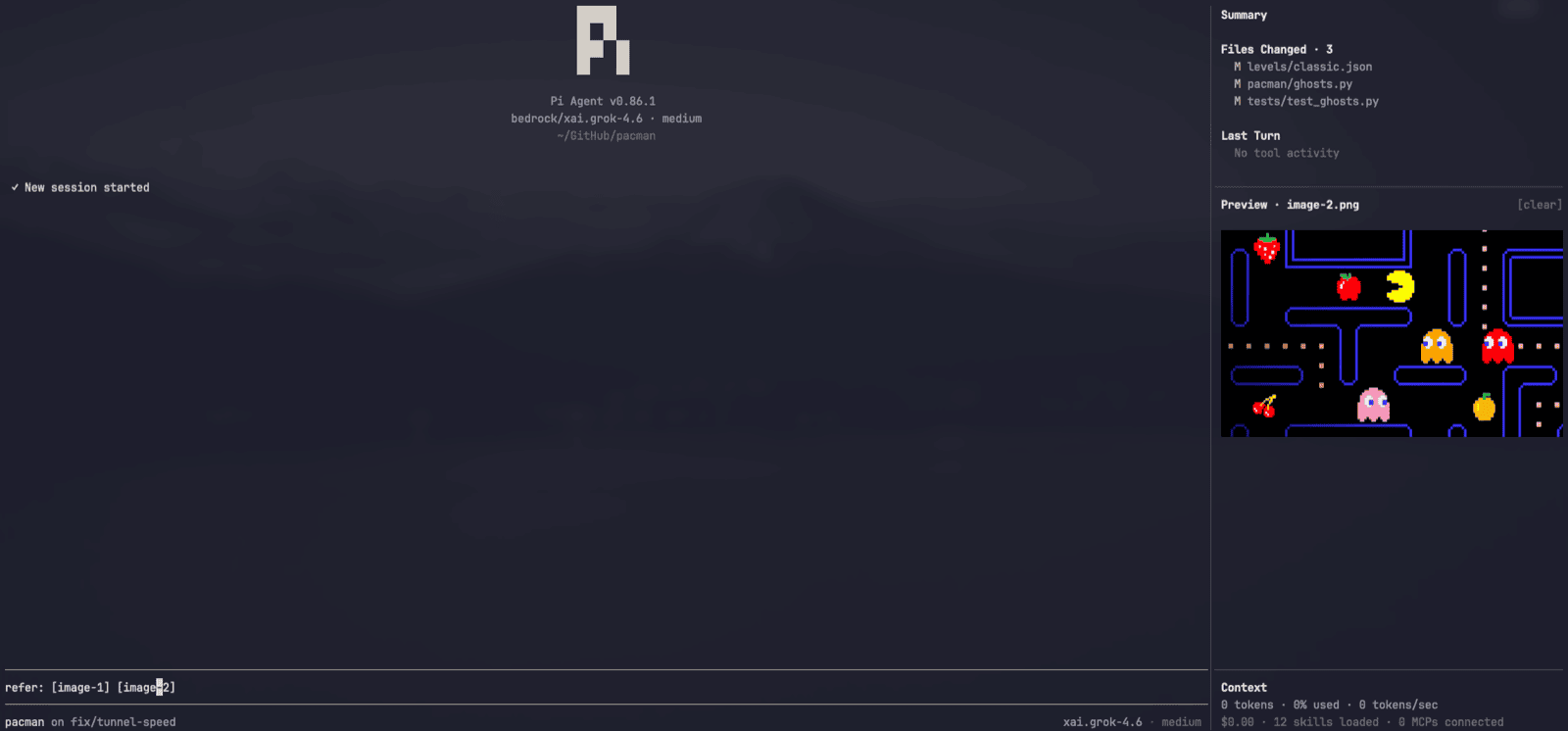
Slate uses Kitty Graphics Protocol to display rich media inside your terminal.
Usage: Caret-peek over image tokens to display.
[image-N]is a single object — the caret cannot enter it, and the whole token highlights. Open or copy from the image shelf, or double-click the image to open it. The peek leaves when the caret does. Task inspection never replaces the image. Pi-generated clipboard image paths are converted into[image-N]tokens.
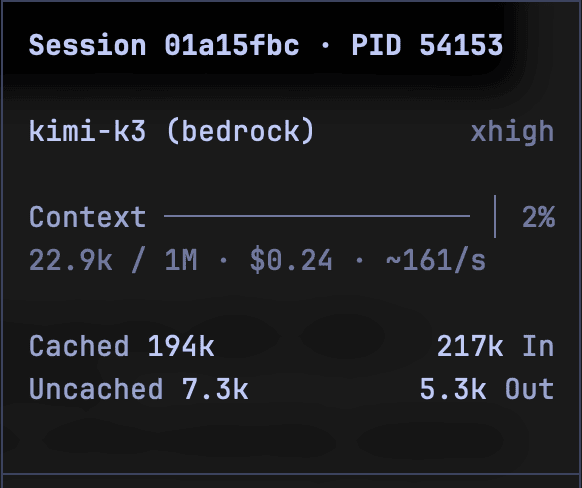
Session Dashboard
The sidebar keeps session facts visible without sending them to a model: session id and PID (click to copy), model, context meter with cost and rate, foldable MCP/Skills/Prompts lists, plus background tasks and an image shelf when nonempty. /slate session shows full accounting; focused and compact modes move the facts onto the prompt frame.
Background Tasks & Subagents
Other extensions can publish detached terminals or jobs to the sidebar's task shelf through the pi:background-tasks event on Pi's event bus; snapshots are display-only and cleared with their session. With editor and a fullscreen sidebar selected, Slate can also lend the sidebar's chat slot to a pi-subagents worker conversation — a UI-only handshake with no new model tools — and restores the same surfaces on return. Without a compatible slot, pi-subagents uses its own fallback.
Themes
Slate supports the following themes and can be changed with /slate theme <name>:
| Themes | Accent |
|---|---|
tokyo-night |
🟦 |
quiet |
⬜ |
mauve |
🟪 |
sapphire |
🟦 |
peach |
🟧 |
teal |
🟩 |
default |
Pi's system theme |
Black Metal remains available in Pi's theme settings. Selection is saved and also appears in /settings.
Prompt Templates
With editor selected, /prompts (or Ctrl+Alt+P) opens a searchable picker of Pi's prompt templates; Enter inserts at the composer cursor.
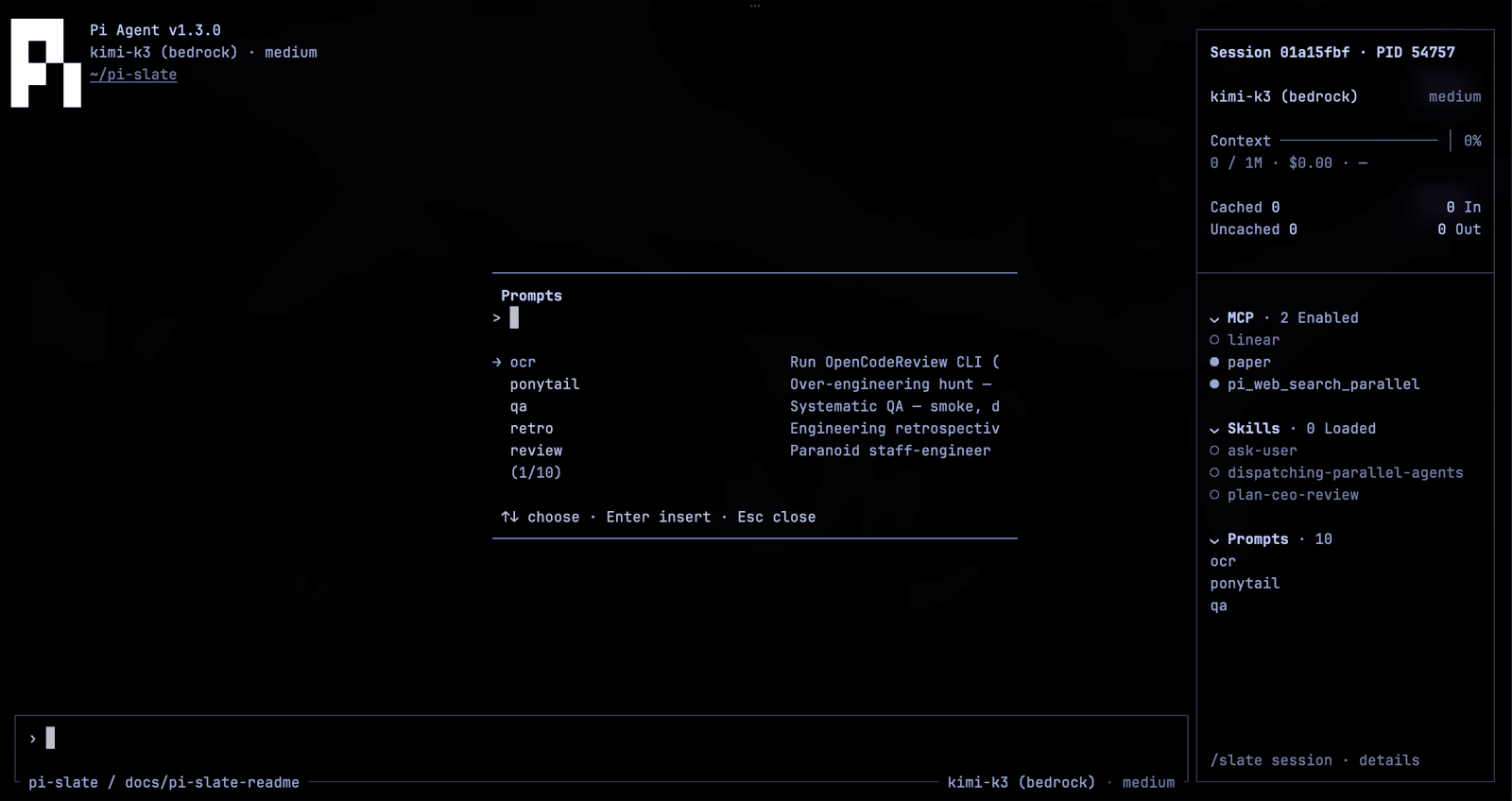
Composer Keys
These work when editor is selected. No terminal configuration.
| Action | Keys |
|---|---|
| Select all prompt text | Ctrl+A |
| Copy the prompt | Ctrl+C |
| Scroll a long prompt | Mouse wheel over the composer |
| Replace or drop a large prompt | Ctrl+A then Backspace, or Esc Esc |
| Submit selected prompt | Enter |
| Clear the prompt | Esc Esc |
| Expand or collapse a paste | Click the [paste #N] token |
Commands
/slate with no args opens the settings picker. /prompts is registered only with editor selected. /exit always quits Pi, same as /quit.
| Setting | Commands | Effect |
|---|---|---|
| Surfaces | /slate surfaces [set <names...>|full|none] |
Show or save the selected set; requires /reload. |
| Focused | /slate focused [on|off] |
Set focused mode. Focused mode hides the sidebar; standard mode restores it. |
| PID display | /slate pid [on|off] |
Show the agent process ID on the composer's top edge. Off by default; omitted when the frame is too narrow. |
| Working indicator | /slate progress [waves|dna-helix|snake|cylon-scanner] |
Animate the composer's working-status slot. waves is the default. |
| Sidebar width | /slate width [default|narrow|medium|wide|<percent>] |
Choose the sidebar width and return to standard mode. default is 20%. |
| Session dashboard | /slate session [mcp|skills|commands|tasks|image] |
Inspect facts, expand/collapse resources, insert commands, or manage the image shelf. |
| Message length | /slate message-length [default|all|<count>] |
How many chat messages stay on screen. default is 100. |
| Density | /slate density [comfortable|compact] |
Comfortable shows a › prompt in the composer; compact is tighter. |
| Composer metadata | /slate footer [standard|minimal] |
Legacy command alias: standard shows model and thinking on the composer; minimal hides them. Not footer-slot ownership. |
| Theme | /slate theme [default|tokyo-night|quiet|mauve|sapphire|peach|teal] |
Default restores Pi's system theme. Tokyo Night is explicit; other styles select Catppuccin; /slate style retains Catppuccin aliases. |
| Bugs | /slate bug [file|open] |
Copy a bug report, or open the npm package page. |
Independent Surfaces
Slate can own one surface and leave the rest untouched. The closed set is header, footer, editor, sidebar, tool-cards, transcript.
Changes are saved and require /reload; appearance settings stay live. A fresh install selects ["editor", "sidebar", "tool-cards"].
| Surface | Owns |
|---|---|
header |
Compact workspace identity and update hairline |
footer |
Zero-row footer (hides Pi's native footer) |
editor |
Composer, keys, paste/images, working/thinking status |
sidebar |
Session dashboard, resources, tasks and images |
tool-cards |
Highlighted edit/write cards and grouped reads |
transcript |
Visible-message window |