pi-smart-web-search
Batch web search for the pi coding agent -- ranked, readable results ready to fetch. Requires pi-smart-fetch.
Package details
Install pi-smart-web-search from npm and Pi will load the resources declared by the package manifest.
$ pi install npm:pi-smart-web-search- Package
pi-smart-web-search- Version
0.4.0- Published
- Jul 29, 2026
- Downloads
- 931/mo · 203/wk
- Author
- joematthews
- License
- MIT
- Types
- extension
- Size
- 31.6 KB
- Dependencies
- 3 dependencies · 4 peers
Pi manifest JSON
{
  "extensions": [
    "./index.ts"
  ],
  "image": "https://raw.githubusercontent.com/joematthews/pi-smart-web-search/main/demo.png"
}Security note
Pi packages can execute code and influence agent behavior. Review the source before installing third-party packages.
README
pi-smart-web-search
A pi extension that adds one tool -- web_search -- for batch web discovery.
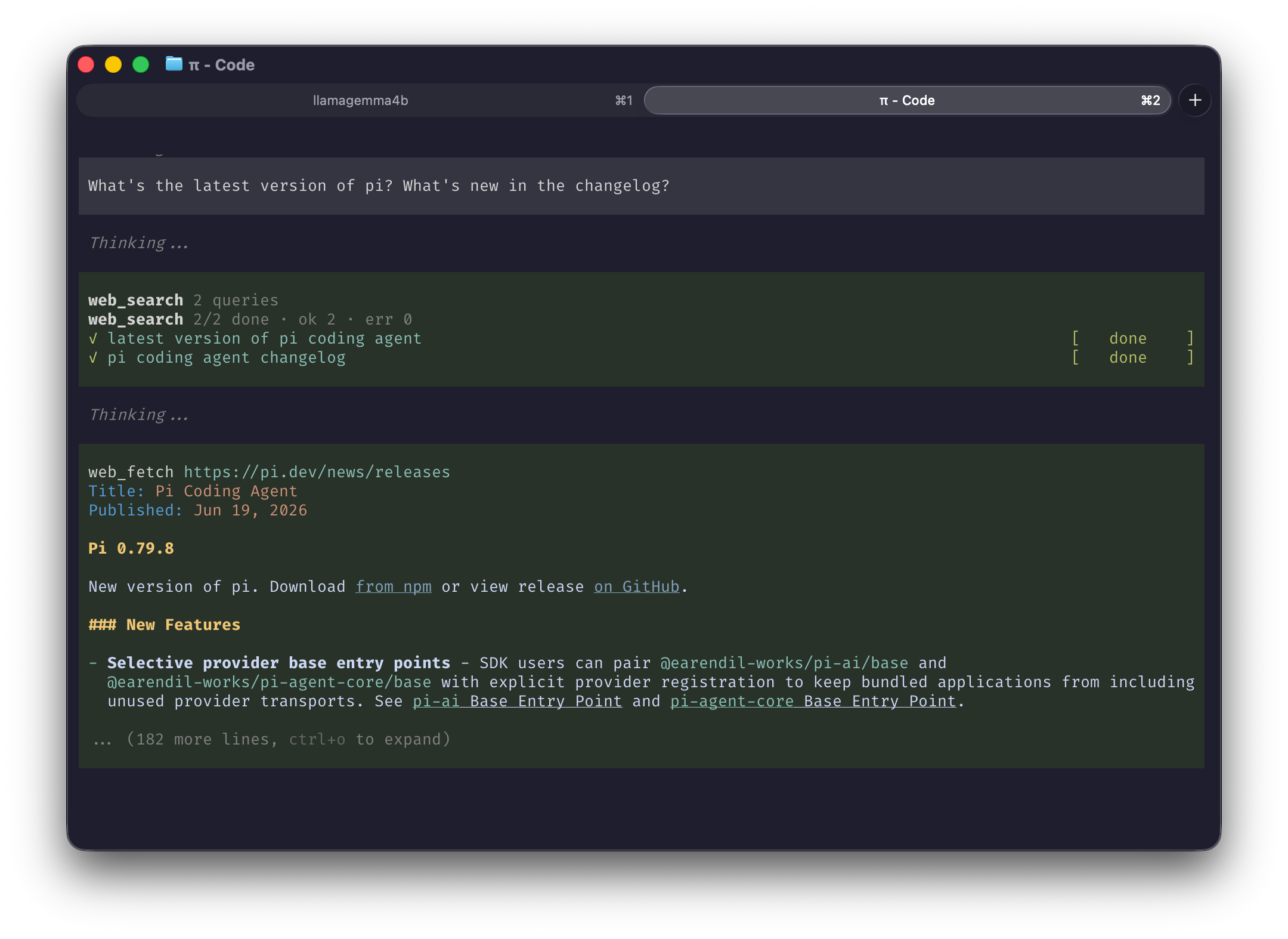
It takes an array of queries, turns each into a search URL,
and runs it through the same fetch->extract pipeline as pi-smart-fetch (wreq-js -> linkedom ->
Defuddle). It returns each query's extracted results (numbered titles, links, snippets as markdown),
followed by a # Read these pages summary -- every result link, in rank order -- for the model to open.
Install
pi install npm:pi-smart-web-search
pi install npm:pi-smart-fetch   # required (see below)
Requires pi-smart-fetch
web_search finds and ranks sources; pi-smart-fetch's
web_fetch and batch_web_fetch are how the chosen pages get read. The tool description and the
link summary name both tools by name, so installing web_search on its own tells the model to call
tools that do not exist.
Start pi without it and web_search says so, once, in the TUI. The warning needs a UI to appear in,
so pi -p will not show it.
Usage
Once installed, start up pi and just ask a question -- web_search kicks in automatically when an
answer needs current or external info. Try:
What's the latest version of Node.js, and what's new in it?
Compare Bun and Deno for a new TypeScript API in 2026.
pi searches, opens the best results, and answers from what it read. No flags, no setup -- just ask.
Tool
web_search(searches: string[]) // up to 6 queries
Pass a few focused queries at once to cover a topic from multiple angles in one call.
Collapsed, the result is the progress card. Press Ctrl+O to see the markdown the model was given,
rendered: headings styled, results numbered, and every link openable from the terminal.
Settings
One optional setting, in ~/.pi/agent/settings.json or a project's .pi/settings.json:
{ "smartWebSearch": { "resultsPerQuery": 5 } }
How many results to keep per query, 1 to 10, default 5. It trades tokens against coverage: against a live results page, 10 results cost about 1,400 tokens per query, 5 about 700, and 3 about 460.
Development
Run from a local clone instead of the registry:
git clone https://github.com/joematthews/pi-smart-web-search
cd pi-smart-web-search
npm install
pi install .
npm run check runs typecheck, lint, format, spell, and tests. Ctrl+O on a result shows exactly
what the model received, against a real session.
Credits
Heavily inspired by pi-smart-fetch by
Thinkscape (MIT). It shares the same pipeline (wreq-js -> linkedom -> Defuddle), and the progress card follows the shape batch_web_fetch established. Thanks to that project for the pattern.
License
MIT (c) Joe Matthews